AI for Patient Management: Smoother Care, Less Admin
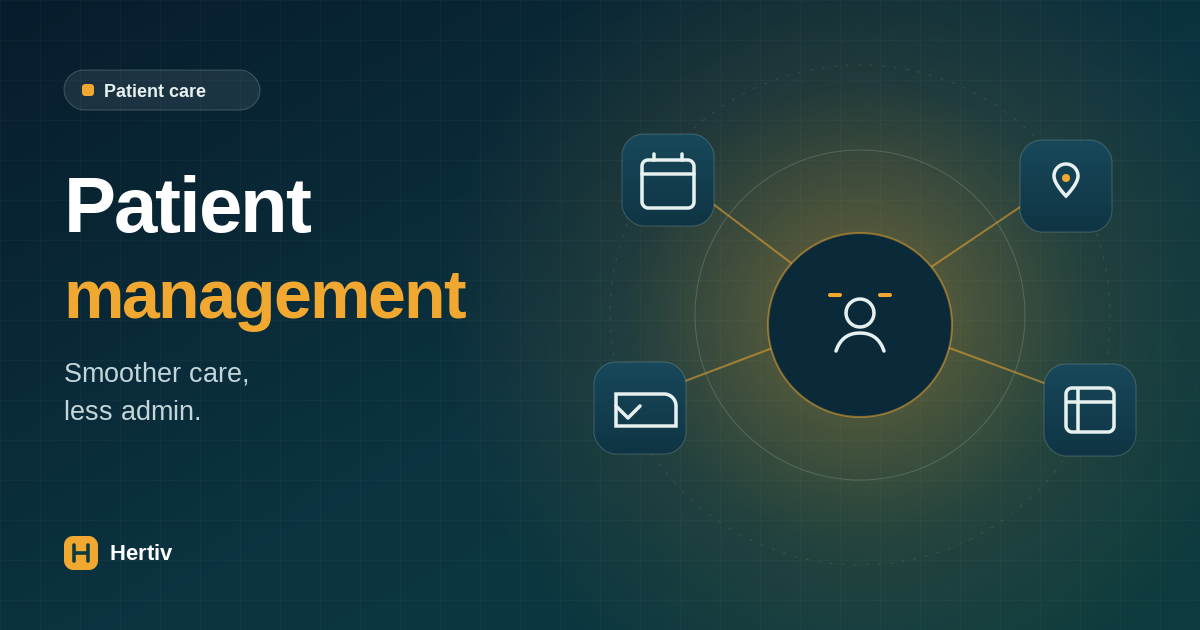
AI patient management handles booking, reminders, messages and follow-ups so clinic staff spend less time on admin. It manages the flow of care, not the care itself.
On this page
Short answer
AI for patient management is the use of machine learning to run the day-to-day work of caring for patients: booking visits, sending reminders, sorting messages, tracking follow-ups and keeping records in order. It does not diagnose or treat; it keeps the care around the patient moving. Clinics use it to cut no-shows, free staff time and make sure nothing falls through the cracks, while clinicians keep every decision about treatment.
What is AI for patient management?
AI for patient management is the use of machine learning to run the day-to-day work of caring for patients: booking visits, sending reminders, sorting messages, tracking follow-ups and keeping records in order. It does not diagnose or treat; it keeps the care around the patient moving.
The work it takes on is mostly admin. Clinics spend hours each day on scheduling, reminders, intake forms, test-result follow-ups and messages that need a reply. AI handles the routine parts of that work and passes the rest to staff with the context attached.
| Task | What AI does | What staff still do |
|---|---|---|
| Booking | Offers slots, fills gaps | Confirms complex cases |
| Reminders | Sends and reschedules | Handles special requests |
| Messages | Drafts replies, sorts by urgency | Answers clinical questions |
| Follow-ups | Tracks tests and referrals | Chases overdue items |
The boundary matters. AI manages the flow of care, not the care itself. A system that books and reminds is a patient management tool; a system that reads scans or suggests a diagnosis is a clinical tool, and it faces different rules. For the software side of building these systems, see how to build patient management software.
How does AI help with scheduling and reminders?
AI helps scheduling by matching patients to the right slot, the right clinician and the right length of visit. It reads the reason for the visit, checks the clinician's rules, and offers times that fit, instead of leaving staff to juggle a calendar by phone.
Reminders are where the saving is clearest. The system sends a message at the right time, in the patient's language, with the details they need: where to go, what to bring, how to prepare. If the patient replies that they cannot come, the system offers new times and frees the old slot for someone on the waiting list.
The result is fewer empty slots and fewer no-shows. Clinics that track this usually watch two numbers: the share of booked visits that happen, and the share of freed slots that are filled again. Both improve when reminders are timely and rescheduling is easy.
How does AI support triage and follow-up?
AI supports triage by sorting incoming messages and requests so the urgent ones reach a clinician first. A message about chest pain is flagged at once; a request to refill a repeat prescription is routed to the admin queue.
The system does not decide what is wrong. It reads the words, checks them against the clinic's rules, and assigns a priority. A clinician still reads the urgent messages and decides what to do. The AI only changes the order in which things are seen.
Follow-up works the same way. The system tracks which test results have arrived, which referrals are waiting and which patients are overdue for a review, and it nudges staff when something is late. Nothing is closed until a person confirms it.
What about patient records and messages?
AI helps with records by turning the notes and forms a clinic already collects into structured data: the reason for the visit, the medicines, the allergies, the follow-up plan. Staff still write the notes; the system files them where the next clinician can find them.
Messages are a growing load. Patients write in through portals and apps, and the volume keeps rising. AI drafts replies to routine messages, such as opening hours or how to prepare for a test, and staff check and send them. Clinical questions go straight to a person.
Accuracy matters more here than speed. A wrong draft about a medicine or a test result is worse than a slow reply, so the clinic should set a rule: drafts about clinical topics are never sent without a clinician reading them. Analytics on patient data can also help clinics plan, as patient analytics in healthcare explains.
How do privacy and safety shape the design?
Privacy shapes every part of a patient management system, because the data is health data. The system should collect only what it needs, show each staff member only the patients they care for, and log who looked at what.
Consent is part of the design. Patients should know when a message comes from an automated system and when a person is replying, and they should be able to ask for a person instead. A reminder that pretends to be a nurse is a trust problem waiting to happen.
Safety means a human stays in the loop for anything clinical. The system can sort, draft and remind, but it must not decide who needs urgent care or what a result means. Those decisions stay with clinicians, and the system should make it easy for a patient to reach one.
How do you start with AI patient management?
You start with one task that eats staff time and has a clear rule, such as reminders or intake forms, and you keep the clinical work untouched.
- Pick one admin task. Choose a task with a clear rule, such as reminders or intake forms.
- Map the current process. Write down the steps and the time each one takes today.
- Set the rules. Decide what the system may do alone and what needs a person.
- Run it beside the old process. Compare the two for two weeks before switching over.
- Check privacy and consent. Review data access and patient messages with the clinic's data lead.
- Extend only after the first task is stable. Add the next task once the first one is working well.
Measure the result in staff hours and in patient experience, not only in messages sent. A system that saves time but confuses patients has not worked. AI for healthcare providers gives the wider view of where AI fits in a clinic.
Example (hypothetical): a clinic cuts no-shows in half
Example (hypothetical): a clinic books 40 visits a day, 5 days a week, which is 200 visits a week. Before AI reminders, 12 percent of patients did not show, which is 200 times 0.12, giving 24 empty slots a week.
The clinic adds reminders that go out two days before and again the morning of the visit, with a one-tap reschedule link. The no-show rate falls to 7 percent, which is 200 times 0.07, giving 14 empty slots a week.
That is 10 slots a week freed, or about 40 a month, and each freed slot is offered to a patient on the waiting list. The clinic also spends less time on the phone: reminder calls fall from 2 hours a day to 30 minutes, saving 7.5 hours a week of staff time.
What are the common mistakes?
The most common AI patient management mistakes are letting AI answer clinical questions, hiding that a message is automated, and giving patients no way to reach a person.
- Letting AI answer clinical questions. Drafts about symptoms or results need a clinician to read them first.
- Hiding that a message is automated. Patients should know when they are talking to a system.
- No fallback. A patient who cannot use the portal needs a phone path.
- Ignoring language. Reminders must reach patients in a language they read.
- One system for every clinic. A small practice and a hospital need different rules.
- No audit trail. Who saw a record and when must be logged.
Key takeaways
- AI patient management runs the admin around care: booking, reminders, messages, follow-ups
- It sorts and drafts, but clinicians keep every decision about treatment
- Reminders with easy rescheduling cut no-shows and free slots for the waiting list
- Patients should always know when a message is automated and be able to reach a person
- Privacy, consent and an audit trail are part of the design, not an afterthought
Frequently asked questions
Does AI patient management diagnose patients?
No. It manages the flow of care: booking, reminders, message sorting and follow-up tracking. Diagnosis and treatment decisions stay with clinicians. A system that suggests a diagnosis is a clinical tool and faces different rules.
How much can reminders cut no-shows?
It varies by clinic, but reminders with a one-tap reschedule link usually cut no-shows by a noticeable share. Track the no-show rate before and after, and the share of freed slots that get filled again.
Will patients know they are talking to an automated system?
They should. Messages from the system should say so, and patients should be able to ask for a person instead. A reminder that pretends to be a nurse damages trust.
Is patient data safe in these systems?
It can be, if the system collects only what it needs, limits each staff member to their own patients, logs access and encrypts records. Review data access and consent with the clinic's data lead before launch.
What is the first task a clinic should automate?
Reminders or intake forms, because both have clear rules and a measurable result. Start with one task, run it beside the old process for two weeks, and extend only after it is stable.
Can a small practice use AI patient management?
Yes, if the tool fits its size. A small practice needs simple booking, reminders and message sorting, not a hospital system. Pick a tool built for practices of your size and check the price before you commit.