AI for Family Offices: How to Cut Costs
AI can cut a family office's back-office costs by automating reporting, document review and reconciliation. Here is where the savings come from and what to watch.
On this page
Short answer
AI cuts family office costs mainly by automating repetitive back-office work: consolidating portfolio reports, reading documents, reconciling bank and custodian data, and drafting client letters. A small office typically starts with one workflow, such as monthly reporting, and adds more only after the first one is measured. Humans stay in charge of investment decisions, tax judgement and client relationships.
What does AI do for a family office?
AI for a family office is software that reads, sorts and summarises the office's financial documents and data so staff spend less time on manual admin. It does not make investment decisions. It takes the repetitive work around those decisions, such as gathering statements, checking figures and drafting reports, and does the first pass in minutes instead of hours.
A family office is small by design. A handful of staff often serve one family across many entities, accounts, properties and advisers. That means the cost problem is rarely headcount in the abstract. It is the hours spent chasing documents, retyping figures and reconciling numbers that arrive in different formats from different banks and custodians.
AI fits this work because most of it is pattern matching over documents and data. The tools involved are document extraction, summarisation, data matching and drafting. They are the same tools larger finance teams use, scaled down to a small team. AI agents for finance describes the same pattern in a wider finance setting.
Where do family offices actually save money?
Family offices save money where AI removes hours of manual work without adding new risk. The savings are concentrated in a few workflows that repeat every month or quarter, which is why they are worth automating first.
| Workflow | What AI does | Where the saving comes from | Risk to manage |
|---|---|---|---|
| Monthly reporting | Pulls figures from statements into one report | Fewer hours assembling reports | Wrong figures reaching the family |
| Document review | Reads contracts and tax letters, extracts key terms | Faster first pass over long documents | Missed clauses in complex text |
| Reconciliation | Matches bank and custodian data line by line | Less manual matching and chasing | Breaks hidden by auto-matching |
| Client letters | Drafts updates and summaries for review | Less drafting time per letter | Tone or facts that need a human eye |
| Meeting preparation | Summarises holdings and recent changes | Faster briefings before family meetings | Stale data in the summary |
| Invoice handling | Captures invoice fields and flags duplicates | Fewer errors and less retyping | Duplicate payments slipping through |
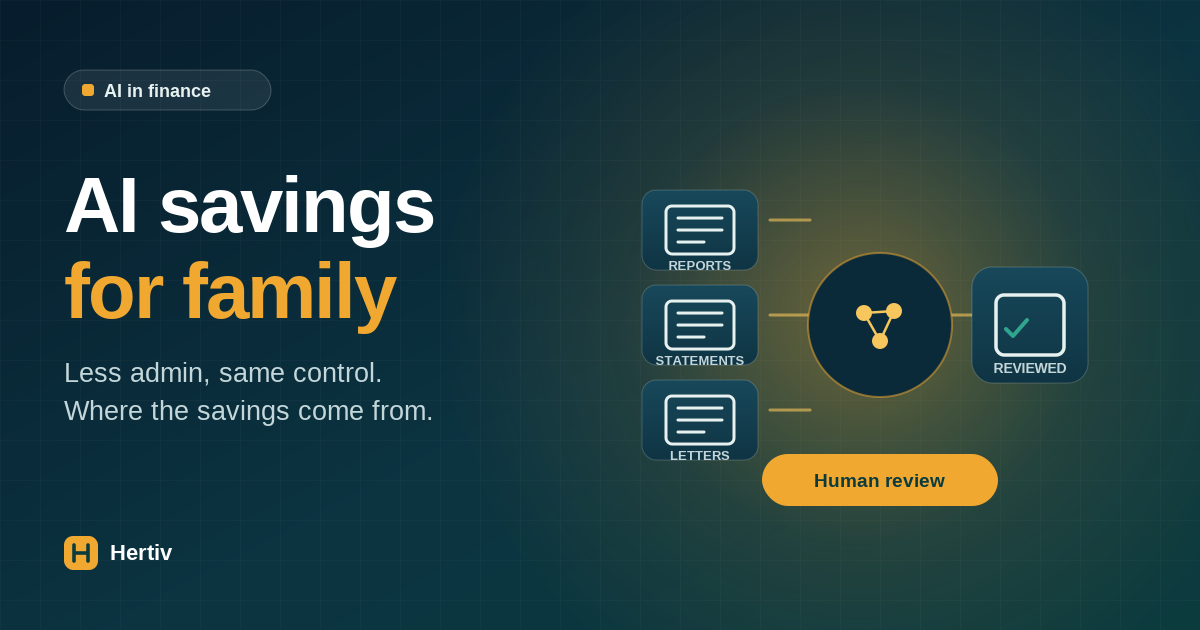
Reporting and reconciliation usually come first because they repeat on a fixed cycle and the inputs are already digital. Document review follows once the team trusts the first workflow. Drafting saves time too, but only when a person reviews every draft before it goes out.
What does it cost to run AI in a family office?
Running AI in a family office costs less than hiring another member of staff, but it is not free. The cost has four parts, and the mix depends on whether the office buys a ready tool or builds a small custom setup.
| Cost part | What it covers | How to keep it down |
|---|---|---|
| Software | Subscriptions or usage fees for the AI tool | Start with one tool, not a suite |
| Setup | Connecting bank feeds, templates and folders | Use standard formats where possible |
| Review time | Staff checking AI output before it is used | Review only what matters, sample the rest |
| Oversight | Access rules, audit logs and data controls | Keep permissions narrow from day one |
The largest hidden cost is review time. If staff must check every line the AI produces, the saving shrinks. The fix is to design the workflow so the AI flags what it is unsure about, and a person checks the flagged items plus a small random sample. See vendor site for current pricing on any tool you shortlist, since plans and usage fees change often.
A proof of concept is the cheapest way to learn the real cost. How to build an AI proof of concept explains how to scope one with a fixed evaluation set before committing budget.
How to start with AI in a family office
Start with one workflow, one owner and a fixed review period. A family office that tries to automate everything at once ends up with tools nobody trusts and costs nobody can explain.
- Pick the most repeated task. Monthly reporting or reconciliation is usually the best first pick, because it repeats on a fixed cycle and the inputs are already digital.
- Measure the current cost. Count the hours the task takes now, who does it, and how often errors are found. Without a baseline, savings are guesswork.
- Run a small pilot. Automate one entity or one month first, with a person checking every output. Fix the template and the rules before expanding.
- Set review rules. Decide what the AI may do alone, what needs a human check, and what must never be automated, such as sending money or signing documents.
- Review after one quarter. Compare hours, errors and costs against the baseline. Expand only if the numbers support it, and stop the pilot if they do not.
Data privacy matters more in a family office than in most small businesses, because the data is personal wealth information. Keep the AI tool inside the office's own accounts, limit who can see the data, and check where the provider stores and processes it before any document is uploaded.
Example (hypothetical): a family office automates monthly reporting
Example (hypothetical): a family office with 12 entities spends 3 hours per entity each month assembling reports, which is 12 x 3 = 36 hours a month. Staff pull statements from banks and custodians, retype figures into a template, and check the totals by hand.
The office pilots AI reporting for all 12 entities. The tool reads the statements, fills the template and flags the figures it is unsure about. A staff member now spends 1 hour per entity reviewing the flagged items and the totals, which is 12 x 1 = 12 hours a month. The saving is 36 - 12 = 24 hours a month.
At an internal cost of $150 an hour, 24 hours is worth 24 x $150 = $3,600 a month. The tool costs less than that in the pilot, so the office keeps it and applies the same pattern to reconciliation next. The arithmetic is simple; the hard part is keeping the statement formats stable so the tool reads them correctly each month.
Where should humans stay in charge?
Humans should stay in charge of every decision that involves judgement, money movement or the family's trust. AI can prepare the material for those decisions, but it should not make them.
- Investment decisions. AI can summarise holdings and flag changes, but buying, selling and rebalancing stay with the investment adviser and the family.
- Tax judgement. AI can extract figures from tax letters, but interpreting tax rules and signing filings is work for a qualified adviser.
- Client relationships. Letters and briefings can be drafted by AI, but the family should hear from a person they know, not from a generated message.
- Payments. No AI tool should send money, approve a transfer or change bank details without a human approval step.
- Disputes and exceptions. When figures do not match or a document looks wrong, a person investigates. Auto-matching hides exactly the problems that matter most.
This boundary is also a cost control. Every time AI is allowed to act without review, the office takes on risk that is hard to price. Keeping humans in charge of the decisions that matter is what makes the savings from automation safe to keep.
What are the common mistakes?
The most common mistakes are automating the wrong workflow first, trusting output without review, and ignoring data privacy until after documents are already uploaded.
- Starting with the hardest task. Complex tax documents or multi-entity consolidations make poor first pilots. Start with the most repeated simple task instead.
- Skipping the baseline. Without measuring hours and errors before the pilot, the office cannot tell whether the tool saved money or just moved the work.
- Reviewing nothing. AI output that nobody checks will eventually contain a wrong figure in a report the family reads. Review the flagged items and a sample of the rest.
- Uploading data before checking the provider. Check where data is stored, who can see it and how long it is kept, before the first document goes in.
- Buying a suite instead of one tool. A bundle of features looks like value, but an office that uses one workflow pays for nine it does not need.
- Letting AI send money or messages. Drafting is safe; sending is not. Keep an approval step between the draft and anything that leaves the office.
Building a custom setup is an option when no ready tool fits the office's documents. Cost of building AI agents explains the cost parts to expect before you commit to a build.
Key takeaways
- AI saves family offices money mainly on reporting, reconciliation and document review
- Start with one repeated workflow and measure hours and errors before and after
- Review time is the largest hidden cost, so design the workflow around flagged items
- Humans keep investment, tax, payment and relationship decisions
- Check data storage and access rules before uploading any family document
- A one-quarter pilot with a baseline is the cheapest way to prove the saving
Frequently asked questions
How can AI reduce costs in a family office?
AI reduces costs by automating repetitive back-office work such as assembling monthly reports, reading documents, matching bank and custodian data, and drafting letters. The saving comes from hours freed, not from cutting staff, and it only holds when a person reviews the flagged items.
What is the best first AI workflow for a family office?
Monthly reporting or reconciliation is usually the best first pick, because both repeat on a fixed cycle and the inputs are already digital. Start with one entity or one month, check every output, and expand only after the pilot proves the saving.
Is family office data safe with AI tools?
It depends on the tool and the setup. Check where the provider stores and processes data, who can access it, and how long it is kept, before uploading anything. Keep the tool inside the office's own accounts and limit access to the staff who need it.
How much does AI for a family office cost?
Costs vary by tool and setup, so check the vendor site for current pricing. Expect four parts: software fees, setup, staff review time and oversight. Review time is often the largest part, which is why the workflow should flag uncertain items for a human.
Can AI make investment decisions for a family office?
No. AI can summarise holdings, flag changes and prepare material for a meeting, but buying, selling and rebalancing stay with the investment adviser and the family. The same applies to tax judgement, payments and anything that moves money.
What mistakes do family offices make with AI?
The common ones are automating the hardest task first, skipping a baseline measurement, trusting output without review, uploading data before checking the provider, and buying a bundle of features when only one workflow is needed.


