AI Face Recognition Attendance Systems: How They Work
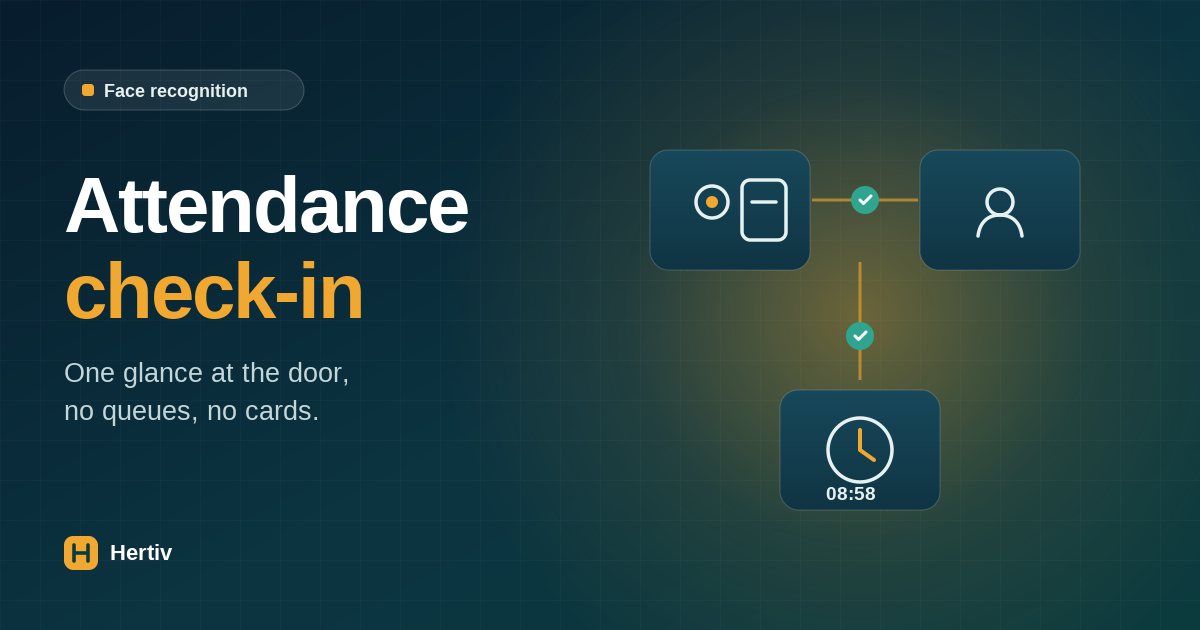
AI face recognition attendance systems match a face at the door to an enrolled record and log the time automatically. No cards, no queues, no manual registers.
On this page
Short answer
An AI face recognition attendance system is software and hardware that identifies a person by their face when they arrive, matches that face against enrolled records, and logs the date and time of the check-in automatically. It replaces cards, fingerprints and paper registers with a camera at the entry point, and it needs enrolled face data, a liveness check and a clear consent and retention policy to work safely.
What is an AI face recognition attendance system?
An AI face recognition attendance system is a check-in system that uses a camera to recognise who has arrived and records the time without any card, fingerprint or manual sign-in. A person walks past the camera, the system matches their face to an enrolled record, and the attendance log updates itself.
Enrolment comes first. Each person is photographed, usually from a few angles, and the system stores a mathematical template of the face rather than the photo itself. That template is what later check-ins are compared against.
The system has two parts: the camera device at the door and the attendance software behind it. The device captures the face and checks it is a live person; the software matches the template, writes the timestamp, and applies the rules for late arrival, early departure and overtime.
It is used in factories, offices, schools and construction sites, anywhere a large group arrives at similar times and a queue at the door wastes the start of the day. The core idea is simple: the face is the credential, and the log writes itself.
How does check-in work, step by step?
Check-in takes a few seconds and follows the same steps every time. Understanding the sequence helps you spot where it can go wrong.
- Approach. The person walks up to the camera, usually within one to two metres, and looks towards it.
- Detect. The camera finds the face in the frame and checks image quality, light and angle.
- Liveness check. The system confirms a live person is present, using blinking, head movement or depth sensing to reject photos and screens.
- Match. The face template is compared against enrolled records and the best match is scored.
- Log. If the score passes the threshold, the system records the person, the time and the entry point, and shows a confirmation.
- Exception. If no match passes, the person is directed to a supervisor or a fallback check-in instead of being blocked silently.
The threshold matters more than the camera. A low threshold lets the wrong person through; a high threshold rejects genuine staff and creates a queue at the fallback desk. Set it by testing on your own staff, not on the vendor's demo.
Most systems work offline for matching and sync later, which matters in factories and sites where the network is unreliable. Check that the device keeps logging when the connection drops.
What hardware and setup does it need?
The hardware is modest: a camera device at each entry point, a network connection, and the attendance software. The details depend on the setting, and getting them wrong is the most common reason a rollout stalls.
| Setting | Camera placement | What to watch |
|---|---|---|
| Office lobby | Eye level at the turnstile or door | Backlight from glass doors |
| Factory gate | Covered entry, two lanes | Helmets, dust and shift-change crowds |
| School entrance | Main gate, supervised | Children's consent and data rules |
| Construction site | Site cabin entrance | Outdoor light, rain, mud on lenses |
| Remote office | Shared tablet at the door | Weak network, shared device hygiene |
Lighting is the biggest practical factor. A camera facing a bright window will fail in the morning, and a dark corridor will fail in the evening. Test at the actual busy times, not at midday when the light is kind.
Enrolment needs a short supervised session per person, with good light and a plain background. Rushing enrolment with bad photos is the root cause of most later false rejections, so spend the time here.
How does it handle twins, masks, photos and spoofing?
It handles spoofing with a liveness check, which is the part that separates a serious system from a camera with a matching library. The check looks for signs of a live person: blinking, small head movements, or depth from an infrared sensor that a flat photo cannot fake.
Photos and phone screens are the basic attack, and a liveness check stops most of them. Video replay is harder, which is why depth sensing matters for higher-security sites. Ask the vendor exactly which liveness methods the device uses and how they were tested, rather than accepting a general claim.
Identical twins and close family members are a genuine limit. Face templates can be very similar, and a system may match the wrong twin if the threshold is low. Sites with twins on staff should use a second factor, such as a PIN, for those individuals.
Masks, helmets and heavy glasses reduce accuracy because they hide the landmarks the model uses. Some systems enrol a masked photo as well, but the honest approach is to tell staff what to do: remove the mask briefly at the camera, or use the fallback check-in. Pretending the problem does not exist creates queues and complaints.
What about privacy, consent and data storage?
Faces are biometric data in many jurisdictions, and attendance systems collect them every working day. That makes consent, storage and retention the first design questions, not an afterthought.
Consent should be informed and specific: what is stored, where, for how long, and who can see it. In workplaces, consent is often tied to employment terms, so check the local rules rather than assuming a signature on a form is enough. Some places require a formal impact assessment before biometric attendance can be used at all.
Store templates, not photos, where the system allows it, and keep them encrypted. Set a retention rule: templates deleted when a person leaves, and attendance logs kept only as long as payroll and audit rules require. Logs that show every movement of every employee for years are a liability, not an asset.
Access control matters too. Line managers need to see their own team's attendance, not the whole company's. Audit who views the logs, and give staff a way to see their own record and correct an error. The privacy questions here are close to those in facial recognition security and privacy.
How do you roll it out without disrupting the workday?
You roll it out in stages, starting with one entry point and a volunteer group, and you keep the old check-in running alongside it until the new system proves itself at your busiest time.
- Enrol a pilot group. Pick one team, enrol them properly, and run the camera in parallel with the existing method for two weeks.
- Measure at peak times. Test during the morning rush, not at quiet hours. Count false rejections and queue length.
- Fix the placement. Adjust height, angle and lighting based on what the pilot shows, and re-enrol anyone with repeated failures.
- Train the fallback. Make sure supervisors know the fallback process, so a rejected check-in takes a minute, not a meeting.
- Go live in waves. Add one entry point or one team at a time, and keep the old method available for the first month.
Communicate before you install anything. Tell staff what is stored, why, and how to check their own record. A system installed without explanation will be read as surveillance, whatever the intent.
For the identity side of the same technology, what a facial recognition app does explains the matching step in more depth.
Example (hypothetical): a 300-person factory ends the morning queue
Example (hypothetical): a 300-person factory runs two shifts, and 150 people arrive in a 20-minute window each morning. With a card reader, each check-in takes about 12 seconds including fumbling for the card, so the queue runs 30 minutes and the shift starts late.
The factory installs two face recognition lanes. Each check-in takes about 4 seconds, so 150 people clear in about 10 minutes across two lanes, and the queue disappears. The first week produces 9 false rejections a day, mostly from helmets and low morning light; after adjusting the camera angle and re-enrolling 12 people, rejections fall to 2 a day.
The time saving is about 20 minutes a morning for the shift, plus the end of manual register corrections, which used to take the supervisor about 3 hours a week. The factory keeps the card reader as a fallback for visitors and for anyone the camera cannot match.
What the example assumes: a covered entry, decent light, and a supervisor who owns the fallback. Without those, the same hardware produces the same queue in a different form.
What are the common mistakes?
The most common mistakes are rushing enrolment, ignoring lighting, skipping consent, and removing the fallback too early.
- Bad enrolment photos. Poor light and odd angles at enrolment cause months of false rejections.
- Testing at quiet times. A system that works at midday can fail in the morning rush.
- No liveness check. A camera without one can be fooled by a photo.
- Skipping consent and retention rules. Biometric data needs a legal basis and a deletion plan.
- Removing the fallback. When the camera fails, staff need a working alternative, not a locked door.
- Setting the threshold by guesswork. Too low lets the wrong person through; too high creates queues.
For attendance in care settings, AI face recognition in healthcare shows how the same checks apply with patients involved.
Key takeaways
- Face recognition attendance replaces cards and registers with a camera that logs check-in automatically
- Enrolment quality decides accuracy: good light, plain background and a few angles per person
- A liveness check is essential; without it, a photo can pass as a person
- Faces are biometric data, so consent, template storage and a deletion rule come first
- Test at peak times, not quiet hours, and keep the old check-in as a fallback for the first month
- Twins, masks and helmets are real limits; plan a second factor or a fallback for those cases
Frequently asked questions
Is face recognition attendance accurate?
Yes, when enrolment is done well and the camera has good light. Most failures come from rushed enrolment photos, backlight or helmets, not from the matching itself. Test on your own staff at peak times before judging the system.
Can someone fool it with a photo?
A system with a proper liveness check should reject photos and phone screens, because it looks for blinking, head movement or depth. Ask the vendor which liveness methods the device uses and how they were tested.
What data does it store?
It usually stores a mathematical template of the face rather than the photo, plus the attendance log. Templates should be encrypted, deleted when a person leaves, and visible only to people who need them.
Do we need consent from staff?
In most places, yes, because faces are biometric data. Consent should cover what is stored, where, for how long and who can see it. Some jurisdictions also require a formal impact assessment before use.
What happens if the camera cannot recognise someone?
The person uses a fallback check-in, such as a card or a supervisor sign-in, and the failure is logged. Repeated failures usually mean the enrolment photo needs redoing or the camera angle needs adjusting.
Does it work outdoors or in factories?
It can, with a covered entry, decent light and a device rated for the setting. Outdoor light, rain, dust and helmets all reduce accuracy, so test in the real location rather than in a showroom.