AI Label Verification Systems: How They Check Every Label
An AI label verification system reads every printed label against the approved artwork, so a wrong allergen, date or barcode is caught before shipping.
On this page
Short answer
An AI label verification system photographs each printed label, reads the text, barcode and symbols with computer vision, and compares them against the approved artwork and a set of rules. It flags mismatches in wording, allergens, dates, barcodes and layout, and routes only the flagged labels to a human. It checks product and packaging labels, not training-data labels.
What is an AI label verification system?
An AI label verification system is software and cameras that check printed product labels against the approved version before the product leaves the factory. It reads the label with computer vision, compares what it finds with the artwork file and a rule set, and flags anything that does not match.
It is used on food, drink, pharmaceutical, cosmetic and consumer-goods lines, where a wrong allergen, date, dose or barcode can mean a recall. The system checks the physical label on the line, not the design file on a designer's screen.
This is a different job from labelling training data for machine learning. Data labelling tools help people tag images and text for model training; a label verification system checks finished packaging.
How does an AI label verification system work?
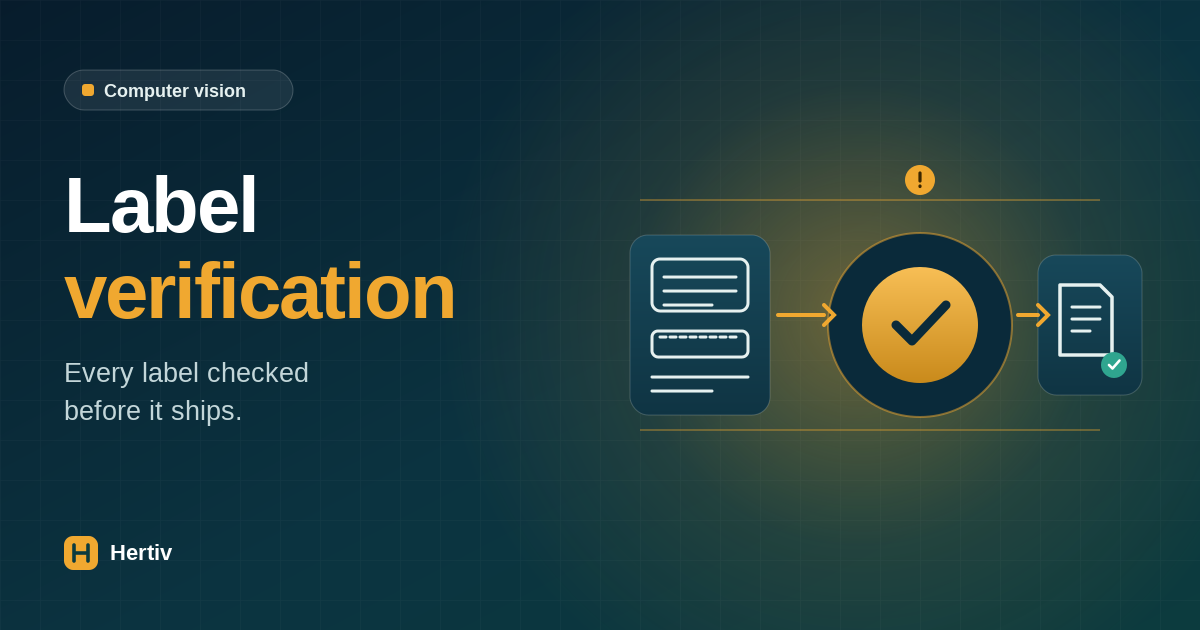
The system works in four steps that repeat for every label on the line. A camera photographs the label as the product passes, the software reads the text, barcode and symbols, the readings are compared with the approved artwork and rules, and the label is passed or flagged.
Reading relies on optical character recognition for the printed words and barcode decoding for the code, plus shape checks for logos, warning symbols and layout. The comparison step is where the rules live: the allergen list must match, the date format must match, and the barcode must decode to the right product code.
- Position the camera and light so every label is photographed in the same place.
- Load the approved artwork and the rule set for that product and market.
- Run the line and let the system read every label, not a sample.
- Route flagged labels to a human review station and log the reason.
- Update the artwork and rules when the product or regulation changes.
- Review the flag log weekly and fix the causes, not just the flagged labels.
The system only works as well as the artwork and rules it is given. If the approved file is out of date, the system will faithfully enforce the wrong label.
What does the system check on a label?
A label verification system checks five kinds of content on every label. The table below shows what is compared and what counts as a failure.
| What is checked | Compared against | Typical failure |
|---|---|---|
| Printed text | Approved artwork wording | Wrong ingredient or claim |
| Allergen and warning text | Recipe and regulation rules | Missing or wrong allergen |
| Dates and batch codes | Production plan and format rules | Wrong date or unreadable code |
| Barcode and QR code | Product code database | Code for a different product |
| Layout and symbols | Approved artwork positions | Missing logo or misplaced symbol |
Allergen and barcode checks matter most, because those two errors cause recalls and rejected shipments. Text and layout checks catch the errors that damage a brand even when nothing is unsafe. Computer vision is the technology that makes the reading step possible.
Where are label verification systems used?
Food and drink plants use label verification on lines where recipes change often, because an allergen that is right for one product is wrong for the next. Pharmaceutical lines use it where a wrong dose or expiry date is a safety risk, and cosmetics lines use it where ingredient lists are long and regulated.
The system also appears in contract packing, where one site packs many brands and the label changes several times a day. In that setting the biggest risk is a label from the previous run reaching the next product, and the system catches it by checking the product code on every label.
Small producers use the same idea at a smaller scale: a single camera over a packing bench, checking each label against the artwork for that day's run. The principle is the same at any volume.
How accurate is it, and what about false alarms?
Accuracy is measured in two ways: how many real errors the system catches, and how many good labels it flags by mistake. A system that catches every error but flags a third of good labels will be switched off by operators within a week, because the review queue becomes the bottleneck.
False alarms usually come from print variation, glare, or a label that is slightly rotated. The fix is better lighting and camera positioning, not a looser rule set. Loosening the rules to cut false alarms is how real errors start slipping through.
Measure both numbers on your own line before deciding the system works. Run it in watch mode for a week, log every flag, and have a human judge each one. That log is the evidence you need to set thresholds. AI in quality assurance covers the same measurement problem for inspection systems in general.
What data and setup does it need?
The system needs three inputs before it can check anything: the approved artwork for each product, a rule set that states what must match and what may vary, and a set of sample labels with known good and bad examples.
The artwork must be the controlled version, not a copy from someone's email. The rule set should state which fields must match exactly, such as allergens and barcodes, and which may vary, such as a promotional sticker. The sample set is used to test the system before it goes live.
On the line, the system needs a fixed camera position, steady lighting and a way to stop or divert a flagged product. Without a divert step, a flagged label is just a warning that no one acts on.
Example (hypothetical): a food plant checks 20,000 labels a day
Example (hypothetical): a food plant prints 20,000 labels a day across three products. Misprints happen on 0.4% of labels, which is 80 bad labels a day. Manual sampling checks 200 labels, so it finds about 1 bad label a day and misses the other 79.
With a verification system reading every label, all 80 bad labels are flagged, plus 40 good labels flagged by mistake. A reviewer checks the 120 flagged labels at 2 minutes each, which is 240 minutes, or 4 hours of review a day, and no bad label ships.
The trade is clear: 4 hours of review replaces the risk of 79 bad labels a day reaching shops. The plant then fixes the printer fault that caused most of the misprints, and the flag count falls. AI in the food industry covers the wider set of checks that food plants automate.
What are the common mistakes?
The most common mistake is buying the cameras before the artwork is under control. If there are three versions of the artwork in circulation, the system cannot tell which one is right.
- Checking a sample instead of every label, which leaves the same gap as manual inspection
- Using an uncontrolled artwork file as the reference
- Loosening the rules to cut false alarms, which lets real errors through
- No divert step, so flagged products keep moving down the line
- Never reviewing the flag log, so the same printer fault repeats for months
- Treating the system as a replacement for artwork approval, which it is not
Start with one line, one product and the artwork under version control. When the flag log is clean for a month, add the next product.
Key takeaways
- A label verification system reads every printed label and compares it with the approved artwork and rules.
- It checks text, allergens, dates, barcodes and layout, and routes only flagged labels to a human.
- Measure both caught errors and false alarms on your own line before trusting the system.
- It needs controlled artwork, a clear rule set and a divert step for flagged products.
- It checks product and packaging labels, not training-data labels.
Frequently asked questions
What is the difference between label verification and data labelling?
Data labelling means tagging images or text so a machine learning model can learn from them. Label verification means checking a finished printed label against approved artwork. They share the word label but solve different problems.
Can it check labels in different languages?
Yes, if the reading software supports the script and the rule set covers each language version. Each language version needs its own approved artwork, because a translation error is exactly the kind of mistake the system should catch.
Does it replace manual label checks?
It replaces routine sampling with a check of every label, but humans still review flagged labels, approve artwork and fix the causes of errors. The system changes what people check, it does not remove people.
How long does it take to set up?
A single line with one product can be set up in days once the artwork is controlled and the camera position is fixed. Multi-product sites take longer, because each product needs its own artwork and rule set loaded and tested.
What happens when the artwork changes?
The new artwork must be loaded as the reference before the line runs with it, or the system will flag every label as wrong. Artwork changes should go through the same approval and loading step as any other production change.
Can it read damaged or smudged labels?
It can flag them as unreadable, which is the correct outcome, but it cannot read text that is not there. Smudged labels go to the review queue, and a rising count of them points to a printer or handling problem.