AI Chatbot Integration for Business: How It Works
AI chatbot integration connects a chatbot to your website, apps and business systems, so it answers from real data. Start with one channel and one job.
On this page
Short answer
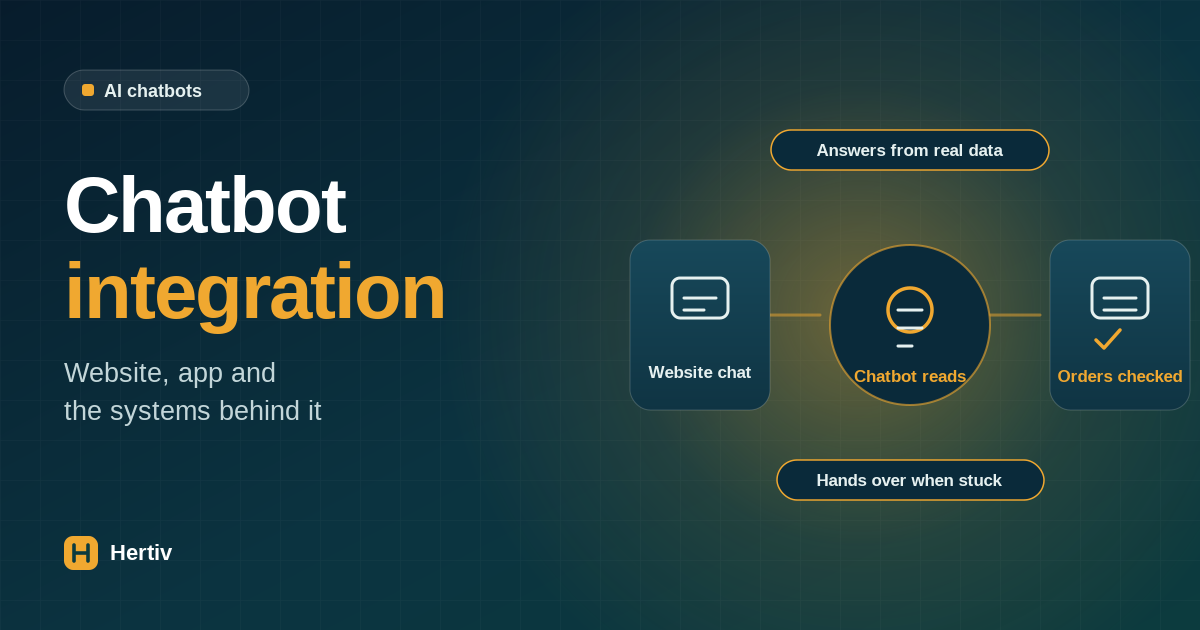
AI chatbot integration means connecting a chatbot to the systems a business already uses, so it can answer questions from real data instead of guessing. The chatbot sits on the website or in the app, reads from the order system or the help centre, and hands over to a person when it cannot help. Done well, it cuts reply times without cutting the human out.
What is AI chatbot integration?
AI chatbot integration is the work of connecting a chatbot to a business's website, apps and internal systems, so it can answer from real facts. A chatbot on its own can only chat. A connected chatbot can check an order, look up a policy, book a meeting or open a ticket, because it can read and write in the systems the business already uses.
The integration has three parts: the channel, the knowledge and the actions. The channel is where customers meet the chatbot, such as the website, the app, or a messaging app. The knowledge is the set of documents and records it may use. The actions are the things it may do, such as checking an order or creating a ticket.
| Part | What it connects | Example |
|---|---|---|
| Channel | Where customers talk | Website chat, app, messaging |
| Knowledge | What it may quote | Help centre, policies, FAQs |
| Order data | Live customer facts | Order status, bookings |
| Actions | What it may do | Book, refund request, ticket |
| Handover | When a person takes over | Complaints, payments, anger |
The most common first job is support: answering the questions that repeat every day. For the range of things chatbots already do, see AI chatbot use cases.
What do you connect first?
You connect first the channel where customers already ask questions, the knowledge the chatbot needs, and one action it can take safely. Connecting everything at once is the most common way to fail.
Start with the website chat, because that is where most questions arrive. Then connect the help centre and the most-used policies, so the chatbot quotes real answers. Then add one action, such as checking an order status, and test it well before adding a second action.
Leave payments, refunds and account changes until later. Those actions need careful rules, approval steps and a clear handover, and they are the actions where a mistake costs the most. A chatbot that handles ten simple jobs well is worth more than one that handles fifty jobs badly. For how teams use AI across support, see how to use AI in customer service.
How does the chatbot get its answers?
A chatbot gets its answers from the documents and data it is connected to. The team gives it the help centre, the policies and the FAQs, and the chatbot searches them for the best match before replying. If the documents are out of date, the answers will be wrong, so keeping them clean matters more than the model chosen.
For live facts, such as an order status, the chatbot calls the order system and quotes what it finds. It should never invent an order number or a delivery date. If it cannot find the fact, it should say so and hand over, rather than guessing.
The team should also set the tone: short answers, plain language, and a clear offer to pass the case to a person. A chatbot that writes long, formal replies feels slow, even when it is fast. Test the answers on real customer questions, not on the questions the team imagines customers ask.
How do you integrate a chatbot in 6 steps?
You integrate a chatbot by picking one job, connecting one channel, and testing on real conversations before widening its role.
- Pick one job. Choose the question that repeats most, such as order status or opening hours. One job, done well, proves the idea.
- Clean the knowledge. Update the help centre and FAQs, and remove pages that are out of date or wrong.
- Connect one channel. Put the chatbot on the website first, where the most questions arrive, and watch how people use it.
- Connect one action. Add a safe action, such as checking an order, with clear rules for when it must hand over.
- Test on real chats. Run at least 100 real conversations through it and record how many it answered, how many it handed over, and how many it got wrong.
- Put an owner on it. Name the person who reads the failed chats each week and fixes the documents and rules.
Measure the pilot against the manual process: time per question, questions answered without a person, and errors. This is the same test used for any small AI project, as in how to build an AI proof of concept.
Example: a shop connects its chatbot to orders
Example (hypothetical): an online shop gets 300 support messages a day. Most ask where an order is, how to return an item, or how to change an address. Two staff members spend most of their day reading messages and looking up orders.
The team connects the chatbot to the website chat and to the order system. The chatbot answers order-status questions by looking up the order number, and hands over anything else. It never issues refunds or changes an address on its own.
The arithmetic is easy to check. Before the chatbot, 300 messages at 5 minutes each take 1,500 minutes, which is 25 hours a day.
After the chatbot, 200 messages are answered by the chatbot with about 1 minute of review each, which is 200 minutes, and 100 messages still need a person at 5 minutes each, which is 500 minutes. The total is 700 minutes, or about 11 hours 40 minutes a day, a saving of roughly 13 hours 20 minutes a day before the time spent checking the chatbot's log.
The team also tracks the errors: wrong order details, replies sent to the wrong customer, and cases handed over too late. Those numbers decide whether the integration grows to a second channel.
What are the common mistakes?
The most common AI chatbot integration mistakes are connecting too much at once, using out-of-date documents, and never reading the failed chats.
- Too many connections. Every system added is a way to go wrong. Start with one channel and one action.
- Out-of-date documents. A chatbot that quotes old prices or old policies will mislead customers. Clean the knowledge first.
- No handover rule. A chatbot that never hands over will keep trying when it should stop. Write the stop rule before launch.
- Measuring chats, not outcomes. Counting messages handled says nothing about errors or questions answered correctly.
- No owner. Without a person who reads the failed chats each week, the same mistakes repeat for months.
Key takeaways
- AI chatbot integration connects a chatbot to your channels, knowledge and systems
- Start with one channel, one job and one safe action, then widen the role
- Keep the help centre clean, because the chatbot quotes what it is given
- Test on real conversations and measure errors, not just messages handled
- Write the handover rule before launch, and name an owner for the failed chats
Frequently asked questions
What systems can a chatbot connect to?
A chatbot can connect to the website chat, the app, messaging apps, the help centre, the order system, the CRM and the ticketing system. The exact list depends on what the business uses. Start with the channel where customers already ask questions and one system that holds live facts, such as orders.
How long does chatbot integration take?
A small integration for one channel and one job usually takes a few weeks, including cleaning the help centre and testing on real chats. A larger integration across several channels and systems takes longer. Cutting the scope is the fastest way to launch sooner.
Can a chatbot replace support staff?
No. It takes over repeated questions and lookups, and staff move to exceptions, checks and decisions the chatbot cannot make. In most pilots the team still reviews the log, handles the handover cases, and fixes the rules when the chatbot goes wrong.
What does chatbot integration cost?
Cost depends on the number of channels, the systems connected, and how much testing is needed. A small pilot for one job is far cheaper than a company-wide rollout. Ask vendors for a fixed price on the pilot, or see vendor site for current pricing.
How do you know if the chatbot is working?
Track how many questions it answers without a person, how many it hands over, and how many it gets wrong. Also track customer satisfaction on chats the bot handled. If errors do not fall week by week, fix the documents or the rules before adding more channels.
Should the chatbot handle payments?
Not at first. Payments need careful rules, approval steps and a clear handover, and a mistake there costs the most. Let the chatbot answer questions and check orders first. Add payment help later, once the team trusts the handover rules.


