AI Agents vs AI Assistants: What Is the Difference?
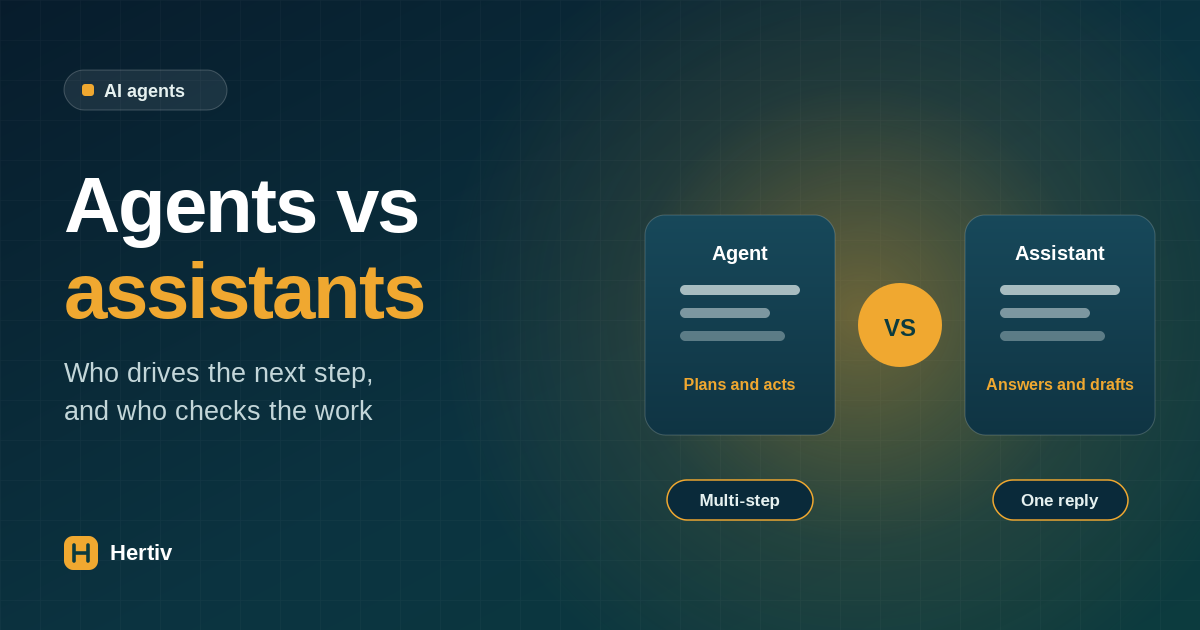
An AI agent plans and runs multi-step work alone; an AI assistant answers and drafts in a conversation you steer. The difference is who drives the next step.
On this page
Short answer
An AI agent is software that takes a goal, plans the steps, uses tools and data, and works through the task with limited human input. An AI assistant is software that answers questions, drafts text and helps with one task at a time inside a conversation, waiting for the person to steer it. The difference is how much the software decides and does on its own.
What is an AI agent?
An AI agent is software that takes a goal and works towards it without a person guiding every step. You give it an outcome, such as resolving a support ticket or preparing a weekly report, and it decides which steps to take, in what order, and which tools to use.
An agent works in a loop. It reads the goal, makes a plan, takes one action, looks at the result, and then adjusts the plan. It can call an API, search a database, send a message or update a record. It keeps going until the goal is met, it gets stuck, or it reaches a limit you set.
Agents need guardrails because they act on their own. A team sets which systems the agent may touch, what it may change without asking, and when it must stop and hand over to a person. Without those limits, an agent can repeat a wrong action or change data it should not touch. For the building blocks, see how to build an AI proof of concept before you give an agent live access.
What is an AI assistant?
An AI assistant is software that helps a person inside a conversation. You ask a question or give a task, it replies or drafts something, and you decide what happens next. It does not run off and do multi-step work by itself.
Assistants are built around a chat or a document. They answer questions from your data, summarise a thread, draft a reply or explain a piece of code. Each answer is a single step, and the person stays in charge of the next move. That makes assistants easier to trust in work where a wrong answer is cheap to catch.
Most assistants people use every day, such as a chat helper in a support inbox or a writing helper in a document, work this way. They save time on the first draft or the first answer, and the person reviews, edits and sends. The assistant never touches a live system unless the person tells it to.
How do AI agents and AI assistants compare?
Agents and assistants differ in who drives the work, how many steps they take, and how much risk each step carries. The table below puts the main differences side by side.
| Point | AI agent | AI assistant |
|---|---|---|
| Who drives | The agent plans and acts | The person asks and decides |
| Steps per task | Many, in a loop | One reply at a time |
| Tools used | APIs, databases, messages | Mainly chat and documents |
| Human checks | At set checkpoints | After every reply |
| Best for | Repeatable multi-step jobs | Drafts, answers, summaries |
| Main risk | A wrong action repeated | A wrong draft sent unchecked |
The same underlying model can power both. What changes is the software around it: the agent gets a plan, tools and permissions, while the assistant gets a chat window and a human reviewer. When you choose, you are choosing how much freedom the software has, not which model is smarter.
When should you use an AI agent?
Use an AI agent when a job has clear steps, clear inputs and a clear result you can check. Good examples are triaging a support queue, chasing missing invoice details, or preparing a daily status report from several systems.
An agent fits when the same job repeats often enough that setting it up pays off. The first setup takes time: you define the goal, connect the tools, write the checks and decide when it must stop. After that, each run costs little human time, and the agent handles the routine cases while people take the hard ones.
Start with a narrow job and a short leash. Let the agent draft and propose, but require a person to approve anything that changes money, customer data or a live system. Widen its freedom only after a few weeks of clean runs. For real examples of agent work, read AI agents use cases and pick one job that matches your team.
When should you use an AI assistant?
Use an AI assistant when the work needs judgement at every step. Writing, answering customers, summarising a meeting and explaining code are assistant jobs, because a person should read the result before it goes out.
An assistant fits when the task changes each time. A support reply is different for every customer, a draft is different for every report, and a summary is different for every meeting. The assistant does the heavy lifting on the first version, and the person shapes it into the final one.
Assistants are also the safer first step for a team new to AI. There is no tooling to connect and no permission to grant, so a team can start in a day and learn what the model does well. Many teams use assistants for months before they give any software the freedom to act on its own.
Example (hypothetical): a support team tests both
Example (hypothetical): a support team handles 300 tickets a day. Each ticket takes about 5 minutes to read and answer by hand, which is 300 x 5 = 1,500 minutes, or 25 hours a day across the team.
First the team tries an agent. The agent reads each ticket, checks the order system, and closes the 200 routine ones, such as delivery status and password resets. A person reviews each closed ticket for 1 minute, which is 200 x 1 = 200 minutes, or about 3 hours 20 minutes a day.
The remaining 100 tickets still need a person, at 5 minutes each, which is about 8 hours 20 minutes. The team saves time, but it must check the agent's work every day.
Then the team tries an assistant instead. The assistant drafts a reply for all 300 tickets, and a person edits and sends each one in 1 minute 30 seconds. That is 300 x 1.5 = 450 minutes, or 7 hours 30 minutes a day. The assistant saves less time than the agent, but every reply is read by a person before it goes out, so a wrong draft never reaches a customer.
What are the common mistakes?
The most common mistakes are giving an agent too much freedom too soon, treating an assistant as if it can run a process, and skipping the human check in both cases.
- Letting an agent act without limits. An agent with write access to live systems can repeat a wrong action many times before anyone notices.
- Expecting an assistant to finish a job. An assistant drafts and answers; it does not follow up, chase missing data or close a loop.
- Skipping the review. A draft that goes out unchecked is a risk whether it came from an agent or an assistant.
- Choosing by hype, not by the job. Pick the shape that fits the task: agent for repeatable multi-step work, assistant for judgement-heavy work.
- No way to measure. Track how many tasks finish cleanly and how much review time they need, or you cannot tell which shape works.
Key takeaways
- An AI agent plans and carries out multi-step work; an AI assistant answers and drafts inside a conversation
- Agents need tool access, limits and checkpoints; assistants need a person to review each reply
- Choose an agent for repeatable multi-step jobs and an assistant for judgement-heavy work
- Start narrow: let an agent propose before it acts, and widen its freedom only after clean runs
- Measure finished tasks and review time, or you cannot tell which shape works
Frequently asked questions
Can an AI assistant become an AI agent?
Yes, if you add planning, tool access and permission to act. The model is often the same; the software around it changes. Add a plan, a set of tools, limits on what it may change, and checkpoints where a person reviews. Without those parts, an assistant stays an assistant, answering one step at a time.
Do AI agents replace support staff?
No. Agents handle routine, repeatable cases, and people take the hard, unusual or sensitive ones. A team still needs people to set the rules, review edge cases, handle complaints and fix the agent when it goes wrong. The job changes from doing every ticket to checking the agent and handling the cases it cannot.
What tools does an AI agent need?
It needs the tools that match its job: a way to read data, a way to act, and a way to report back. That usually means an API or database connection, a messaging system, and a log of what it did. Every agent needs a clear list of what it may read and what it may change.
Is an AI assistant safer than an AI agent?
Usually, yes, because a person reads each reply before it goes out. An agent acts between checks, so a wrong step can reach a live system. That does not make agents unsafe; it means they need limits, tests and a human checkpoint before they touch money, customer data or production systems.
How do you test an AI agent before launch?
Run it on past cases in a test environment and compare its actions with what a person did. Check how often it finishes cleanly, how often it asks for help, and whether any action would have caused harm. Start with read-only access, then add write access for one narrow job, and widen it only after weeks of clean runs.
Which should a small team start with?
Start with an assistant. It needs no tooling, no permissions and no setup, so a team can learn what the model does well in a day. Move to an agent only when one job repeats often, has clear steps, and you can name the checks that would catch a mistake.


