AI Agents for Customer Onboarding: How They Work
An AI agent for customer onboarding greets new customers, checks identity, collects details and sets up their account. It works best where the steps are clear.
On this page
Short answer
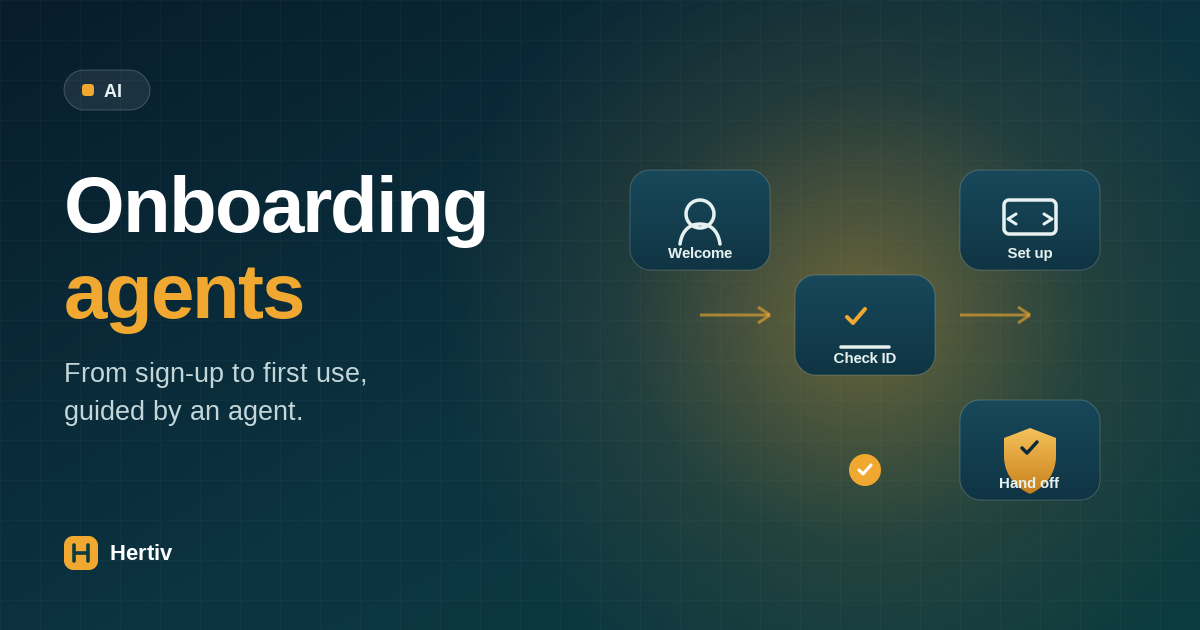
An AI agent for customer onboarding is a software agent that guides a new customer from sign-up to a working account: it welcomes them, checks their identity, collects the details the business needs, sets up the account and hands off to a human when something is unclear. It works best where the steps are clear and repeatable, such as SaaS sign-ups, bank accounts and telecom activations.
What is an AI agent for customer onboarding?
An AI agent for customer onboarding is a software agent that runs the first steps of becoming a customer, from the welcome message to a working account, without a human doing each step by hand. It talks to the customer in chat, email or voice, checks what they send, and updates the business systems as it goes.
It differs from a chatbot in one way: a chatbot answers questions, while an onboarding agent takes actions. It can verify an identity document, fill in a form from a photo, create the account, send the contract and book the first training call. Each action is a tool the agent can call, and each result is written back to the customer record.
The agent is not a replacement for the whole onboarding team. It handles the routine steps, which are most of the volume, and hands the difficult cases to a person. A customer who uploads a blurry document, or whose details do not match the records, still needs a human. For the wider picture, see how AI agents improve business operations.
What does the agent do at each step?
An onboarding agent works through six steps, and each step has a clear job and a clear handoff rule. The table below shows what happens at each stage and what the agent checks before moving on.
| Step | What the agent does | Check before moving on |
|---|---|---|
| Welcome | Greets the customer and explains the steps | Customer confirms the product and plan |
| Identity check | Collects and verifies an ID document | Document is clear and matches the name |
| Data collection | Asks for the details the business needs | All required fields are filled |
| Account setup | Creates the account and access | Login works and permissions are set |
| First use | Guides the customer through the first task | Customer completes the task once |
| Handoff | Passes the customer to the account team | Summary and open items are logged |
The identity check is the step that needs the most care. The agent should ask for the document, check that the photo is clear and the name matches, and send the customer back to try again if it is not. It should never guess at a blurred name or an expired document, because a wrong identity check creates problems that are expensive to fix later.
How does the agent work with your systems?
An onboarding agent works by reading from and writing to the systems the business already uses: the CRM, the identity check service, the billing system and the product itself. Each connection is a narrow tool, so the agent can only do what the tool allows.
A typical setup has four connections. The CRM holds the customer record and the onboarding status. The identity service checks documents and sanctions lists. The billing system creates the subscription and the payment method. The product API creates the account and sets the permissions. The agent calls these tools in order, and each call writes its result back to the record, so a human can see exactly what happened.
Permissions matter more than prompts. The agent should have its own account with only the access it needs, and it should never see data it does not need for the task. A human approval gate should sit in front of irreversible actions, such as closing an account or changing a billing plan, because those are hard to undo. For the support side of the same idea, read AI agents for customer support.
How do you measure whether onboarding agents work?
You measure an onboarding agent by time, completion and quality, not by how many messages it sends. The table below lists the four measures that matter most and what each one tells you.
| Measure | What it tells you |
|---|---|
| Time to first use | How fast a new customer reaches a working account |
| Completion rate | Share of customers who finish onboarding without dropping out |
| Handoff rate | Share of cases the agent passes to a human, and why |
| Error rate | Share of accounts with wrong details or failed checks |
Time to first use is the measure customers feel most. If the agent cuts it from days to hours, customers start using the product sooner and are less likely to drop out. The handoff rate tells you where the agent struggles: if half of all cases hand off at the identity check, the document guidance needs work.
The error rate is the safety measure, and it should be checked weekly, because a small error rate on a large volume still means many wrong accounts.
How do you set up an onboarding agent?
You set up an onboarding agent in five steps, starting with the process map and ending with a small live test. The agent is only as good as the process it follows, so the map comes first.
- Map the current process. Write down every step a new customer takes today, who does it, and where customers drop out.
- Pick the routine steps. Choose the steps that are the same for most customers, such as the welcome, the data collection and the account setup.
- Connect the tools. Give the agent narrow access to the CRM, the identity service, billing and the product API, with a log of every call.
- Write the handoff rules. Decide when the agent must pass to a human, such as a failed identity check or a customer who asks for a person.
- Test with a small group. Run the agent for a few dozen new customers, watch the handoffs and errors, fix the problems, then expand.
Start with one channel, such as chat, and one customer type, such as individual sign-ups. Business customers with custom contracts are a later step, because their onboarding has more exceptions. Keep the agent's language simple and give the customer a way to reach a human at any point, because a customer who feels trapped will leave. To understand the agent itself, see what an AI agent is.
Example (hypothetical): a SaaS company onboarding 500 customers a month
Example (hypothetical): a SaaS company signs up 500 new customers a month, and the onboarding team spends 20 minutes per customer on the routine steps: welcome, data collection, account setup and the first-use guide.
The company builds an agent that handles the routine steps for straightforward sign-ups and hands the rest to the team. The agent handles 70% of the 500 customers, which is 350 customers a month. Each one takes 20 minutes of team time today, so the agent saves 350 times 20 minutes, which is 7,000 minutes, or about 117 hours a month.
The numbers work out like this. At an indicative $25 an hour, 117 hours saved is $2,925 a month, or $35,100 a year. The agent costs $60,000 to build and $1,000 a month to run, so the first year costs $72,000, and the saving does not cover the build in year one.
The team still goes ahead, because the agent also cuts time to first use from three days to four hours, and fewer customers drop out during onboarding.
The team keeps one rule: the agent never approves a business account on its own. Every business sign-up still goes to a human, because the contract and pricing need a person to check them.
What are the common mistakes?
The most common mistakes in onboarding agents are automating a broken process, hiding the human, and letting the agent guess at identity or billing.
- Automating a broken process. If the current onboarding drops half of all customers, an agent will drop them faster. Fix the process first, then automate it.
- Hiding the human. A customer who cannot reach a person will leave. Show the handoff option on every screen.
- Guessing at identity. A blurred document or a mismatched name must go to a human. Never let the agent approve an identity it cannot read.
- Too many tools, too much access. An agent with broad write access can create wrong accounts at scale. Give it narrow tools and log every call.
- No error checks. If the agent creates accounts with wrong details, the support team pays for it later. Check the error rate weekly.
- Measuring messages, not outcomes. Counting chats tells you nothing. Measure time to first use, completion and error rate.
Key takeaways
- An onboarding agent takes actions, not just answers questions
- The identity check is the step that needs the most care, and it must never guess
- Give the agent narrow tools and its own account, with a human gate on irreversible actions
- Measure time to first use, completion rate, handoff rate and error rate
- Automate the routine steps first; business accounts with custom contracts stay with humans
Frequently asked questions
What is an AI agent for customer onboarding?
It is a software agent that guides a new customer from sign-up to a working account: it welcomes them, checks their identity, collects the details the business needs, sets up the account and hands off to a human when something is unclear. It handles the routine steps, which are most of the volume, and leaves the difficult cases to people.
How is an onboarding agent different from a chatbot?
A chatbot answers questions, while an onboarding agent takes actions. It can verify an identity document, fill in a form from a photo, create the account, send the contract and book the first training call. Each action is a tool the agent calls, and each result is written back to the customer record.
Can an AI agent verify a customer's identity?
Yes, by working with an identity check service that reads the document and checks it against the name and expiry date. The agent asks for the document, checks that it is clear, and sends the customer back to try again if it is not. A document it cannot read must go to a human, never be approved by the agent.
How long does it take to set up an onboarding agent?
A first version for one channel and one customer type usually takes a few weeks to a few months, depending on the number of systems it connects to. The process map and the handoff rules take most of the time, while the agent itself is the smaller part of the work.
What happens when the agent gets stuck?
It hands the case to a human with a summary of what happened so far and what is still open. The customer should see the handoff option on every screen, and the team should review the handoff reasons weekly to find the steps the agent needs help with.
Does an onboarding agent replace the onboarding team?
No. It handles the routine steps, which are most of the volume, and the team handles the exceptions, business accounts and customers who ask for a person. The team also owns the process, the handoff rules and the weekly error checks, so the agent keeps improving.


