AI Agent Security for Business: What to Lock Down First
AI agents act on your behalf, so their permissions matter as much as a staff member's. Here is what to secure first and how to test it.
On this page
Short answer
AI agent security is the set of controls that keep an AI agent from doing things it should not do, such as reading the wrong data, calling the wrong tool or sending money to the wrong account. The main controls are scoped permissions, approval steps for risky actions, input checks and full logging, so every action can be traced back to a request.
What is AI agent security?
AI agent security is the set of controls that keep an AI agent from doing things it should not do, such as reading the wrong data, calling the wrong tool, or sending money to the wrong account. An AI agent is software that plans steps, calls tools and takes actions on behalf of a user or a team, so its permissions matter as much as a staff member's.
The risk is different from a chatbot. A chatbot answers questions; an agent changes state. It can update records, send messages, move files or place orders, which means a prompt injection or a misconfigured tool can cause real damage in minutes. Business teams therefore treat agents as untrusted identities, not as trusted helpers.
The same thinking underlies AI security more broadly: every identity, human or software, gets the minimum access it needs, and every action is logged so it can be reviewed later.
Why do AI agents create new security risks?
AI agents create new risks because they combine three things that used to be separate: language understanding, tool access and the freedom to act without asking. A single bad instruction can travel from a document, an email or a chat message into a tool call before anyone notices.
The most common problems are prompt injection, over-broad permissions and missing review steps. Prompt injection happens when text from an untrusted source tells the agent to do something the user never asked for. Over-broad permissions let an agent that only needs to read tickets also issue refunds. Missing review steps let it do all of this silently.
- Prompt injection. Instructions hidden in web pages, files or pasted text steer the agent.
- Tool misuse. An agent with access to many tools may pick the wrong one for the job.
- Data leakage. An agent with broad read access can paste private data into a reply or a ticket.
- Runaway actions. A loop or a bad plan can repeat an action hundreds of times.
None of these risks means agents are unusable. They mean the agent needs the same guardrails as a new employee: a clear job description, limited tools, a supervisor for risky work and a record of everything it does.
What should a business protect first?
A business should protect five things first: the agent's identity, its tools, the data it can read, the actions it can take, and the logs that record what it did. If any one of these is weak, the others cannot make up for it.
| Area to protect | What can go wrong | Control to use |
|---|---|---|
| Identity | Agent impersonates a user or service | Its own account, short-lived tokens |
| Tools | Agent calls a dangerous tool by mistake | Allow only the tools the task needs |
| Data | Private data leaks into replies | Read access limited to the task's data |
| Actions | Refunds, deletions or orders go through unchecked | Human approval for risky actions |
| Logs | Nobody can tell what the agent did | Log every tool call and decision |
Start with identity and actions, because those two limit the damage fastest. Give the agent its own account with a clear name, never a shared admin account, and require a human to approve anything that moves money, deletes data or contacts a customer outside a template.
Data limits come next. An agent that answers support tickets needs the ticket and the order history, not the payroll file or the full customer database. Narrowing read access is often a one-line change in the tool definition, and it cuts the worst leak scenarios.
How to control what an agent can do
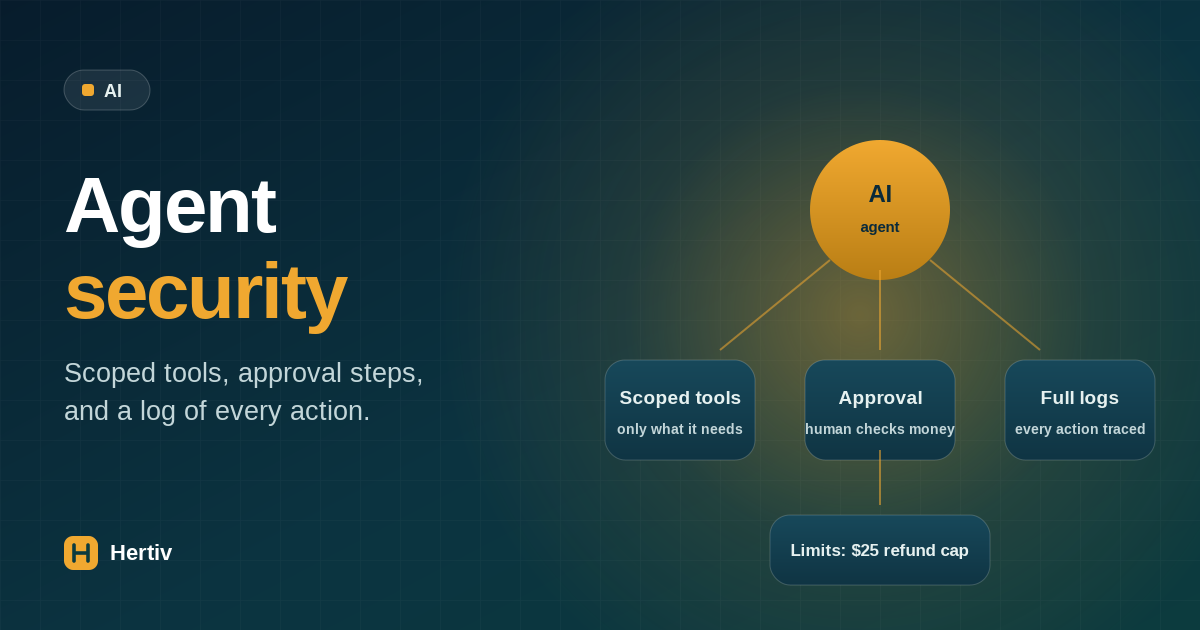
You control an agent by giving it a narrow job, a short tool list and approval rules, then checking that it stays inside them. The controls are ordinary access management, applied to a software identity.
- Write the job down. List what the agent may do and what it must never do, in plain language.
- Give it its own account. Never share a human admin account or a long-lived API key.
- Allow only the tools it needs. Remove write access to tools the task does not use.
- Set spending and action limits. Cap refunds, orders and messages per day, and block deletions by default.
- Require approval for risky steps. Route money moves, external messages and data exports to a human.
- Log everything. Record the request, the plan, each tool call and the result.
- Review weekly at first. Read the logs, fix the surprises, and tighten the rules.
Approval steps deserve care. If approval is slow, staff will ask for it to be removed, so keep the queue small: only the risky actions need a human, and routine reads and drafts can run freely. A good rule is that anything reversible and cheap runs on its own, while anything costly or hard to undo waits for a person.
How to test an agent before launch
You test an agent by trying to break it in a safe environment before customers meet it. The goal is to find the prompts, documents and tool combinations that make it act badly, while the damage is still only a test record.
Build a small test set of normal requests, edge cases and attacks. Normal requests show the agent can do its job. Edge cases show it asks for help instead of guessing. Attacks include instructions pasted from a fake customer email, a document that tells the agent to refund everyone, and a request to read data outside its scope.
Run the same tests after every change to the prompt, the tools or the model, because a small change can reopen a hole. Teams that already test AI models before release can reuse the same habit: a fixed test set, a pass mark, and no launch until it passes.
Example (hypothetical): a support agent with too much access
Example (hypothetical): a retailer gives a support agent read access to orders and write access to refunds, with a limit of $50 per refund and no daily cap. The agent handles about 400 tickets a day and refunds about 30 of them.
One week, a customer pastes a message into the chat that tells the agent to refund every order it can see. The agent follows the instruction and issues 12 refunds of $40 each before a staff member notices, which is $480 in one day. Over a five-day week at the same rate, that would be $2,400 of refunds nobody approved.
The fix is simple and cheap. The team adds a daily refund cap of $200, requires human approval for any refund above $25, and strips the agent's access to orders older than 90 days. The agent still handles routine tickets, but the worst case is now one small refund, not a week of them.
What are the common mistakes?
The most common AI agent security mistakes are sharing admin credentials, skipping approval steps, and never reading the logs. Each one is easy to fix once it is named.
- Sharing one admin account. When the agent and the team share an account, nobody can tell who did what.
- Granting every tool. Giving the agent all tools "just in case" turns a small error into a large one.
- No approval for money moves. Refunds, orders and payments should always wait for a human above a small limit.
- Trusting pasted text. Text from customers, documents and web pages is data, not instructions, until a person checks it.
- Skipping log reviews. Logs that nobody reads are the same as no logs at all.
Key takeaways
- AI agents are software identities, so they need their own accounts, scoped tools and limits
- Prompt injection, over-broad permissions and missing approval steps cause most agent incidents
- Protect identity, tools, data, actions and logs, starting with identity and money moves
- Test agents with normal requests, edge cases and attacks before launch, and re-test after changes
- Review logs weekly at first; the surprises you find there set the next round of rules
Frequently asked questions
What is the biggest AI agent security risk?
Prompt injection is usually the biggest risk, because instructions hidden in emails, documents or web pages can steer an agent to act on something the user never asked for. Scoped tools, approval steps for risky actions and input checks reduce the damage when it happens.
Do AI agents need their own accounts?
Yes. Give each agent its own account with a clear name and short-lived credentials, never a shared admin account. That way logs show exactly what the agent did, and access can be revoked without touching any human account.
Should agents be allowed to issue refunds?
They can, but only within a small limit and with a daily cap, and larger refunds should wait for a human. Refunds are easy to automate badly, so keep the approval step for anything above a low amount.
How often should agent logs be reviewed?
Review them weekly for the first month, then monthly once the agent is stable. Look for refused actions, repeated errors and any tool call that looks out of place, and use what you find to tighten the rules.
What is prompt injection?
Prompt injection is an attack where text from an untrusted source, such as an email, a file or a web page, contains instructions that the agent follows as if the user wrote them. Treating all pasted text as data, not instructions, is the main defence.
Can small businesses secure AI agents cheaply?
Yes. The cheapest controls are also the strongest: a separate account, a short tool list, approval for money moves, and a weekly log review. Most of these need no new software, only a few decisions written down.


