What Is Text to Speech, and How Does It Work?
Text to speech turns written words into spoken audio in three stages: clean the text, convert it to sounds, then synthesise the voice. Learn the types and uses.
On this page
Short answer
Text to speech is technology that turns written text into spoken audio, used in screen readers, voice assistants, audiobooks and navigation apps. Modern neural voices handle pauses and emphasis well, and choosing the right one means testing it on your own text with real users.
What is text to speech?
Text to speech, or TTS, is technology that turns written text into spoken audio. You give it a sentence, and it produces a voice reading that sentence aloud. It is used in screen readers, voice assistants, audiobooks, navigation apps and customer service lines, wherever people need to hear words instead of reading them.
Modern text-to-speech voices sound far more natural than the robotic voices of twenty years ago. They handle pauses, emphasis and sentence rhythm, and many can switch between languages and speaking styles. The best systems are hard to tell apart from a human recording on short passages.
Text to speech is not the same as speech recognition. Speech recognition turns audio into text, while text to speech turns text into audio. The two are often paired: a voice assistant listens with one and answers with the other. For the listening side, see speech recognition technology in healthcare.
How does text-to-speech software work?
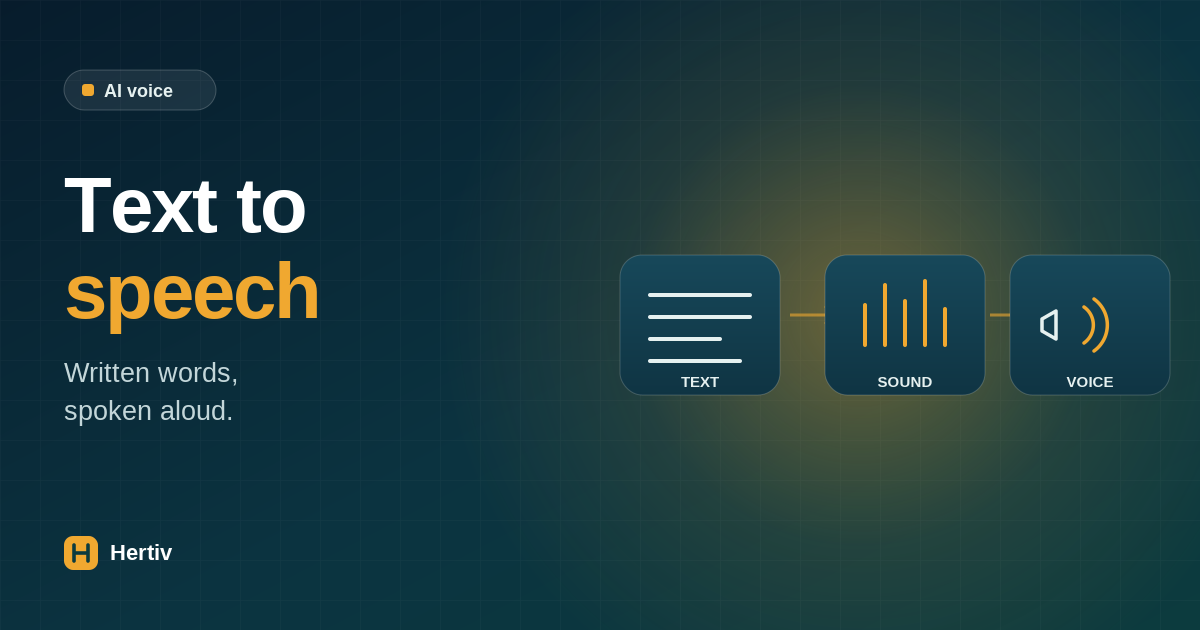
Text-to-speech software works in three stages: it reads and cleans the text, converts it into sounds, and then turns those sounds into audio. First it normalises the text, expanding numbers, dates and abbreviations into words that can be spoken, so 'Dr Smith, 3.30 pm' becomes 'Doctor Smith, three thirty pm'.
| Stage | What happens | What can go wrong |
|---|---|---|
| Text normalisation | Numbers, dates and abbreviations expanded | Ambiguous abbreviations misread |
| Linguistic analysis | Words split into sounds, stress marked | Unusual names pronounced wrong |
| Voice synthesis | Sounds turned into audio waveform | Flat tone, wrong pauses |
| Output | Audio streamed or saved as a file | Latency on long passages |
Older systems built speech by joining recorded sound fragments. Modern systems use neural models trained on hours of recorded speech, which predict the audio for a new sentence directly. The neural approach handles rhythm and emphasis better, which is why it sounds more natural.
The quality of the voice depends on the training data and the model. A voice trained on clean studio recordings of one speaker will sound consistent, while a voice trained on noisy data will not. That is why vendors offer a small set of polished voices rather than an unlimited number of average ones.
What are the main types of text-to-speech voices?
The main types of text-to-speech voices are standard voices, neural voices and cloned voices. Standard voices use older synthesis methods and sound clear but flat, which is fine for simple announcements. Neural voices use machine learning models and sound much closer to a human speaker, with natural pauses and emphasis.
Cloned voices are built from recordings of a real person, so the voice sounds like that person. They are used for brand voices, audiobooks read by the author and personalised assistants. Cloning needs the speaker's consent and a set of clean recordings, and it raises questions about misuse that a team should take seriously.
Most products offer a choice of voices by language, accent and style, such as a calm narration style or an energetic one. The right voice depends on the audience: a children's app wants a warm voice, a navigation app wants a clear one, and a news reader wants a steady one. Prices differ between vendors, so check the vendor site for current plans.
Where is text to speech used?
Text to speech is used wherever written words need to be heard. Screen readers use it to read web pages and documents aloud for people with low vision. Voice assistants use it to answer questions. Navigation apps use it to read directions while the driver keeps their eyes on the road.
Businesses use it for audio versions of articles, training material and help pages, so people can listen while doing other things. Call centres use it for automated messages and for reading out order details. Publishers use it to turn books into audiobooks without booking a studio for every title.
It also helps people who find reading hard, whether through dyslexia, low vision or a second language. A student can listen to a textbook, and a new speaker can hear how a sentence should sound. That access is often the strongest reason to add it. Teams building voice features often pair TTS with AI voice agent development, since the agent speaks through the same voice.
How do you choose a text-to-speech tool?
Choose a text-to-speech tool by testing voices on your own text, not on the vendor's demo. A voice that sounds good reading a news script may sound wrong reading your product names or your customers' names. Test with the sentences your users will actually hear.
- List your languages and accents. Check that the tool covers every language your users speak.
- Test with your own text. Use real sentences, names and numbers from your product.
- Check the API and latency. The tool should stream audio fast enough for a live conversation.
- Compare pricing by character. Most vendors charge per character or per minute, so estimate your volume.
- Check the licence. Confirm you may use the voice in your product and in marketing, if needed.
Also check the pronunciation controls. A good tool lets you set how it says a brand name, a product code or an abbreviation, so 'SQL' comes out as 'sequel' or 'S-Q-L' as you prefer. Without that control, the voice will misread your most important words. For media use, the best AI dubbing tool guide covers the related case of translating spoken audio.
Example (hypothetical): an audio version of a help centre
Example (hypothetical): a software company has 120 help articles and wants an audio version for users who prefer listening. The team picks a neural voice, sets pronunciations for 15 product names and generates audio for the 20 most-read articles first. Each article averages 600 words, so the first batch is 12,000 words of text.
The cost is easy to estimate. At a typical vendor rate of 16 dollars per million characters, and about 6 characters per word, 12,000 words is about 72,000 characters, which costs about 1.15 dollars to generate. The team spends far more time on pronunciation checks than on the audio itself: two editors listen to each article once and fix the 3 or 4 misread names per article.
After a month, the team measures the result. The 20 audio articles get 400 listens, and the average listen lasts 4 minutes, which suggests people finish most of a 5-minute article. The team then generates the remaining 100 articles in the same way.
Common mistakes with text to speech
The most common mistake is using a voice that does not fit the audience. A flat, robotic voice will make users stop listening, even if the words are right. Test the voice on your own text with real users before you commit, and listen to a full passage, not a single sentence.
Other mistakes are common. Teams skip pronunciation rules, so the voice misreads product names on every page. Teams generate audio once and never update it, so the audio says the old price after the text changed. Teams pick a vendor without checking the licence, then find they cannot use the voice in a video or an advert.
Keep the audio in sync with the text. Generate audio when the article changes, keep a list of pronunciation rules in one place, and check the licence for every channel you plan to use. A small pilot on your most-read pages will show whether listeners stay to the end.
Key takeaways
- Text to speech turns written text into spoken audio for screen readers, assistants and audiobooks.
- It works in three stages: normalise the text, convert it to sounds, then synthesise audio.
- Neural voices sound most natural; cloned voices copy a real person's voice with consent.
- Choose by testing voices on your own text, checking languages, latency and pricing.
- Keep audio in sync with the text and set pronunciation rules for names and product terms.
Frequently asked questions
Is text to speech the same as a voice assistant?
No. Text to speech is one part of a voice assistant: it turns the assistant's written answer into spoken audio. The assistant also needs speech recognition to hear the user and a language model to decide what to say.
Can text to speech sound like a real person?
Modern neural voices sound close to a human on short passages, with natural pauses and emphasis. On long passages most listeners can still tell the difference, and a cloned voice needs the speaker's consent and clean recordings.
How much does text to speech cost?
Most vendors charge per character or per minute of audio generated. Short passages cost very little, and the main cost is usually the time spent checking pronunciations. Check the vendor site for current pricing.
Can I use text to speech for audiobooks?
Yes, publishers use it to turn books into audio, especially for backlist titles where a studio recording is too costly. A human narrator still sounds better for fiction, where tone and character matter most.
What languages does text to speech support?
Major vendors support dozens of languages and many accents, but quality varies. A language with a large training set sounds better than one with a small set. Test the exact language and accent your users need.
How do I fix a word the voice mispronounces?
Most tools let you set pronunciation rules, either as a phonetic spelling or a replacement word. Keep those rules in one list, test them after each change, and re-generate the audio for affected pages.


