What Is Multi-Tenant Architecture? A Guide for Product Teams
Multi-tenant architecture lets one application serve many customers while keeping their data isolated. Learn how it works, the isolation models, and how to choose one.
On this page
Short answer
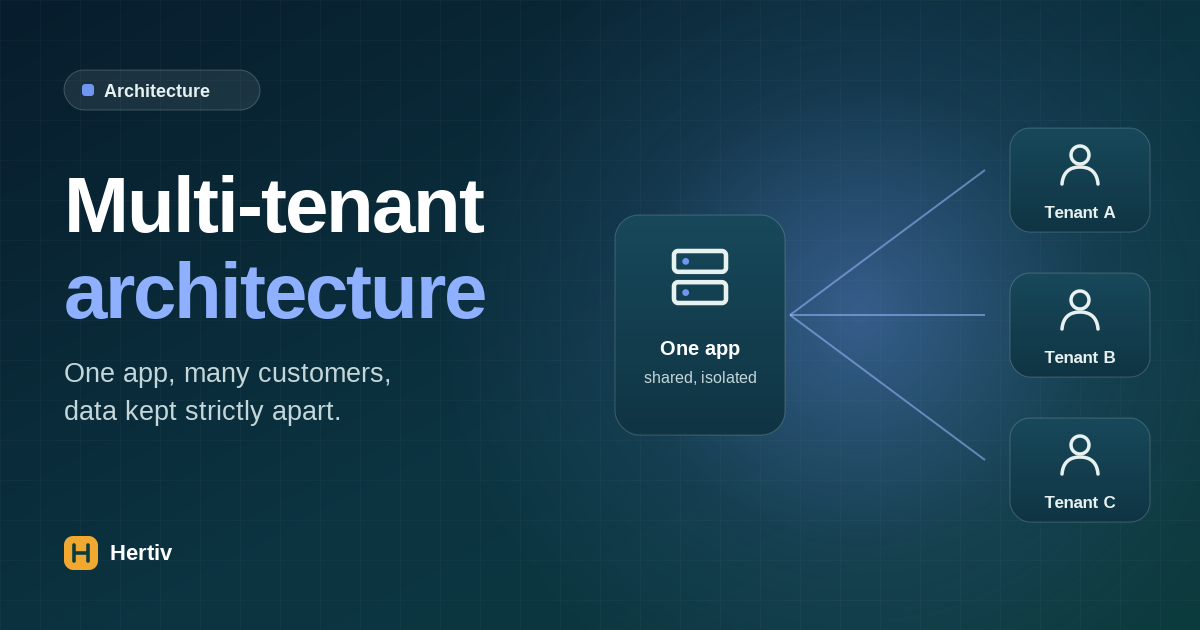
Multi-tenant architecture is a software design where a single instance of an application serves multiple customers, called tenants, while keeping each tenant's data and configuration separate. Tenants share compute and code but not their data, and isolation is enforced at the database, schema or application layer.
What is multi-tenant architecture?
Multi-tenant architecture is a software design in which one deployment of an application serves many separate customers, called tenants, from shared code and infrastructure while keeping each tenant's data and settings isolated. It is the standard model behind most SaaS products.
A tenant is usually an organisation, not an individual user. One tenant can have many users, roles and workspaces, and the application must always know which tenant a request belongs to before it reads or writes anything.
Sharing is what makes multi-tenancy economical: you run one codebase, one set of migrations and one monitoring stack for every customer. Isolation is what makes it safe. The whole discipline is balancing those two goals as customers grow and their requirements diverge.
It helps to separate three things that are often mixed together:
- Tenancy model: how data and infrastructure are partitioned between customers.
- Tenant context: how identity and requests carry the tenant identifier through every layer.
- Tenant lifecycle: how tenants are provisioned, configured, exported and deleted.
Most multi-tenant failures come from weak tenant context, not from the partitioning choice itself. If a background job, cache key or log line loses the tenant identifier, isolation breaks even in a well-partitioned database.
How does multi-tenancy differ from single-tenancy?
Single-tenancy gives each customer its own application instance and usually its own database; multi-tenancy shares those resources and separates customers logically. The trade-off is cost and operational simplicity versus isolation and per-customer flexibility.
In a single-tenant deployment, upgrading one customer means deploying to their environment, and a bug in one instance cannot affect another. In a multi-tenant system, one deployment and one migration reach everyone at once, which is cheaper to run but raises the cost of any mistake.
| Dimension | Single-tenant | Multi-tenant |
|---|---|---|
| Cost per customer | Higher, resources are duplicated | Lower, resources are shared |
| Isolation | Strong by default | Must be enforced in code and data |
| Upgrades | Per customer, can be staged | One release for all tenants |
| Customisation | Easy, fork per customer | Needs configuration and feature flags |
| Noisy-neighbour risk | Contained | Present unless limited |
| Onboarding | Slower, new environment | Fast, a record in a control plane |
Many products end up hybrid: a shared multi-tenant core with dedicated databases or deployments for large or regulated customers. That keeps the economics of sharing while meeting contracts that require physical separation.
A useful rule of thumb: choose single-tenancy when a customer's requirements genuinely cannot be met in the shared model, not as a default because isolation feels safer.
What are the main data isolation models?
There are three common data isolation models: shared database with a tenant column, schema per tenant, and database per tenant. Each sits at a different point on the cost-versus-isolation spectrum.
Shared database, shared schema. Every table carries a tenant identifier, and every query filters on it. This is the cheapest to run and the easiest to migrate, but one missing filter can expose another tenant's rows. Enforce tenant scoping centrally, for example in a data-access layer or with row-level security in the database, rather than trusting each developer to remember.
Schema per tenant. Each tenant gets its own schema inside a shared database server. Isolation improves and per-tenant backup or export becomes easier, but migrations must run across every schema, and a large number of schemas strains connection pools and tooling.
Database per tenant. Each tenant has its own database, often on shared infrastructure. This gives the strongest logical separation and suits customers with data-residency or audit requirements, at the cost of more provisioning work and more complex migrations.
How does tenant context flow through an application?
Tenant context is the tenant identifier attached to every request, job and message so that all reads and writes are scoped correctly. Weak tenant context is the most common source of cross-tenant bugs.
The usual pattern is to resolve the tenant during authentication, bind it to the request or session, and propagate it through every call. Avoid accepting a tenant ID from the client as the source of truth; derive it from the authenticated identity or the hostname, then validate it against the user's memberships.
Places where tenant context is easily lost:
- Background workers and scheduled jobs that run outside a request.
- Caches keyed only by object ID rather than tenant and object ID.
- Message queues and event streams whose payloads omit the tenant.
- Logs, traces and metrics that cannot be filtered by tenant during an incident.
- File storage paths and generated export URLs.
Test isolation deliberately. Write tests that create two tenants, act as one, and assert that the other's data is never returned. Run these against every endpoint and every job, not just the main data path.
What breaks first at scale: performance, noisy neighbours and operations
At scale, multi-tenant systems usually fail on performance isolation and operational tooling before they fail on storage design. One large tenant can consume shared resources and slow down everyone else.
Noisy-neighbour problems show up as slow queries, exhausted connection pools and uneven queue backlogs. Defend against them with per-tenant rate limits, query timeouts, fair scheduling for background work, and the ability to move a heavy tenant onto dedicated resources when needed.
Operational questions to answer early:
- Can you identify which tenant caused a spike in latency or errors within minutes?
- Can you restore or export a single tenant's data without touching others?
- Can you run a migration and observe its effect per tenant before rolling further?
- Can you delete a tenant completely when a contract ends?
Observability needs tenant dimensions on logs, traces and metrics, with access controls so support staff see only what they should. Provisioning should be automated through a control plane that creates the tenant record, its storage, default settings and any integrations.
If you are designing this layer, our software engineering services and cloud services teams regularly help teams shape tenancy and operational tooling together.
How do you choose a tenancy model?
Choose a tenancy model by matching isolation to tenant size, regulatory obligations and customisation needs, then revisit it as customers change. Most teams are better served by starting simpler than they expect.
- List what each tenant class needs. Separate small self-serve customers from enterprise accounts with security questionnaires, data-residency clauses or audit rights.
- Check the binding constraints. Regulations and contracts may require dedicated storage or a specific region. Those constraints decide the floor, not the ideal.
- Pick the simplest model that meets the floor. Shared database with enforced row-level scoping suits most products; schema or database per tenant is for tenants that justify the operational cost.
- Design the escape hatch. Build a path to move a single tenant to dedicated resources before you need it, so growth does not force a rewrite.
- Plan for customisation. Prefer configuration and feature flags over per-tenant code branches, and keep a clear list of which settings are supported.
Example (hypothetical): a product with 500 small tenants and 5 enterprise tenants might run all 505 in a shared database, move the 5 enterprise tenants to dedicated databases, and keep one codebase for both. The separation is a deployment detail, not a fork.
For teams building on this foundation, our custom software development practice and blog cover related architecture decisions.
Common mistakes
Most multi-tenant mistakes come from treating isolation as a database setting rather than a property of the whole system. These are the ones that cause the most trouble.
- Trusting the client for tenant identity. Derive the tenant from authenticated context and verify membership, never from a request parameter alone.
- Filtering only in application code. Use database-level controls such as row-level security as a second line of defence.
- Forgetting background jobs and queues. Carry tenant context into every worker and message payload.
- No per-tenant limits. Without rate limits and timeouts, one tenant can degrade service for all.
- Shared caches keyed by object ID only. Include the tenant in every cache key.
- Customisation through code forks. Prefer configuration; forks make upgrades and isolation harder.
- No single-tenant export or deletion path. Contracts eventually require both.
- Testing only happy paths. Isolation tests need two tenants and a deliberate attempt to cross the boundary.
Key takeaways
- Multi-tenancy shares code and infrastructure across customers; isolation is the design problem, not the sharing.
- Three common isolation models: shared database with tenant ID, schema per tenant, and database per tenant.
- Noisy-neighbour performance and cross-tenant data leaks are the two risks that drive most architecture decisions.
- Tenant-aware authentication, logging and background jobs must be designed up front; retrofitting them is expensive.
- The right model depends on tenant size, regulatory duties and how much per-tenant customisation you must support.
- Start shared where possible, and give large or regulated tenants a dedicated database or deployment.
Frequently asked questions
Is multi-tenancy the same as SaaS?
No. SaaS is a business model for delivering software; multi-tenancy is an architecture that often supports it. A SaaS product can be single-tenant internally, and a multi-tenant system can be sold as a licensed on-premise product.
Is multi-tenant architecture secure?
It can be as secure as single-tenancy if isolation is enforced at multiple layers: authenticated tenant context, database-level scoping, tenant-aware logging and isolation tests. Most incidents come from missing tenant context in code paths such as jobs or caches, not from sharing itself.
When should a tenant get a dedicated database?
Give a tenant its own database when a contract or regulation requires physical separation, when its data volume or query load affects other tenants, or when its customisation cannot be expressed as configuration. Keep the application code shared where possible.
What is a noisy neighbour in multi-tenancy?
A noisy neighbour is one tenant whose traffic, queries or background jobs consume shared resources and slow down others. Per-tenant rate limits, query timeouts, fair scheduling and the option to move heavy tenants to dedicated resources limit the impact.
How do you handle tenant-specific customisation?
Use configuration, feature flags and extension points rather than per-tenant code branches. Keep a documented list of supported settings, and treat requests for deeper changes as a signal to review the tenancy model rather than fork the codebase.
Can you migrate from single-tenant to multi-tenant later?
Yes, but it is a significant project. It requires adding tenant context across authentication, data access, jobs and observability, then migrating data tenant by tenant. Designing tenant identifiers and a control plane early makes the migration far cheaper.


