What Is the Model Context Protocol (MCP)?
The Model Context Protocol is an open standard that lets an AI app call tools and read data from other systems in a consistent way. Learn how its parts fit together.
On this page
Short answer
The Model Context Protocol, or MCP, is an open standard that lets an AI application connect to outside tools and data sources in one consistent way. Instead of building a separate integration for each tool, an app speaks MCP to a server that exposes tools, resources and prompts. Anthropic released it as an open standard, and it uses JSON-RPC 2.0 messages over a local process or an HTTP connection.
What is the Model Context Protocol?
The Model Context Protocol, or MCP, is an open standard that connects an AI application to the tools and data it needs. Before MCP, every connection was custom: a chat app that wanted to read files, search a database and send messages needed three different integrations, each with its own format. MCP gives them one format, so an app that speaks MCP can use any MCP server.
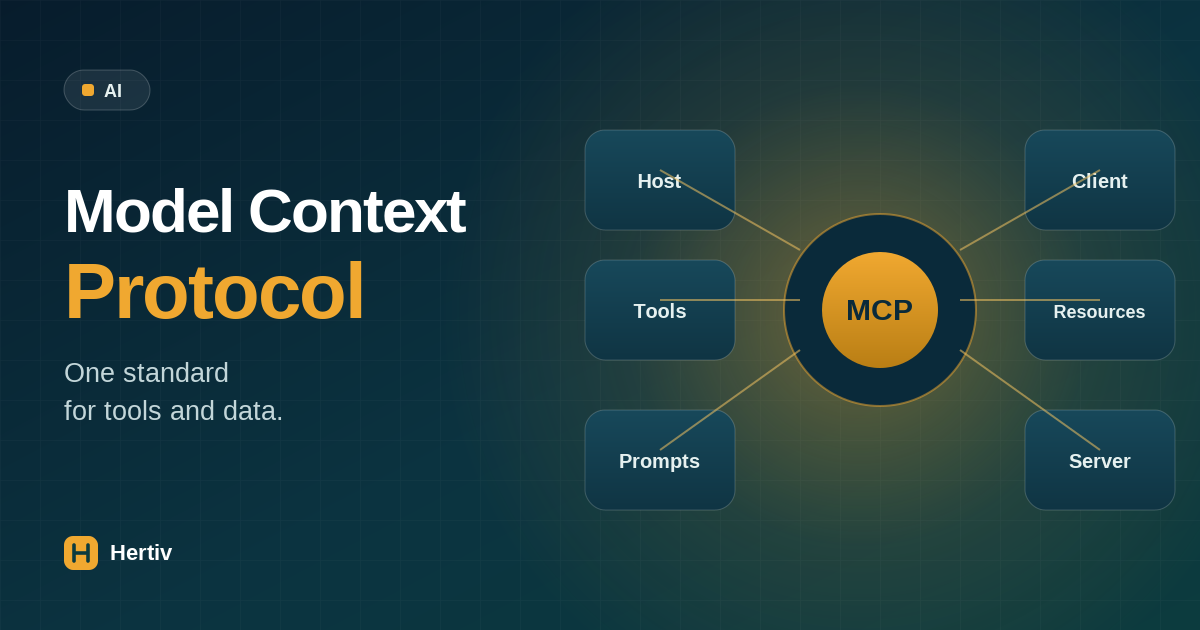
MCP has three parts. The host is the AI app, such as a chat client or an agent. The client is the connection the host opens to a server. The server is a small program that exposes tools the model can call, resources it can read, and prompts it can use. The model never talks to the tool directly; it asks the server, and the server does the work.
| Part | What it does | Example |
|---|---|---|
| Host | Runs the AI app | Chat client, agent |
| Client | Opens the connection | One per server |
| Server | Exposes tools and data | File server, database server |
| Tools | Actions the model can call | Search, send, create |
| Resources | Data the model can read | Files, records, pages |
| Prompts | Ready-made instructions | Review this file, summarise |
MCP is a protocol, not a product: anyone can write a server for their own tool, and any host that speaks MCP can use it. That is why it spread fast after Anthropic released it as an open standard.
How does the Model Context Protocol work?
MCP works as a short conversation between the host and the server. First the host connects and asks the server what it offers: which tools, which resources and which prompts. The server answers with a list, including what each tool needs as input. The model then picks a tool when the user's request needs it, sends the arguments, and gets the result back.
The messages use JSON-RPC 2.0, a simple format for remote calls, and they travel over a local process or an HTTP connection. A local server runs on the same machine as the host, which suits files and desktop tools. A remote server runs over HTTP, which suits shared services such as a company database or a ticketing system.
The model decides when to call a tool, but the server decides what the tool can do. A file server might allow reading but not deleting, and a database server might allow one table but not another. That split keeps control with the server owner, not with the model.
What can an MCP server expose?
An MCP server can expose tools, which are actions the model can run. A tool might search a knowledge base, create a ticket, send a message, or run a query. Each tool has a name, a description and a list of inputs, so the model knows when to use it and what to send.
A server can also expose resources, which are data the model can read without running an action: a file, a record, a page or a log. Resources have addresses, so the model can ask for a specific one. Prompts are the third kind: ready-made instruction templates the host can offer the user, such as a prompt that reviews a file or drafts a summary.
Most servers expose one kind well and the others lightly. A database server is mostly tools, a file server is mostly resources, and a workflow server is mostly prompts. Teams usually start with tools, because tools are what let the model do work rather than only read.
How is MCP different from a plain API?
MCP is different from a plain API because it is a shared format for describing tools, not a single service. A plain API belongs to one product: the model needs a different integration for each API, and each one has its own auth, its own error format and its own way of describing what it can do.
With MCP, the description is standard. A host that speaks MCP can list the tools of any server, call them the same way, and read the results the same way. The server still does the real work behind the scenes, often by calling a plain API itself, but the model sees one format.
That does not make plain APIs obsolete. MCP sits on top of them: a server wraps an existing API in MCP so that AI apps can use it without custom code. For a direct comparison, see MCP vs API.
For when retrieval fits better than a tool call, see MCP vs RAG.
How to start with the Model Context Protocol
Starting with MCP means picking one tool the model should be able to use, wrapping it in a server, and testing it with a real request. A team that builds ten servers at once usually ends up with ten half-finished ones, so start with one.
- Pick one tool. Choose a single action the model should do, such as searching the support docs.
- Write a small server. Use an MCP software kit to expose that tool with a name, a description and its inputs.
- Connect a host. Point a chat client or agent at the server and confirm it can list the tool.
- Test with real requests. Ask the questions a user would ask and check the tool is called with the right inputs.
- Limit what the tool can do. Set read-only access where possible and log every call the model makes.
For firms that build MCP servers for clients, see top MCP development companies. Keep the first server small: one tool that works beats five tools that half-work.
Example (hypothetical): a support team and one MCP server
Example (hypothetical): a support team answers 400 messages a day, and each answer needs the order status from the shop system. Looking it up by hand takes about 2 minutes, so the team spends 400 x 2 = 800 minutes, or about 13 hours, a day on lookups.
The team writes a small MCP server with one tool, called order status, that takes an order number and returns the status. The chat client connects to the server, and the model calls the tool whenever a message mentions an order. The lookup now takes about 10 seconds of model time instead of 2 minutes of human time.
The new cost is 400 x 10 seconds, or about 67 minutes a day of model time, plus the time a person spends checking the answer. The team saves roughly 12 hours a day of lookup work, and the saving holds only because the tool is read-only: it can never change an order by accident.
What are the common mistakes?
The most common mistake is giving a server tools that can change data without limits. A tool that can delete records, send messages or move money needs the same care as a production API, including auth, limits and a log. Read-only tools first, write tools later.
Another mistake is writing vague tool descriptions. The model picks tools by reading their descriptions, so a tool described as "does stuff with orders" will be called for the wrong jobs. Write each description as a plain sentence: what it does, what it needs, and when not to use it.
Teams also build too many servers too fast. One server with one good tool teaches the team more than five servers with rough tools. And do not skip the log: when a model calls a tool with the wrong input, the log is the only way to see what happened and fix the description.
Key takeaways
- MCP is an open standard that connects an AI app to tools and data in one consistent way.
- Its three parts are the host, the client and the server.
- A server exposes tools the model can call, resources it can read, and prompts it can use.
- MCP sits on top of plain APIs: the server wraps an API so AI apps can use it.
- Start with one read-only tool, test it with real requests, and log every call.
Frequently asked questions
What does MCP stand for?
MCP stands for Model Context Protocol. It is an open standard that lets an AI application connect to outside tools and data sources in one consistent way, instead of needing a custom integration for each tool.
Who created the Model Context Protocol?
Anthropic released the Model Context Protocol as an open standard. Because it is open, anyone can write a server for their own tool, and any host that speaks MCP can use it.
Is MCP the same as an API?
No. An API belongs to one product and has its own format, while MCP is a shared format for describing tools. A server often wraps an existing API in MCP so that AI apps can call it without custom code.
Do I need a server to use MCP?
Yes, an MCP server is the program that exposes the tools and data. It can run on the same machine as the AI app, for files and desktop tools, or over HTTP, for shared services such as a company database.
Can an MCP tool change data?
Yes, a tool can change data if the server allows it, which is why write tools need care: auth, limits and a log of every call. Most teams start with read-only tools and add write tools only after testing.
What is the difference between MCP and RAG?
RAG pulls text from documents into the model's context so it can answer from them, while MCP lets the model call tools and read live data. The two often work together: a server can expose a search tool that runs retrieval.


