Application Software: What It Is and How It Differs from System Software
Application software is any program built to help a user complete a task. It runs on system software and is defined by its purpose, audience and lifecycle.
On this page
Short answer
Application software is software written to perform a specific task for an end user, such as a CRM, an accounting package or a mobile banking app. It sits on top of system software, which manages hardware and provides the runtime the application needs.
What is application software?
Application software is a program designed to help a person or another system complete a specific task: take an order, file a tax return, manage a project, approve a loan. It depends on system software and hardware beneath it, but its purpose is defined by the job it does, not by how it runs.
That is why the category is so broad. A mobile wallet, a warehouse scanner app, an internal admin console, a SaaS billing platform and an AI support assistant are all application software. They differ in audience, deployment and complexity, not in definition.
The boundary moves with your point of view. To an end user, Excel is an application. To the IT team that runs the estate, Excel is one component inside a larger application landscape that includes an identity provider, a data warehouse and integration middleware. When people debate whether something is application software, they are usually comparing different vantage points.
The practical test is simple: name the user and the task. If you can do both, you are looking at application software. If the software exists to serve hardware or other software with no direct user task, you are closer to the system software or platform layer.
Application software vs system software vs middleware
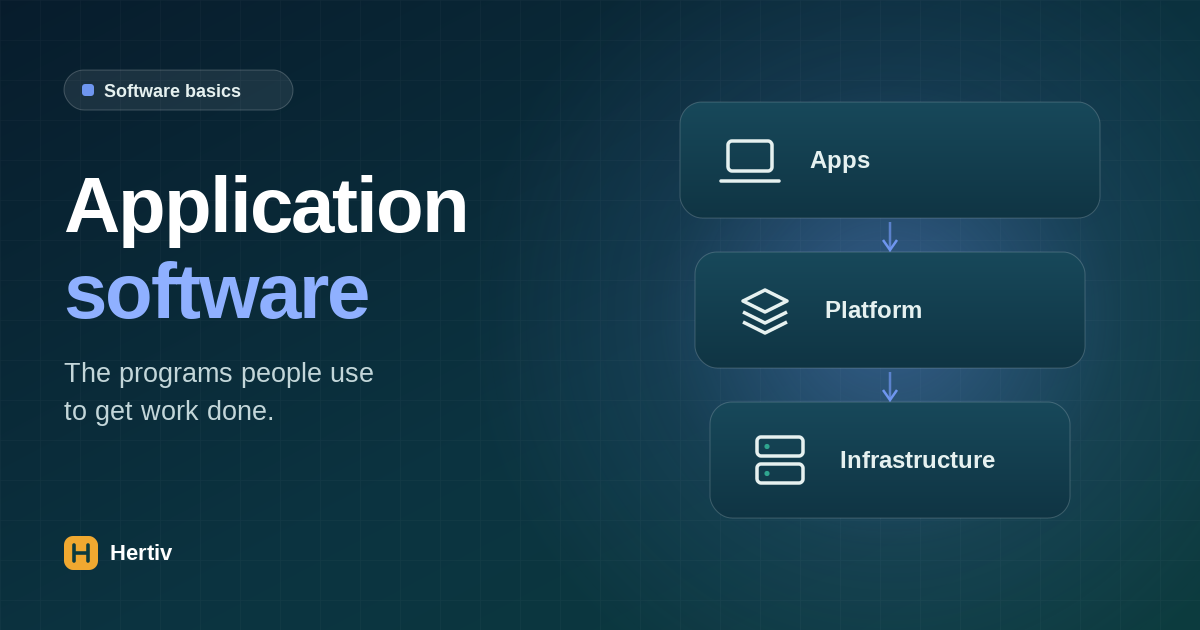
System software runs and manages the machine; application software does the work a user actually pays for. Middleware sits in between, connecting applications, moving data and enforcing shared concerns such as authentication and messaging.
A useful way to picture the stack:
| Layer | What it does | Typical examples |
|---|---|---|
| System software | Runs hardware, schedules resources, manages files and processes | Operating systems, device drivers, hypervisors, container runtimes |
| Middleware and platforms | Connects applications, moves messages, manages identity and data | Message brokers, API gateways, identity providers, databases |
| Application software | Completes a user or business task | CRM, ERP, banking apps, e-commerce, internal tools, AI assistants |
Databases deserve a note. Many engineers call them infrastructure, but a business analyst using a BI tool to query one is treating it as application software. The label depends on who is using it and why.
For product leaders, the useful question is not which box something belongs in, but who owns it. Application software owns the task and the data model. System and middleware layers own the runtime, the network and shared services.
Confusing the two leads to applications that try to solve infrastructure problems, and infrastructure teams that end up with business logic in the wrong place. For teams building customer-facing products, the application layer is where most of the design and engineering effort sits; see our guide to web application development.
The main types of application software
Most application software falls into a small number of categories, and the category determines how it is bought, built and maintained. Knowing which type you are dealing with makes scoping and budgeting more honest.
- Business applications. Systems that run operations: ERP, CRM, HR, procurement, finance and logistics. They are usually purchased or configured, with custom extensions where the vendor product does not fit.
- Product applications. The software a company sells or offers to customers: SaaS platforms, marketplaces, banking apps, portals and consumer apps. These are almost always custom-built or heavily customised.
- Internal tools. Admin consoles, dashboards, approval workflows and support back-ends. Often small in user count and high in value, and a frequent source of unplanned technical debt.
- Collaboration and productivity software. Email, documents, spreadsheets, video and project tools. Mostly purchased as SaaS.
- Developer and data tools. IDEs, CI systems, notebooks, orchestration and observability tools. The line between developer tooling and platform infrastructure is thin.
- Embedded and specialised applications. Point-of-sale terminals, clinical systems, control-room software and other task-specific software with unusual reliability or regulatory constraints.
The category affects the build-versus-buy call. Business applications are usually best bought when the process is standard and configured when it is close enough. Product applications are where custom work pays back, because the software itself is the differentiator.
A custom custom software development effort should start from that distinction, not from a general preference for buying or building.
How application software is built and deployed
Modern application software is usually assembled from a mix of services rather than written as one monolith. A typical build moves through a predictable set of layers, and each layer carries its own cost and risk.
- Define the task and the user. Name the job the software does and who does it. This sounds obvious, but vague user definitions are the most common cause of scope creep later.
- Design the data model. Application software is largely a set of rules over data. Getting entities, ownership and access rules right early is cheaper than migrating later.
- Choose the deployment model. SaaS, single-tenant cloud, on-premise or hybrid. Regulated industries and data residency rules often decide this for you.
- Build or integrate. Custom code for the differentiating parts; purchased services or APIs for commodity capabilities such as payments, identity and messaging.
- Add operational concerns. Observability, backups, access control and release management. These are part of the application, not an afterthought.
- Iterate with real usage. Instrument the product, watch where users fail, and treat those signals as the roadmap.
Agentic features are now part of this picture. An application may call an AI agent for triage, summarisation or drafting, with the agent treated as one more service with its own permissions and failure modes. Teams exploring that pattern can look at agentic AI development as a starting point, but the application architecture should stay the same: explicit interfaces, limited permissions, observable behaviour.
Buy, build or configure?
Buy application software when the process is standard, the vendor is mature and integration effort is low. Build it when the software is the product or the process is a competitive advantage. Configure when a vendor product is close enough that extension work is cheaper than replacement.
The decision rarely comes down to licence cost. The larger costs are integration, data migration, training and the ongoing work of keeping the application aligned with how the business changes. A rough way to compare options is to add up, for each, the cost of integration, the cost of change over three years and the cost of exit if the option stops fitting.
A few heuristics that hold up in practice:
- If two vendors in the same category cannot be told apart in a demo, the category is commoditised and buying is usually right.
- If the workflow is the reason customers choose you, buying the workflow means buying your differentiator from a vendor.
- If the integration surface is more than a handful of systems, budget for an integration layer rather than point-to-point code.
- If the application must meet sector regulation, check the vendor's audit and data-handling posture before the commercial discussion.
For mid-market teams, the honest answer is usually a mix: a vendor system for the finance back-end, custom software for the customer-facing workflow, and a data layer that keeps both in sync. Our software engineering services cover that kind of hybrid estate.
Example: replacing a spreadsheet-based approval process
Example (hypothetical): a mid-sized distributor runs purchase approvals in a shared spreadsheet. Two people approve requests by email, and finance reconciles the sheet every Friday. The team is deciding whether to buy a procurement suite, configure an existing ERP module or build a small application.
The comparison, using clearly illustrative numbers:
| Option | Build effort | Integration effort | Three-year change cost |
|---|---|---|---|
| Procurement suite | Low configuration | Medium (ERP and identity) | Low, but limited to vendor roadmap |
| Existing ERP module | Medium configuration | Low | Medium, locked to ERP release cycle |
| Custom application | High initial | Medium | Low, if the team owns it |
The spreadsheet is cheap to run and expensive in errors. The procurement suite covers standard approval flows but may not match the distributor's tiered discount rules. The ERP module fits the data model but forces the business into the vendor's process. A small custom application fits the rules exactly but needs a maintenance owner.
In this kind of decision, the useful question is not which option is cheapest on day one, but which one the team can change in a week when the approval policy shifts. That test usually points to the ERP module when the process is close to standard, and to custom software when the process is the reason the business works the way it does.
Common mistakes when choosing application software
Most application software problems are decision problems, not code problems. They show up months later as integration debt, shadow IT or a system nobody wants to own.
- Choosing on feature lists alone. Feature counts say little about fit. Ask vendors to walk through the exact workflow you run, including exceptions.
- Underestimating integration. Every new application adds connections to identity, data and reporting. Count them before you sign.
- Ignoring the exit. Ask how data leaves the system and in what format. A system that is easy to enter and hard to leave is a long-term cost.
- Letting internal tools grow unowned. Small admin applications often become load-bearing without a maintenance plan.
- Skipping the data model. Applications built without clear entity ownership create reconciliation work that never fully goes away.
- Treating security as a later phase. Access control and audit trails are cheaper to design in than to retrofit.
If the application handles customer, financial or regulated data, a short security review before build or purchase pays for itself. Our cybersecurity services cover that kind of pre-launch assessment.
How to choose application software for your team
Start from the task and the user, then work outward to integration, cost and ownership. The order matters, because most costly mistakes come from deciding on a product before the task is clear.
- Write the task in one sentence. Name the user, the input and the output. If you cannot, the scope is not ready for a buy-or-build decision.
- Map the integration surface. List every system the application must read from or write to, including identity and reporting. This list drives effort more than feature count.
- Decide the ownership model. Who maintains the application, who approves changes, and who is accountable when it fails. Custom software without an owner becomes legacy faster than vendor software without a champion.
- Compare total cost of change. For each option, estimate the cost to make a typical policy change in a year. This exposes lock-in more clearly than licence comparisons.
- Check the exit terms. Data export, contract length and migration support. A reasonable option with a clear exit usually beats a better option with no exit.
- Pilot with real users for a short, fixed period. Keep the pilot narrow and measure whether the task is completed faster or with fewer errors.
For teams that need extra engineering capacity to run a build alongside existing work, software staff augmentation is one route; it works best when the task and data model are already defined.
Key takeaways
- Application software serves an end user or business task; system software runs the machine
- The line is contextual: a database is an application to a DBA and infrastructure to the product team
- Most enterprise application software is a mix of off-the-shelf, SaaS and custom-built components
- Integration, data model and security usually carry more long-term cost than the initial build
- Buy-versus-build decisions should weigh differentiation, integration effort and total cost of ownership
Frequently asked questions
Is application software the same as an app?
Colloquially, yes, but the term is much broader. An app usually means a mobile or web product, while application software covers any program built for a user task, including desktop, server-side, embedded and enterprise systems.
Is a database application software or system software?
It depends on the vantage point. To a developer or DBA, a database is infrastructure. To a business analyst using it through a BI tool, it is the application they work in. The label follows the user and the task.
What is the difference between application software and a platform?
A platform provides capabilities other software builds on, such as identity, messaging or payments. Application software uses those capabilities to complete a specific user task. The same product can be a platform to one team and an application to another.
Should mid-market companies build their own application software?
Build when the workflow is a competitive advantage or the software is the product. Buy or configure when the process is standard and integration effort is low. Most mid-market estates end up as a mix of all three.
How long does it take to build custom application software?
It varies widely with scope, integration count and compliance needs. A narrow internal tool can be delivered in weeks; a customer-facing product with multiple integrations usually takes months. The task definition and integration list are better predictors than feature count.
Do AI features change what counts as application software?
No. An AI assistant or agent is another component inside the application, with its own permissions, data access and failure modes. The application still owns the task, the user experience and the audit trail.


