What Is an AI Gateway and Why Do Teams Add One?
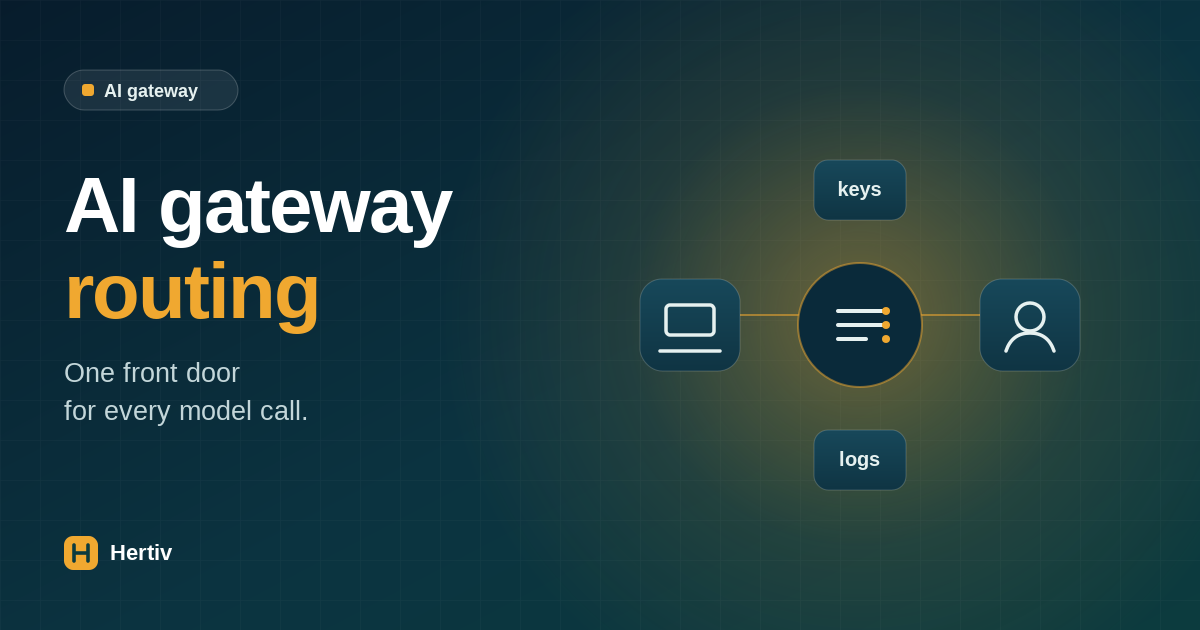
An AI gateway sits between your apps and your language models, routing requests, checking keys and logging use. Here is what it does and when it pays off.
On this page
Short answer
An AI gateway is a layer that sits between your applications and the language models they call. It routes each request to the right model, checks API keys and permissions, applies rate limits, caches repeated prompts, and logs every call so you can see cost and errors in one place. Teams add one when more than one app or agent starts calling models directly.
What is an AI gateway?
An AI gateway is a layer of software that sits between your applications and the language models they call. Instead of each app holding its own API keys and calling a model provider directly, every request passes through the gateway first, which checks who is calling, picks the right model, and records what happened.
The gateway does five jobs in one place. It routes requests to the right model or provider, checks API keys and permissions, applies rate limits and budgets, caches repeated prompts and answers, and logs every call with its cost and latency. Some gateways also screen prompts for sensitive data before they leave your network.
| Job | What the gateway does | Why it matters |
|---|---|---|
| Routing | Sends each request to the right model | Cheap tasks skip the costly model |
| Access control | Checks keys and permissions | One key leak cannot reach everything |
| Rate limits | Caps calls per app or user | Stops runaway loops and surprise bills |
| Caching | Reuses answers to repeated prompts | Cuts cost and waiting time |
| Logging | Records every call, cost and error | Shows where money and failures go |
You can think of it as the front door for all model traffic. Your apps talk to one address, and the gateway handles the rest. That makes it easier to swap models, set spending limits and see where money goes. The LLM development work stays the same; the gateway only changes how calls are managed.
How does a request travel through an AI gateway?
A request travels through an AI gateway in a short chain of checks, and each check either passes the request on or stops it with a clear error. The chain is the same whether the caller is a web app, a support agent or a scheduled job.
- The app calls the gateway. It sends the prompt with its own API key, not the model provider's key.
- The gateway checks the caller. It confirms the key is valid, the app may use this model, and the request fits its budget.
- The gateway picks a model. Rules or routing logic choose the model by task, cost or latency target.
- The gateway checks the cache. If the same prompt was answered recently and caching is on, it returns the stored answer.
- The request goes to the provider. The gateway forwards it, applies timeouts and retries on transient errors.
- The answer is logged and returned. Tokens, cost, latency and any error are written to one log before the app gets its answer.
Because every call follows the same path, the gateway becomes the one place where policy lives. Change a rule once and it applies to every app, which beats editing keys and limits inside each codebase. Agents that reach tools through a standard protocol benefit the same way, as what an MCP server is explains.
What problems does an AI gateway solve?
An AI gateway solves the problems that appear once model calls spread past the first prototype. A single app calling one model needs none of this, but three apps and two providers create work that has to live somewhere.
Key sprawl is the first problem. Without a gateway, every app holds provider keys, and rotating a leaked key means touching every service. With a gateway, apps hold one gateway key, and the provider keys live in one guarded place.
Cost control is the second. Model bills grow quietly because each call is small. A gateway shows spend per app, per team and per model, and it can block calls that would break a budget. Caching adds a second saving by answering repeated prompts without a new model call.
Model switching is the third. Providers change prices, add models and deprecate old ones. A gateway lets you move traffic between models by changing routing rules instead of rewriting every app. For teams that also need to protect model traffic from misuse, AI security covers the controls that sit around the gateway.
AI gateway vs API gateway: what is the difference?
An AI gateway and an API gateway look alike, but they solve different problems. An API gateway manages traffic to your own services; an AI gateway manages traffic to language models, which behave differently from normal APIs.
| Aspect | API gateway | AI gateway |
|---|---|---|
| Traffic | Calls to your own services | Calls to language models |
| What it inspects | Paths, headers, payloads | Prompts, tokens, model choice |
| Caching | HTTP responses | Prompt and answer pairs |
| Cost tracking | Rarely needed | Core feature, per token |
| Fallback | Another service instance | Another model or provider |
Many teams run both. The API gateway fronts the product's own services, and the AI gateway fronts the model calls those services make. Some products now bundle both jobs, but the AI-specific parts, token counting, prompt caching and model fallback, are what make a gateway worth adding for model traffic.
When does an AI gateway pay off?
An AI gateway pays off when model calls become a shared concern rather than one app's detail. The clearest signal is a second app or a second model: once traffic has more than one source or destination, central rules beat scattered ones.
Agents are another signal. An agent that can call tools and models in a loop can spend far more than a single chat turn, so a gateway's budgets and rate limits act as a safety net. The same applies to scheduled jobs that run overnight and to features that let users trigger model calls.
Regulated data is a third signal. If prompts can carry customer data, a gateway that screens for sensitive fields and logs every call gives compliance teams one place to audit. A single prototype rarely needs this, but a product with real users usually does.
If none of these apply, skip the gateway for now. A direct call with a key stored in your secret manager is simpler, and you can add a gateway later without changing the prompts your app already sends.
How to set up an AI gateway in six steps
You set up an AI gateway by putting it in front of one app first, proving the routing and logging work, and then moving the rest of your traffic across. A small pilot avoids a risky cutover.
- List your model traffic. Write down every app, agent and job that calls a model, plus which provider and model each one uses.
- Pick a gateway. Choose a hosted gateway or a self-hosted one based on where your data may travel and who must be able to audit calls.
- Move the keys. Store provider keys in the gateway and give each app a gateway key with a narrow scope.
- Set routing rules. Map each app to a model, add a fallback model, and set rate limits and monthly budgets per app.
- Turn on logging and alerts. Log tokens, cost and errors, and alert on budget thresholds and error spikes.
- Migrate one app, then the rest. Move the lowest-risk app first, watch its logs for a week, then move the others one by one.
Keep the gateway's own rules in version control like any other config. When a rule changes, the change is reviewed and recorded, which matters when you need to explain why a call was blocked.
Example (hypothetical): a support team routes three apps through one gateway
Example (hypothetical): a support team runs three apps that call language models: a ticket triage tool, a draft-reply assistant and an internal search helper. Together they send 12,000 requests a day to the model provider.
After adding a gateway, the team turns on prompt caching. One request in five repeats an earlier prompt, so 12,000 divided by 5 gives 2,400 requests served from the cache, leaving 9,600 forwarded to the model. At a hypothetical rate of 2 cents per request, the daily cost falls from 12,000 times 2 cents, which is $240, to 9,600 times 2 cents, which is $192, saving $48 a day.
The gateway also sets a budget of $200 a day per app. One morning the search helper hits its budget after a bad deploy sends it into a loop, and the gateway blocks further calls with a clear error instead of letting the bill run. The team fixes the loop the same day, and the other two apps keep working because their budgets are separate.
What are the common mistakes?
The most common AI gateway mistakes are adding one too early, trusting the cache too much, and treating the gateway as security on its own.
- Adding a gateway for one app. A single app with one model gains little and pays the cost of another moving part.
- Caching answers that change. Caching a prompt whose answer depends on live data returns stale results; cache only prompts with stable answers.
- No fallback model. If the main model is down and no fallback is set, every app fails at once.
- Logging prompts with sensitive data. Logs that hold customer details need the same protection as the data itself.
- One shared key for all apps. A shared key removes the gateway's main benefit: knowing which app spent what.
- Ignoring latency. A gateway adds a hop; measure it before routing latency-sensitive calls through it.
Key takeaways
- An AI gateway routes, checks, limits, caches and logs every model call in one place
- It pays off once you have more than one app or model, or agents that can loop
- Caching repeated prompts and per-app budgets are the two biggest cost controls
- Keep provider keys in the gateway and give each app its own narrow key
- Migrate one app first and watch its logs before moving the rest
Frequently asked questions
Do I need an AI gateway for a single prototype?
No. A single app calling one model is simpler with a direct call and a key in your secret manager. Add a gateway when a second app, a second model or an agent that loops joins, because that is when shared rules start to pay off.
Is an AI gateway the same as an API gateway?
No. An API gateway manages calls to your own services, while an AI gateway manages calls to language models. AI gateways add token counting, prompt caching, model fallback and per-token cost tracking, which normal API gateways do not.
Does an AI gateway slow down model calls?
It adds one hop, so a small delay is normal, usually a few milliseconds for routing and logging. Measure it on your latency-sensitive paths before routing them through the gateway, and keep caching on for repeated prompts.
Can an AI gateway stop sensitive data leaving my network?
It can help. Many gateways screen prompts for patterns such as card numbers or personal details and block or redact them before the call leaves. That screening is a control, not a guarantee, so pair it with data rules in the app itself.
What happens when a model provider is down?
A gateway with a fallback rule can retry the request on another model or provider. Set the fallback before you need it, and test it, because a gateway without a fallback turns one provider outage into an outage for every app.
How much does an AI gateway cost to run?
Hosted gateways usually charge by request volume or as a subscription, while self-hosted ones cost the servers and the time to run them. Compare that cost against the caching savings and the cost of a runaway loop with no limits; see vendor site for current pricing.