What Are Community Apps, and How Do They Work?
Community apps give a group one home for discussion, events and shared resources. Here is what they include, the main types, and how to pick or build one.
On this page
Short answer
A community app is software that gives a group of people one shared place to talk, share resources, join events and help each other. It combines discussion threads, direct messages, member profiles and event tools in one product, so the group does not scatter across email, chat and social feeds.
What is a community app?
A community app is software that gives a group of people one shared place to talk, share resources, join events and help each other. It combines discussion threads, direct messages, member profiles and event tools in one product, so the group does not scatter across email, chat and social feeds.
The group might be customers of a product, members of a professional association, students of a course, or fans of a hobby. What they share is a reason to return: questions that get answered, events worth attending, and people they recognise. The app exists to make those returns easy.
Unlike a social network, a community app is usually private or invite-only, and the members have something in common beyond an algorithm. The owner sets the purpose, the rules and the tone, and the software keeps the history in one searchable place.
Most community apps run on phones and the web. Members join with a profile, browse spaces or channels by topic, and get notified when someone replies to them or when an event is announced. If you are planning one, mobile app development covers the build choices that matter most.
What do community apps include?
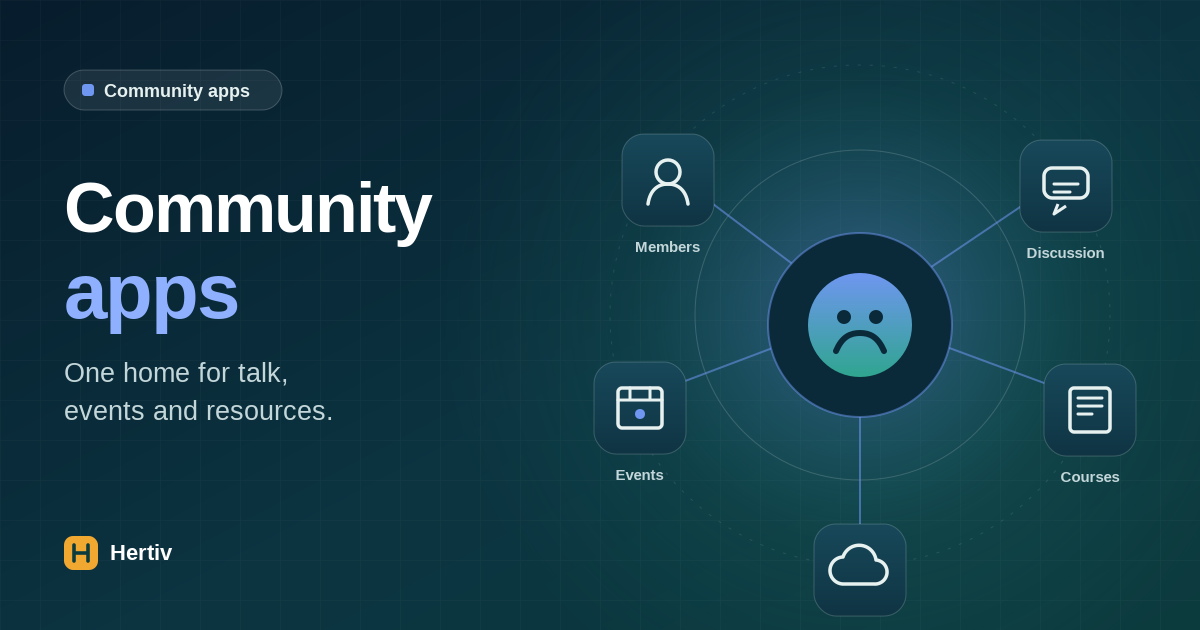
Community apps include a small set of features that cover most of what a group needs: a place to talk, a way to meet, a place to store shared material, and tools to keep order. The exact mix depends on the group's purpose.
| Feature | What it does | Who uses it most |
|---|---|---|
| Discussion threads | Questions and answers that stay searchable | Support and learning groups |
| Direct messages | Private one-to-one or small-group chat | Members and moderators |
| Events | Live sessions, meetups and reminders | Professional and hobby groups |
| Courses and resources | Lessons, files and guides in one library | Education and coaching groups |
| Member profiles | Who each person is and what they offer | Networking groups |
| Payments | Membership fees, tickets and donations | Paid communities |
| Moderation | Rules, reports and member roles | Every group above a few dozen members |
The features work together. A question asked in a thread can turn into a live event, and the recording of that event becomes a resource for new members. That loop is what keeps a community alive after the first month.
What are the main types of community apps?
The main types of community apps are forum-style, chat-first, course-led, event-led and brand-owned. Each type fits a different reason for gathering, and picking the wrong type is the most common cause of a quiet community.
Forum-style apps suit groups built around questions: product users, practitioners and hobbyists. Threads stay visible for months, so answers build into a library. Chat-first apps suit groups that want live conversation, such as gaming clans or local clubs, but old messages scroll away and are hard to find later.
Course-led apps suit teachers and coaches: the lessons are the centre, and discussion supports them. Event-led apps suit groups that meet regularly, such as professional networks, where the calendar matters more than the feed. Brand-owned apps suit companies that want customers in one place for support and feedback.
Many groups mix two types, such as a course with a chat channel, or a forum with monthly live events. The mix works when one type is clearly the centre and the other supports it. Two centres usually means neither gets enough attention.
How do you choose a community app?
You choose a community app by starting from what members will do most often, then checking the platform against that single activity. A tool that is good at courses but weak at discussion will frustrate a question-driven group.
- Write down the main activity. Is it asking questions, attending events, or working through lessons?
- List the must-have features. Keep the list short: three or four items that are truly needed on day one.
- Test with real members. Invite ten members to try the top two options for two weeks and watch where they get stuck.
- Check moderation and data. Make sure you can export member data and content, and that moderation tools fit your group size.
- Price it honestly. Count the per-member cost at your real size, not at the free tier, and check what happens when you outgrow it.
Building a custom app only makes sense when no existing platform fits, such as a community tied to a product's own data. A web app built for the community can then share logins and data with the main product, which no off-the-shelf tool can do.
Example: a 400-member professional group moves to one app
Example (hypothetical): a professional group of 400 members runs on three places at once: an email list, a chat group and a social media page. Questions get asked twice, event details get lost, and new members cannot find old answers.
The group moves to one community app with discussion threads, an event calendar and a resource library. In the first month, 240 of the 400 members join, which is 60% of the group. Of those, about 90 post or reply at least once, so the group has a visible core of 90 active members rather than a silent list of 400.
Events improve too. Before the move, each event needed three separate announcements. After the move, one calendar entry reaches everyone, and reminders go out automatically. Attendance rises from an average of 35 to an average of 55 per event, because members see the event in the same place they already visit.
The group keeps the old email list for one announcement a month, so members who never join the app still hear about major events. The app becomes the home, and email becomes the newsletter.
What are the common mistakes?
The most common mistakes are launching without a clear purpose, adding too many spaces at once, and leaving moderation until problems appear.
- No clear purpose. A group that is "for everyone interested in everything" gives nobody a reason to return.
- Too many channels on day one. Ten empty spaces look worse than two busy ones. Start with two or three and add more when members ask.
- No welcome for new members. A new member who sees no introduction, no first task and no one greeting them leaves quietly.
- Moderation as an afterthought. One rude thread can drive away the members you most want to keep.
- Measuring members, not activity. A list of 5,000 members with 20 active ones is a mailing list, not a community.
How do you keep a community app healthy?
You keep a community app healthy by giving members a reason to return every week, greeting new members, and keeping the conversation useful. Communities fade when nothing new happens, not when the software is wrong.
A weekly rhythm helps: one question from a moderator, one member spotlight, and one event or resource. Members start to expect the rhythm, and regulars begin to answer questions before the moderator does. That is the point where the community starts to run itself.
Onboarding matters as much as content. Ask each new member to introduce themselves and say what they want from the group, then point them to the one thread or event that fits. A short personal reply from a moderator in the first day does more than any automated welcome message.
Review the numbers monthly: how many members posted, how many questions got an answer, and which spaces are empty. Close or merge the empty spaces, and thank the members who answer the most questions. If you are comparing hosted platforms with a custom build, a Circle alternative comparison shows what the main options trade off.
Key takeaways
- A community app gives one group one home for talk, events and resources
- Forum, chat, course, event and brand communities need different tools
- Choose by the main activity members will do, not by the feature list
- Start with two or three spaces and add more only when members ask
- Health is measured in active members and answered questions, not total signups
Frequently asked questions
What is the difference between a community app and a social network?
A social network is open and driven by an algorithm that shows content from strangers, while a community app is usually private or invite-only and built around a shared purpose. Members of a community app know why they are there, the owner sets the rules, and the history stays in one searchable place.
Do I need to build a custom community app?
Usually not. Hosted platforms cover discussion, events, courses and payments for most groups, and they are faster and cheaper to start. A custom app makes sense when the community must share logins or data with your own product, or when no platform fits your exact workflow.
How much does a community app cost?
Hosted platforms usually charge per member or per month, with free tiers for small groups and paid plans that rise with size. Check the price at your real member count, including any fees on payments, and see the vendor site for current plans before committing.
How do you get members to join a community app?
Give them one clear reason to join that they cannot get elsewhere, such as direct access to experts, early event tickets or a resource library. Invite the most active members first, so the first people a newcomer meets are already talking.
How do you moderate a community app?
Write short rules, make them visible, and enforce them the same way for everyone. Give trusted members a moderator role, act on reports quickly, and keep a private record of decisions so the team stays consistent.
Can a community app replace email and chat groups?
It can replace most of them, but not all. Keep email for one monthly announcement so members who never join the app still hear the big news. The app becomes the home for discussion and events, while email becomes the newsletter.


