UX Deliverables: A Complete List for Product Teams
UX deliverables are the artefacts a design team produces to explain what users need and what should be built. Here is the list, by research, design and handover.
On this page
Short answer
UX deliverables are the documents and artefacts a UX team produces during a project: research findings, personas, journey maps, user flows, wireframes, prototypes, a design system and handover notes. Each one answers a question the team or the client needs settled before building starts. The right set depends on the project size, the risks, and who needs to approve the work.
What are UX deliverables?
UX deliverables are the documents and artefacts a UX team produces to explain what users need and what should be built. They turn research findings and design decisions into something the team, the client and the developers can read, check and act on.
A deliverable is not the design itself. It is the record of a decision: who the users are, what they are trying to do, how the product should respond, and how the result will be checked. Without that record, decisions live in people's heads and get lost when the team changes.
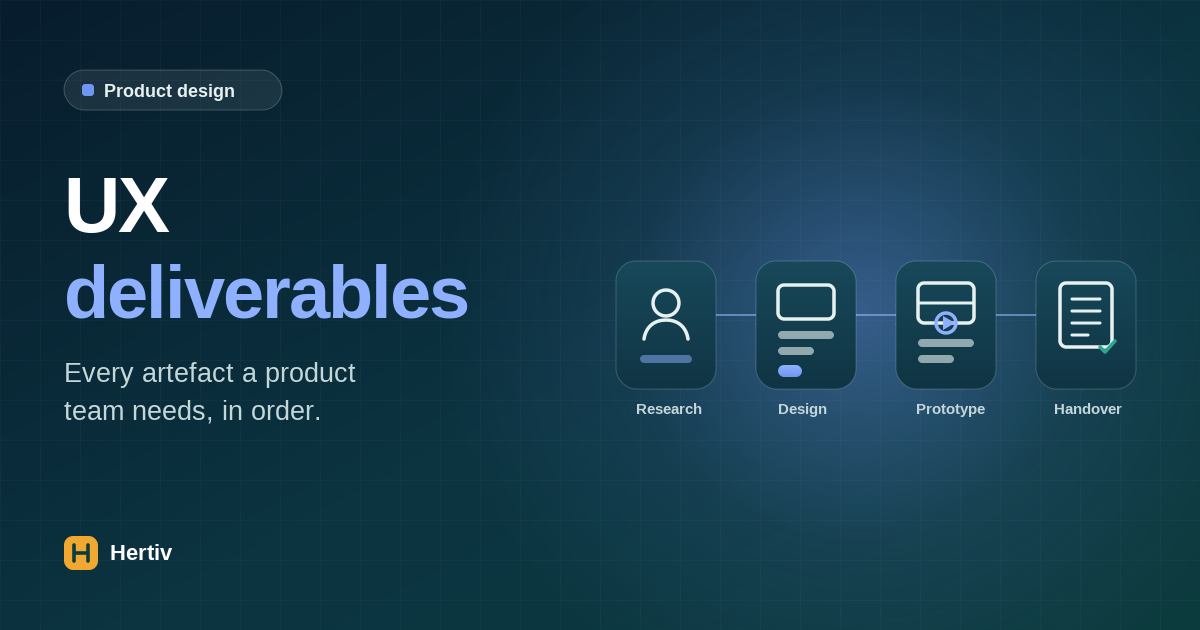
| Deliverable | Phase | What it answers |
|---|---|---|
| Research summary | Research | What did we learn from users? |
| Personas | Research | Who are the users, in plain terms? |
| Journey map | Research | What does the user go through, step by step? |
| User flows | Design | Which screens does a task pass through? |
| Wireframes | Design | What goes where on each screen? |
| Prototypes | Design | How does it feel to use? |
| Design system | Design | Which components and rules repeat? |
| Handover specs | Handover | What exactly should developers build? |
| Usability test report | Validation | What confused real users? |
The list below works through each group in order. A small project may need only four or five of these; a large product may need all of them, produced more than once.
Which research deliverables come first?
Research deliverables come first because they set the facts the design must respect. The most useful ones are a research summary, personas, a journey map and user stories. Each one answers a different question, so they rarely replace each other.
A research summary is a short written record of what was learned: who was interviewed, what they said, and what it means for the product. It should be short enough that a developer or a manager can read it in one sitting. If the summary is fifty pages long, nobody will read it.
Personas describe the main user groups in plain terms: what they want, what they know, and what gets in their way. A good persona is built from real interviews, not from guesses about a typical user. Journey maps then show what one persona goes through to complete a task, including the steps, the emotions and the points where the product fails them.
User stories turn the findings into buildable work. Each story states who wants something, what they want, and why, in one sentence. Together they give the team a shared list of what the product must do, which is where product discovery usually starts.
Which design deliverables explain the product?
Design deliverables explain what the product looks like and how it behaves. The core set is user flows, wireframes, prototypes, high-fidelity mockups and a design system. They move from rough to exact, and each one is cheaper to change than the one after it.
User flows are simple diagrams showing the screens and decisions in a task, such as signing up or checking out. Wireframes then show the layout of each screen without colour or detail, so the team can argue about structure before anyone polishes pixels. A prototype links the wireframes together so the flow can be clicked through and tested.
High-fidelity mockups add the real content, colour and typography, and the design system records the components and rules that repeat across screens: buttons, forms, spacing and states. A team that builds the design system as it goes saves far more time later than a team that rebuilds the same button on every screen.
Accessibility notes belong with the design deliverables, not as an afterthought. They record contrast choices, keyboard behaviour and screen-reader labels, so the built product works for people who do not use a mouse or a screen.
What belongs in the handover package?
The handover package is what developers receive when design is ready to build. It should contain annotated specs, design tokens, assets and acceptance criteria. If any of these is missing, developers guess, and the guesses rarely match the design.
Annotated specs show each screen with measurements, spacing and behaviour notes: what happens on hover, on error, on an empty state. Design tokens name the colours, type sizes and spacing values so code and design use the same values. Assets are the icons and images at the right sizes, exported and named consistently.
Acceptance criteria state what 'done' means for each screen: which states exist, which validations run, and what the user sees when something fails. A usability test report closes the loop by recording what real users struggled with, so the team knows what to fix first.
Handover works best as a conversation, not a file drop. A short walkthrough where designers explain the tricky screens prevents most of the questions that would otherwise arrive mid-sprint, and mobile app development teams in particular benefit from it, because small screens leave little room for ambiguity.
Example (hypothetical): a six-week redesign
Example (hypothetical): a small team of three redesigns a booking flow in six weeks. They plan the work as 120 hours in total: 40 hours of research, 60 hours of design and 20 hours of handover, which is 40 hours per person across the six weeks.
In research, the team interviews 8 users and writes a 6-page summary, 2 personas and 1 journey map for the booking task. In design, they produce 1 user flow, wireframes for 10 screens, a clickable prototype and a small design system covering the buttons, forms and error states used across those screens.
In handover, they annotate the 10 screens, export the assets and write acceptance criteria for each screen. The test report records 3 issues from 5 test users, and the team fixes the worst one before launch. The deliverables take 120 hours, but the team avoids two rounds of rework that would have cost more.
How to choose the right deliverables
Choose deliverables by the decisions they must support, not by a template. A deliverable earns its place only if someone will read it and act on it.
- List the decisions. Write down what must be decided before building starts: who the users are, what the flow is, what each screen contains, and how success will be checked.
- Match a deliverable to each decision. Personas answer who the users are; wireframes answer what each screen contains; a test report answers whether it works.
- Cut anything nobody will read. If the client will not read a journey map, skip it and spend the time on a prototype they will click through.
- Agree the format early. Decide where deliverables live and how they are named, so the team can find them in three months.
- Review at each handover. After research, design and handover, check that the deliverables still match the decisions. Outdated artefacts mislead the team.
For teams building a product from scratch, a web app development partner can help decide which deliverables the project actually needs at each stage.
What are the common mistakes?
The most common UX deliverable mistakes are producing artefacts nobody reads, polishing the wrong thing, and letting deliverables go stale.
- Deliverables nobody reads. A fifty-page research report that sits unread is worse than a six-page summary the team actually uses.
- Polishing wireframes. Time spent making wireframes beautiful is time not spent testing the flow with users.
- Skipping the research summary. Without a written record, the team forgets what users actually said within weeks.
- No design system. Rebuilding the same components on every screen wastes time and creates inconsistency.
- Handover as a file drop. Specs without a walkthrough produce questions mid-sprint and wrong guesses.
- Stale artefacts. A journey map from six months ago describes a product that no longer exists.
Keeping deliverables short, current and tied to decisions is what makes them useful, and custom software development teams rely on that record when they take over a product.
Key takeaways
- UX deliverables are records of decisions, not the design itself
- Research deliverables set the facts: summary, personas, journey maps, user stories
- Design deliverables move from rough to exact: flows, wireframes, prototypes, mockups
- Handover needs specs, tokens, assets and acceptance criteria
- A deliverable earns its place only if someone reads it and acts on it
Frequently asked questions
What is the most important UX deliverable?
The prototype, in most projects. It is the first artefact a real user can try, so it tests the flow before any code is written. Research and wireframes matter, but they support the prototype rather than replacing it.
How many UX deliverables does a small project need?
Usually four or five: a short research summary, one or two personas, a user flow, wireframes and a prototype. Add a design system and handover specs once the product grows past a handful of screens.
Are personas still useful?
Yes, when they are built from real interviews. A persona based on guesses misleads the team. A persona built from eight or ten interviews gives the team a shared, checkable picture of who they are designing for.
What is the difference between a wireframe and a mockup?
A wireframe shows layout and structure without colour or detail, so the team can argue about what goes where. A mockup adds real content, colour and typography, and is close to what the finished screen will look like.
When should UX deliverables be updated?
Whenever the decision they record changes. If the flow changes, update the user flow and the wireframes that depend on it. Stale deliverables mislead new team members and clients, so a short review at each handover keeps them honest.
Who owns UX deliverables after handover?
The product team owns them, not the designer alone. Developers, product managers and designers all need the same record, and the team should agree where deliverables live and who updates them when the product changes.


