UAE E-Invoicing ERP Integration: How It Works
UAE e-invoicing ERP integration connects your ERP to electronic invoicing so invoices flow as structured data. Learn the fields, the steps and the mistakes to avoid.
On this page
Short answer
UAE e-invoicing ERP integration connects a company's ERP system to electronic invoicing, so invoices leave as structured data that buyers and tax systems can read and check automatically. The ERP supplies the order, customer and tax details, a mapping layer converts them to the required format, and validation stops faulty invoices before they are sent.
What is UAE e-invoicing ERP integration?
UAE e-invoicing ERP integration is the connection between a company's enterprise resource planning (ERP) system and the electronic invoicing process used in the United Arab Emirates, so invoices are created, validated and shared in a structured digital format instead of as paper or plain PDF files. The ERP holds the order, the customer and the tax details, and the integration turns that data into an e-invoice that can be checked and exchanged automatically.
Electronic invoicing is being introduced in the UAE as part of the country's move to digital tax reporting. Instead of sending an invoice as a document a person reads, a business sends structured data that another system can read, check and record without retyping. That change only works if the ERP can produce the right data in the right format.
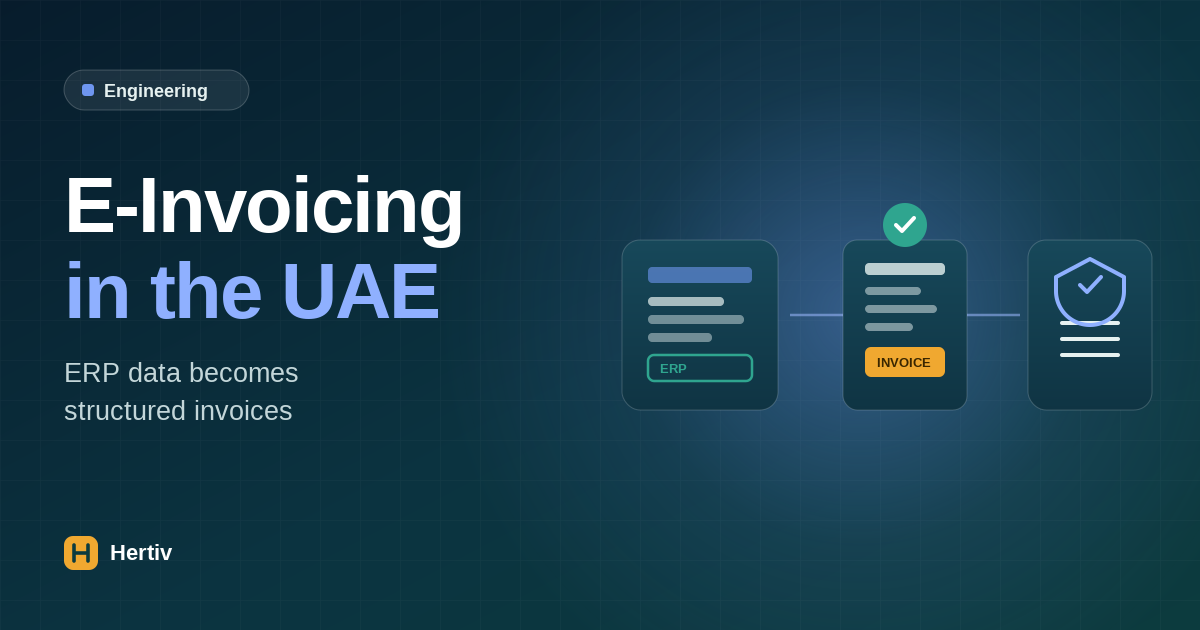
The integration sits between the ERP and the outside world. It takes invoice data from the ERP, maps it to the required fields, checks it against the rules, and sends it on. The table below shows the main parts of that flow and what each one does.
| Part | What it does | Where it lives |
|---|---|---|
| ERP system | Holds orders, customers, prices and tax details | Company systems |
| Mapping layer | Matches ERP fields to e-invoice fields | Integration or middleware |
| Validation checks | Confirms required fields and tax values are present | Integration or middleware |
| Delivery channel | Sends the e-invoice to the buyer or the tax system | Service provider or portal |
| Archive | Stores the sent invoice and its status | ERP or document store |
The point of the work is not the format alone. It is that invoice data stops being retyped, checked by hand and chased by email, and starts flowing from the system that already holds it. Building an ERP system starts with the same idea: one place where the business data lives, and other systems that read from it.
How does e-invoicing work in the UAE?
E-invoicing in the UAE works by turning each invoice into structured data that can be exchanged between the seller's system, the buyer's system and, where required, the tax authority. The seller creates the invoice in the ERP, the integration converts it to the agreed format, and the buyer receives data their own system can read.
The exact submission path depends on the model the UAE adopts and the service provider a business uses. In most e-invoicing models, the invoice passes through a validation step before it reaches the buyer, so errors are caught at the point of sending rather than weeks later during a tax return or an audit.
For the finance team, the practical change is that the invoice is no longer a document to email and forget. It has a status: created, validated, sent, accepted or rejected. That status is visible in the ERP, so the team can see which invoices need attention without opening an inbox.
The change also affects how tax is recorded. Because the invoice data is structured, the tax amounts on it can be checked against the rules automatically, and the same data can feed the VAT return. That is the reason tax authorities favour e-invoicing: the data is cleaner and harder to alter after the fact.
What does the ERP need to send?
The ERP needs to send the fields that identify the seller, the buyer, the goods or services, and the tax on each line. An e-invoice is only useful if the receiving system can read every field it needs, so missing or wrong data is the most common reason an invoice is rejected.
The core fields are the seller and buyer names and tax registration numbers, the invoice number and date, each line's description, quantity and price, and the tax rate and tax amount per line. The totals must add up: the sum of the lines plus tax must equal the invoice total, or the invoice will fail validation.
Beyond the core fields, the ERP may need to send reference data such as the purchase order number, the contract reference or the delivery note number. These references let the buyer's system match the invoice to their own order, which is how many buyers approve invoices without a person reading them.
That is why data quality in the ERP matters before any integration work starts. If customer records are missing tax numbers, or products have no tax code, the integration will produce invoices that fail. Cleaning that data is part of the project, not an afterthought.
How do you connect an ERP to e-invoicing?
You connect an ERP to e-invoicing by mapping its fields to the e-invoice format, adding validation, and testing the flow with real invoice data before it goes live. The work is mostly data work, not new software.
- Check the requirements. Confirm which format and submission path apply to your business, and which fields are mandatory.
- Audit the ERP data. Check that customers have tax numbers, products have tax codes, and invoice numbering is consistent.
- Map the fields. Match each ERP field to the matching e-invoice field, and note the fields that need a new value or a rule to fill them.
- Build the validation. Add checks that stop an invoice with missing fields or totals that do not add up from being sent.
- Test with real invoices. Send test invoices through the full flow, including rejected ones, and fix what fails.
- Train the finance team. Show them how to read invoice statuses, fix rejections and resend, so the process works after the project ends.
Most teams use a middleware layer or an e-invoicing service provider rather than building the connection from scratch. The provider handles the format and the delivery channel, while the ERP side handles the data. Custom software development work on an integration usually focuses on that middle layer: the mapping, the validation and the error handling.
Testing deserves more time than teams usually give it. A test invoice that passes is useful, but a test that checks what happens when a tax number is missing, a line total is wrong or a buyer rejects the invoice is what proves the integration is ready.
Example (hypothetical): a trading company sends 200 invoices a month
Example (hypothetical): a trading company in the UAE sends 200 invoices a month. Before integration, each invoice takes about 12 minutes of manual work: retyping details into a portal, checking the tax, emailing the PDF and filing a copy.
Two hundred invoices at 12 minutes each is 2,400 minutes, which is 40 hours a month. That is a full working week spent on invoicing, and every retyped field is a chance for an error that the buyer will send back.
After integration, the ERP sends the invoice data directly, and the finance team only handles the exceptions. If each invoice needs about 2 minutes of review, 200 invoices take 400 minutes, which is about 6.7 hours a month. The saving is 2,400 minus 400, which is 2,000 minutes, or about 33.3 hours a month.
The numbers are invented to show the arithmetic, not a real company. The point is that the saving comes from removing retyping, not from sending invoices faster, and the time saved is only real if the data in the ERP is clean enough to pass validation first time.
What are the common mistakes?
The most common mistakes in UAE e-invoicing ERP integration are starting before the data is clean, treating validation as optional, and leaving the finance team out of the testing.
- Skipping the data audit. Missing tax numbers and wrong tax codes cause rejections from day one. Fix the data before you build the mapping.
- No validation before sending. An invoice that fails at the buyer or the tax system costs more time than one stopped inside your own system. Check totals and required fields first.
- Testing only the happy path. A suite that only tests correct invoices will pass until a real invoice is rejected, and then nobody knows how to fix it.
- Forgetting the archive. E-invoices must be stored with their status and the original data, so an audit can trace each one. Plan the archive at the start.
- Leaving the finance team out. If the people who send invoices cannot read statuses or fix rejections, every exception becomes an IT ticket.
Another mistake is choosing a provider on price alone. The provider's format support, error messages and support for your ERP matter more than a small price difference, because a poor fit means the finance team works around the system instead of through it. Cloud services teams often handle the hosting side of the integration, while the mapping stays with the team that knows the ERP.
How do you choose an integration approach?
You choose an integration approach by matching it to your ERP, your invoice volume and how much of the work you want to own. A small business with one ERP and a few invoices a month needs a different answer from a group with several systems and thousands of invoices.
Start by listing what you already have: the ERP, the invoice volume, the number of entities and the tax registrations involved. A single-entity business can often use a provider's standard connector. A group with several entities usually needs a middleware layer that can handle different rules per entity.
Then check the provider's fit. Ask which ERP versions it supports, how it reports errors, how it stores sent invoices, and what happens when a format changes. Those answers matter more than a feature list, because the integration has to keep working when the rules change.
Finally, plan the cutover. Run the new flow alongside the old one for a short period, compare the results, and switch fully only when the new flow produces correct invoices without manual fixes. For a wider view of ERP projects, ERP in healthcare shows how the same data-quality and mapping questions appear in another sector.
Key takeaways
- E-invoicing turns invoices into structured data, not documents to retype
- Clean ERP data is the first step: missing tax numbers cause rejections
- Map fields, validate totals, then test with real invoices including failures
- The saving comes from removing retyping and chasing, not from sending faster
- Plan the archive and train the finance team before you switch over
Frequently asked questions
What is e-invoicing in the UAE?
Electronic invoicing in the UAE means sending invoices as structured data that another system can read, check and record, instead of as paper or a plain PDF. The invoice data flows from the seller's system to the buyer's system and, where required, to the tax authority, so the details are not retyped by hand.
Does every business in the UAE need e-invoicing?
Not every business needs it at the same time. The requirements apply in stages and depend on the size and type of the business, so check the current rules for your own situation rather than assuming a date that applies to someone else. Your tax adviser can confirm what applies to you.
Which ERP systems support e-invoicing?
Most widely used ERP systems can support e-invoicing, either through a built-in feature, a standard connector from a service provider, or a custom integration. The question is not whether the ERP can do it, but how much mapping and validation your data needs first.
What happens if an e-invoice is rejected?
A rejected e-invoice is not delivered, and the reason is returned with it, such as a missing field or a total that does not add up. The finance team fixes the data in the ERP and resends. That is why readable error messages and a clear status in the ERP matter so much.
How long does an ERP e-invoicing integration take?
It depends on the ERP, the data quality and the number of entities involved. A single-entity business with clean data can move quickly, while a group with several systems and messy data needs more time for the audit and the mapping. Testing with real invoices is usually the longest part.
Is an e-invoice the same as a PDF invoice?
No. A PDF is a document a person reads, while an e-invoice is structured data a system reads. A PDF can be attached to an e-invoice for a person to look at, but the data that matters for processing and tax is the structured part.


