8 Product Discovery Companies in the USA
Product discovery companies help teams learn what users need before they build. These eight US companies cover interviews, feedback, analytics and roadmaps.
On this page
Short answer
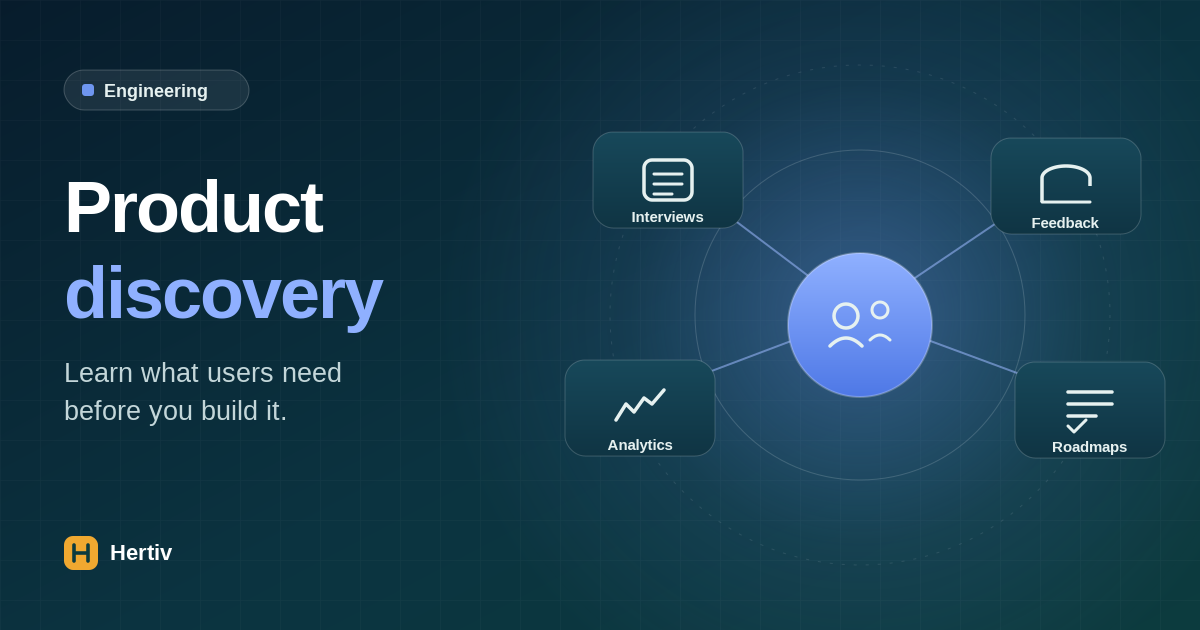
Product discovery is the work of learning what users need before a team builds it, using interviews, surveys, feedback and usage data. The companies in this list sell tools for that work, and they are all based in the United States. Some focus on talking to users, some on feedback and roadmaps, and some on watching how users behave in the product.
Which product discovery companies are worth comparing?
Product discovery companies sell tools that help product teams learn what to build. The table below compares eight US companies by what they do best, who they suit and how they collect evidence.
| Company | Best for | Main evidence | Based in |
|---|---|---|---|
| Productboard | Feedback and roadmaps | User feedback, feature votes | San Francisco |
| Aha! | Roadmaps and planning | Ideas, goals, releases | United States |
| UserTesting | Watching users try a product | Recorded video sessions | San Francisco |
| Amplitude | Seeing how users behave | Product analytics | San Francisco |
| Pendo | Guides and product data | Usage analytics, in-app surveys | Raleigh, North Carolina |
| Sprig | Quick user research | Surveys, session replay | San Francisco |
| Great Question | Finding people to interview | Recruited interviews | United States |
| UserVoice | Collecting feature requests | Feedback forums, votes | United States |
No single tool covers discovery end to end. Most teams combine two or three: one for talking to users, one for feedback and roadmaps, and one for analytics. The right mix depends on whether the team needs to hear users directly, measure what they do, or organise what they ask for.
Productboard and Aha!
1. Productboard: best for feedback and roadmaps
Productboard is a product management platform that turns user feedback into a roadmap. Feedback from support tickets, sales calls and interviews lands in one place, the team links each piece of feedback to a feature idea, and the roadmap shows what is planned and why. It suits teams that get more feedback than they can build.
The platform's strength is the link between evidence and plan. A feature idea shows the feedback behind it, so a product manager can explain a decision with the users who asked for it. That matters when a team has to say no to a request, because the reason is visible rather than a matter of opinion.
Pros: feedback in one place, clear link to the roadmap, good for explaining priorities.
Cons: it organises feedback but does not run user interviews, and it needs regular feedback input to stay useful.
2. Aha!: best for roadmaps and planning
Aha! is roadmapping software for teams that plan products around goals and releases. It lets a team set goals, collect ideas, score them, and lay out a release plan that shows what ships when. It suits teams that need a plan everyone can see, from executives to engineers.
Aha! is known for its scoring models, which let a team rank ideas by value, effort and risk instead of by who shouts loudest. The tool also keeps a record of why an idea was chosen or dropped, which helps when the same idea comes up again months later.
Pros: strong planning and scoring, clear release views, works for large product teams.
Cons: it is a planning tool first, so it does not collect user feedback or run research itself.
UserTesting and Amplitude
3. UserTesting: best for watching users try a product
UserTesting finds people to try a product and records them on video while they think aloud. A team writes a task, such as finding a feature or completing a checkout, and watches real users attempt it. The videos show where users hesitate, what they misunderstand and what they expect.
The value is in seeing behaviour rather than hearing opinions. A user may say a page is clear and then fail to find the button on it, and the video shows the gap. UserTesting suits teams that need evidence about usability before they ship a change.
Pros: real user videos, fast results, strong for usability questions.
Cons: it shows what users do in a test, not how they behave over weeks, and it needs good tasks to give useful results.
4. Amplitude: best for seeing how users behave
Amplitude is a product analytics platform that shows what users actually do inside a product. It tracks events such as sign-ups, feature use and purchases, and lets a team see funnels, retention and the paths users take. It suits teams that need numbers to back up what interviews suggest.
Analytics answers different questions than interviews. An interview tells a team why a user struggled, while Amplitude shows how many users struggled and where they stopped. Used together, the two kinds of evidence give a team both the scale of a problem and its cause.
Pros: detailed behaviour data, funnels and retention, scales to large products.
Cons: it shows what happened, not why, so it needs interviews alongside it.
Pendo and Sprig
5. Pendo: best for guides and product data
Pendo combines product analytics with in-app guides and surveys. A team can see which features users adopt, send a short survey inside the product at the moment of use, and show a guide that walks a new user through a feature. It suits teams that want to learn from users without leaving the product.
The in-app survey is the feature that sets Pendo apart for discovery. Asking a user a question while they are using the feature gets a fresher answer than an email survey sent a week later, and the answer can be linked to what the user was doing at the time.
Pros: analytics plus in-app surveys and guides, good for adoption questions.
Cons: it needs the product to be instrumented first, and surveys inside the product can annoy users if overused.
6. Sprig: best for quick user research
Sprig is a user research platform for fast studies. It runs surveys, concept tests and session replays, and it uses AI to summarise what users said. A team can test a new idea with a small group in days rather than weeks, which suits teams that iterate quickly.
Sprig suits teams that run many small studies rather than a few large ones. A concept test can show whether users understand a new feature before the team builds it, and a survey can check whether a change solved the problem it was meant to solve.
Pros: fast studies, AI summaries, good for testing ideas early.
Cons: small studies can mislead if the sample is too small, and it does not replace deep interviews.
Great Question and UserVoice
7. Great Question: best for finding people to interview
Great Question helps teams find and pay people to interview. A team describes the people it wants to talk to, such as users of a certain product or people in a certain role, and the platform recruits them, schedules the interview and handles payment. It suits teams that know interviews are the answer but cannot find the right people.
Recruiting is the hardest part of interview research, and it is where most teams give up. A platform that handles recruiting, scheduling and incentives lets a small team run a steady stream of interviews without a dedicated researcher.
Pros: fast recruiting, handles scheduling and payment, suits small teams.
Cons: it finds the people but does not run the interview, so the team still needs interview skills.
8. UserVoice: best for collecting feature requests
UserVoice is a feedback platform built around forums where users post feature requests and vote on them. A team can see which requests have the most votes, reply to the people who asked, and close the loop when a feature ships. It suits teams with a large user base that asks for many features.
The forum format works because it is public. Users can see that others asked for the same thing, which stops duplicate requests, and they can see the team's reply, which builds trust. It is a simple tool, and that is its strength: it does one job well.
Pros: simple feedback forums, votes show demand, closes the loop with users.
Cons: votes can favour the loudest users, and it does not help with interviews or analytics.
How to choose a product discovery company
Choose by the question you need to answer, not by the feature list. A team that does not know what users struggle with needs interviews or video sessions. A team that knows the problem but not its scale needs analytics. A team drowning in requests needs a feedback tool and a roadmap.
- Name the question. Write down what you need to learn, such as why users leave at checkout or which feature to build next.
- Pick the evidence type. Interviews and video sessions answer why, analytics answers how many, and feedback forums answer what users ask for.
- Try one tool per question. Start with the tool that fits the biggest question, and add a second only when the first leaves a gap.
- Check the price. Most tools charge by seats or by responses, so check the vendor's pricing page before committing. Prices change, so treat any figure you saw elsewhere as out of date and see the vendor site.
- Run a real study. Before signing a contract, run one real study with real users and check whether the result changes a decision.
For the discovery process itself, see what product discovery is.
If the study shows the idea needs building, a partner for custom software development can take it from prototype to product.
For the wider work of turning discovery into a product, see product discovery and prototyping.
What are the common mistakes?
The most common mistakes are buying a tool before knowing the question, trusting votes over evidence, and collecting feedback nobody reads.
- Buying before the question. A tool cannot tell a team what to learn. Write the question first, then pick the tool that answers it.
- Trusting votes over evidence. The most voted request is not always the most valuable. Check votes against interviews and usage data.
- Collecting feedback nobody reads. Feedback that sits unread is worse than no feedback, because users stop giving it. Assign someone to read and reply.
- One study, one decision. A single interview or survey can mislead. Look for patterns across several studies before acting.
- Ignoring what users do. What users say and what they do often differ. Pair interviews with analytics before deciding.
- Tool sprawl. Four discovery tools with no owner produce less insight than one tool used well.
Key takeaways
- Product discovery means learning what users need before building it, using interviews, feedback and usage data
- Interview tools show why users struggle, analytics shows how many, and feedback tools show what users ask for
- Productboard and UserVoice organise requests, Aha! plans the roadmap, and UserTesting records real users
- Amplitude and Pendo show behaviour inside the product, while Sprig and Great Question speed up research
- Write the question first, then pick the tool; a tool cannot tell a team what it needs to learn
Frequently asked questions
What is product discovery?
Product discovery is the work of learning what users need before a team builds it, using interviews, surveys, feedback and usage data. It answers whether a problem is real, who has it, and whether the planned solution fits, so the team does not build a feature nobody wants.
Which product discovery tool should a small team start with?
Start with the tool that answers your biggest question. If you do not know what users struggle with, run interviews or video sessions. If you know the problem but not its scale, use analytics. If you are drowning in requests, use a feedback tool and a roadmap.
Are product discovery tools the same as product management tools?
They overlap but they are not the same. Discovery tools help a team learn what to build, through interviews, feedback and analytics. Product management tools help a team plan and track what it builds, through roadmaps, releases and backlogs.
How much do product discovery tools cost?
Most charge by seats, by responses or by usage, and prices change often. Check the vendor's own pricing page for the current figure, and start with a trial or a small plan before signing a contract. See the vendor site for the latest price.
Do I need user interviews if I have product analytics?
Yes. Analytics shows what users did and how many did it, but it cannot show why. Interviews explain the reasons behind the numbers, and the two together give a team both the scale of a problem and its cause.
How often should a team run product discovery?
Discovery is not a one-off phase. Teams that learn continuously run a small study every week or two, so they always have fresh evidence when a decision comes up. A team that only runs discovery once a year will build on stale evidence.


