8 Multi-Agent Frameworks Worth Comparing
LangGraph, CrewAI, AutoGen and five more cover most multi-agent work. Compare them by control, language and fit before you pick one.
On this page
Short answer
The multi-agent frameworks worth comparing are LangGraph, CrewAI, AutoGen, OpenAI Agents SDK, LlamaIndex, Semantic Kernel, MetaGPT and CAMEL. Each fits a different shape of system, so compare them by how much control you need, which language and models you use, and how the agents hand work to each other.
Which multi-agent frameworks are worth comparing?
The multi-agent frameworks worth comparing are the ones with a clear way to define agents, pass work between them and watch what they do: LangGraph, CrewAI, AutoGen, OpenAI Agents SDK, LlamaIndex, Semantic Kernel, MetaGPT and CAMEL. The right choice depends on how much control you need over the flow.
Use this comparison to shortlist. Effort assumes a team already building with large language models.
| Framework | Best for | Main language | Open source |
|---|---|---|---|
| LangGraph | Controlled, stateful agent flows | Python, JavaScript | Yes |
| CrewAI | Role-based teams of agents | Python | Yes |
| AutoGen | Conversational agents that talk to each other | Python, .NET | Yes |
| OpenAI Agents SDK | Agents built on OpenAI models | Python, JavaScript | Yes |
| LlamaIndex | Agents that work over your documents | Python, JavaScript | Yes |
| Semantic Kernel | .NET and enterprise agent apps | C#, Python, Java | Yes |
| MetaGPT | Software teams of agents | Python | Yes |
| CAMEL | Research on agents that play roles | Python | Yes |
Pick the framework that matches the shape of your system. A team that needs strict control over each step will be unhappy with a framework that hides the flow, and a team that wants to move fast will be slowed down by one that needs everything wired by hand.
LangGraph and CrewAI
1. LangGraph: best for controlled, stateful agent flows
LangGraph lets you draw the agent system as a graph of steps, with clear states, branches and loops, so you can see exactly how work moves from one agent to the next. That control is what teams need when an agent system must be reliable enough for production, because you can inspect the state at any step and add a human approval before a sensitive action.
It is built on the same ideas as LangChain, so teams that already use LangChain will find the pieces familiar. The cost is more upfront design: you define the graph yourself rather than letting the framework decide the flow, which is slower to start and easier to debug later.
Pros:
- Full control over the flow, with state visible at every step
- Human approval steps are easy to add
- Works well for long-running, multi-step agent work
Cons:
- More setup than frameworks that decide the flow for you
- Graphs can grow complex as the system grows
- Less help for teams that want a ready-made agent team
2. CrewAI: best for role-based teams of agents
CrewAI organises agents as a crew, where each agent has a role, a goal and a set of tools, and a manager hands tasks to the right agent in order. That shape fits work that already looks like a team: a researcher gathers facts, an analyst checks them, and a writer turns them into a report.
The framework is quick to start with, which is why many teams use it for a first multi-agent project. The trade-off is that the flow is less visible than in a graph-based tool, so when a crew goes wrong it can take longer to find which agent made the wrong call.
Pros:
- Fast to start, with a clear role-based shape
- Good fit for research and content workflows
- Simple to explain to non-technical stakeholders
Cons:
- Less control over the exact flow between agents
- Debugging a bad run can be slow
- Best for smaller crews rather than large systems
AutoGen and OpenAI Agents SDK
3. AutoGen: best for conversational agents that talk to each other
AutoGen, from Microsoft, builds multi-agent systems out of agents that talk to each other in conversation, with a human able to join the chat at any point. An agent can ask another agent for code, check the result, and pass it on, all as a readable conversation that the team can follow.
That conversation style makes it easy to see what happened and where it went wrong, which is useful for coding assistants and analysis tools. The cost is that free-form conversation can wander, so teams add clear roles, turn limits and stopping rules to keep the agents on task.
Pros:
- Conversations make the agents' work easy to follow
- Humans can join or take over at any point
- Strong fit for coding and analysis assistants
Cons:
- Conversations can drift without clear limits
- Needs careful setup to stay reliable
- More moving parts than a simple pipeline
4. OpenAI Agents SDK: best for agents built on OpenAI models
The OpenAI Agents SDK is a light toolkit for building agents on OpenAI models, with tools, handoffs between agents and built-in tracing. It is the simplest option on this list for a team already using OpenAI models, because there is little new to learn and the tracing shows each step the agent took.
Its main limit is scope: it is designed around OpenAI models, so a team that wants to swap models or run its own will need more work. For a first production agent on OpenAI models, though, that focus is a strength rather than a weakness.
Pros:
- Very quick to start for OpenAI model users
- Built-in tracing for every agent step
- Simple handoffs between agents
Cons:
- Tied closely to OpenAI models
- Fewer options for complex, stateful flows
- Less suited to teams that need model choice
LlamaIndex and Semantic Kernel
5. LlamaIndex: best for agents that work over your documents
LlamaIndex started as a way to connect language models to documents, and its agent tools build on that strength. Agents can search, read and reason over your files, databases and APIs, which makes it the natural choice when the agents' main job is answering questions or doing research from your own data.
The agent workflows are flexible, with single agents and multi-agent setups both supported. Teams that need deep retrieval will find more here than in frameworks built for general agent chat, while teams that need strict flow control may find the graph options of other tools a better fit.
Pros:
- Strongest retrieval and document handling on this list
- Agents work directly over your own data
- Flexible single and multi-agent workflows
Cons:
- Less focus on strict flow control
- Retrieval quality needs tuning per data set
- Can be heavy for simple agent tasks
6. Semantic Kernel: best for .NET and enterprise agent apps
Semantic Kernel, also from Microsoft, is built for enterprise teams, with strong .NET support alongside Python and Java. It treats agents as planners that call plugins, which are ordinary functions your team writes, so existing business logic can be reused rather than rewritten for the agent world.
That plugin model is the main reason enterprise teams pick it: the agent becomes a thin layer over systems the team already runs. The trade-off is a steeper learning curve than the lighter tools, and more design work before the first agent runs.
Pros:
- Best .NET support of any framework here
- Plugins let agents reuse existing business code
- Designed for enterprise use, with planning and memory
Cons:
- Steeper learning curve than lighter tools
- More design work before the first agent runs
- Smaller community than the Python-first tools
MetaGPT and CAMEL
7. MetaGPT: best for software teams of agents
MetaGPT organises agents as a software company, with roles such as product manager, architect and engineer, each producing the documents and code their role would produce. The agents pass structured outputs to each other, such as requirements, designs and code, rather than chatting freely.
That structure makes it good for generating working software from a short brief, which is its main use. It is less flexible than general frameworks when the task is not software-shaped, and the output still needs a human review before it is used.
Pros:
- Clear software-team shape, easy to understand
- Structured outputs between agents, not free chat
- Good for generating code from a brief
Cons:
- Best for software tasks, less general than others
- Generated code still needs human review
- Fewer options for non-coding workflows
8. CAMEL: best for research on agents that play roles
CAMEL is a research framework where two agents play roles, such as teacher and student or user and assistant, and work through a task in conversation. It is designed for studying how agents cooperate, and it is the simplest way to experiment with role-playing agents without building a whole system first.
That focus makes it a good choice for experiments and prototypes, and a weaker choice for production systems, where you need the control, tracing and tooling that the other frameworks on this list provide.
Pros:
- Simplest way to experiment with role-playing agents
- Lightweight and quick to try
- Good for research and teaching
Cons:
- Not designed for production systems
- Fewer tools for control and tracing
- Role-play can drift without clear limits
How to choose a multi-agent framework
You choose a multi-agent framework by matching it to the shape of your system and the skills of your team, then building a small pilot before committing. A framework that fits the problem will feel easy; one that does not will fight you at every step.
- Describe the system in one sentence. A document research tool, a coding assistant and a customer support team need different frameworks.
- Check the language and models you already use. A .NET team should shortlist Semantic Kernel; an OpenAI team should look at the Agents SDK first.
- Decide how much control you need. If every step must be inspectable, pick a graph-based tool such as LangGraph; if speed matters more, pick CrewAI or the Agents SDK.
- Build the same small pilot in two frameworks. A one-week pilot with the same task shows which one your team works faster with.
- Check tracing, testing and human handover. The winner should let you see what each agent did, test changes safely, and hand over to a human when needed.
The pilot is the decision. A framework that looks good on paper but slows your team down in a week of real use is the wrong one, whatever its feature list says. Multi-agent systems development covers the build choices for a production system.
What are the common mistakes?
The most common mistakes are picking a framework for its popularity, giving agents too much freedom, and skipping the pilot. Each of these is easy to make and expensive to fix once the system is live.
- Picking by popularity. The most talked-about framework may not fit your language, models or control needs.
- Too many agents. A system with ten agents is harder to debug than one with three; start small and add agents only when a job is clearly separate.
- No limits on conversation. Agents that talk without turn limits or stopping rules can loop, drift or run up large costs.
- No tracing. Without a record of what each agent did, a bad result cannot be explained or fixed.
- No human handover. Every agent system needs a way for a person to step in, especially for sensitive actions.
- Skipping the pilot. Choosing a framework without building the same task in two of them is a guess, not a decision.
Multi-agent systems work best when each agent has one clear job and the team can see what every agent did. AI agent development can help set up the first pilot.
Key takeaways
- LangGraph gives the most control over the flow, with state visible at every step
- CrewAI and the OpenAI Agents SDK are the fastest ways to start a first project
- LlamaIndex leads when agents must work over your own documents
- Semantic Kernel is the best fit for .NET and enterprise teams
- Pilot the same task in two frameworks before committing to one
Frequently asked questions
What is a multi-agent framework?
A multi-agent framework is a toolkit for building systems where several AI agents work together, each with its own role, tools and goals. It handles how agents pass work to each other, how they use tools, and how you watch what they did, so you do not have to build that plumbing yourself.
How many agents should a system have?
As few as possible. Start with two or three agents, each with one clear job, and add more only when a job is clearly separate. A system with ten agents is much harder to debug than one with three, and most early projects need fewer agents than their builders expect.
Do multi-agent frameworks work with any language model?
Most of them work with several models, but some are closer to one provider than others. The OpenAI Agents SDK is built around OpenAI models, while LangGraph, CrewAI and AutoGen can use models from several providers. Check model support before choosing.
How do agents hand work to each other?
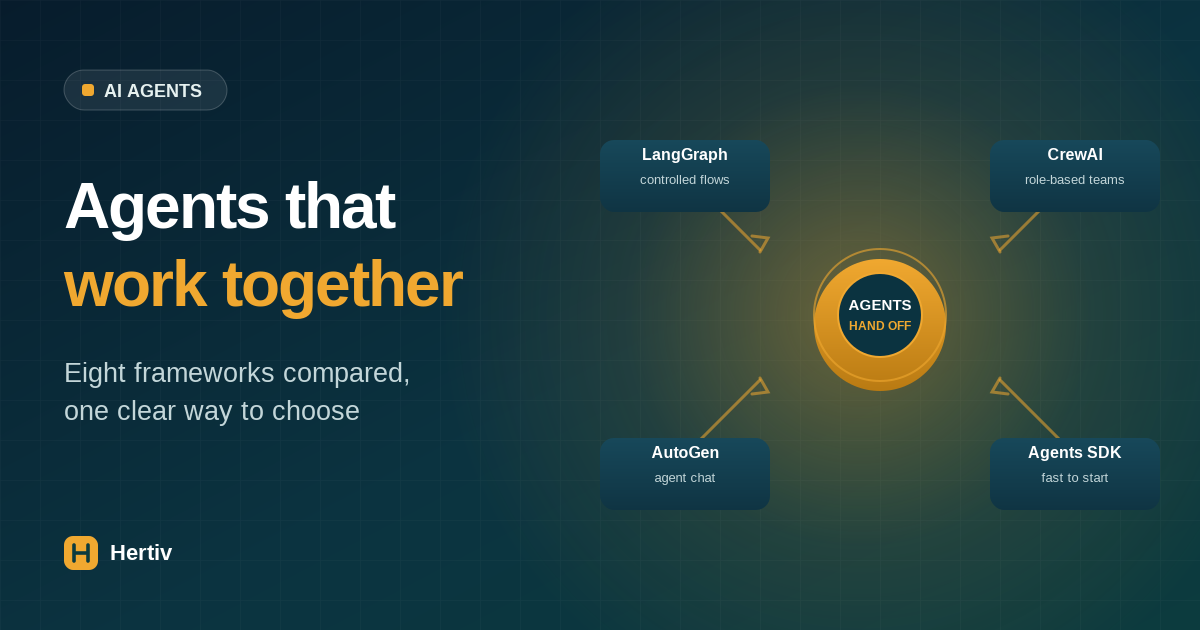
It depends on the framework. LangGraph passes work along a graph of steps, CrewAI hands tasks between roles, AutoGen uses conversation between agents, and the Agents SDK uses direct handoffs. The right shape depends on whether you need strict control or fast, flexible teamwork.
Can I use a multi-agent framework in production?
Yes, if you pick one built for it and add the controls production needs: tracing for every step, limits on turns and costs, tests for changes, and a human handover for sensitive actions. Frameworks built for research, such as CAMEL, are better kept for experiments.
What is the difference between LangGraph and CrewAI?
LangGraph gives you a graph of steps you define, with full control and visible state at every step. CrewAI organises agents as a team of roles and decides the flow for you, which is faster to start but harder to inspect when something goes wrong.


