What Is a SQL AI Agent, and How Does It Answer Questions?
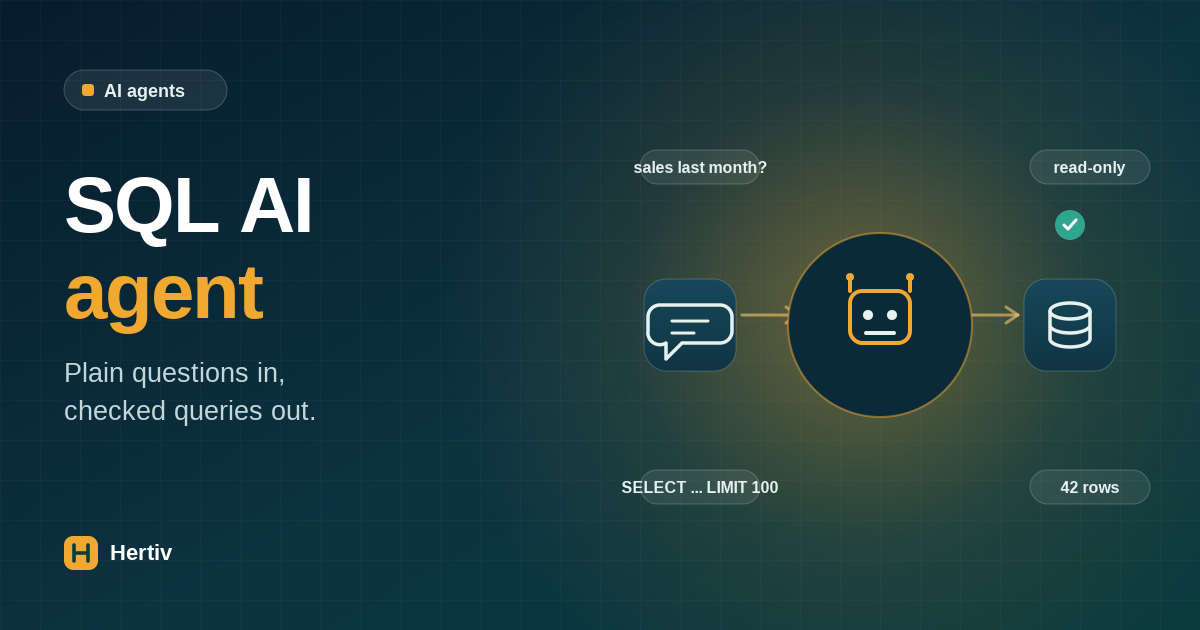
A SQL AI agent turns a plain-language question into a database query, runs it with read-only limits, and returns the answer in words instead of rows.
On this page
Short answer
A SQL AI agent is software that answers questions about a database in plain language. It reads the question, works out which tables and columns it needs, writes a SQL query, runs it under read-only limits, and explains the result in words. It is not a chatbot that guesses: it only answers what the data can show, and it shows the query it ran so a person can check it.
What is a SQL AI agent?
A SQL AI agent is software that answers questions about a database in plain language. A manager asks "how much did we sell last month?" and the agent writes the SQL query, runs it, and answers in a sentence instead of returning a table of rows. The database stays the source of truth; the agent is only the translator between the question and the query.
The agent works in four steps. First it reads the question and picks out the measures and filters, such as sales, last month and by region. Then it looks up the database schema to find the tables and columns that hold those facts. Next it writes a query and checks it against the schema. Finally it runs the query under read-only limits and turns the result into words.
| Step | What happens | What can go wrong |
|---|---|---|
| Understand the question | Finds measures, filters and time ranges | Vague words like "good" have no column |
| Map to the schema | Matches words to tables and columns | Two columns with similar names get mixed up |
| Write the query | Builds SQL and checks it against the schema | A wrong join multiplies the rows |
| Run and explain | Runs read-only, then explains the result | A huge result set with no summary |
Teams meet these agents inside a dashboard or a chat tool, where anyone can ask a question without learning SQL. The agent is part of the wider family of software that acts on a user's behalf, which AI agent development covers.
How does a SQL AI agent turn a question into a query?
A SQL AI agent turns a question into a query by matching the words in the question to the database schema, then building the query from that match. The model is given the table names, column names and a few sample values, so it can see that "revenue" lives in the orders table and "region" lives in the customers table.
The matching step is where most answers go wrong. A question about "customers" might mean people who bought once, people with an account, or people who paid in the last year. A good agent asks for the definition the first time, or shows which meaning it used, instead of guessing silently. The answer is only as clear as the definition behind it.
After the match, the agent writes the query and checks it before running: are the tables real, do the columns exist, does the join make sense. A second check runs the query with a row limit first, so a mistake returns a few rows instead of a million. Only then does it run the full query and explain the result.
What does it need to know about your database?
A SQL AI agent needs to know the schema, the meaning of the columns, and the rules that are not written in the schema. The schema tells it the table and column names, but it does not say that "active" means a customer who paid in the last 90 days, or that the orders table holds cancelled orders too.
The best setups keep a short data dictionary beside the schema: one line per important column, saying what it means and which values to trust. A few example questions with their correct queries help even more, because they show the agent how the team phrases things and which joins are safe.
It also needs to know what it must not touch. Salary tables, personal data and audit logs should be out of reach, or hidden behind a view that only exposes safe columns. Giving an agent the whole database and hoping it asks nicely is not a permission model; the limits should be set in the database itself.
How do you keep a SQL AI agent from writing unsafe queries?
You keep a SQL AI agent safe by giving it a read-only connection, a row limit, and a query check before anything runs. The read-only account is the first line of defence: even if the agent writes a delete, the database refuses it. The row limit stops a bad query from returning millions of rows and freezing the system.
The query check is the second line. Before running, the agent's SQL is checked against a list of allowed tables and operations, and anything outside the list is blocked. Some teams add a human review for queries that touch sensitive tables, so the agent drafts the query and a person approves it before it runs.
Logging matters as much as blocking. Every question, query and result should be recorded, so a wrong answer can be traced back to the query that produced it. When a user reports a bad number, the log shows whether the question was vague, the mapping was wrong, or the data itself was off.
Example (hypothetical): a sales manager asks for monthly revenue
Example (hypothetical): a sales manager asks for revenue by region for the last three months about 30 times a month. Each request takes a data analyst about 20 minutes to write, run and send, which adds up to 600 minutes, or 10 hours a month.
With a SQL AI agent, the manager asks the question in chat and gets the answer in seconds. The analyst reviews the first few answers, fixes two column mappings, and then only checks the agent's log once a week. The review takes about 2 minutes per question, or 60 minutes a month, which is 1 hour.
The saving is about 9 hours a month, but the bigger change is timing: the manager gets the number while the meeting is still running, instead of waiting for the next day. The agent shows the query with every answer, so the manager can see that "revenue" means paid orders only.
What are the common mistakes?
The most common SQL AI agent mistakes are giving it the whole database, skipping the data dictionary, and trusting answers without checking the query. Each one turns a helpful tool into a source of wrong numbers.
- Full access instead of views. An agent with access to salary and personal data will eventually be asked about them.
- No data dictionary. Without definitions, the agent guesses what "active" or "revenue" means, and guesses differ.
- No query shown. An answer without its query cannot be checked, so a wrong number looks right.
- No row limit. One bad join can return millions of rows and slow the whole database.
- Treating it as a chatbot. An agent that answers from memory instead of from the database is guessing, not querying.
Start with one database and five common questions, and check every answer against a hand-written query for the first month. Teams that build agents for other departments can use the same pattern as AI agents in finance, where every answer is tied to a checked query.
How do you start with a SQL AI agent?
You start with a SQL AI agent by picking one database, writing down what the columns mean, and testing it on the questions people already ask. A small pilot proves the value before the whole company depends on it.
- Pick one database and the five questions people ask most, such as monthly revenue or open tickets.
- Write a one-line definition for each column those questions use, and note which values to trust.
- Create a read-only database account with access only to the tables those questions need.
- Let the agent answer the five questions, and check each answer against a hand-written query.
- Fix the mappings that were wrong, then open the agent to the team with the query shown on every answer.
Measure two things in the pilot: how often the answer is right, and how much analyst time it saves. If the accuracy is below the level the team accepts, the data dictionary needs work, not the model. For teams that also want text answers over documents, text classification in AI shows how models sort words before they answer.
Key takeaways
- A SQL AI agent turns a plain-language question into SQL, runs it read-only, and explains the result.
- The match between words and columns is where most wrong answers start, so definitions matter.
- A data dictionary with one line per column does more for accuracy than a bigger model.
- Read-only access, row limits and a query check are the minimum safety setup.
- Show the query with every answer, so a wrong number can be traced and fixed.
Frequently asked questions
What is a SQL AI agent?
A SQL AI agent is software that answers questions about a database in plain language. It matches the question to the database schema, writes a SQL query, runs it under read-only limits, and explains the result in words. It only answers what the data can show, and it shows the query so a person can check it.
Can a SQL AI agent change or delete data?
It should not be able to. A safe setup gives the agent a read-only database account, so even a wrongly written delete is refused by the database. Teams that need write access should add a human approval step and keep the agent away from production tables.
How accurate are SQL AI agents?
Accuracy depends on the data dictionary, not only on the model. With clear column definitions and a few example questions, agents answer routine questions correctly most of the time. Vague questions, similar column names and missing definitions are the usual causes of wrong answers.
What data does a SQL AI agent need?
It needs the database schema, a short definition for each important column, and a few example questions with their correct queries. It also needs to know which tables are off-limits, such as salary or personal data, so those stay out of reach.
Is a SQL AI agent the same as a chatbot?
No. A chatbot answers from its training or from documents, while a SQL AI agent answers from live database rows by writing and running a query. The difference matters: the agent's answer is only as fresh as the database, and it can be checked by reading the query.
How long does it take to set one up?
A pilot on one database with five common questions usually takes a few weeks, including the data dictionary and the safety checks. The model setup is the fast part; agreeing on column definitions and testing answers against hand-written queries takes most of the time.


