Software Maintenance Support: What It Covers and How It Works
Software maintenance support keeps a live system running: fixing bugs, applying security patches, answering user issues and making small improvements.
On this page
Short answer
Software maintenance support is the service that keeps a live application running after launch. It covers bug fixes, security patches, small improvements, monitoring and help for users, usually under an agreement that sets response times, coverage hours and what counts as included work.
What is software maintenance support?
Software maintenance support is the ongoing work that keeps a live application running well after it is built. It covers fixing bugs, applying security patches, keeping libraries and servers up to date, answering user questions and making small improvements that users ask for.
It is different from building new features. New features add capability and are usually priced as separate projects. Maintenance keeps what already exists working, safe and fast, and it is usually sold as a monthly retainer or an annual agreement with defined response times.
Every live system needs it. Libraries get security fixes, operating systems change, third-party APIs retire old versions, and users find edge cases that testing missed. Without maintenance, a working system slowly becomes a risky one. Software maintenance cost explains what teams typically pay for this work.
What does software maintenance support cover?
Maintenance support usually covers four kinds of work, and a good agreement names each one so there are no surprises later.
| Type of work | Examples | Typical timing |
|---|---|---|
| Corrective | Fix bugs users report | As reported |
| Adaptive | Update for new OS or API versions | When vendors change |
| Perfective | Small speed and usability fixes | Monthly batches |
| Preventive | Security patches, dependency updates | Regular schedule |
| Support | Answer user questions, help with errors | During coverage hours |
Corrective and preventive work is the core of most agreements. Perfective work, such as small usability fixes, is often included up to a monthly hour limit, with larger items quoted separately. If an agreement does not say which type a task is, disputes follow, so ask for the list in writing before signing.
How do support levels and response times work?
Support levels, usually called SLAs, set how fast the team must respond and how fast it must fix a problem. They are the most important part of a maintenance agreement, because they turn vague promises into numbers.
A common setup has three or four severity levels. A critical issue, such as the system being down or data being lost, gets a response within an hour and work until it is fixed. A major issue, such as a key feature broken for some users, gets a response within a few hours. Minor issues, such as a wrong label or a slow report, are fixed in a regular release cycle.
Coverage hours matter as much as speed. A team that answers only on weekdays leaves a weekend outage unhandled, so check whether nights and weekends are included and what they cost. Also check who the first contact is: a shared inbox, a ticket system, or a named engineer. A named contact is worth asking for, because it shortens every conversation when something breaks.
How does maintenance support work day to day?
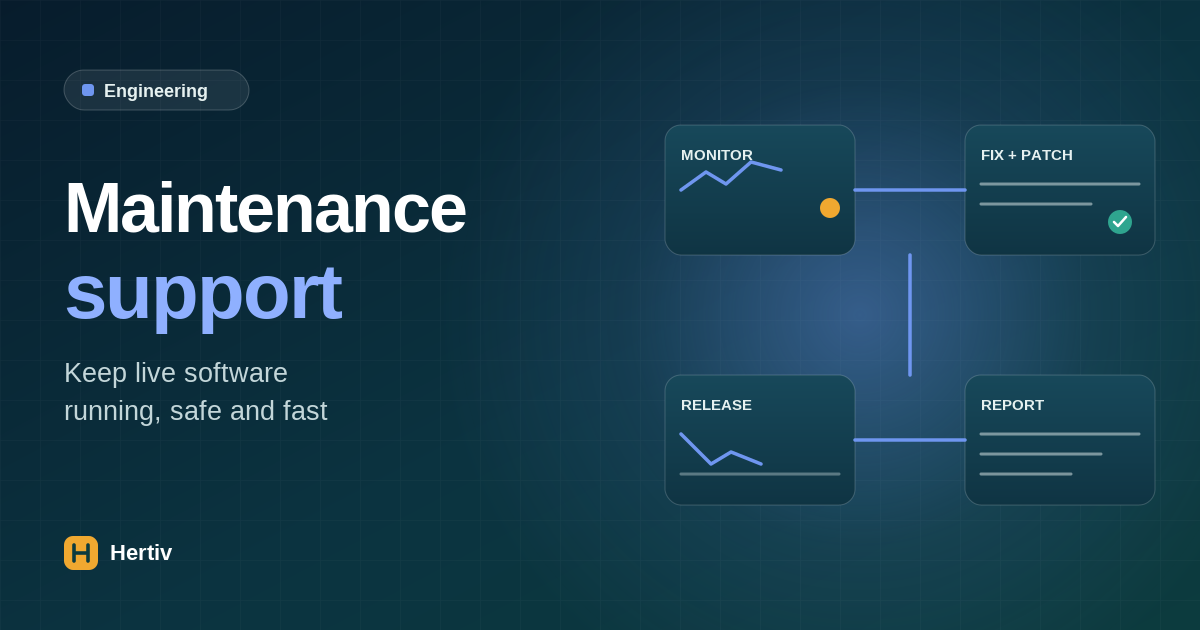
Maintenance support works as a loop: monitor, triage, fix, release and report. The loop runs every day, and the agreement sets how fast each step must happen.
- Monitor. Automated checks watch uptime, errors, speed and security alerts around the clock.
- Triage. New reports are sorted by severity, reproduced, and assigned to an engineer.
- Fix. The engineer fixes the bug or applies the patch in a staging copy first.
- Test and release. The fix is tested, then released, often in a small weekly batch.
- Report. The team sends a monthly summary of tickets, fixes, patches and time used.
The monthly report is the part buyers often skip, and it is the part that proves value. It shows what broke, what was fixed, what was patched and how much time each item took. Without it, maintenance looks like a standing charge with nothing to show for it. Reducing software maintenance cost covers how to keep this loop lean without cutting corners.
Example: a maintenance agreement for a booking app
Example (hypothetical): a small travel company runs a booking app with 5,000 users a month. It signs a maintenance agreement for 20 hours a month, with weekday coverage and a one-hour response time for critical issues.
In a typical month the team uses the hours like this: 6 hours fixing 8 reported bugs, 5 hours applying security patches and updating two libraries, 4 hours answering 15 user questions, and 5 hours on small improvements such as a clearer error message and a faster search. The total is 20 hours, exactly the retainer.
One month a payment provider changes its API, which takes 12 extra hours. The agreement says adaptive work above the retainer is billed separately, so the company pays for the extra hours and the app keeps taking payments. The arithmetic is simple: 20 hours included, 12 hours extra, and no downtime, because the change was handled before the old API stopped working.
What are the common mistakes?
The most common mistakes are signing an agreement without severity levels, treating maintenance as free, and letting updates pile up.
- No severity levels. Without them, every issue is urgent and nothing gets prioritised.
- No coverage hours. A weekday-only agreement leaves weekend outages unhandled.
- Skipping updates. Old libraries become security risks and make later upgrades far harder.
- No monthly report. Without reporting, nobody knows what the retainer bought.
- Mixing features and fixes. New features in a maintenance budget quietly eat the hours meant for fixes.
- One person holds the knowledge. If only one engineer knows the system, holidays and departures become risks.
How to choose a maintenance support provider
Choose a maintenance provider by checking how they work, not by the hourly rate alone. A cheap provider that is slow to respond costs more in downtime than a pricier one that answers fast.
- Ask for the SLA in writing. Response and fix times per severity, coverage hours, and what happens if they are missed.
- Check the team. Who will work on your system, and do they know your stack?
- Ask about knowledge handover. Docs, runbooks and a second engineer who can step in.
- Look at the reporting. A monthly report with tickets, fixes and time used is a minimum.
- Start with a short term. A three-month trial shows how the team really works before you commit for a year.
If your system was built by another team, a DevOps review of the current setup is a good first step, because it shows what the maintenance team will inherit before they sign up to support it.
Key takeaways
- Maintenance keeps a live system working, safe and fast; new features are separate work
- A good agreement names the work types, severity levels and coverage hours
- The daily loop is monitor, triage, fix, test, release and report
- Skipped updates become security risks and make later upgrades harder
- Judge a provider by response times, reporting and knowledge handover, not just price
Frequently asked questions
How much does software maintenance support cost?
It is usually priced as a monthly retainer or an annual agreement, often tied to the size of the system and the response times promised. Small apps may need a few hours a month, while large systems need a dedicated team. Ask for the rate, the included hours and the cost of extra work.
What is the difference between maintenance and support?
Maintenance is the engineering work: fixing bugs, patching and updating the system. Support is the human side: answering user questions and helping with errors. Most agreements bundle both, but the split should be written down.
How fast should a critical bug be fixed?
It depends on the agreement, but a common standard is a response within an hour and work until the system is back, for issues where the system is down or data is at risk. Less severe issues are fixed in days or in the next regular release.
Do I need maintenance if my app rarely changes?
Yes. Even unchanged apps need security patches, library updates and fixes for third-party changes such as API retirements. An app that is never touched slowly becomes the riskiest system you own.
What should a maintenance report include?
Tickets received and resolved, bugs fixed, patches applied, time used per item, and any work carried over. It should also flag risks, such as libraries nearing end of life or services the vendor plans to retire.
Can I switch maintenance providers later?
Yes, but the switch is easier if the current provider kept good documentation and runbooks. Before signing, ask what handover material you will own, so a future provider can start without months of discovery.


