Software Development Tools: What Teams Actually Use
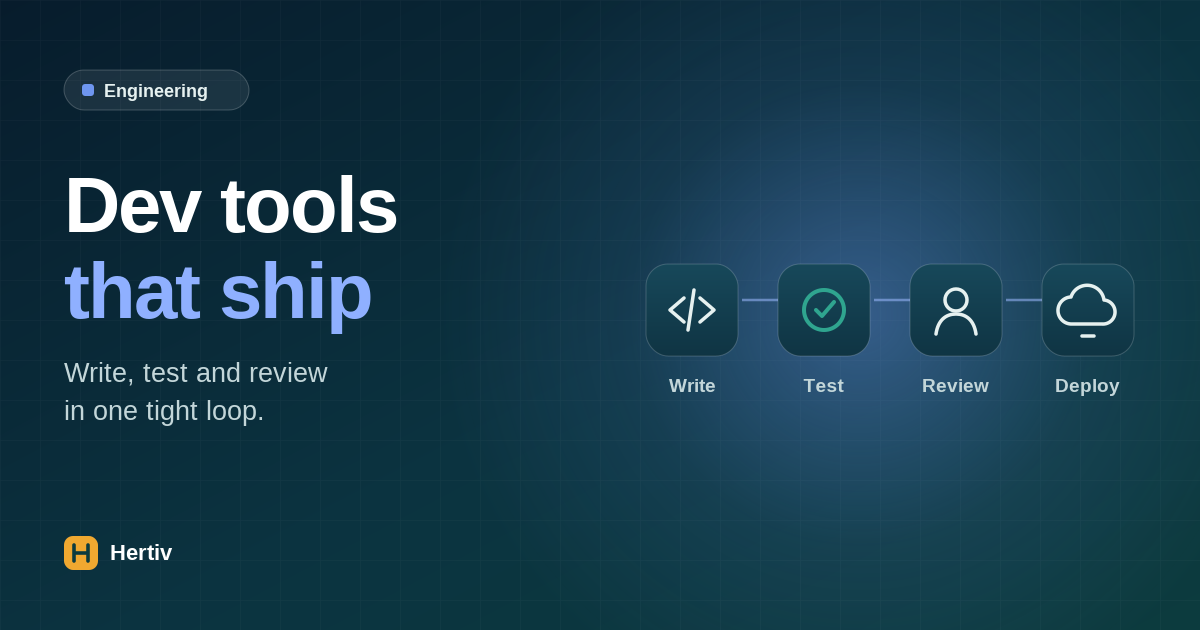
Software development tools cover writing, testing, reviewing and shipping code. The set shortens the feedback loop so a team knows in minutes if a change works.
On this page
Short answer
Software development tools are the programs teams use to write, test, review and ship code, from editors and version control to CI pipelines and monitoring. The toolchain matters because it sets the feedback loop: good tools tell a developer within minutes whether a change works or breaks something else.
What are software development tools?
Software development tools are the programs teams use to write, test, review and ship code: editors, version control, build systems, test runners, issue trackers and deployment pipelines. Together they form the toolchain, and the toolchain decides how fast a team can turn an idea into working software.
Every team has a toolchain, whether it chose one deliberately or not. A solo developer has an editor, a repository and a way to deploy. A larger team adds code review, automated tests, staging environments and monitoring. The tools change with size, but the jobs stay the same: write code, check it, share it and run it.
The point of the tools is not the tools themselves. It is the feedback loop. A developer should know within minutes whether a change works, whether it breaks something else, and whether a teammate has reviewed it. Good tools make that loop short. Weak tools make it slow, and slow feedback is where bugs and delays accumulate.
What are the main types of software development tools?
Development tools fall into a few groups, each covering one part of the path from idea to production. Most teams need at least one tool in each group, and the groups matter more than any single product choice.
| Group | What it does | Examples of the job |
|---|---|---|
| Editors and IDEs | Where code is written | Editing, navigation, debugging |
| Version control | Tracks every change | Branches, history, merging |
| Build tools | Turns code into software | Compiling, bundling, packaging |
| Test runners | Checks the code works | Unit, integration and UI tests |
| CI and CD | Automates checks and deploys | Running tests on every change |
| Issue trackers | Records what to build | Tasks, bugs, priorities |
| Monitoring | Watches production | Errors, logs, performance |
Teams usually standardise the middle of this list first: version control, CI and the issue tracker. Those are the shared surfaces where everyone works together, so agreement there saves more time than agreement on an editor.
How do teams choose an editor and a version control setup?
Teams choose an editor by letting developers pick what they are fast in, and choose version control by agreeing on one system and one branching pattern for everyone. The editor is personal; the repository is shared, so only the shared part needs a single decision.
For version control, the common pattern is one main branch that is always releasable, short-lived feature branches, and pull requests for review. This keeps the history readable and makes it easy to find when a bug was introduced. Long-lived branches that drift for weeks are the usual source of painful merges.
The branching pattern matters more than the hosting choice. A team that merges small changes daily with review will move faster than a team with the best host and month-long branches. For the wider picture, what DevOps covers explains how these choices fit into delivery.
What do build, test and CI tools do?
Build tools turn source code into something that can run: compiled binaries, bundled web assets or packaged services. Test runners execute the automated checks that prove the code behaves as intended. CI tools run both automatically on every change, so a broken change is caught before it reaches the main branch.
The value of CI is speed of feedback. A developer who learns a test failed ten minutes after pushing can fix it while the change is still fresh in mind. A developer who learns a week later has to reconstruct the context. That is why teams invest in fast test suites: a suite that takes an hour to run gets run rarely, and a suite that takes five minutes gets run constantly.
Keeping the suite fast is a maintenance job, not a one-off setup. Slow or flaky tests should be fixed or removed, because a test suite nobody trusts is worse than no suite at all. How to set up CI/CD walks through the sequence for a team starting from scratch.
How do teams track work and review code?
Teams track work in an issue tracker, where each task has an owner, a description and a state: to do, in progress or done. The tracker is the shared memory of the team. If a task is not in the tracker, it does not exist for planning purposes, and it will be forgotten.
Code review happens through pull requests. A teammate reads the change, asks questions and approves it before it merges. Review catches bugs, but its larger value is shared knowledge: after a few months of reviewing each other's work, every developer understands more of the codebase than they wrote themselves.
Good review is small and fast. A change of a few hundred lines reviewed within a day keeps the team moving. A change of thousands of lines that sits for a week blocks the author and is rarely read properly. Keep changes small and review becomes easy.
Example (hypothetical): a six-person team sets up its toolchain
Example (hypothetical): a six-person team ships a web app and tests each change by hand. Each change takes about 30 minutes of manual clicking through the app, and the team makes about 8 changes a day. That is 240 minutes, or 4 hours, of manual testing every day, shared across the team.
The team adds an automated test suite and a CI pipeline. The suite runs in 6 minutes, and CI runs it on every change automatically. Eight changes a day now cost 48 minutes of machine time, and a developer only looks at the result when a test fails.
The saving is about 3 hours 12 minutes a day, or roughly 16 hours a week. The team spends part of that time writing new tests and the rest building features. The toolchain paid for itself in the first week, not because the tools are clever, but because the feedback loop got shorter.
What are the common mistakes?
The most common mistakes with development tools are buying tools before fixing the workflow, letting the test suite rot, and standardising the wrong things.
- Buying before fixing. A new tracker will not fix unclear priorities, and a new CI tool will not fix a slow test suite. Fix the process first.
- Ignoring flaky tests. Tests that fail randomly teach the team to ignore failures, and then real failures get ignored too.
- Standardising editors. Forcing one editor on everyone slows people down. Standardise the shared parts: repository, CI and tracker.
- Long-lived branches. Branches that live for weeks merge badly. Merge small changes daily instead.
- No monitoring. Shipping without watching production means learning about outages from customers.
How to standardise tools without slowing the team down
You standardise tools by agreeing on the shared surfaces and leaving personal choices alone, then reviewing the setup every few months as the team grows.
- Agree on the shared parts. One version control host, one branching pattern, one CI pipeline and one issue tracker.
- Let developers choose editors. Speed at the keyboard is personal, and the repository does not care which editor wrote the code.
- Write the setup down. A short guide for new joiners beats tribal knowledge, and it makes the first week faster.
- Automate the checks. Linting, formatting and tests should run on every change, so style debates never reach review.
- Review quarterly. Drop tools nobody uses and fix the slowest part of the loop before adding anything new.
The goal is a toolchain that a new developer can set up in a day and that gives feedback in minutes. If you are building the product itself, DevOps services can help design the pipeline around the team rather than the other way round.
Key takeaways
- The toolchain exists to shorten the feedback loop between writing code and knowing it works
- Standardise the shared parts: repository, CI and issue tracker, not editors
- Small changes reviewed daily beat large changes reviewed weekly
- A fast, trusted test suite is worth more than a large, flaky one
- Review the toolchain quarterly and drop tools that cost more time than they save
Frequently asked questions
What are software development tools?
They are the programs teams use to write, test, review and ship code: editors, version control, build tools, test runners, CI pipelines, issue trackers and monitoring. Together they form the toolchain that turns an idea into working software.
Which software development tools does a small team need?
A small team needs an editor, version control with a clear branching pattern, an automated test suite, a CI pipeline and an issue tracker. Monitoring comes next, once the product has real users.
Should every developer use the same editor?
No. Editors are personal, and speed at the keyboard varies by tool. Standardise the shared surfaces instead: the repository, the CI pipeline and the issue tracker, where everyone works together.
How do you keep automated tests fast?
Keep the suite small and focused, split slow tests from fast ones, and fix or remove flaky tests promptly. A suite that takes an hour to run gets run rarely, while a five-minute suite gets run on every change.
What is the difference between CI and CD?
Continuous integration runs builds and tests automatically on every change. Continuous delivery extends that by making every passing change deployable, so releases become a routine decision rather than a project.
When should a team change its tools?
When the current setup is the slowest part of the loop: merges hurt, tests are ignored, or new joiners take a week to set up. Change one tool at a time and measure whether feedback gets faster.


