Social Media Listening in Your CRM: How It Works
Social media listening in your CRM turns public posts into usable customer records. Here is how the integration works and what to watch for.
On this page
Short answer
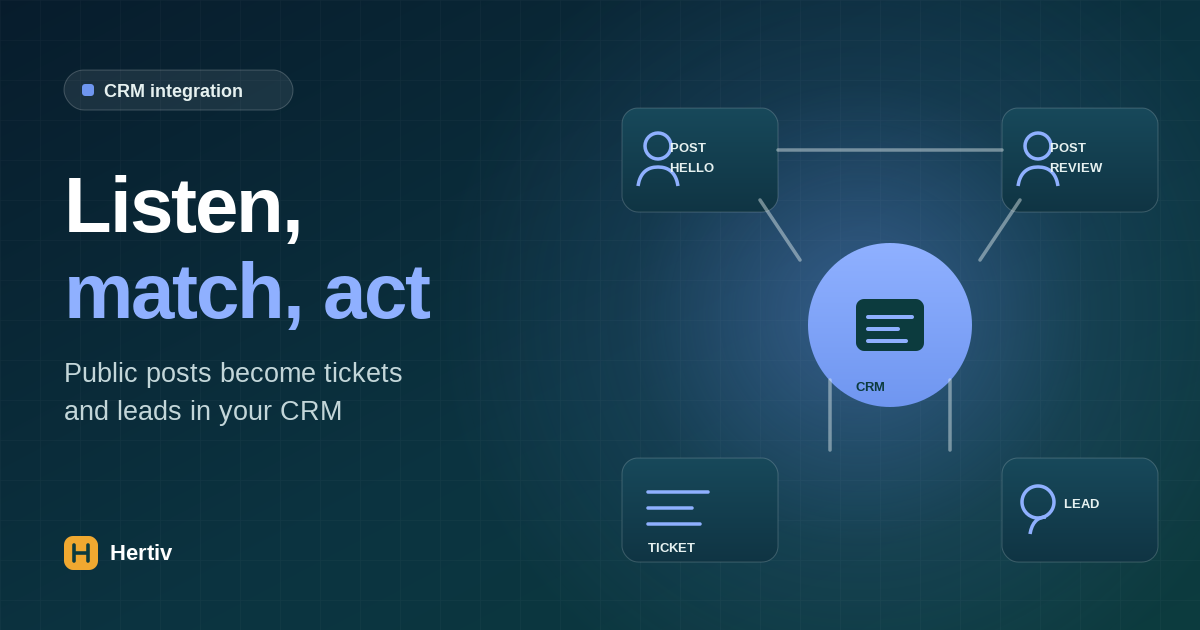
Social media listening in a CRM means collecting public posts, comments and mentions from social networks and matching them to the customer or prospect records in your CRM. Each mention is tied to a person, a deal or a support ticket, so the team can act on it from the same place they manage the rest of the relationship.
What is social media listening in a CRM?
Social media listening in a CRM is the practice of collecting public posts, comments and mentions from social networks and matching them to the customer or prospect records in your CRM. It turns scattered social signals into a structured part of the customer record, so a complaint on one network and a purchase in your store sit side by side.
Listening on its own usually means a dashboard of mentions and sentiment scores. Connecting it to the CRM changes the job: each mention is tied to a person, a deal or a support ticket, and the team can act on it from the same place they manage the rest of the relationship.
The link works in both directions. The CRM gives the listening tool context, such as who this person is, what they bought, and whether they have an open ticket. The listening tool gives the CRM fresh signals about what customers are saying right now. For sales teams, that context is the difference between a cold outreach and a warm one, which is why AI agents for sales also start from the CRM record.
How does the integration work?
The integration works by moving social data into CRM records through a connector or an API, with rules that decide which mentions become records and which are ignored. Most integrations run on a schedule or in near real time, so a new mention arrives in the CRM within minutes of being posted.
| Social data | Where it lands in the CRM | What it is used for |
|---|---|---|
| Mention author | Contact or lead record | Matching the person to their history |
| Post text | Activity note on the record | Seeing what the person said, in context |
| Sentiment | Custom field on the record | Flagging unhappy or enthusiastic customers |
| Topic tags | Tags or segments | Grouping mentions by product or issue |
| Link to the post | Activity link | Opening the original post from the CRM |
| Follower count | Lead score input | Weighing reach when prioritising replies |
When a mention arrives, the connector searches the CRM for a matching email, social handle or name, and either attaches the mention to the existing record or creates a new lead. Matches are rarely perfect, so most teams review unmatched mentions once a week and fix the matching rules that caused the misses.
What can you do with listening data in a CRM?
Listening data in a CRM is most useful for three jobs: catching problems early, spotting buying signals, and learning what customers actually say about your product. Each one works because the mention lands where the team already works, instead of in a separate dashboard.
- Support. A complaint becomes a ticket with an owner and a deadline, instead of a mention that scrolls past.
- Sales. A person asking where to buy or comparing prices becomes a lead with the original post attached, so the rep can reply with context.
- Product. Feature requests and repeated complaints are tagged on the record, giving product teams real customer wording to work from.
- Marketing. Reactions to a campaign are grouped by segment, so the team can see which message landed and which did not.
The value comes from the record, not the dashboard. A mention that creates a ticket gets an owner and a deadline; a mention that only appears in a weekly report gets neither. Teams that get value from listening treat it as a queue to work, not a report to read. For customer-facing teams, AI agents for customer support show how that queue can be worked at scale.
How to set up the integration
You set up the integration by deciding what to track, how it maps to your CRM, and who acts on each kind of mention, before you switch anything on.
- Pick one network and one use case. Start with the network where your customers actually talk, and one job, such as support complaints or buying signals.
- Choose keywords carefully. Track your brand name, product names and common misspellings, but leave out broad words that flood the feed with noise.
- Map the fields. Decide which social data lands in which CRM field, using the table above as a starting point, and keep the mapping simple enough to explain in one paragraph.
- Set matching rules. Match on social handle first, then email, then name. Decide what happens when nothing matches: create a lead, or hold the mention for review.
- Set routing rules. Complaints go to support, buying signals go to sales, and product feedback goes to a shared tag the product team reviews weekly.
- Review weekly for the first month. Check the match rate, the false positives and the mentions nobody acted on, then tighten the keywords and rules.
Do not connect every network at once. One network with clean rules teaches you more about your customers than five networks feeding a queue nobody trusts.
Example (hypothetical): a retailer connects listening to its CRM
Example (hypothetical): a retailer with 12 stores tracks mentions of its brand name and its two main products on two networks. In a typical month it collects 1,200 mentions.
Of those, 180 mention a problem such as a late delivery or a faulty product. The integration creates a support ticket for each one and attaches it to the customer record where the handle matches. In the first month, 120 of the 180 match an existing record, and the other 60 become new leads.
The support team answers 150 of the 180 within a day, and 30 of the answered customers buy again within a month.
The retailer also tags 90 mentions as buying intent, from people asking where to buy or comparing prices, and sends those to sales. The point is not the volume; it is that every mention now has an owner and a next step, and the team can count how many mentions turned into tickets, leads and replies.
What are the common mistakes?
The most common mistakes with social listening in a CRM are tracking too much, matching too loosely, and routing nothing, so the data piles up without anyone acting on it.
- Tracking too many keywords. Broad keywords flood the feed with irrelevant mentions, and the team stops reading it. Start narrow and add keywords only when the feed is quiet.
- No matching rules. Without rules, the same person appears as several records, and the team cannot see their full history. Fix matching before adding more networks.
- No routing. If a mention has no owner, it will not be answered. Every category of mention needs a team and a time limit.
- Treating sentiment as truth. Automated sentiment scores miss sarcasm and mixed messages. Use them to prioritise, not to decide.
- Ignoring privacy rules. Public posts are still personal data in many regions. Store only what you need, and check the rules that apply to your customers.
- Buying the tool before defining the workflow. A listening tool without routing rules is just a louder dashboard.
How do you know the integration is working?
You know the integration is working when social mentions produce CRM activity you can count: tickets created, leads qualified, and replies sent within an agreed time. If mentions arrive but nothing changes in the CRM, the integration is only a feed.
Track a small set of numbers each month: how many mentions matched a record, how many became tickets or leads, and how fast the team replied. If the match rate stays low, the matching rules need work. If mentions become records but nobody acts on them, the routing rules need work. If you need help wiring the connector into your existing systems, custom software development can cover the integration itself.
Key takeaways
- Social listening in a CRM matches public posts to customer records, so mentions become tickets and leads
- A connector maps social data to CRM fields, with matching and routing rules deciding what happens next
- Start with one network and one use case, then expand once the match rate and routing are reliable
- Every mention needs an owner and a time limit, or it will pile up unread
- Measure match rate, tickets and leads created, and reply time each month
Frequently asked questions
Do I need a listening tool, or can the CRM do this alone?
Most CRMs do not listen to social networks on their own. You need a listening tool, or a connector, that watches the networks and sends mentions to the CRM. The CRM stores the records and the workflow; the listening tool supplies the signal.
Which social networks should we track first?
Track the network where your customers actually complain, ask questions or compare products, not the one with the largest audience. One network with clean rules is more useful than five networks feeding a queue nobody trusts.
How do you match a social handle to a CRM record?
Match on the social handle first, then on email, then on name. Handles are the most reliable because they are unique on the network. Keep a weekly review of unmatched mentions to catch the rules that are missing people.
Is it legal to store social media mentions in a CRM?
Public posts can still be personal data under the rules that apply to your customers, so store only what you need and keep it for a defined time. Check the data rules in your region before you start, and do not store private messages without a clear basis.
How much does social listening integration cost?
Costs vary by tool and volume, so check the vendor site for current pricing. The larger cost is usually staff time: someone has to review unmatched mentions, tune the rules and answer the tickets and leads the integration creates.
Can social listening replace customer surveys?
No. Listening shows what people say in public, which skews towards the very happy and the very unhappy. Surveys reach the quiet middle. Use listening for early warnings and buying signals, and surveys for a balanced view of satisfaction.


