Social Distancing Alert Systems: How AI Monitors Space
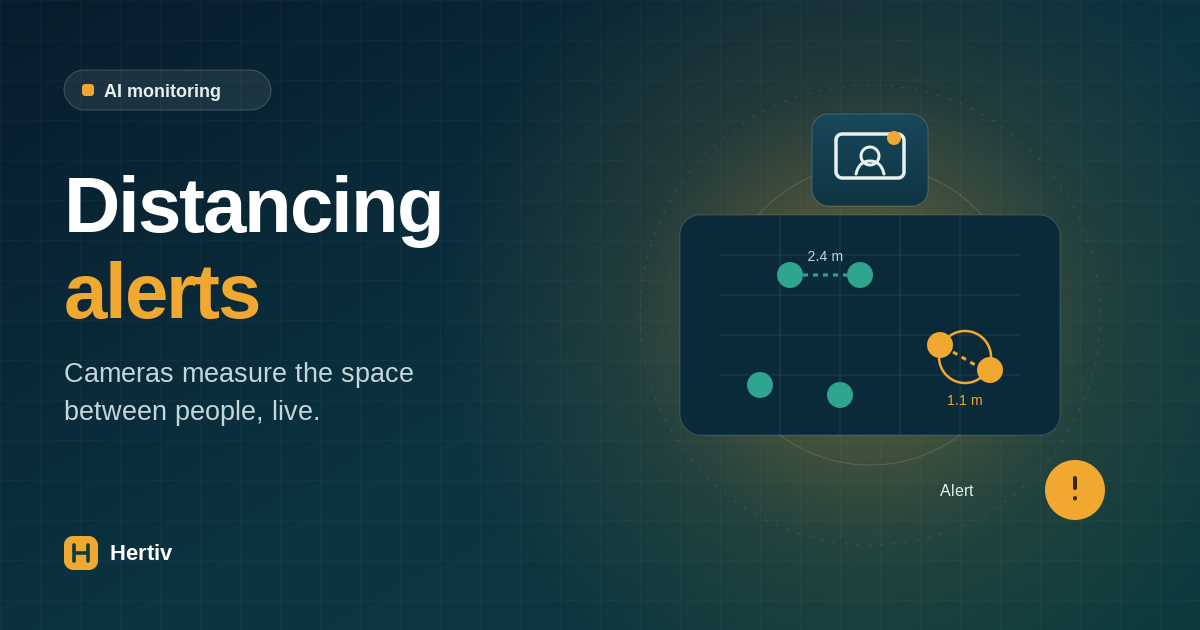
A social distancing alert system uses cameras and computer vision to measure the space between people and warn staff when crowds get too close.
On this page
Short answer
A social distancing alert system is AI software that watches camera feeds, detects people, estimates the distance between them and raises an alert when people stay too close for too long. It is used in workplaces, stations, warehouses and venues to spot crowding early, while staff decide what, if anything, to do about it.
What is a social distancing alert system?
A social distancing alert system is AI software that watches a camera feed, finds the people in it, works out how far apart they are and raises an alert when people stay too close for too long. It turns a rule about personal space into something a camera can check continuously.
The idea grew out of health rules that asked people to keep a set distance apart in shared spaces. Checking that rule by eye is slow and inconsistent: one member of staff can only watch one area at a time, and attention drifts. A camera system watches every area at once and applies the same threshold everywhere.
The main ways to build one are:
| Approach | How it measures distance | Best fit |
|---|---|---|
| Fixed cameras | Perspective mapping on the floor plane | Halls, stations, lobbies |
| Overhead cameras | Top-down positions, less occlusion | Queues, entrances, corridors |
| Depth sensors | Direct depth measurement per pixel | Small rooms, doorways |
| Thermal cameras | Heat signatures, works in low light | Night shifts, dim warehouses |
| Wearable tags | Radio ranging between tags | Crews who move between zones |
Most deployments use fixed or overhead cameras, because the cameras are already there for security. The software is added on top, and the alert goes to a dashboard or a floor supervisor rather than to the people being watched. For the underlying vision technology, what computer vision is explains how detection and tracking work.
How the system measures distance between people
The system measures distance between people in three steps: find the people, place them on the floor, and measure the gaps. Each step has its own failure modes, so accuracy depends on the camera angle and the calibration as much as on the model.
First, a detection model finds each person in the frame and draws a box or a point around them. Modern detectors handle crowds reasonably well, but they struggle when people overlap, when someone is partly hidden behind a shelf, or when the camera looks down a long corridor.
Second, the system maps each person from the image onto the floor plane. This needs a calibration step: someone marks known points on the floor, such as floor tiles or door frames, so the software knows how image distances translate into real metres. Without calibration, the numbers are guesses.
Third, it measures the distance between each pair of people and tracks them over time. A brief pass in a corridor is not the same as two people standing together for ten minutes, so most systems only alert when the gap stays below the threshold for a set duration, such as 15 seconds.
Where these systems are used
These systems are used wherever large numbers of people share a floor and a team is responsible for keeping it safe: warehouses, transport hubs, factories, offices, stadiums and exhibition halls. The common thread is a space too large for one person to watch.
In warehouses and factories, the system watches aisles and break areas, where workers naturally gather. In stations and airports it watches queues and waiting areas, where crowding builds up in waves. In offices it watches meeting rooms and canteens, and in venues it watches entrances, where people bunch up before doors open.
Some sites use the system only during busy periods, such as shift changes or event entry, when crowding is worst. Others run it continuously and review a daily summary of where and when close contacts happened, which helps them redesign layouts and staggered start times.
Retail has been a quiet adopter too: a shop can see which aisles crowd at which hours and move displays or open another till. Computer vision in retail covers the wider set of in-store camera uses, of which distancing is one.
How alerts reach staff without causing alarm
Alerts reach staff through a dashboard, a phone notification or a gentle on-site signal, and the design of the alert matters as much as the detection. A system that blares at every passing pair will be switched off within a week.
Most teams set two levels. A soft signal, such as a counter on a dashboard or a coloured light at a doorway, shows that an area is getting busy. A firm alert goes to a supervisor only when a close pair persists beyond the time threshold, or when a zone's headcount passes a limit.
Some sites add a screen at the entrance showing the current crowding level, so visitors slow down on their own. Others keep alerts staff-only, because a public alarm can cause the very crowding it is trying to prevent, as people turn to look.
The practical rule is to alert on patterns, not moments: a queue that stays dense for five minutes deserves attention, while two colleagues passing in a corridor does not. Getting that threshold right takes a week or two of tuning on the site's own footage.
Example (hypothetical): a warehouse floor with 200 workers
Example (hypothetical): a warehouse has 200 workers on a shift across a floor that one safety officer can patrol. Walking the floor, the officer can meaningfully check about 60 people an hour, so checking everyone takes 200 divided by 60, or about 3 hours and 20 minutes, and by then the floor has changed.
The warehouse adds a camera system with a two-metre threshold and a 15-second rule. In a typical hour it flags 25 close-proximity events that last beyond the threshold. A supervisor reviews each flagged event on the dashboard, which takes about 2 minutes per event, or 25 times 2 minutes, about 50 minutes of review per hour of operation.
The system does not replace the officer. It changes the job from walking the whole floor to checking the 25 events that matter, and it produces a record of where crowding happens, so the warehouse can stagger break times in the two aisles where most flags occur. The saving is coverage, not headcount: every corner is watched at once, instead of one corner at a time.
Privacy and accuracy limits
Privacy and accuracy are the two limits that decide whether a distancing system is acceptable, and both need to be designed in from the start rather than added later.
On privacy, the system should not need to know who anyone is. Distance measurement needs positions, not identities, so the better designs process video on site, store no footage of faces, and delete position data after a short window. A system that records identifiable video to enforce a spacing rule will face questions from staff and from data protection rules, and it should.
On accuracy, the system is only as good as its calibration and its camera angles. A camera mounted too low sees people overlapping and over-counts close pairs. Poor lighting, reflective floors and crowded shelves all create false alerts, and a system that cries wolf will be ignored. Occlusion is the hardest case: if one person hides another, the hidden person is simply not counted.
Teams should test on their own site for a week before trusting the alerts, and publish the rules: what distance, what duration, what happens to the data. Computer vision development covers how these systems are built and what to ask a vendor.
Common mistakes with distancing alert systems
The most common mistakes with distancing alert systems come from treating a camera as a rule enforcer rather than a measurement tool. The system can show where crowding happens; it cannot decide what to do about it.
- Alerting on every pass. Without a time threshold, brief encounters flood staff with alerts and the system gets ignored.
- Skipping calibration. Uncalibrated cameras report distances that look precise and are wrong.
- Recording identifiable video. Storing faces to measure spacing creates a privacy problem the use case does not need.
- Mounting cameras too low. Low angles cause occlusion, which hides people and inflates close-pair counts.
- No one owns the alerts. A dashboard nobody watches is the same as no system at all.
- Using it as discipline. Staff who feel watched will find blind spots; use the data to fix layouts, not to single people out.
Key takeaways
- A distancing alert system measures the space between people on camera and flags pairs that stay too close.
- Calibration turns image distances into real metres; without it, the numbers are guesses.
- Alert on patterns, not moments: a dense queue for five minutes matters, a passing pair does not.
- Measure positions, not identities: process video on site and delete position data quickly.
- Use the data to fix layouts and stagger times, not to single out individuals.
Frequently asked questions
What is a social distancing alert system?
It is AI software that watches camera feeds, detects people, estimates the distance between them and alerts staff when people stay too close for too long. It is used in workplaces, stations, warehouses and venues to spot crowding early.
How does it measure distance from a camera?
A detection model finds each person, the system maps their position onto the floor plane using calibration points, then measures the gaps between people and tracks them over time. Most systems only alert when a close gap lasts beyond a set duration.
Is it the same as facial recognition?
No. Distance measurement needs positions, not identities. Well-designed systems process video on site, do not identify individuals, store no footage of faces and delete position data after a short window.
How accurate are these systems?
Accuracy depends on camera angle, lighting and calibration. Overhead cameras and good calibration give the best results; low angles, occlusion and reflective floors cause false alerts. Teams should test on their own site for a week before trusting the alerts.
What hardware does a distancing system need?
Usually the security cameras already on site, plus a computer to run the detection model and a dashboard for alerts. Depth sensors or wearable tags are options for small rooms or moving crews, but most sites start with existing cameras.
Do these systems still make sense after the pandemic?
Yes, where crowding itself is the risk: evacuation planning, queue management, safety in warehouses and capacity limits at venues. The same measurement also helps teams redesign layouts and stagger start times.


