RPA in Automotive: What It Automates
RPA in automotive uses software robots for repetitive, rule-based work in production, supply chain and finance. Here is where it fits, and where it does not.
On this page
Short answer
RPA in automotive uses software robots to carry out repetitive, rule-based tasks in car manufacturing and sales, such as checking parts data, processing orders, updating production schedules and handling warranty claims, freeing staff for work that needs judgement.
What is RPA in automotive?
RPA in automotive is the use of software robots to carry out repetitive, rule-based tasks in car manufacturing and sales, such as checking parts data, processing orders, updating production schedules and handling warranty claims.
A software robot is not a physical machine. It is a program that follows the same steps a person would take in existing software: opening applications, copying data between systems, filling in forms and checking results against rules. It works best on tasks that are high volume, repetitive and follow clear rules.
In automotive, RPA sits between the factory floor and the office. It connects systems that were never designed to talk to each other, such as production planning, supplier portals, dealer systems and finance, without replacing them.
Where does RPA fit in automotive?
RPA fits where people spend time moving data between systems, checking documents against rules or chasing the same information across departments.
On the production side, robots update schedules when supplier deliveries change, check parts availability against build plans and flag shortages before they stop a line. In the back office, they process invoices, reconcile payments and prepare reports that once took hours of manual work.
Dealers and service teams use RPA to process warranty claims, schedule service appointments and update customer records. The robot handles the data entry, and staff handle the exceptions and the customer.
| Area | Typical RPA task | Why it fits |
|---|---|---|
| Production planning | Update schedules from supplier data | High volume, rule-based |
| Supply chain | Check parts availability and flag shortages | Many systems, same checks |
| Finance | Process invoices and reconcile payments | Repetitive, auditable |
| Warranty | Validate claims against rules | Clear rules, high volume |
| Dealers | Update customer and service records | Data entry across systems |
What are the main use cases?
The main RPA use cases in automotive are production scheduling, supply chain checks, finance processing, warranty claims and dealer administration.
Production scheduling is a strong fit. When a supplier changes a delivery date, a robot can update the build plan, check which orders are affected and alert planners, all in minutes. Without it, the same work takes hours of phone calls and spreadsheet updates.
Warranty claims are another. A robot can read a claim, check it against warranty rules, verify the part number and service history, and approve or flag it. Staff only handle the claims the robot cannot decide, which cuts the backlog.
Finance teams use RPA for invoice matching: the robot compares the invoice, the purchase order and the delivery note, and only raises exceptions when the numbers do not match. This is a classic RPA task because the rules are clear and the volume is high.
What are the benefits and limits?
RPA in automotive brings speed, accuracy and audit trails, but it cannot fix broken processes or make decisions that need judgement.
The benefits are practical. Robots work around the clock, do not make typing errors and log every step, which helps with audits. They also free staff from repetitive work so they can handle exceptions, suppliers and customers.
The limits matter just as much. A robot follows rules exactly, so it fails when a process changes or when data is messy. It cannot judge whether a supplier's excuse is reasonable or whether a warranty claim deserves an exception. And if the underlying process is broken, automating it just makes the same mistakes faster.
Teams that succeed treat RPA as a way to remove routine work, not as a replacement for people. The robot handles the standard cases; people handle the rest.
Example (hypothetical): a parts supplier checks invoices
Example (hypothetical): a mid-size parts supplier receives 400 invoices a month from its own suppliers. Each invoice takes a clerk about 12 minutes to check against the purchase order and delivery note, which is 80 hours a month of manual work.
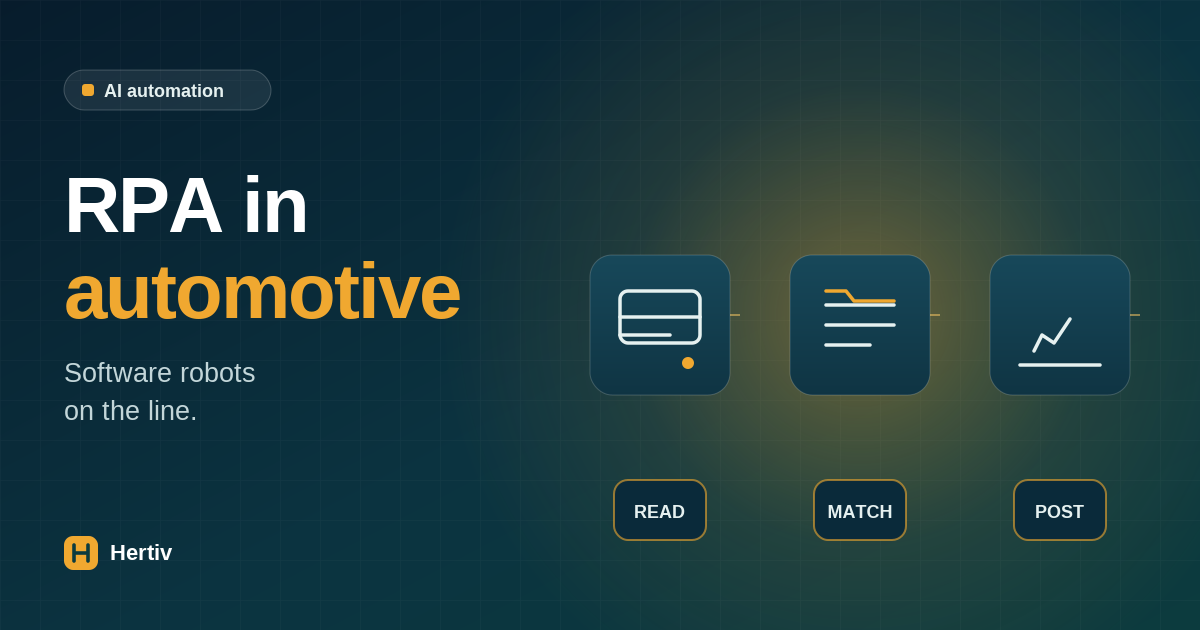
The team builds a robot that reads each invoice, matches it to the order and delivery note, and posts it to the finance system when all three agree. Invoices that do not match go to a clerk with the difference highlighted. The robot processes 400 invoices in about 10 hours of unattended run time a month.
After three months, the numbers are clear: 340 of 400 invoices match automatically, which is 85 percent, and the other 60 go to a clerk. Manual checking drops from 80 hours to about 12 hours a month, a saving of 68 hours, and the error rate on matched invoices falls because the robot applies the same rules every time.
What are the common mistakes?
The most common RPA mistakes in automotive are automating a broken process, skipping the exception path and treating the robot as a one-off project.
- Automating a broken process. If the process has unclear rules or constant exceptions, fix it first or the robot will fail often.
- No exception path. Robots need a clear route for cases they cannot decide, or work piles up unnoticed.
- Ignoring system changes. A software update can break a robot that depends on screen layouts, so plan for maintenance.
- No ownership. Without someone responsible for the robot, small failures turn into long outages.
- Measuring only hours saved. Speed matters, but accuracy, audit trails and staff time for real work matter more.
How to start RPA in automotive
You start RPA in automotive by picking one high-volume, rule-based process, proving it works, and only then expanding to more.
- Pick one process. Choose a task with clear rules, high volume and a measurable outcome, such as invoice matching or warranty validation.
- Document the steps. Write down every step and decision, including what happens when data does not match.
- Build a pilot. Automate the standard cases first and route the rest to staff.
- Measure for a month. Track hours saved, error rate and how often the robot needs help.
- Decide what is next. Expand to similar processes only after the pilot proves the value and the maintenance cost is clear.
If the pilot needs a robot that understands documents or makes sense of messy data, it may need AI alongside RPA. For that, a partner for AI agent development can help design a system that combines both.
Key takeaways
- RPA in automotive is software, not a physical robot: it follows the same steps a person takes in existing systems
- It fits high-volume, rule-based work such as invoice matching, warranty validation and schedule updates
- Robots work around the clock, avoid typing errors and log every step, which helps with audits
- It cannot fix a broken process or make judgement calls; people must handle the exceptions
- Start with one clear process, pilot it for a month, and expand only after the value is proven
Frequently asked questions
What is the difference between RPA and AI in automotive?
RPA follows fixed rules to repeat the same steps, while AI can interpret messy data and make predictions. Many automotive teams combine them: RPA moves the data and AI reads documents or flags unusual cases. RPA alone cannot handle work that needs judgement.
Does RPA replace factory workers?
No. RPA in automotive mainly automates office and planning work, such as data entry, invoice checks and schedule updates. Factory floor robots are a different technology. RPA frees office staff from repetitive tasks so they can handle exceptions and customers.
Which automotive processes are best for RPA?
The best fits are high-volume, rule-based tasks with clear inputs and outputs: invoice matching, warranty claim validation, production schedule updates and supplier delivery checks. Tasks that change often or need judgement are poor fits.
How long does an RPA pilot take?
A pilot for one process usually takes a few weeks to build and a month to measure. The time depends on how well the process is documented and how messy the data is. Teams should measure hours saved, error rate and maintenance effort before expanding.
What happens when a system changes?
A software update can break a robot that depends on screen layouts or file formats. Plan for maintenance: assign an owner, test the robot after updates, and keep the process documentation current so fixes are quick.
Is RPA the same as a chatbot?
No. A chatbot answers questions in conversation, while RPA works behind the scenes in business systems. They can work together: a chatbot can collect a request and an RPA robot can process it, but they are different tools.


