Restaurant Finding App Features Users Actually Need
A restaurant finding app needs search, maps, filters, menus, trusted reviews and booking, so users can decide faster and turn discovery into a confirmed table.
On this page
Short answer
A restaurant finding app helps people discover places to eat, compare them and book a table. The features that matter most are search and maps, filters for cuisine, price and diet, current menus with prices, recent verified reviews, and booking or ordering in the same flow.
What is a restaurant finding app?
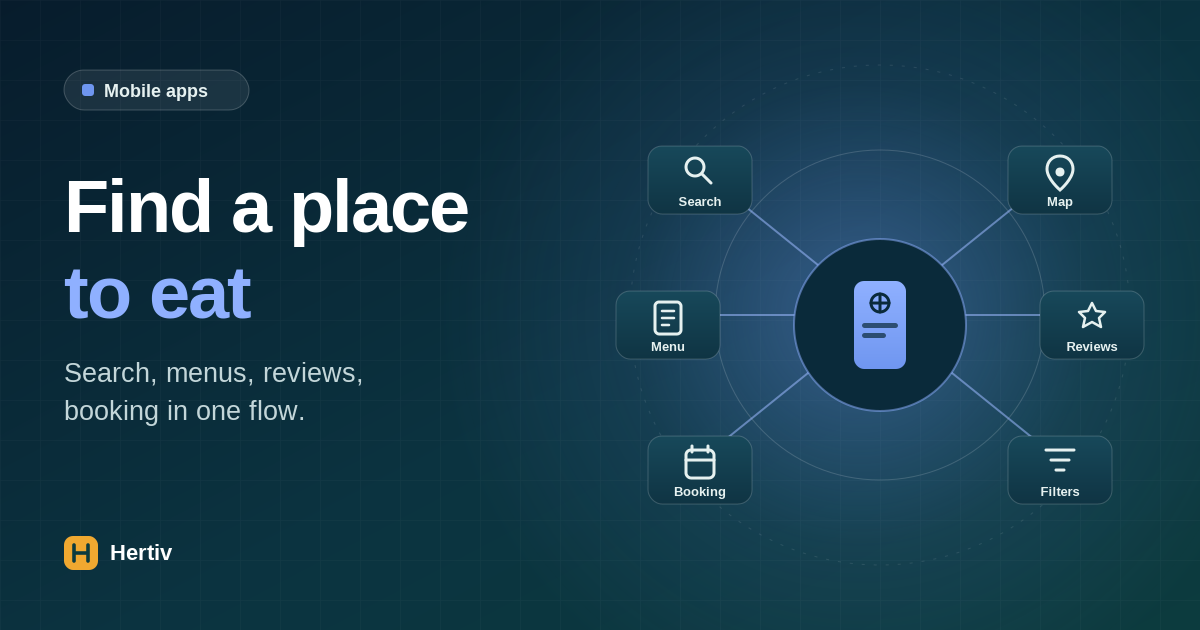
A restaurant finding app is a mobile app that helps people discover places to eat nearby, compare them, and book a table or order food. It combines search, maps, menus, reviews and booking into one flow, so a user can go from "where should we eat" to a confirmed table without leaving the app.
The core job is narrowing choice. A city can have thousands of restaurants, and the app's value is in showing the right ten for this person, this meal and this moment. Every feature should serve that job: help the user decide faster and with more confidence.
That decision focus separates a finding app from a restaurant's own app, which serves one venue. A finding app competes on coverage, filters and trust, not on one restaurant's menu. For the cost side of building one, see restaurant app development cost.
Search and discovery: the features that matter first
Search and discovery are the features users open the app for, so they set the quality bar for everything else. The search box must handle dish names, cuisines, restaurant names and dietary needs, and it must return useful results even when the user types only part of a word.
| Feature | What it does | Why it matters |
|---|---|---|
| Text search | Finds dishes, cuisines, venues | Fastest path to a choice |
| Map view | Shows venues near the user | Distance drives the decision |
| Filters | Cuisine, price, diet, open now | Narrows thousands to ten |
| Curated lists | Editor and community picks | Helps users who browse |
| Personal picks | Based on past visits | Brings users back |
Location is the strongest signal in a finding app. Results should be sorted by a mix of distance and quality, not by distance alone, or the nearest average restaurant will always win over a better one a few minutes further away.
Menus, prices and dietary filters
Menus and prices are where users check whether a shortlisted restaurant actually fits. The menu must be current, priced and searchable by dish, because an outdated menu is one of the fastest ways to lose trust in a finding app.
Dietary filters need the same care. A vegetarian, vegan, halal or gluten-free filter is only useful if the underlying data is accurate, which means the restaurant or the app team must maintain it. A wrong filter result is worse than no filter, because it sends a user to a venue that cannot serve them.
Photos help here too, but only real ones. Menu photos taken by the restaurant or by recent visitors tell the user what the food looks like now. Stock-style images of dishes the venue does not serve will mislead and generate bad reviews.
Reviews, ratings and trust
Reviews and ratings are the trust layer of a finding app. Users read them to answer one question: will this place be good for us tonight? The features that serve that question are recent reviews, ratings broken down by food, service and atmosphere, and a way to spot fake or outdated feedback.
Recency matters more than the overall average. A restaurant that changed owners six months ago should not be judged by reviews from two years ago, so the app should surface recent reviews first and show when each was written. Verified-visit badges, where the reviewer actually booked or checked in, add weight to the feedback.
Moderation is part of the feature set, not an afterthought. Fake reviews, review bombing and paid placements damage trust across the whole app, so the team needs clear rules, a reporting flow and a way to remove feedback that breaks them. For why restaurants invest in apps at all, see why restaurants need a mobile app.
Booking, ordering and maps
Booking and ordering turn discovery into a completed plan. A user who finds a restaurant should be able to reserve a table, join a waitlist or order delivery without switching apps, and the app should confirm the booking with a clear time and party size.
Maps and directions complete the trip. The app should show walking and driving time, parking or transit notes where relevant, and the restaurant's exact entrance, not just its street address. Small details like opening hours, including holiday hours, prevent the most common disappointment: arriving to find the doors closed.
Notifications should be used sparingly. A booking reminder and a table-ready alert are welcome. Promotional pushes about venues the user has never shown interest in are the fastest route to an uninstall.
Payments can sit in the same flow too. Letting users split the bill or pay at the table removes one more reason to leave the app, but only add it once booking itself works well. A payment step that fails will undo the trust the rest of the flow built.
Example: a finding app lifts bookings for a small city
Example (hypothetical): a finding app covers a small city with 50,000 monthly users. In its first version, 8% of users complete a booking, which is 4,000 bookings a month.
The team adds three features: an "open now" filter, dish-level search, and verified-visit reviews shown first. Booking completion rises to 10%, which is 5,000 bookings a month, or 1,000 more bookings from the same user base.
The lesson is that discovery features pay off through conversion, not through more downloads. The team measured bookings per user before and after each feature, which is how they knew which of the three changes mattered and which did not.
What are the common mistakes?
The most common mistakes are stale data, too many features at launch, and trust features added too late.
- Stale menus and hours. Outdated information breaks trust faster than any missing feature.
- Too many filters at launch. Start with cuisine, price, distance and dietary needs, then add the rest from real usage.
- No moderation plan. Fake reviews arrive early; the team needs rules and tooling before launch.
- Sorting by distance only. The nearest average venue beats a better one nearby unless quality is part of the sort.
- Ignoring the booking step. Discovery without booking leaves the user to finish the job elsewhere.
- Spammy notifications. Promotional pushes drive uninstalls faster than they drive visits.
Key takeaways
- Search, maps and filters are the core: they narrow thousands of venues to a shortlist.
- Menus and hours must be current, or users stop trusting the app.
- Recent verified reviews matter more than an old overall average.
- Booking and ordering complete the job discovery starts.
- Launch with five features done well, then add the rest from real usage.
Frequently asked questions
What features should a restaurant finding app have?
The essentials are text and map search, filters for cuisine, price, diet and opening hours, current menus with prices, recent reviews, and booking or ordering in the same flow. Curated lists and personal picks can come later, once the core flow works.
How do restaurant finding apps make money?
Common models are booking commissions, promoted listings, delivery fees and subscriptions for restaurants. The model should not distort the ranking, or users will notice that paid listings crowd out the venues they actually want.
Do I need reviews in a restaurant finding app?
Yes. Reviews are the trust layer that helps users choose between similar venues. Recent, verified-visit reviews matter most, and the app needs moderation rules and a reporting flow from the start to keep the feedback honest.
How accurate do menus and prices need to be?
Very accurate. An outdated menu or wrong price is one of the fastest ways to lose a user's trust. The restaurant or the app team must keep the data current, and the app should show when the menu was last updated.
Should the app include delivery as well as booking?
It depends on the market. Booking fits dine-in discovery, while delivery fits users eating at home. Many finding apps start with booking and add delivery later, once restaurant coverage is strong enough to make it useful.
What is the hardest part of building one?
Data quality. Keeping menus, hours, prices and reviews current across hundreds of venues is harder than building the screens. Plan for data maintenance from day one, or the app will go stale within months.


