Real-World AI Integration Examples: 8 That Work Today
AI integration works best when it plugs into a system a team already uses. These eight examples show where it saves time in production today.
On this page
Short answer
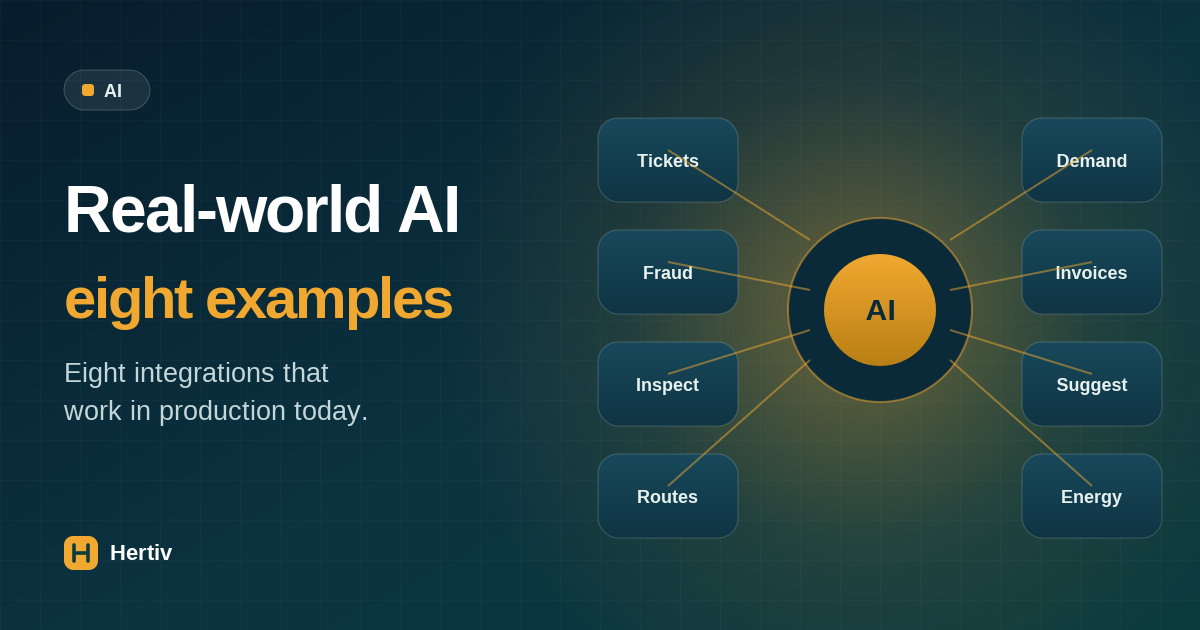
AI integration means connecting a model to a system a team already uses, so the model works on real data inside a real workflow. The eight examples below cover support, sales, finance, operations and energy, and each one is already running in production somewhere. None of them needs a chatbot or a brand-new product to work.
Which real-world AI integrations work in production?
The AI integrations that work in production are the ones that fit into an existing workflow. A model that sorts support tickets, forecasts demand, checks invoices or plans delivery routes does not ask users to learn a new tool. It takes the data the team already has, does one job, and hands the result back to the system the team already uses.
Use the table to shortlist. Each example below names the workflow, the job the model does and the check that keeps it honest, so a team can compare them before picking a first integration.
| Example | Workflow | What the model does | Main check |
|---|---|---|---|
| Ticket routing | Support inbox | Sorts and prioritises tickets | Wrong-route rate |
| Demand forecasting | Stock planning | Predicts what will sell | Forecast error |
| Fraud screening | Payments | Scores risky transactions | False-positive rate |
| Invoice extraction | Finance | Reads fields from PDFs | Field accuracy |
| Visual inspection | Factory line | Spots defects in photos | Missed-defect rate |
| Recommendations | Online shop | Suggests products to buy | Click and buy rates |
| Route planning | Delivery fleet | Plans stops and times | Miles and late drops |
| Energy use | Building controls | Adjusts heating and cooling | Energy saved |
Start with the workflow that already has clean data and a clear cost when it goes wrong. That is where an integration pays for itself fastest.
Ticket routing: best for support teams with a busy inbox
1. Ticket routing: best for support teams with a busy inbox
Ticket routing uses a model to read each incoming support message and send it to the right queue with a priority. A billing question goes to finance, a crash report goes to engineering, and an urgent outage jumps the queue. The model learns from past tickets that agents already labelled, so it needs a history of sorted tickets to start.
The check that matters is the wrong-route rate: how often the model sends a ticket to the wrong team. A team that measures this weekly can see whether the model is improving and can pull a category back to manual sorting when it drifts. Routing is a classifier, not an agent, so it makes one decision per ticket and never talks to the customer.
- Pros: fast to build, easy to measure, no customer-facing risk.
- Cons: needs labelled history, new ticket types start unrouted.
2. Demand forecasting: best for shops and warehouses that stock goods
Demand forecasting uses a model to predict how much of each product will sell in the coming weeks, based on past sales, seasons, promotions and holidays. The forecast feeds the ordering system, so buyers order closer to what will actually sell instead of guessing from last month's numbers.
The check that matters is forecast error: the gap between what the model predicted and what actually sold. A team that tracks error by product group learns which items the model handles well and which ones still need a human buyer. Forecasting does not remove the buyer; it gives the buyer a better starting number. For how teams test a model before building on it, see how to build an AI proof of concept.
- Pros: less dead stock, fewer stock-outs, clear error metric.
- Cons: new products have no history, promotions break the pattern.
Fraud screening: best for teams that take payments online
3. Fraud screening: best for teams that take payments online
Fraud screening scores each payment as it arrives, using signals such as the card, the device, the address and the order history. A high score sends the payment to a human review queue, while a low score passes through at once. The model learns from past cases the team already confirmed as fraud or as genuine.
The check that matters is the false-positive rate: how many genuine customers get blocked or delayed. A model that stops fraud but also blocks one in ten real buyers costs more than it saves. Teams tune the threshold so that review catches the risky few without annoying the many.
- Pros: stops fraud before money moves, learns from confirmed cases.
- Cons: false positives annoy customers, fraud patterns change often.
4. Invoice extraction: best for finance teams that process PDFs
Invoice extraction reads supplier PDFs and pulls out the fields finance needs: supplier name, invoice number, date, line items and total. The extracted fields go straight into the accounting system, so nobody retypes them by hand. The model is trained on the team's own invoice layouts, which is why it works better than a generic reader.
The check that matters is field accuracy: how often each extracted field matches the PDF. Finance teams usually set a rule that any invoice below a confidence threshold goes to a human for a quick check, and they measure accuracy weekly. The time saved is easy to count, because each invoice used to take minutes to type.
- Pros: cuts typing time, fewer keying errors, clear accuracy metric.
- Cons: new supplier layouts need examples, handwriting stays hard.
Visual inspection: best for factories that check parts by eye
5. Visual inspection: best for factories that check parts by eye
Visual inspection puts a camera on the production line and a model that flags parts that look wrong: scratches, missing pieces, wrong labels or bent edges. Flagged parts go to a human inspector, while good parts pass through. The model learns from photos of good and bad parts that the team already collected.
The check that matters is the missed-defect rate: how many bad parts slip past the model. A team that samples the passed parts each day can catch drift early, for example when a new supplier changes the part's colour and the model starts missing defects. Inspection models work best on one part at a time, not on a whole factory at once.
- Pros: checks every part, works at line speed, catches small defects.
- Cons: needs many labelled photos, new parts need retraining.
6. Recommendations: best for shops with a large catalogue
Recommendations suggest products a shopper is likely to buy, based on what similar shoppers bought and what the shopper has already viewed. The suggestions appear on product pages, in the cart and in emails. The model learns from the shop's own order history, so it fits the shop's actual customers rather than a generic pattern.
The check that matters is whether suggested products actually get bought, not just clicked. A team that tests recommendations against a control group that sees no suggestions can measure the real lift in orders. Recommendations need a large catalogue to matter; a shop with twenty products can list them all without a model.
- Pros: raises order value, works from order history, easy to test.
- Cons: new products have no history, cold starts need rules.
Route planning: best for delivery fleets with many stops
7. Route planning: best for delivery fleets with many stops
Route planning uses a model to order delivery stops and predict travel times, based on past trips, traffic patterns and delivery windows. The plan goes to the driver's phone, and the dispatcher sees the whole fleet on one screen. The model re-plans when a driver reports a delay or a new order arrives.
The check that matters is miles driven and late drops. A team that compares planned routes with driven routes can see whether the model actually saves distance and whether drivers follow the plan. Route planning works best when the fleet has at least a few dozen stops a day; a van with five stops can plan by hand.
- Pros: fewer miles, fewer late drops, dispatchers see the fleet live.
- Cons: needs good address data, drivers may ignore the plan.
8. Energy use: best for buildings with heating and cooling costs
Energy use models adjust heating and cooling in a building based on weather forecasts, occupancy and the time of day. The model learns when rooms are actually used and pre-heats or pre-cools them just in time, instead of running the system all day. The building controls stay in charge; the model only suggests set points.
The check that matters is energy saved against the same weeks last year, adjusted for weather. A team that tracks kilowatt-hours per week can see the saving clearly, and can roll back to the old schedule if comfort complaints rise. Energy models are a good first integration because the saving is measured in a bill, not in a feeling.
- Pros: saving shows on the bill, no new hardware needed, easy to roll back.
- Cons: needs occupancy data, comfort complaints need a fast rollback.
How to choose your first AI integration
Choosing a first AI integration is easier when the team scores each candidate on three things: data, cost of being wrong, and ease of checking. The best first integration has clean data, a low cost when the model is wrong, and a check the team can run every week.
- List the workflows that already have data. Pick the ones where the team already stores labelled examples, such as sorted tickets or confirmed fraud cases.
- Price the mistake. A wrong route costs minutes; a wrong payment decision costs a customer. Start where the mistake is cheap.
- Name the weekly check. If the team cannot say how it will know the model is working, the integration is not ready to build.
- Start with one workflow. Build one integration, measure it for a month, then decide whether to add a second.
- Keep a human in the loop. Route low-confidence cases to a person, and review a sample of the model's decisions every week.
A team that follows this order ends up with one working integration and a measurement habit, instead of five half-built ones. For a small first build, see how to build an AI proof of concept.
What are the common mistakes?
The most common mistake is starting with the model instead of the workflow. A team that buys a model and then looks for a problem to solve ends up with a demo that nobody uses. The workflow comes first: name the job, the data and the check, then pick the model that fits.
Another mistake is skipping the check. A model that nobody measures will drift quietly as the data changes, and the team will only notice when customers complain. Every integration needs a weekly number that shows whether it is still working.
Teams also forget the cost of being wrong. A model that is right 90 percent of the time still makes 100 mistakes in 1,000 cases. If each mistake costs a customer, the integration loses money. Route the uncertain cases to a human and keep the model's decisions visible.
Key takeaways
- Start where the team already has labelled data and a clear cost of being wrong.
- Every integration needs a weekly check that shows whether it still works.
- Route low-confidence cases to a human; do not let the model decide alone.
- One working integration beats five half-built ones.
- Measure the saving in time, money or errors, not in model accuracy alone.
Frequently asked questions
What is AI integration in simple terms?
AI integration means connecting a model to a system a team already uses, so the model works on real data inside a real workflow. The model does one job, such as sorting tickets or forecasting demand, and hands the result back to the existing system.
Which industries use AI integration the most?
Support, retail, finance, manufacturing, logistics and energy use it the most, because they have large amounts of routine data and clear costs when a job is done slowly. Any team with a repetitive, data-heavy workflow can use it.
How long does a first AI integration take?
A small first integration, such as ticket routing or invoice extraction, usually takes a few weeks of work by a small team, once the data is ready. The data work, such as labelling examples, often takes longer than the model itself.
Do small businesses need AI integration?
Small businesses can use it where the workflow is repetitive and the data exists, such as sorting emails or forecasting stock. A team with a handful of cases a week can usually do the job by hand and does not need a model yet.
What data does an AI integration need?
It needs examples of the job already done: sorted tickets, confirmed fraud cases, past sales or labelled photos. Without labelled examples, the model has nothing to learn from, and the team should start by labelling a small set.
How do teams know an AI integration is working?
They measure one number every week, such as the wrong-route rate, the forecast error or the energy saved. If the number improves or stays steady, the integration is working. If it drifts, the team retrains the model or pulls the job back to a human.


