React Native New Architecture: What Changed and Why It Matters
The React Native New Architecture replaces the old bridge with a faster renderer and direct native calls. Here is what changed and how to migrate.
On this page
Short answer
The React Native New Architecture is a rewrite of how React Native talks to native code, built around the Fabric renderer, TurboModules and the JavaScript Interface. It removes the old asynchronous bridge, so UI updates and native calls run faster and with less overhead. Most new apps use it by default, and existing apps can migrate screen by screen.
What is the React Native New Architecture?
The React Native New Architecture is a rewrite of the internals that connect JavaScript to native iOS and Android code. It replaces the old bridge with a set of parts that talk to each other directly, so work that used to cross an asynchronous queue now happens in place.
The main parts:
| Part | What it does | Replaces |
|---|---|---|
| Fabric | Renders the UI and measures layout | The old UI manager |
| TurboModules | Native modules loaded only when used | Eagerly loaded bridge modules |
| JavaScript Interface | Lets JavaScript call native code directly | The serialised bridge |
| Codegen | Generates native interface code from specs | Hand-written glue code |
| Hermes | JavaScript engine built for mobile | JavaScriptCore in most apps |
New apps created with the current tooling use the New Architecture by default. Existing apps can turn it on and migrate gradually, because an interop layer lets old components keep working. For context on the framework itself, see React Native apps and how teams use them.
What is Fabric and how does it change rendering?
Fabric is the new rendering system. It measures layout and builds the native view tree in C++, and it can render a screen before JavaScript has finished running, which cuts the time between a state change and pixels on screen.
The practical difference is speed on busy screens. Lists that scroll, animations that run while data loads, and screens that update many times a second all benefit, because layout work no longer waits for a round trip through the bridge. Fabric also supports concurrent rendering, so a heavy update can be interrupted by a more urgent one, such as a tap, instead of blocking the screen.
Fabric changes how custom native components are written. A component built for the old renderer needs a Fabric version, usually generated from a spec, before it can use the new path. Most maintained libraries have shipped one; unmaintained ones are the main reason a migration stalls.
What are TurboModules and the JavaScript Interface?
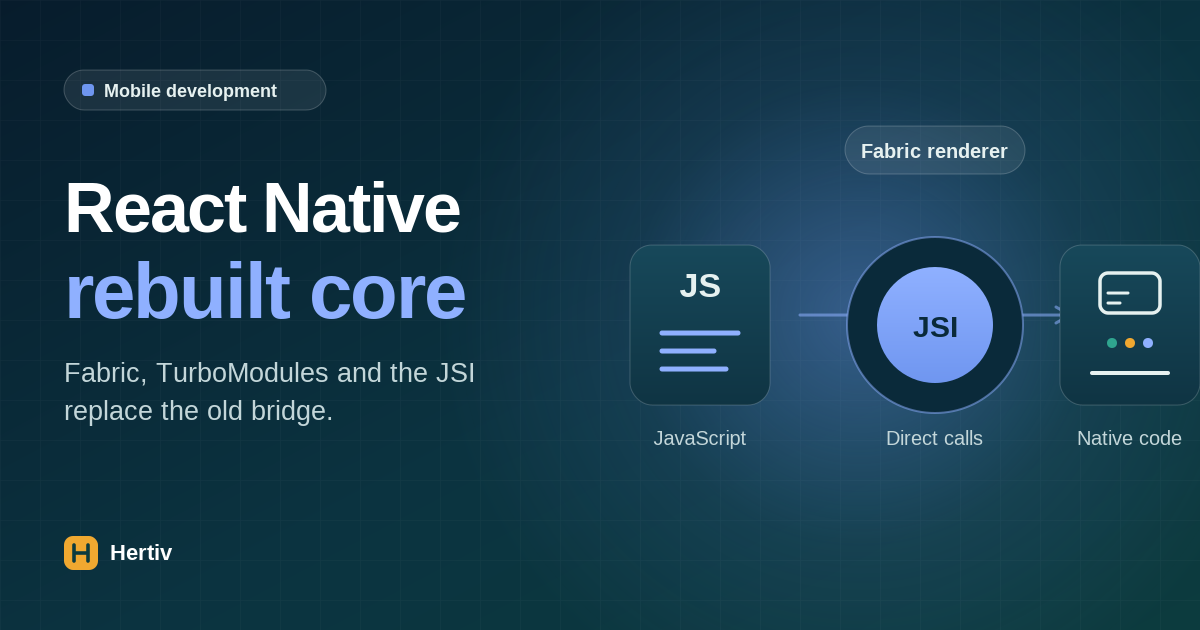
TurboModules are native modules that load only when JavaScript first calls them, instead of all modules loading at startup. The JavaScript Interface, or JSI, is the layer that lets JavaScript hold references to native objects and call them directly, without serialising every call to JSON.
Together they remove two costs of the old bridge. Startup gets faster because modules that are never used never load, which matters for apps with many native dependencies. Calls get faster because a value can pass between JavaScript and native code without being converted to a string and back, which helps features that call native code often, such as sensors, storage or audio.
For developers, the change is mostly invisible in day-to-day JavaScript. The difference shows up in performance traces and in how native modules are declared, which is where React Native component libraries and their migration notes become useful.
What does Codegen do for native modules?
Codegen reads a JavaScript spec file that describes a native module or component, and generates the native interface code for iOS and Android from it. You write the spec once, and the tool produces the matching Objective-C, Java or Kotlin glue.
The benefit is consistency. Hand-written glue code drifts: a method added on one platform is forgotten on the other, or a type mismatch crashes at runtime. Generated code keeps both platforms in step with the spec, and type errors surface at build time instead of on a user's phone.
Codegen also makes the module's interface explicit. A team adding a native feature starts by writing the spec, which forces a decision about the API before any native code exists. That spec becomes the contract both platforms implement, and it is easier to review than two separate native implementations.
How do you migrate an existing app to the New Architecture?
You migrate an existing app by turning the New Architecture on, checking that every native dependency supports it, and fixing or replacing the ones that do not, one screen at a time.
A workable sequence:
- Update React Native and your dependencies to versions that support the New Architecture.
- Enable it in the build settings and run the app, noting which screens or features break.
- List every native module and component, and check each library's support status.
- Replace or fork the libraries that have no Fabric version, starting with the ones on your main screens.
- Test scrolling, animations and navigation on real devices, not only simulators.
- Ship behind a flag if your setup allows it, so you can switch back if a problem appears in production.
The interop layer lets old-architecture components run inside a New Architecture app, so a full rewrite is rarely needed. The migration is usually a dependency audit with a few rewrites, not a new app. Mobile app development teams usually budget a few weeks for a medium app, depending on how many custom native modules it has.
Example (hypothetical): a delivery app migrates one screen at a time
Example (hypothetical): a food delivery app with 40 screens runs on the old architecture. Its order-tracking screen stutters when the map, the courier position and the order status all update at once, and startup takes about 4 seconds on a mid-range phone.
The team enables the New Architecture and finds that 3 of its 18 native libraries have no Fabric version. Two have newer releases that support it; the third is a small custom map marker library the team rewrites from a Codegen spec in about a week.
After migration, the tracking screen updates without stutter, and startup drops from about 4 seconds to about 3 seconds because unused modules no longer load at launch. That is a 1-second saving, or 25% of the old startup time, on the team's test device. The rest of the app is unchanged, which is the point: the migration touched three libraries, not forty screens.
What are the common mistakes?
The most common New Architecture mistakes are enabling it without auditing native dependencies, assuming every screen gets faster, and testing only on simulators.
- Skipping the dependency audit. One unmaintained library can block the whole migration.
- Expecting speed everywhere. Simple screens barely change; busy, updating screens gain the most.
- Testing only on simulators. Rendering and startup behaviour differ on real devices, especially mid-range ones.
- Rewriting custom modules by hand. Use Codegen specs so both platforms stay in step.
- Migrating everything at once. Enable the architecture, migrate the main screens first, and keep the interop layer for the rest.
Teams choosing between frameworks sometimes compare this with other cross-platform options first; Flutter vs React Native covers the trade-offs that matter before a migration decision.
Key takeaways
- The New Architecture replaces the bridge with Fabric, TurboModules, the JSI and Codegen
- Fabric renders in C++ and supports concurrent rendering, which helps busy screens most
- TurboModules load only when called, and the JSI removes JSON serialisation from native calls
- Codegen generates native glue from a spec, keeping iOS and Android in step
- Migrate by auditing native dependencies first; the interop layer lets old components keep working
Frequently asked questions
Is the New Architecture enabled by default in new apps?
Yes. Apps created with current React Native tooling use the New Architecture by default. Existing apps need to enable it and check their native dependencies first, since older libraries may not have a Fabric version yet.
Does the New Architecture make every app faster?
No. Simple screens barely change. The gains show up on busy screens with frequent updates, such as maps, lists and animations, and in startup time when many native modules were loading eagerly. Measure your own slow screens before and after.
What happens to libraries that do not support Fabric?
They run through the interop layer, which lets old-architecture components work inside a New Architecture app. That is a bridge, not a fix: performance on those components stays close to the old behaviour, and unmaintained libraries may need replacing or forking.
Do I need to learn C++ to use the New Architecture?
No, for most app work. JavaScript and TypeScript code stays the same. C++ matters only if you write custom native components or modules, where Codegen specs now generate much of the glue code for you.
What is the difference between Fabric and TurboModules?
Fabric is the rendering system: it measures layout and builds the native view tree. TurboModules are the native modules JavaScript calls, loaded only when first used. They solve different problems, and both sit on the JavaScript Interface that replaced the bridge.
How long does a migration usually take?
It depends on native dependencies. An app with maintained libraries can migrate in days of testing. An app with several custom or unmaintained native modules takes longer, because each one needs a Fabric version or a replacement. Audit the dependencies before estimating.


