Which Databases Work Best for React Native Apps?
React Native apps usually pair SQLite (local, offline) with Firebase, Supabase, Realm or a REST/GraphQL API to a server database. Pick by sync, offline and security needs.
On this page
Short answer
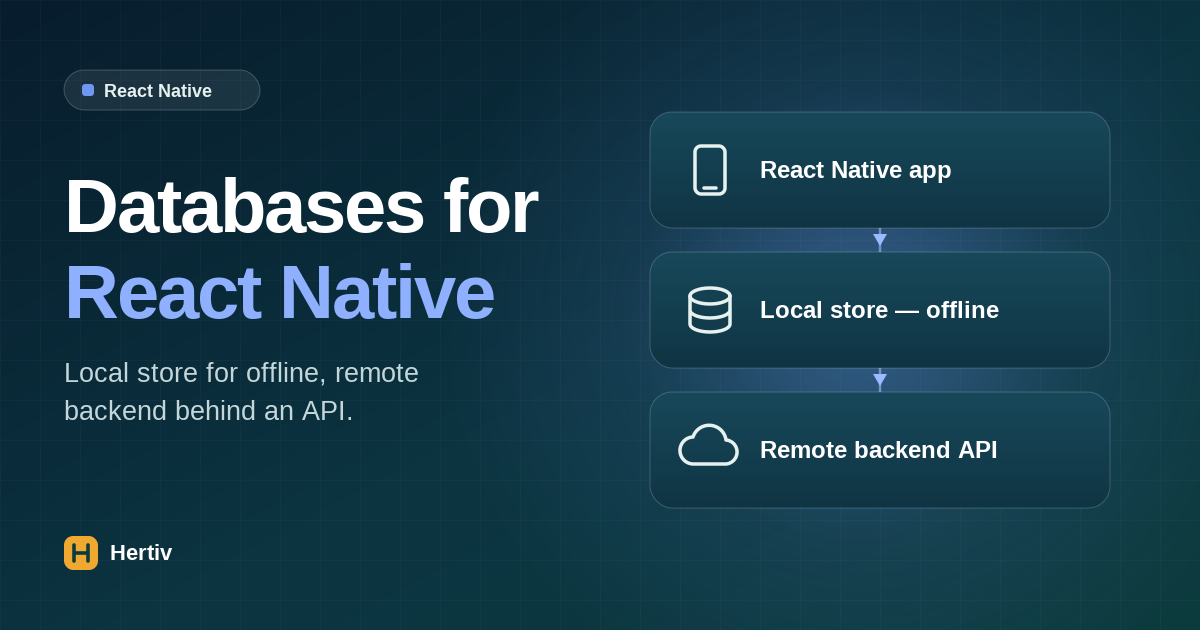
React Native has no single built-in database. Most teams combine a local store for offline use (SQLite via Expo, WatermelonDB, Realm) with a remote backend (Firebase, Supabase, MongoDB via API, or a server database behind REST/GraphQL). Choose by sync model, offline requirements and data sensitivity.
How do React Native databases compare?
React Native apps typically use two layers: a local database on the device and a remote database behind an API or managed service. The table below compares the options teams ask about most.
| Option | What it does | Typical data needed | Effort |
|---|---|---|---|
| SQLite (expo-sqlite) | On-device relational store | Local schema, migrations | Low |
| WatermelonDB | Local database with lazy loading and sync hooks | Sync adapter, schema | Medium |
| Realm | Object database with device sync via Atlas | Object schema, access rules | Medium |
| Firebase Firestore | Managed document store with real-time listeners | Collections, security rules | Low |
| Supabase | Managed Postgres with auth and row-level security | SQL schema, policies | Medium |
| AsyncStorage | Key-value storage for small settings | Small JSON blobs | Low |
| MongoDB via API | Document database reached through your backend | API layer, auth | Medium–high |
| Server SQL (Postgres, MySQL) behind REST/GraphQL | Relational data owned by your backend | API contract, auth | High |
Treat "database" as two decisions: what runs on the phone, and what runs behind your API. Most production apps need both.
Local-first databases for React Native
These run inside the app and keep working without a network. They are the right default when users edit data on the move, in poor coverage, or when you want fast screen loads.
1. SQLite via expo-sqlite: best for straightforward local storage
SQLite ships with the platforms React Native targets, and expo-sqlite wraps it with a maintained API. You write normal SQL and control migrations yourself. It pairs well with a small sync layer you own.
Pros - No third-party service or account required. - Familiar SQL and tooling.
Cons - You build sync, conflict handling and change tracking.
2. WatermelonDB: best for large lists and offline editing
WatermelonDB is built for apps with thousands of records and heavy list rendering. It loads lazily and exposes an observable API that fits React components. Sync goes through an adapter you implement against your backend.
Pros - Designed for performance on large datasets. - Clear separation between local store and sync.
Cons - Sync adapter and conflict rules are your responsibility.
3. Realm: best when you want device sync built in
Realm is an object database with a sync service (Atlas Device Sync) that handles changes across devices. Object models feel natural in JavaScript and TypeScript.
Pros - Built-in sync and offline handling. - Object model reduces mapping code.
Cons - Ties your data layer to one vendor and its pricing model.
4. AsyncStorage: best for small key-value data
AsyncStorage is a simple key-value store, not a database. Use it for tokens, preferences and small cached objects, not for lists you need to query. Reaching for it as a main store usually leads to manual indexing and slow screens.
Backend-as-a-service options: Firebase and Supabase
Managed backends remove server work but shift the design to security rules and data modelling. They suit teams that need real-time updates and want to skip infrastructure.
Firebase Firestore: best for real-time collaboration
Firestore is a document store with live listeners, offline cache and client SDKs for React Native. Security rules define who can read and write each document.
Pros - Real-time sync with little custom code. - Offline cache works out of the box.
Cons - Document modelling limits complex queries and joins. - Costs scale with reads and writes, so unbounded listeners get expensive.
Supabase: best for teams that want Postgres
Supabase provides managed Postgres, authentication, storage and row-level security. The JavaScript client works in React Native, and you keep SQL as your query language.
Pros - Relational model with joins and views. - Row-level security keeps authorisation in the database.
Cons - Real-time features are narrower than Firestore's. - You still need to plan offline caching yourself.
When to use a server database behind an API
If your data model is relational, your rules are complex, or you already run Postgres, MySQL or MongoDB on a backend, keep the database there and expose a REST or GraphQL API. The app stores a local cache and calls the API.
This is the most work but the most control. You decide authentication, rate limiting, audit logging and data residency, which matters for teams in the EU and Middle East handling regulated data. A data engineering review early on helps you size schemas and indexes before they become a migration problem.
Patterns that work:
- Thin client, fat server: the app never holds credentials for the primary database.
- Local cache with versioned sync: each record carries an updated timestamp or version, and the server resolves conflicts.
- API gateway for mobile: one endpoint that handles auth, device registration and payload shaping.
Watch out for the common shortcut of calling the database directly from the app with an embedded key. It is visible in the app bundle and cannot be rotated without shipping a new build. Route access through your API or through provider security rules.
Example (hypothetical): a field-service app has 40,000 work orders. Fetching all of them on launch would be slow, so the app syncs only orders changed in the last 30 days and pages older ones on demand. The arithmetic is simple: fewer records per request means faster cold starts and less data on the device.
How to choose a database for a React Native app
Start from the sync behaviour you need, then pick the store that supports it with the least custom code. The database is a consequence of that decision, not the starting point.
- Define the offline requirement. If the app must work with no network at all, you need a local store. If brief offline gaps are acceptable, a managed backend with a cache may be enough.
- Map the data shape. Lists with relationships and reporting favour SQL (SQLite, Postgres). Nested, document-shaped content favours Firestore or MongoDB.
- Choose the sync owner. Decide whether the provider handles conflicts (Realm, Firestore) or you do (SQLite, WatermelonDB, Supabase). Custom sync is where most effort hides.
- Check data sensitivity and residency. Regulated data usually needs a server you control or a provider with the right region and security commitments.
- Estimate read/write volume. Per-operation pricing on managed services can grow quietly; model it against your expected usage before you commit.
- Prototype the worst screen. Build the list or form that will carry the most data, on a low-end Android device, before standardising.
If your team is small or new to mobile, custom software development support can save months of sync debugging. For larger engineering organisations, staff augmentation fills mobile and backend gaps while you keep architecture control.
Common mistakes
Most React Native data problems come from design choices made early and discovered late. These are the ones that recur.
- Using AsyncStorage as a database. It has no queries or indexes, so list screens slow down as data grows.
- Embedding database credentials in the app. Anything shipped to a device can be extracted; use an API or security rules.
- Choosing a backend before defining sync. Real-time listeners, conflict resolution and offline queues are hard to retrofit.
- Ignoring migration planning. Local schemas change with app releases; without migrations, users lose data on upgrade.
- Leaving listeners open. Real-time subscriptions that are never detached drain battery and inflate read costs.
- Skipping indexes on local queries. SQLite and Postgres both slow down on unindexed filters over large tables.
- Testing only on fast networks. Sync logic that works on Wi-Fi often fails on flaky mobile connections.
Security and maintenance after launch
The database choice affects your security posture and your maintenance load for years. Plan both before the first release.
On the device, encrypt local databases that hold personal or financial data, and clear cached data on logout. On the backend, enforce authorisation server-side or through provider rules, and log access to sensitive records. Our cybersecurity services team reviews mobile data flows as part of release readiness.
Maintenance tasks that matter:
- Schema migrations: version your local schema and test upgrades from the previous two app versions.
- Sync monitoring: track failed syncs, conflict counts and queue depth per platform.
- Data retention: define how long you keep local copies and server records, especially for regulated data.
- Dependency updates: React Native and its database libraries move quickly; pin versions and upgrade on a schedule.
For teams building AI features on top of mobile data, the backend database becomes the retrieval source. See our guide to RAG development for how that layer is structured, or talk to us about AI agent development if you are adding assistants to the app.
Key takeaways
- SQLite through expo-sqlite covers most local-first storage with no third-party service.
- Firebase Firestore is the fastest path when real-time sync matters more than query flexibility.
- Supabase gives you Postgres and row-level security while staying close to the Firebase workflow.
- Realm and WatermelonDB handle large local datasets and conflict-heavy offline editing.
- Avoid putting a database credential in the app bundle; access data through an API or security rules.
- Decide the sync strategy before choosing the database; retrofitting offline sync is expensive.
Frequently asked questions
Does React Native have a built-in database?
React Native does not ship a general-purpose database. The closest is SQLite, available through expo-sqlite or community packages, because the platform itself includes SQLite. Most apps add a local library such as WatermelonDB or Realm, or connect to a managed backend like Firebase or Supabase.
Is Firebase or Supabase better for React Native?
Firebase suits real-time collaboration and document-shaped data with minimal setup. Supabase suits teams that want relational Postgres, joins and row-level security. Neither is universally better; the choice depends on your data model, query needs and where you want authorisation to live.
How do I handle offline data in React Native?
Use a local database as the source the UI reads from, and sync changes to your backend in the background. SQLite, WatermelonDB and Realm all support this. Define conflict rules up front, for example last-write-wins with a version field, and test on unreliable connections.
Can I connect React Native directly to Postgres or MySQL?
You can technically open a connection, but it is unsafe: the credentials ship inside the app and can be extracted. Put an API or serverless function in front of the database, authenticate users there, and let the app talk only to that layer.
When should I use Realm instead of SQLite?
Realm is worth considering when you want object models and built-in device sync without writing a sync layer. SQLite is a better fit when you want SQL, no vendor dependency and full control over how changes propagate to your backend.
How much does a React Native database setup cost?
Costs vary by scope and cannot be generalised. Managed backends charge by usage, so read and write volume drives the bill. Self-hosted databases cost mainly in engineering time for sync, migrations and monitoring. Model your expected usage before committing to a provider.


