Patient Engagement Software: What It Does and How to Pick It
Patient engagement software helps clinics keep patients informed, reminded and involved in their care. Learn the core features and how to choose a system.
On this page
Short answer
Patient engagement software is a set of tools that helps a healthcare provider communicate with patients between visits, remind them about appointments and medication, collect feedback and share care plans. It sits between the clinic's scheduling and records systems and the patient, and its job is to keep patients informed and involved so they show up, follow the plan and ask questions early.
What is patient engagement software?
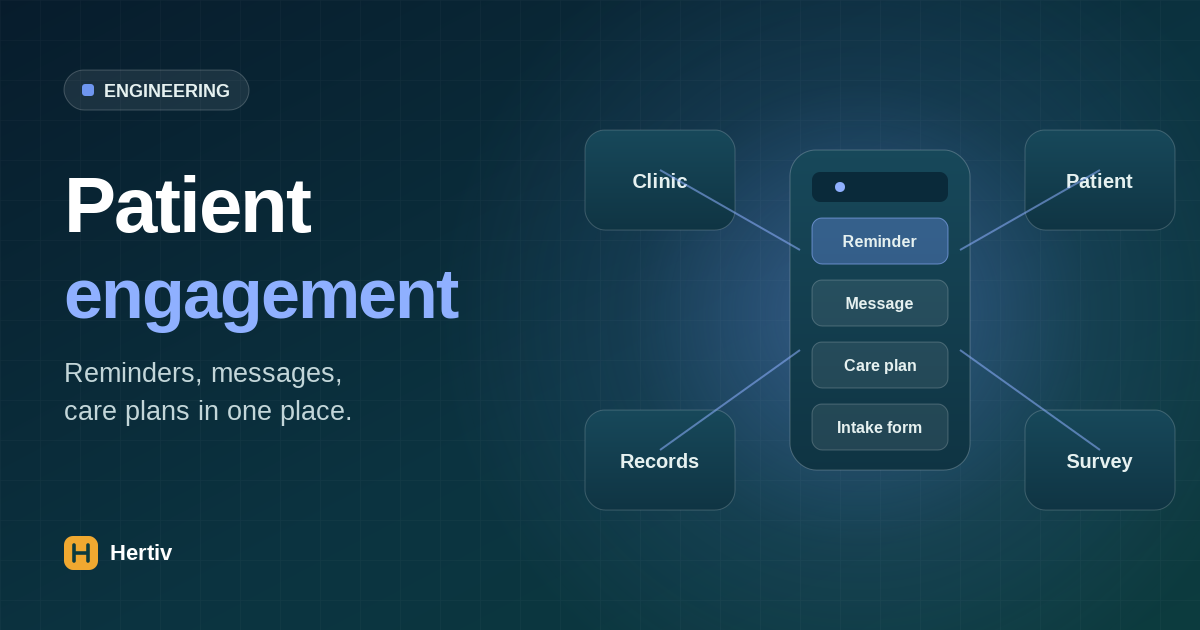
Patient engagement software is a set of tools that helps a healthcare provider communicate with patients between visits, remind them about appointments and medication, collect feedback and share care plans. It sits between the clinic's scheduling and records systems and the patient, and its job is to keep patients informed and involved so they show up, follow the plan and ask questions early.
Most clinics already talk to patients, but the work is manual: receptionists call to confirm appointments, nurses chase test results, and patients phone in with questions that a portal could have answered. Engagement software automates the routine messages and gives patients a single place to see what is happening with their care.
Typical features include:
| Feature | What it does | Who it helps |
|---|---|---|
| Appointment reminders | Text, email or call before a visit | Patients and reception |
| Secure messaging | Questions and answers in one thread | Patients and clinicians |
| Care plans | Shared steps, goals and education | Patients and care teams |
| Intake forms | Forms completed before the visit | Patients and admin staff |
| Feedback surveys | Short surveys after a visit | Clinic managers |
| Medication reminders | Prompts to take or refill medicine | Patients |
The software is not a medical record system. It works alongside the record system, pulling appointment and care-plan data from it and writing patient messages and responses back. That integration is what makes it useful instead of just another inbox.
What problems does patient engagement software solve?
Patient engagement software solves three problems: missed appointments, slow communication and patients who leave the clinic unsure what to do next.
Missed appointments are the most visible cost. An empty slot wastes clinician time and delays care for the next patient. Reminders reduce no-shows, and a simple reschedule link lets a patient move a visit instead of just not turning up.
Communication is the second problem. Patients phone with questions that have already been answered in a letter, or they wait days for a test result because nobody told them where to look. Secure messaging and automatic result notifications cut that waiting and the phone traffic that comes with it.
The third problem is follow-through. A care plan only works if the patient understands it and remembers it. Shared plans, education material and medication reminders turn a one-off consultation into an ongoing routine the patient can actually follow.
What should a good patient engagement system include?
A good patient engagement system includes reminders, secure messaging, intake forms and care plans, and it connects to the clinic's scheduling and records systems without manual retyping.
Reminders should work across text, email and voice, because patients differ in what they read. The system should let patients confirm, cancel or reschedule from the message itself, with no login required for the simple actions.
Secure messaging should keep the whole conversation in one thread, with a clear response-time promise so patients know when to expect an answer. It should also route messages to the right person: a billing question should not sit in a nurse's queue.
Intake forms should be short and mobile-friendly, and the answers should flow into the record system automatically. A form that a patient completes twice, once online and once on paper in the waiting room, is worse than no form at all.
Finally, check the reporting. The clinic should be able to see no-show rates, message response times and survey results without exporting data to a spreadsheet. For the build side of healthcare apps, see how to build a healthcare app.
Example (hypothetical): a clinic cuts its no-show rate
Example (hypothetical): a clinic books 200 appointments a day and 12% of patients do not show up. That is 24 empty slots a day, or about 120 a week.
The clinic adds engagement software with text reminders sent two days and two hours before each visit, plus a reschedule link in the message. After three months the no-show rate falls to 7%, which is 14 empty slots a day instead of 24. That frees 10 slots a day, or 50 a week, for patients on the waiting list.
The clinic also adds intake forms that patients complete at home. Reception time per patient falls because the form is already in the record when the patient arrives, and clinicians start visits with the information already filled in.
The point of the example is the measurement: the clinic tracked the no-show rate weekly on the same booking mix, so it could see whether the change was real or just a quiet week.
How to choose patient engagement software
Choosing patient engagement software starts with the clinic's own workflow, not with a feature list. Write down how patients book, confirm, arrive and follow up today, then find the software that fits that flow.
- List the patient journeys. Write down the five most common journeys, such as a first visit, a follow-up, a test result and a referral.
- Check the integration. Confirm the software connects to your scheduling and records systems, and ask what data flows each way.
- Test with real patients. Run a small pilot with one clinic and one patient group, and watch whether patients actually use the messages and forms.
- Check privacy and consent. Confirm how patient data is stored, who can see messages, and how consent is recorded and withdrawn.
- Compare the total cost. Include the per-patient fee, the integration work and the staff time to run the system.
Ask the vendor for a pilot price and a clear statement of what is included. See the vendor site for current pricing, and check healthcare app development cost for the wider build budget.
What are the common mistakes?
The most common mistake is buying engagement software and treating it as a messaging tool. If the software does not connect to scheduling and records, staff end up copying information between systems, and the tool adds work instead of removing it.
Another mistake is sending too many messages. A patient who gets a reminder, a survey, a newsletter and a medication prompt in one week will start ignoring all of them. Set a message policy: reminders and care messages first, marketing last, and let patients choose what they receive.
Clinics also forget the patients who do not use smartphones or email. A system that only works by text leaves older patients and those without a phone behind. Keep a phone-call path for reminders and results.
Finally, do not launch without measuring. Track no-show rates, message response times and patient satisfaction before and after the launch, on the same clinics, so you know whether the software is helping.
How do privacy and consent work?
Privacy and consent work through clear rules: patients agree to be contacted, they choose the channel, and they can stop messages at any time. The software must record that consent and respect it.
Messages about appointments and test results are health information, so they must be sent through a secure channel and stored where only authorised staff can see them. A plain text message that names a diagnosis is a privacy risk, even if it is convenient.
Clinics should also decide who can message patients. If every staff member can send messages, the tone and content will vary. A small set of approved message templates, reviewed by a clinician, keeps communication consistent and safe.
Before launch, check the rules that apply in your country and your health system, and get the privacy review done early. A privacy problem found after launch is far more expensive than one found in a pilot. For how patient data is used in analytics, see patient analytics in healthcare.
Key takeaways
- Patient engagement software keeps patients informed between visits.
- Reminders, messaging, intake forms and care plans are the core features.
- It must connect to scheduling and records, or it adds work instead of removing it.
- Too many messages backfire: set a policy and let patients choose.
- Measure no-show rates and response times before and after launch.
Frequently asked questions
What is patient engagement software used for?
Patient engagement software is used to remind patients about appointments, answer their questions by secure message, share care plans and collect feedback. Clinics use it to reduce missed appointments, cut phone traffic and help patients follow their care plan between visits.
Is patient engagement software the same as a patient portal?
No. A patient portal is usually a place to view records and test results, while engagement software covers the active communication around care: reminders, messages, forms and care plans. Many products combine both, but the engagement layer is the part that reaches out to the patient.
How much does patient engagement software cost?
Cost depends on the number of patients, the features used and the integration work. Most vendors charge per patient or per clinic per month, plus a setup fee. Ask the vendor for a pilot price and check the vendor site for current pricing before budgeting.
Does patient engagement software reduce no-shows?
Reminders and easy rescheduling usually reduce no-shows, but the size of the effect depends on the clinic and the patient group. Track the no-show rate weekly on the same booking mix before and after launch to see the real change.
Can patients opt out of messages?
Yes, patients must be able to choose what they receive and stop messages at any time. The software should record consent and respect it across every channel, and the clinic should keep a phone-call path for patients who do not use text or email.
What data does patient engagement software need?
It needs appointment times, contact details and care-plan information from the scheduling and records systems, and it writes back messages, form answers and survey results. The integration should be automatic: staff should not retype data between systems.


