Outsourced IT Support: What It Covers and How to Choose
Outsourced IT support hands your helpdesk, monitoring and user support to a specialist provider. Learn what it covers, how it is priced and how to pick a good one.
On this page
Short answer
Outsourced IT support is a service in which an outside provider handles a company's helpdesk, device monitoring, patching and user support for a monthly fee. The provider answers staff questions, fixes common problems, watches systems for failures and keeps software up to date. It suits small and mid-size companies that need reliable support without hiring a full in-house team.
What is outsourced IT support?
Outsourced IT support is a service in which an outside provider handles a company's day-to-day IT helpdesk, device monitoring, patching and user support. Staff contact the provider when something breaks or they need help, and the provider fixes it, often remotely, under a written service agreement.
The provider usually works from a helpdesk system that logs every request, tracks response times and records what was fixed. The company keeps its own systems and data, while the provider runs the support operation: answering calls and chats, resetting passwords, fixing printers and laptops, and watching servers and networks for problems.
This is different from outsourcing software development. Development outsourcing builds new software, while IT support outsourcing keeps the software and devices a company already uses running. Some providers do both, but the skills, the pricing and the service agreement are different, so judge each service on its own.
What does outsourced IT support cover?
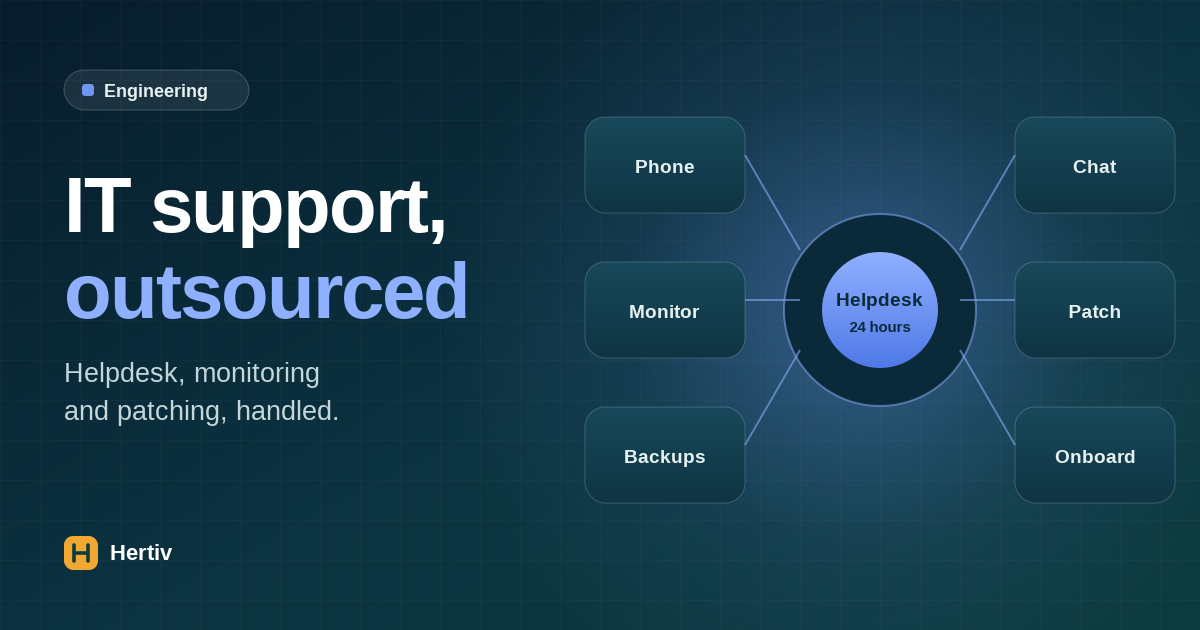
Outsourced IT support covers the daily work of keeping staff productive: answering support requests, fixing devices, watching systems and keeping software patched and backed up.
| Service | What it includes | Why it matters |
|---|---|---|
| Helpdesk | Answers staff questions by phone, chat or email | Staff get help fast instead of waiting |
| Device support | Fixes laptops, printers and phones | Broken devices stop work |
| Monitoring | Watches servers and networks day and night | Problems are caught before staff notice |
| Patching | Keeps operating systems and apps updated | Unpatched software is a common entry point |
| Backups | Checks backups run and can restore files | A failed backup is found too late otherwise |
| Onboarding | Sets up accounts and devices for new staff | New joiners start work on day one |
Some providers also cover security alerts, such as flagging suspicious sign-ins, and licence management, such as tracking which software the company pays for. Ask exactly what is included before signing, because the list varies widely between providers. For the wider picture, the benefits of IT outsourcing explains what companies usually gain from handing this work to a specialist.
How is outsourced IT support usually priced?
Outsourced IT support is usually priced per user per month, per device per month, or as a fixed monthly fee for a defined service. Per-user pricing suits companies where everyone needs support, while per-device pricing suits companies with many shared devices. A fixed fee suits companies that want a predictable bill.
Most agreements include a set number of support hours or tickets, with extra work billed separately. After-hours cover, on-site visits and project work, such as moving to a new system, are often charged on top. Read the agreement to see what counts as included work and what counts as extra, because that is where surprise bills come from.
Prices vary by country, response time and coverage hours, so get quotes from two or three providers for the same scope. Do not compare a basic business-hours plan with a 24-hour plan as if they were the same service. For current prices, see vendor site, since rates change and depend on the scope you agree.
Outsourced vs in-house IT support
Outsourced IT support trades direct control for coverage and breadth, while in-house support trades breadth for control and local knowledge. Neither is better for every company; the right choice depends on size, hours and the complexity of the systems.
| Factor | Outsourced | In-house |
|---|---|---|
| Coverage hours | Often 24 hours a day | Usually business hours only |
| Range of skills | Wide, across many clients | Narrow, but deep in your systems |
| Cost | Monthly fee, no hiring cost | Salary, training and cover for leave |
| Local knowledge | Lower at first, grows over time | High from day one |
| Scaling | Add users without hiring | Each hire takes weeks |
Many companies mix the two: an in-house person handles the systems and the relationships, while the provider covers the helpdesk, the night hours and the specialist skills. For the trade-offs in detail, outsourcing vs in-house development covers the same decision in software work, and the same logic applies here.
How to choose an IT support provider in 5 steps
You choose an IT support provider in five steps, starting with your own needs and ending with a short trial before you sign a long agreement.
- List what you need. Write down the users, devices, systems and hours to cover, plus the response times you need for urgent problems.
- Ask for the same scope from each provider. Give every provider the same list, so the quotes can be compared fairly.
- Check the service agreement. Read the response times, the escalation path, the security duties and what counts as extra work.
- Talk to two current clients. Ask how fast problems are fixed, how the provider handles a bad month, and whether the client would sign again.
- Run a short trial. Start with a three-month term or a small team, and measure response times and staff satisfaction before rolling it out to everyone.
Do not pick on price alone. A cheap provider that misses response times costs more in lost work than the saving is worth. Pick the provider whose agreement, references and trial results give you the most confidence.
Example (hypothetical): a 60-person company outsources its helpdesk
Example (hypothetical): a 60-person company has no IT staff, and staff spend time helping each other with password resets, printer faults and software problems. The company logs about 120 support tickets a month.
Each ticket takes about 20 minutes to resolve, so 120 tickets is 2,400 minutes a month, which is 40 hours. That is a full working week spread across the team, and it falls on whoever happens to know the answer, not on a person whose job it is.
The company signs with a provider that covers business hours, answers by phone and chat, and logs every ticket. In the first month, the provider resolves 100 of the 120 tickets, and the other 20 are escalated to the company's software vendors with the provider managing the follow-up. Staff get their 40 hours back, and the tickets that used to wait for a colleague are now answered the same day.
The company keeps a named contact at the provider and reviews the ticket log each month, checking response times and repeat problems. When the same printer fault appears three times, the provider replaces the printer instead of fixing it again.
What are the common mistakes?
The most common outsourced IT support mistakes are signing without a clear service agreement, picking on price alone, and giving the provider no way to learn your systems.
- No written service agreement. Without response times and escalation paths in writing, there is nothing to hold the provider to.
- Picking the cheapest quote. A low fee often means slow responses or extra charges for work you assumed was included.
- No handover of system knowledge. The provider needs your passwords, licences, network layout and vendor contacts, or every ticket starts from zero.
- No monthly review. Ticket logs show repeat problems and slow responses, but only if someone reads them.
- Keeping the provider away from staff. If staff do not know who to call, they keep asking colleagues and the provider never learns the real problems.
- No exit plan. The agreement should say how you get your data, logs and passwords back if you leave.
Key takeaways
- Outsourced IT support covers helpdesk, monitoring, patching, backups and onboarding
- Pricing is usually per user, per device or a fixed monthly fee, with extras for after-hours and projects
- Outsourcing trades some control for wider coverage and skills; many companies mix both
- Choose by scope, service agreement, references and a short trial, not by price alone
- Review the ticket log monthly and keep an exit plan in the agreement
Frequently asked questions
What is included in outsourced IT support?
A typical package covers the helpdesk, device fixes, system monitoring, patching, backup checks and new staff setup. Security alerts and licence management are sometimes included and sometimes extra, so ask for the full list in writing before you sign.
How much does outsourced IT support cost?
Cost depends on the number of users and devices, the hours covered and the response times you need. Most providers quote per user or per device per month, or a fixed monthly fee. Get quotes for the same scope from two or three providers, and see vendor site for current rates.
Is outsourced IT support safe for company data?
It can be, if the agreement covers access rules, data handling and staff checks. The provider should only access what it needs, log what it does, and return or delete your data when the agreement ends. Ask how they handle passwords and who on their team can see your systems.
How fast should an outsourced provider respond?
Response times should be written in the service agreement, with faster times for urgent problems such as a system outage. A common pattern is one hour for urgent issues and one business day for routine ones. Measure the actual times monthly against the agreement.
Can a small company use outsourced IT support?
Yes, it often suits small companies best, because hiring even one full-time IT person is expensive and leaves no cover for holidays or sick days. A provider gives a small company a team, night cover and a wider range of skills for a monthly fee.
What happens if I want to leave my IT support provider?
The agreement should explain how you get your data, ticket logs, passwords and documentation back, and how long the handover takes. Ask about this before signing, and keep your own copy of system passwords and licence records so you are never locked out.


