Open Source Voiceflow Alternatives: 6 to Compare
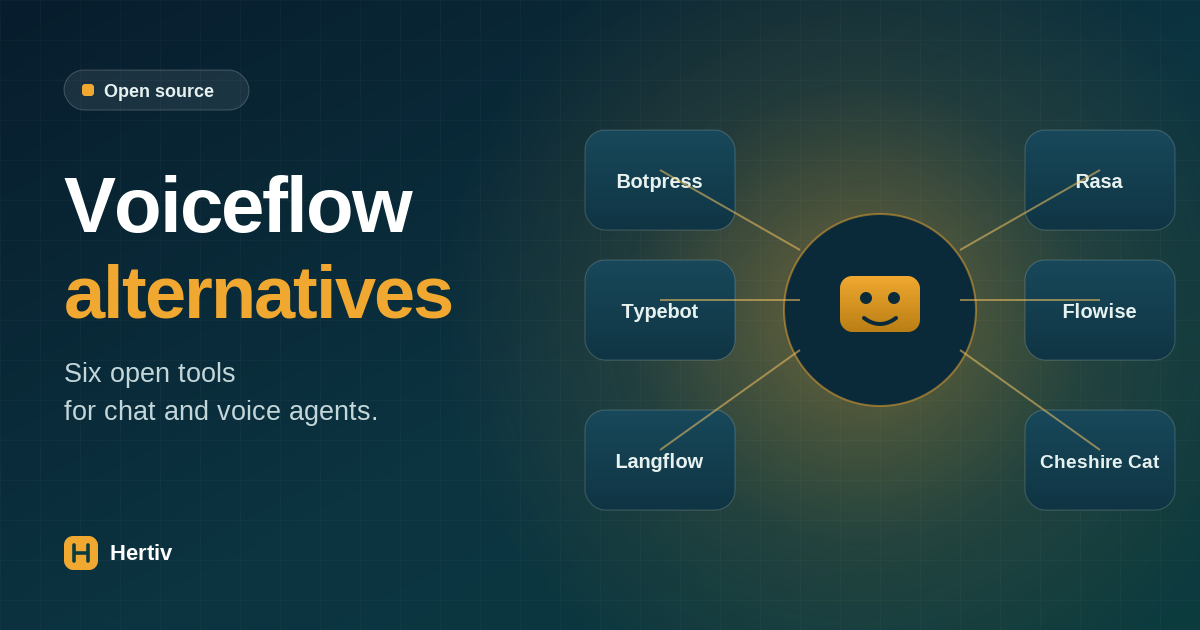
Open source Voiceflow alternatives for building chat and voice agents: Botpress, Rasa, Typebot, Flowise, Langflow and Cheshire Cat, with what each one is best for.
On this page
Short answer
Open source Voiceflow alternatives are tools that let you design, build and run conversational agents, such as chatbots and voice assistants, with the source code available to inspect, change and host yourself. They suit teams that want control over their data, no vendor lock-in, or a setup they can change as their product grows.
Which open source Voiceflow alternatives are worth comparing?
The open source Voiceflow alternatives worth comparing are the ones that match how your team builds: visual flow designers for non-developers, code-first frameworks for engineers, or AI agent builders that connect to language models. Voiceflow is a visual designer for conversational agents, so the closest alternatives are the ones that make designing a conversation easy.
Use this comparison to shortlist. All six are open source and can be self-hosted, so check the vendor site for current versions and licence details before choosing.
| Tool | Best for | How you build | Self-host |
|---|---|---|---|
| Botpress | AI agents with a visual builder | Visual flows plus code | Yes |
| Rasa | Custom chatbots at scale | Code and training data | Yes |
| Typebot | Simple chat forms and flows | Visual builder | Yes |
| Flowise | AI agents from language models | Visual canvas | Yes |
| Langflow | Language model pipelines | Visual canvas | Yes |
| Cheshire Cat | Custom AI agents in Python | Code and plugins | Yes |
Pick by who builds the agent. If designers build it, choose a visual tool. If engineers build it, a code-first tool gives more control.
1. Botpress: best for AI agents with a visual builder
1. Botpress: best for AI agents with a visual builder
Botpress is an open source platform for building AI agents with a visual flow designer, a knowledge base for grounding answers, and integrations for chat channels. It combines the visual design of tools like Voiceflow with language model features, so an agent can answer from your documents as well as follow a scripted flow.
Botpress suits teams that want a visual builder plus AI features without paying for a closed platform. It is the closest open source match to Voiceflow for most teams, and it can be hosted on your own servers.
Pros: visual builder plus AI agents; knowledge base for grounded answers; self-hosting available.
Cons: AI features add setup work; the free tier has limits, so check the vendor site; larger deployments need engineering time.
2. Rasa: best for custom chatbots at scale
2. Rasa: best for custom chatbots at scale
Rasa is an open source framework for building conversational AI, used by teams that need full control over training data, language understanding and deployment. It is code-first: you define intents, training examples and dialogue rules in files, and Rasa trains a model from them.
Rasa suits engineering teams building a chatbot that must handle many users and strict data rules. It is more work than a visual builder, but it gives the most control over how the bot understands language.
Pros: full control over data and models; built for scale; strong community and documentation.
Cons: needs developers and training data; no visual flow designer by default; slower to start than a visual tool.
3. Typebot: best for simple chat forms and flows
3. Typebot: best for simple chat forms and flows
Typebot is an open source visual builder for chatbots that feel like a conversation rather than a form. You drag blocks onto a canvas, connect them, and publish the bot on your site. It works well for lead capture, onboarding, surveys and simple support flows.
Typebot suits teams that need a simple bot fast, without AI features. It is closer to a conversational form builder than to a full agent platform, which is exactly right when the flow is short and the answers are known in advance.
Pros: very easy to start; clean visual builder; self-hosting available.
Cons: limited AI features; not built for long, open-ended conversations; fewer integrations than larger platforms.
4. Flowise: best for AI agents from language models
4. Flowise: best for AI agents from language models
Flowise is an open source visual tool for building language model applications, such as chatbots that answer from your documents, agents that use tools, and multi-step workflows. You drag language model, retrieval and tool nodes onto a canvas and connect them into a working app.
Flowise suits teams building retrieval-based chatbots, where the agent answers from company documents. It is a good fit when the main need is connecting a language model to your data, rather than designing a scripted conversation.
Pros: visual canvas for language model apps; retrieval and tool use built in; self-hosting available.
Cons: needs a language model provider or a local model; less suited to scripted flows; setup needs some technical skill.
5. Langflow: best for language model pipelines
5. Langflow: best for language model pipelines
Langflow is an open source visual tool for building language model pipelines, often used with the LangChain framework. You design chains of prompts, retrievers and tools on a canvas, test them in the browser, and export the flow as code for your application.
Langflow suits developers who want to prototype a language model pipeline visually and then run it in their own code. It is a design and testing tool first, and a deployment tool second, which makes it a good companion to a framework you already use.
Pros: visual design for language model chains; exports to code; works with LangChain components.
Cons: developer-focused, not for non-technical teams; needs a language model to run; deployment is your responsibility.
6. Cheshire Cat: best for custom AI agents in Python
6. Cheshire Cat: best for custom AI agents in Python
Cheshire Cat is an open source AI agent framework written in Python, built around plugins. You give the agent a personality and memory, add plugins for your tools and data, and run it as a service your app can call. It is designed for teams that want to build a custom agent rather than configure a platform.
Cheshire Cat suits Python teams building a bespoke agent with their own tools and memory. It is the most code-heavy option on this list, and the right choice when no visual tool fits the product you are building.
Pros: plugin system for custom tools; memory and personality built in; full control in Python.
Cons: needs Python developers; smaller community than the larger tools; you build the interface yourself.
How to choose an open source Voiceflow alternative
Choose an open source Voiceflow alternative by who builds the agent and where the answers come from. The visual builder matters if designers build the flows; the data and model connections matter if the agent must answer from your documents.
- Decide who builds it: designers need a visual builder, engineers can use a code-first tool.
- Decide where answers come from: scripted flows, your documents, or a language model with tools.
- Check the hosting: confirm you can run it on your own servers and keep your data inside your network.
- Test with a real conversation from your product, not with a demo script.
- Check the community and the release history before committing, since open source tools vary in how actively they are maintained.
For the retrieval side, see what retrieval augmented generation is to understand how agents answer from your documents.
For the voice side, AI voice agent startup ideas shows where voice agents are used in products today.
What are the common mistakes?
The most common mistakes are choosing a tool by its feature list instead of by who will build the agent, and underestimating the work of keeping an agent accurate.
- Wrong builder. A code-first tool given to a non-technical team stalls, and a visual tool given to engineers frustrates them.
- No grounding. An agent that answers from a language model alone will invent details. Connect it to your documents.
- Ignoring maintenance. Open source tools need updates, and the agent needs new training data and content as the product changes.
- No fallback. When the agent cannot answer, it must hand over to a human quickly and clearly.
- Skipping the pilot. A demo conversation hides the hard cases. Test with real user questions first.
Key takeaways
- Pick by who builds the agent, not by the feature list
- Visual builders suit designers; code-first tools suit engineers
- Ground the agent in your documents or it will invent details
- Self-hosting keeps your data inside your network
- Test with real user questions, not with a demo script
Frequently asked questions
Is Voiceflow itself open source?
No. Voiceflow is a commercial platform for designing conversational agents. The tools in this article are open source alternatives that you can inspect, change and host yourself, which is the main reason teams switch.
Which open source Voiceflow alternative is easiest to start with?
Typebot is usually the easiest for a simple bot, because it is a visual builder with a short learning curve. For an AI agent that answers from your documents, Botpress or Flowise are the usual starting points, depending on whether you want a platform or a canvas.
Can I self-host these tools?
Yes. All six tools in this article can be self-hosted, which is the main advantage over a closed platform. Self-hosting still needs a server, updates and backups, so budget engineering time for running the tool, not just building the agent.
Do open source alternatives support voice?
Some do, and some need extra work. Voice support usually means connecting a speech-to-text and text-to-speech service to the agent. Check each tool's voice support and integrations before choosing, since voice adds latency and cost.
How do these tools connect to a language model?
Most of them connect to a language model through an API key, or to a local model running on your own hardware. The model choice affects cost, speed and data handling, so check where the model runs and what it costs before committing.
What licence do these tools use?
Licences vary by tool and by version, and some have commercial terms for hosted use. Check the licence on the project's own site before using it in a commercial product, since a permissive licence and a commercial licence are not the same thing.


