Open Source Twilio Alternatives: 6 Tools Worth Comparing
Twilio covers SMS, voice and video through one API, but no single open-source tool replaces all of it. Compare six open-source options and how to combine them.
On this page
Short answer
Twilio gives teams SMS, voice calls and video through one paid API, while open-source alternatives split that job between several tools you host yourself. Asterisk and FreeSWITCH handle phone calls, Jitsi handles video, Matrix handles chat and calls, and Rocket.Chat and Nextcloud Talk cover team messaging. The right choice depends on whether you need voice, video, chat or all three.
Which open-source tools replace Twilio?
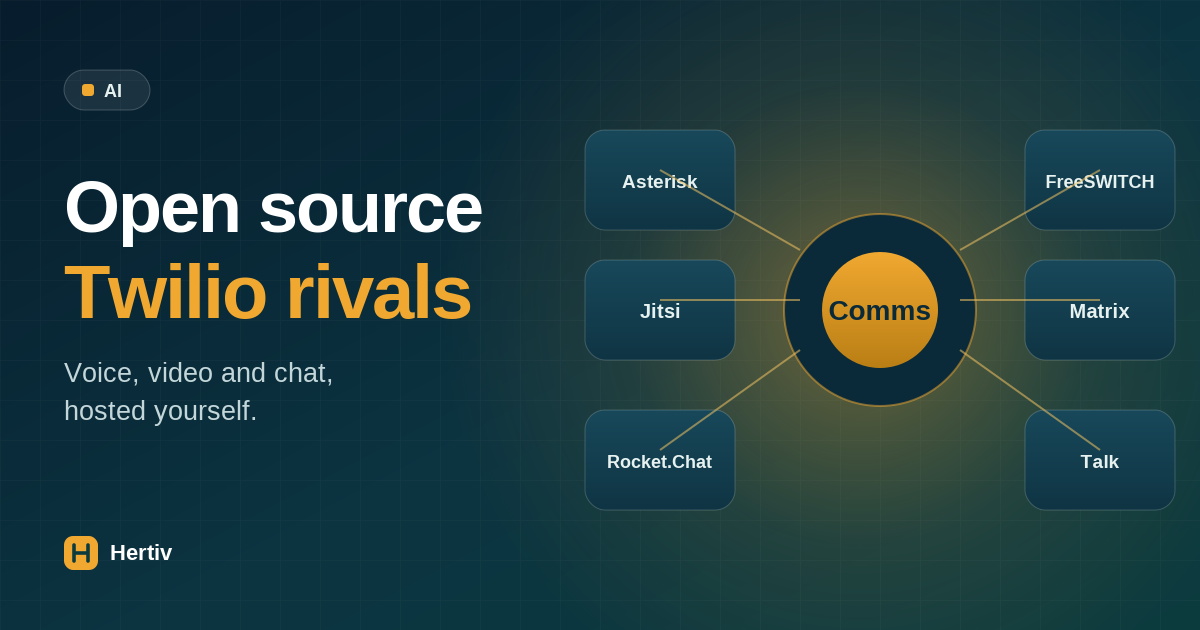
No single open-source tool replaces all of Twilio, because Twilio is a bundle: SMS, voice, video and phone numbers in one API. Open-source tools are narrower, so most teams combine two of them: one for calls and one for chat or video. The table below compares six well-known options on what each one covers and what it takes to run.
| Tool | Best for | Voice | Video and chat |
|---|---|---|---|
| Asterisk | Phone systems | Yes | Chat no, video basic |
| FreeSWITCH | Call platforms | Yes | Video yes, chat no |
| Jitsi | Video meetings | Yes | Video yes, chat basic |
| Matrix | Secure messaging | Yes | Both |
| Rocket.Chat | Team chat | Basic | Chat yes, video basic |
| Nextcloud Talk | File and chat teams | Yes | Both |
All six are free to download and run on your own server, and all six need someone to host, update and watch them. That trade is the point of this list: you pay with hosting and maintenance instead of a per-message bill. For pricing on the paid side, check the vendor site for the latest rates.
<h3>1. Asterisk: best for teams that need a phone system</h3>
Asterisk is the oldest tool on this list and the most proven for phone calls. It is a phone system in software: it answers calls, routes them, records them, runs voicemail and connects to phone networks through a carrier. Teams that need a private branch exchange without paying for a hosted one start here.
Asterisk takes real setup work. It is configured in text files, and getting call quality right needs someone who understands voice networks. It is a poor fit for teams that only need chat or video, and it has no built-in SMS service.
Pros:
- Long track record and a large community
- Full control over call routing and recording
- No per-minute platform fee
Cons:
- Setup and tuning need voice-network knowledge
- No built-in SMS or video meetings
- You host and maintain it yourself
<h3>2. FreeSWITCH: best for teams that build a call platform</h3>
FreeSWITCH is a call platform built to handle many simultaneous calls. Developers use it as the voice engine behind their own product: it manages call sessions, bridges calls between users, and connects to phone networks. Where Asterisk is a phone system, FreeSWITCH is a toolkit for building one.
FreeSWITCH suits teams with developers who can build on top of it. It is more work than a ready-made phone system, and it is not a chat or SMS tool, so teams that need messaging add a second tool.
Pros:
- Built for high call volumes
- Flexible API for developers
- Video calls as well as voice
Cons:
- Needs development time to shape into a product
- No built-in SMS or team chat
- Smaller community than Asterisk
<h3>3. Jitsi: best for teams that need video meetings</h3>
Jitsi is a video meeting tool that runs in the browser with no account and no download. A team can start a meeting from a link, share a screen, and record the call. It is the simplest option on this list for replacing the video half of Twilio, and it is widely used for support calls, interviews and team meetings.
Jitsi does one thing well and little else. It has no phone network access, no SMS, and only basic chat inside a meeting. Teams that need calls to real phone numbers pair it with Asterisk or FreeSWITCH.
Pros:
- Meetings work from a link with no install
- Screen sharing and recording included
- Easy to self-host for a small team
Cons:
- No phone calls or SMS
- Large meetings need a strong server
- Chat is limited to inside a meeting
<h3>4. Matrix: best for teams that need secure messaging and calls</h3>
Matrix is an open standard for messaging, voice and video, and most teams run it with the Synapse server and the Element app. It covers the widest ground on this list: one-to-one and group chat, voice calls, video calls and file sharing, all with end-to-end encryption available. Teams that need private communication across organisations pick Matrix.
Matrix is also the most work to run well. The server needs care with storage and federation, and the apps are less polished than commercial chat tools. It is a strong choice when privacy and control matter more than a slick interface.
Pros:
- Chat, voice and video in one system
- End-to-end encryption available
- Works across organisations
Cons:
- Hosting needs real maintenance
- Apps are less polished than paid tools
- No built-in SMS to phone networks
<h3>5. Rocket.Chat: best for teams that need a chat hub</h3>
Rocket.Chat is a team chat tool in the style of Slack, with channels, direct messages, file sharing and apps. It has basic voice and video calls inside chats, and it can connect to other systems through its API. Teams that want their own chat server, with no data leaving their network, use it as their main messaging tool.
Rocket.Chat is a chat tool first. Its voice and video are basic, and it has no phone network access or SMS. It fits teams whose main need is internal messaging, with calls as a bonus rather than the core job.
Pros:
- Familiar chat interface for teams
- Channels, apps and integrations
- Data stays on your own server
Cons:
- Voice and video are basic
- No phone calls or SMS
- Some features need a paid plan
<h3>6. Nextcloud Talk: best for teams already using Nextcloud</h3>
Nextcloud Talk is the chat, voice and video tool built into Nextcloud, the open-source file platform. A team that already stores files in Nextcloud gets calls and meetings in the same place: start a call from a file, share a screen, and keep the chat next to the document it is about.
Talk makes most sense inside a Nextcloud setup. On its own it is a capable chat and video tool, but teams that do not need Nextcloud files will find a lighter tool easier. It has no phone network access or SMS.
Pros:
- Chat, voice and video beside your files
- No extra server for existing Nextcloud teams
- Screen sharing and recording
Cons:
- Best only with a Nextcloud setup
- No phone calls or SMS
- Video quality depends on your server
How to choose an open-source Twilio alternative
Choosing an open-source Twilio alternative starts with what you actually need to replace, because no one tool covers the whole bundle. Write down the channels you use today — SMS, voice, video, chat — and how many messages and minutes you send each month.
- List the channels you must keep. If SMS is essential, you will need a carrier or an SMS provider alongside any tool here.
- Pick the core job first. Choose the tool that covers your biggest need, such as voice calls or video meetings.
- Count the hosting cost. Add up server, storage and the time to update and watch the system, and compare it with the paid bill.
- Test with a small group. Run the tool for one team for a few weeks and check call quality, reliability and ease of use.
- Plan the second tool. Most teams end up with two tools, such as Jitsi for video and Matrix for chat, so plan the pairing early.
Voice agents are one reason teams look at these tools: an AI voice agent still needs a voice channel to reach callers, and the tools above can provide it.
For the cost of building on top of a voice channel, see how to build an AI proof of concept.
What are the common mistakes?
The most common mistake is expecting one tool to replace all of Twilio. Teams pick a chat tool, discover it has no phone calls, and then rush a second tool into place. List the channels first and accept that two tools are normal.
Another mistake is forgetting the running cost. Open source is free to download, but a server, backups, updates and someone on call all cost money and time. A team that compares only the download price with the Twilio bill is comparing the wrong numbers.
Teams also skip the quality test. Voice and video quality depends on the server and the network, so test with real users on real connections before moving a whole company. And do not forget SMS: if your product sends codes or alerts by text, you still need a carrier or an SMS provider, because none of these tools sends SMS on its own.
Key takeaways
- No single open-source tool replaces all of Twilio; most teams combine two.
- Asterisk and FreeSWITCH cover phone calls; Jitsi covers video meetings.
- Matrix covers chat, voice and video with encryption, but needs maintenance.
- Count hosting and maintenance time, not just the free download.
- If you need SMS, you still need a carrier or an SMS provider.
Frequently asked questions
Is there a free open-source alternative to Twilio?
There is no single free tool that replaces all of Twilio, because Twilio bundles SMS, voice, video and phone numbers. Open-source tools cover parts of that bundle: Asterisk and FreeSWITCH for calls, Jitsi for video, Matrix for chat and calls. Most teams combine two tools and add an SMS provider.
Can I send SMS with open-source tools?
No, not on their own. None of the tools in this list sends SMS to phone networks, because SMS needs a carrier agreement. Teams that need text messages keep an SMS provider or a carrier connection alongside their open-source voice and video tools.
Do I need a server to run these tools?
Yes, all six tools are self-hosted, so you need a server, storage and someone to update and watch the system. Some offer a hosted version, but the free open-source version always runs on your own machine. Budget for that time before you switch.
Which open-source Twilio alternative is easiest to start with?
Jitsi is the easiest, because a video meeting works from a link with no account and no download. For team chat, Rocket.Chat is the simplest to set up. Asterisk and FreeSWITCH are the hardest, because they need voice-network knowledge to tune.
Are open-source communication tools secure?
They can be, because you control the server and the data, and tools such as Matrix offer end-to-end encryption. Security still depends on how you run them: updates, access control and backups are your job when you self-host.
When should a team stay with Twilio instead?
When SMS, phone numbers and global coverage matter more than hosting costs, or when the team has nobody to run a server. Twilio also suits products that need to scale fast without hiring for maintenance.


