Open Source Rasa Alternatives: 6 Tools Worth Comparing
Rasa is an open source chatbot framework, but it is not the only one. These six alternatives cover different needs, from simple FAQ bots to full conversational AI.
On this page
Short answer
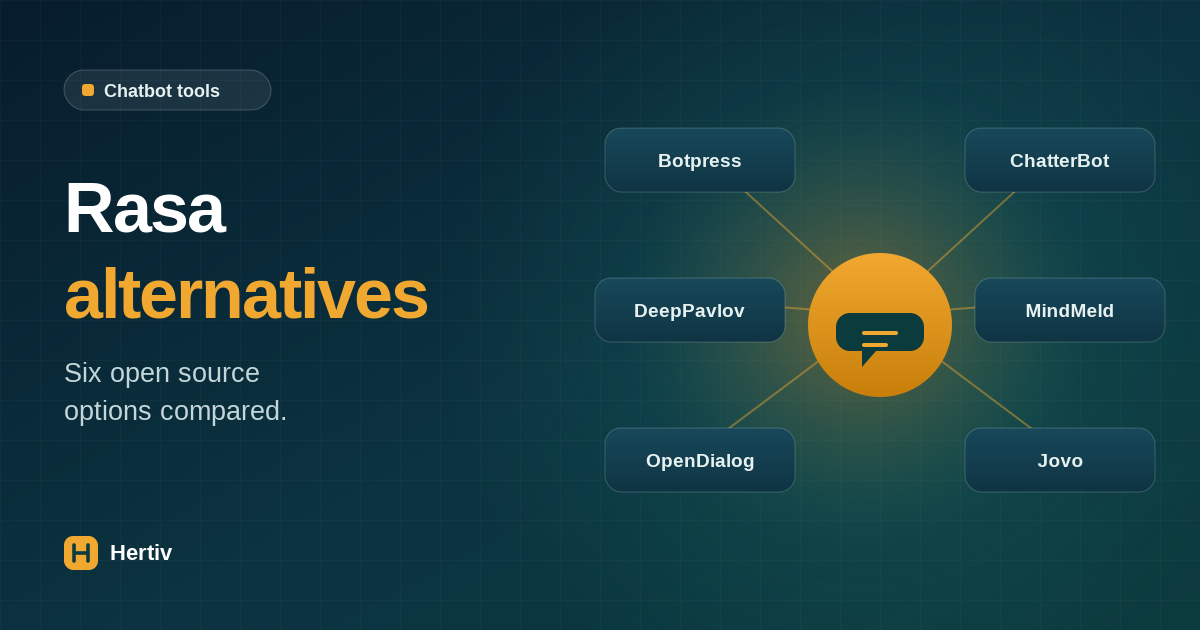
Rasa is a strong open source framework for conversational AI, but teams sometimes want a simpler setup, a visual builder or a different approach to language understanding. These six open source alternatives — Botpress, ChatterBot, DeepPavlov, MindMeld, OpenDialog and Jovo — cover that range, and the right one depends on your team and your use case.
Open source Rasa alternatives at a glance
These six tools are all open source and all build conversational assistants, but they take different approaches. Some are visual builders, some are libraries, and some are full frameworks with their own language understanding.
| Tool | Best for | Approach | Self-hosted |
|---|---|---|---|
| Botpress | Visual bot building | Flow builder plus code | Yes |
| ChatterBot | Simple Python chatbots | Machine learning library | Yes |
| DeepPavlov | Research-grade NLP | Component library | Yes |
| MindMeld | Voice and text assistants | Framework with NLU | Yes |
| OpenDialog | Complex conversations | Conversation design | Yes |
| Jovo | Voice apps and chatbots | Cross-platform framework | Yes |
All six are free to download and run on your own servers, though some also offer paid hosted versions. Check the licence and the hosted pricing on the vendor site before you commit — see vendor site for current plans. If you would rather have the bot built for you, see AI chatbot development.
<h3>1. Botpress: best for visual bot building</h3>
Botpress is an open source platform for building chatbots with a visual flow editor. You draw the conversation as a flow of steps, then add code where the flow needs custom logic. That makes it a good fit for teams where product or support staff design the conversation and engineers handle the integrations.
Botpress includes built-in language understanding, integrations with common channels and a way to plug in language models for free-form answers. The visual editor speeds up the first version, but large flows can become hard to manage, so keep flows small and split them by topic.
- Pros: visual builder, active community, channel integrations
- Cons: large flows get hard to maintain, some features sit behind paid plans
<h3>2. ChatterBot: best for a simple Python chatbot</h3>
ChatterBot is a Python library that learns replies from example conversations. You train it on pairs of statements and responses, and it picks the closest match when a user writes something new. There is no flow editor and no built-in NLU pipeline — it is a library, not a platform.
That simplicity is the point. If you need a small chatbot inside a Python application, or a teaching project, ChatterBot gets you running quickly. It is not the right tool for a large support bot, because it matches whole statements rather than understanding intent and entities.
- Pros: very easy to start, small codebase, pure Python
- Cons: limited language understanding, not built for large bots
<h3>3. DeepPavlov: best for research-grade NLP</h3>
DeepPavlov is an open source library of NLP components for building conversational AI, from the team behind the Conversational AI research community. It provides models for intent classification, entity recognition, question answering and dialogue management that you can combine into a pipeline.
DeepPavlov suits teams with NLP experience who want to experiment with model choice and pipeline design. The components are strong, but the setup takes more work than a visual builder, and you will write more code to wire a complete assistant together.
- Pros: strong NLP components, flexible pipelines, research backing
- Cons: steeper setup, needs NLP knowledge
<h3>4. MindMeld: best for voice and text assistants</h3>
MindMeld is an open source framework from Cisco for building conversational applications for voice and text. It includes its own natural language understanding, dialogue management and a blueprint system that gives you a working assistant for common domains such as food ordering or store lookup.
MindMeld's blueprints are a real time saver: you start from a working assistant and adapt it instead of building from nothing. The framework is mature and well documented, though its community is smaller than Botpress or Rasa, so expect to solve some problems on your own.
- Pros: ready-made blueprints, voice and text support, clear structure
- Cons: smaller community, fewer third-party integrations
<h3>5. OpenDialog: best for complex conversations</h3>
OpenDialog is an open source platform built for conversations with many branches, conditions and contexts — the kind of assistant that asks follow-up questions and remembers what was said earlier in the conversation. Its conversation design tools let non-developers shape the dialogue.
OpenDialog fits regulated or careful domains where the assistant must follow a precise script, such as health triage or financial onboarding. The trade-off is that it is a bigger platform to run, and simple FAQ bots do not need its depth.
- Pros: strong conversation design, context handling, scripted flows
- Cons: heavier to run, overkill for simple bots
<h3>6. Jovo: best for voice apps and cross-platform bots</h3>
Jovo is an open source framework for building voice apps and chatbots that run on several platforms from one codebase, including Alexa, Google Assistant and web chat. You write the conversation logic once and deploy it to each channel.
Jovo suits teams that need a voice assistant and a chat assistant from the same logic. It has a clear structure for intents, handlers and platform adapters, and a CLI that speeds up setup. It is less focused on advanced NLU than Rasa, so teams with hard language understanding needs may pair it with another NLP service.
- Pros: one codebase for many channels, good voice support, clear structure
- Cons: NLU is lighter than Rasa, voice-first design
How to choose
Choose by the kind of assistant you are building and the skills on your team, not by the longest feature list.
- Define the job. A FAQ bot, a voice assistant and a scripted onboarding flow are different products with different tools.
- Check who builds it. Visual builders suit mixed teams; libraries suit engineering-led teams.
- Test language understanding. Run the same 50 real user messages through your top two options and compare how many are understood correctly.
- Check hosting and licence. Confirm the licence allows your use and that you can run it on your own servers if data must stay in-house.
- Plan the handover. Every bot needs a path to a human; check how each tool handles fallback and escalation before you build.
For a broader view of how chatbots differ from AI agents, see AI agent vs chatbot.
If you are scoping a first build, read how to build an AI PoC.
What are the common mistakes?
The most common mistakes when picking a Rasa alternative are choosing on features alone and skipping a test with real user messages.
- Picking the tool with the most features. A large feature list does not help if the tool is hard for your team to run.
- Skipping a language test. Demos use clean example sentences; your users will not.
- Ignoring the licence. Open source does not always mean free for every use — read the licence.
- Building one giant flow. Split the bot by topic so each part stays readable and testable.
- No fallback plan. A bot that cannot hand over to a human will frustrate users at the worst moment.
Key takeaways
- All six are open source and self-hostable; the differences are in approach and audience
- Botpress suits visual building, ChatterBot suits simple Python bots, Jovo suits voice and cross-platform work
- DeepPavlov and MindMeld suit teams with NLP experience; OpenDialog suits scripted, complex conversations
- Test your top two options on 50 real user messages before choosing
- Check the licence and hosting needs before you build — open source is not always free for every use
Frequently asked questions
Is Botpress really open source?
Yes, Botpress has an open source edition you can download and self-host. Some features and the hosted cloud version are paid, so check the current licence and pricing on the vendor site before you plan around a feature.
Can ChatterBot replace Rasa?
Only for simple chatbots. ChatterBot matches statements to replies and has no intent and entity system like Rasa. For a support bot that must understand varied phrasing, ChatterBot will fall short.
Which alternative is closest to Rasa?
Botpress is the closest in scope for most teams: it covers language understanding, flows, channels and integrations. MindMeld is closer if you want a code-first framework with its own NLU.
Do these tools work with language models?
Most of them can call a language model for free-form answers or for fallback when the scripted flow has no match. Check the current version of your chosen tool, because model support changes quickly.
Which one is best for a voice assistant?
Jovo and MindMeld are the strongest here. Jovo targets voice platforms directly, and MindMeld was built for voice and text assistants from the start, so both handle spoken input well.
Do I need a team of engineers to run one?
It depends on the tool. Visual builders like Botpress can be run by a small mixed team, while libraries like DeepPavlov need engineers comfortable with NLP and Python and with running the infrastructure.


