Open Source AutoGen Alternatives: 8 to Run Yourself
AutoGen is Microsoft's framework for teams of AI agents. Eight open source alternatives cover the same ground, from LangGraph and CrewAI to LlamaIndex and AutoGPT.
On this page
Short answer
The open source AutoGen alternatives worth trying are LangGraph for stateful workflows, CrewAI for role-based agent teams, MetaGPT for software projects, CAMEL for two-agent conversations, Semantic Kernel for agents inside existing apps, LlamaIndex for agents over your own data, SuperAGI for autonomous agents with a dashboard, and AutoGPT for a single agent chasing one goal.
Which open source AutoGen alternatives are worth trying?
AutoGen is Microsoft's open source framework for building applications where several AI agents work together, each with its own role, tools and memory. The open source alternatives below cover the same ground in different ways: some focus on agent teams, some on graphs of steps, and some on single agents with tools.
Use this comparison to shortlist. All eight are open source projects you can run yourself, and all are actively maintained as of this writing.
| Tool | Best for | Style | Language |
|---|---|---|---|
| LangGraph | Stateful agent workflows | Graph of steps | Python, TypeScript |
| CrewAI | Teams of agents with roles | Role-based crews | Python |
| MetaGPT | Software teams of agents | Role-based pipeline | Python |
| CAMEL | Two-agent conversations | Role-playing agents | Python |
| Semantic Kernel | Agents inside .NET or Python apps | Plugins and planners | C#, Python, Java |
| LlamaIndex | Agents over your own data | Data-first agents | Python, TypeScript |
| SuperAGI | Autonomous agents with tools | Goal-driven agents | Python |
| AutoGPT | Single agent chasing a goal | Goal-driven agent | Python |
Pick one tool and build a small two-agent task before comparing frameworks in depth. The differences only become clear when agents have to share state, call tools and recover from a wrong step. For background on the architecture, multi-agent systems development explains how agent teams are put together in production.
<h3>1. LangGraph: best for stateful agent workflows</h3><h3>2. CrewAI: best for teams of agents with roles</h3>
LangGraph, from the LangChain team, builds agent behaviour as a graph of steps with shared state. Each step is a node, and the graph decides which node runs next based on what happened so far. That makes it a strong fit when an agent has to loop, retry, ask a human, or branch on a condition.
The graph model is also easier to debug than a free-running agent, because you can see the state at each step and replay a run. The trade-off is more setup: you define nodes, edges and state explicitly, which takes longer than writing a simple prompt chain.
Pros:
- Clear state and control flow, with loops and human approval built in
- Works in Python and TypeScript, with a large community
Cons:
- More code to write than a simple agent loop
- Graph design takes practice to get right
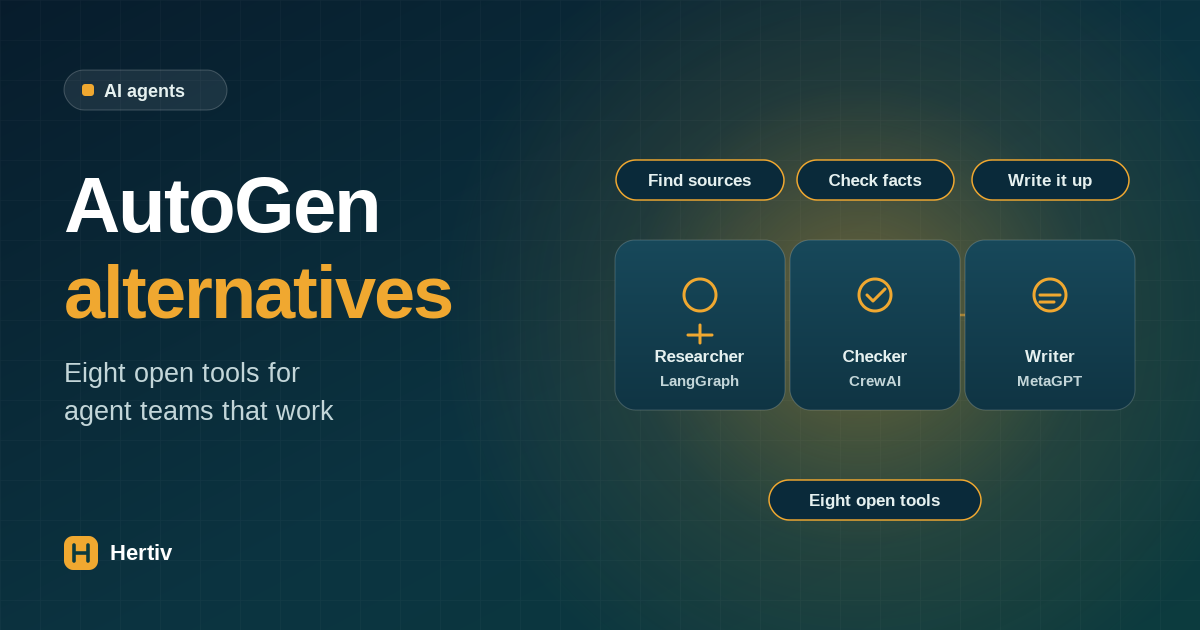
CrewAI organises agents into crews, where each agent has a role, a goal and a set of tools, and tasks are handed from one agent to the next. A research crew, for example, might have one agent gathering sources, one checking facts and one writing the summary.
The role-based setup is close to how AutoGen works, which makes CrewAI an easy switch for teams that liked AutoGen's multi-agent style but want a simpler API. The trade-off is less control over the exact flow: the crew decides the order of work, so complex branching needs extra code.
Pros:
- Simple role-based setup that maps well to team work
- Good fit for research, writing and analysis crews
Cons:
- Less fine control over branching and retries
- Long crews can drift without clear task definitions
<h3>3. MetaGPT: best for software teams of agents</h3><h3>4. CAMEL: best for two-agent conversations</h3>
MetaGPT turns a product request into a software project run by agents that play the roles of a product manager, an architect, an engineer and a tester. Each role produces the documents the next role needs, so the output is a structured project rather than a single answer.
This pipeline suits teams that want agents to produce code with specs and tests, not just chat. The trade-off is rigidity: the fixed set of roles works well for standard software tasks and less well for open-ended work that does not fit the pipeline.
Pros:
- Produces specs, code and tests as a structured project
- Clear roles make the output easy to review
Cons:
- Fixed pipeline fits standard tasks better than open-ended ones
- Long runs can be slow and costly in model calls
CAMEL, from the same research community as the original multi-agent work, focuses on conversations between two agents: one gives instructions and the other carries them out. The pair talks back and forth until the task is done, which is a simple way to model tasks like brainstorming, drafting and review.
The two-agent pattern is easy to understand and quick to try, which makes CAMEL a good learning tool and a good fit for tasks that naturally split into a proposer and a critic. It is less suited to larger teams, where more agents need coordination.
Pros:
- Simple two-agent pattern, quick to try
- Good fit for drafting, review and brainstorming tasks
Cons:
- Built for pairs, not larger agent teams
- Needs guardrails so the pair does not loop forever
<h3>5. Semantic Kernel: best for agents inside .NET or Python apps</h3><h3>6. LlamaIndex: best for agents over your own data</h3>
Semantic Kernel, also from Microsoft, is a library for adding AI agents and planners to an application you already have, in C#, Python or Java. You define skills as small functions, called plugins, and the kernel plans which skills to call to reach a goal.
It suits teams building a product rather than a research demo, because it fits into existing code and gives you control over prompts, memory and tool calls. The trade-off is that it is a library, not a finished agent product, so you still design the agent behaviour yourself. See AI agent development company for how agent features are scoped inside real products.
Pros:
- Fits into existing .NET, Python or Java applications
- Clear plugin model for tools and skills
Cons:
- You design the agent flow yourself; there is no ready-made crew
- Documentation assumes some engineering experience
LlamaIndex is best known for retrieval over your own documents, and its agent features build on that strength. Agents can search indexes, call tools and chain steps, but the core advantage is grounded answers: the agent works from your data instead of guessing.
That makes LlamaIndex a good choice when the agent's main job is answering questions over company documents, code or records. It is less of a direct AutoGen replacement for teams whose agents mostly call external tools and rarely need retrieval.
Pros:
- Strong retrieval and data grounding for agents
- Good fit for question answering over private data
Cons:
- Agent orchestration is secondary to data retrieval
- Setup takes care if your data is messy or duplicated
<h3>7. SuperAGI: best for autonomous agents with tools</h3><h3>8. AutoGPT: best for a single agent chasing a goal</h3>
SuperAGI is an open source platform for running autonomous agents that can use tools, browse and keep working toward a goal with limited supervision. It ships with a graphical interface for watching agents run, which makes it easier to see what an agent is doing and where it gets stuck.
The platform suits teams that want to run several agents and watch them, rather than writing every loop by hand. The trade-off is operational weight: you run a service with a database and a queue, which is more to maintain than a script.
Pros:
- Graphical interface for watching and managing agents
- Built-in tools, memory and goal tracking
Cons:
- More infrastructure to run than a simple script
- Autonomous agents still need limits and review
AutoGPT is one of the earliest open source autonomous agents: you give it a goal, and it breaks the goal into tasks, calls tools and keeps going until it finishes or stalls. It is the simplest mental model in this list, which is why many people start here.
That simplicity is also the limit. A single agent with no team and no fixed workflow can wander, repeat steps or spend a long time on a dead end. AutoGPT is best for small, well-defined goals where you can watch the run and stop it when it drifts. For larger systems, agentic AI development covers the guardrails that keep multi-step agents on track.
Pros:
- Simplest model: one agent, one goal
- Good for learning how autonomous agents behave
Cons:
- Can loop or drift without supervision
- Not built for team workflows or strict control flow
How to choose an AutoGen alternative
Choose the alternative that matches the shape of your task, not the one with the most features. A two-agent drafting task and a stateful workflow with human approval are different problems, and they need different tools.
- Describe the task in one sentence. If it is a team of roles, look at CrewAI or MetaGPT. If it is a graph with branches, look at LangGraph. If it is one goal, look at AutoGPT.
- Check where the data lives. If the agent must answer from your documents, LlamaIndex has the advantage. If it mostly calls tools, the others are a better fit.
- Match the language. Python covers most of this list; Semantic Kernel is the pick for C# or Java teams.
- Run the same small task on two tools. Give both a two-agent job with a tool call and a wrong step, then compare how each recovers. Recovery behaviour matters more than the demo.
- Plan the guardrails first. Decide what the agent may not do, where a human approves, and how you will see the trace before you give it write access to anything.
Example (hypothetical): a team tests LangGraph and CrewAI on the same task, which is to research three suppliers and write a one-page comparison. LangGraph finishes in 9 steps with one retry after a bad source; CrewAI finishes in 7 steps but needs a clearer task definition to keep the roles apart. Both work, so the team picks LangGraph because the retry and approval steps are easier to see in the graph.
If the agent needs to call your own systems, MCP server development gives it a safe, standard way to reach tools instead of broad database access.
What are the common mistakes?
The most common mistakes with open source agent frameworks are giving agents too much freedom too early, skipping the evaluation step, and comparing tools on demos instead of on a real task.
- No limits on tool calls. An agent with write access and no approval step can change data you cannot easily undo.
- No trace or log. Without a record of each step, you cannot tell why an agent failed or whether it is improving.
- Comparing on demos. A polished demo hides recovery behaviour. Test with a wrong step and see how the agent responds.
- Skipping the evaluation set. Twenty real tasks with known good outcomes will guide your choice more than any feature list.
- Running agents on stale data. Retrieval quality follows document quality; clean the sources before blaming the framework.
Key takeaways
- LangGraph fits stateful workflows; CrewAI fits role-based agent teams
- Match the tool to the shape of the task, not to the feature list
- Agents over your own data need retrieval; LlamaIndex has the edge there
- Test two tools on the same small task and compare how each recovers
- Set limits, approval steps and traces before giving agents write access
Frequently asked questions
What is AutoGen used for?
AutoGen is an open source framework from Microsoft for building applications where several AI agents work together. Each agent has a role, tools and memory, and they pass messages to solve a task. It is used for research, coding, analysis and other multi-step work.
Is AutoGen still maintained?
Yes. AutoGen is an active open source project from Microsoft with regular releases. The alternatives in this article are for teams that want a different style, such as a graph of steps, a simpler role-based API, or agents that fit inside an existing application.
Which AutoGen alternative is closest to AutoGen itself?
CrewAI is the closest in style, because it also organises agents into teams with roles, goals and tools. LangGraph is the closest when you need explicit control flow, loops and human approval steps that AutoGen handles with conversations.
Can I run these alternatives without paying for a model?
You can run the frameworks themselves for free, but most need a language model to do the work. Some support local models through tools like Ollama, which keeps costs down for testing, though local models are usually slower and less capable than hosted ones.
Do these tools work with my own data?
LlamaIndex is built for that: it indexes your documents so agents can search them and ground answers in your data. LangGraph and Semantic Kernel can also call retrieval tools, but you set up the index yourself. Clean, current documents matter more than the framework choice.
What should I build first with an agent framework?
Build a small two-agent task with one tool call and a clear output, such as researching three suppliers and writing a comparison. Add a trace, a retry and a human approval step before giving the agent access to anything it can change.


