Natural Language Processing Trends Worth Watching in 2026
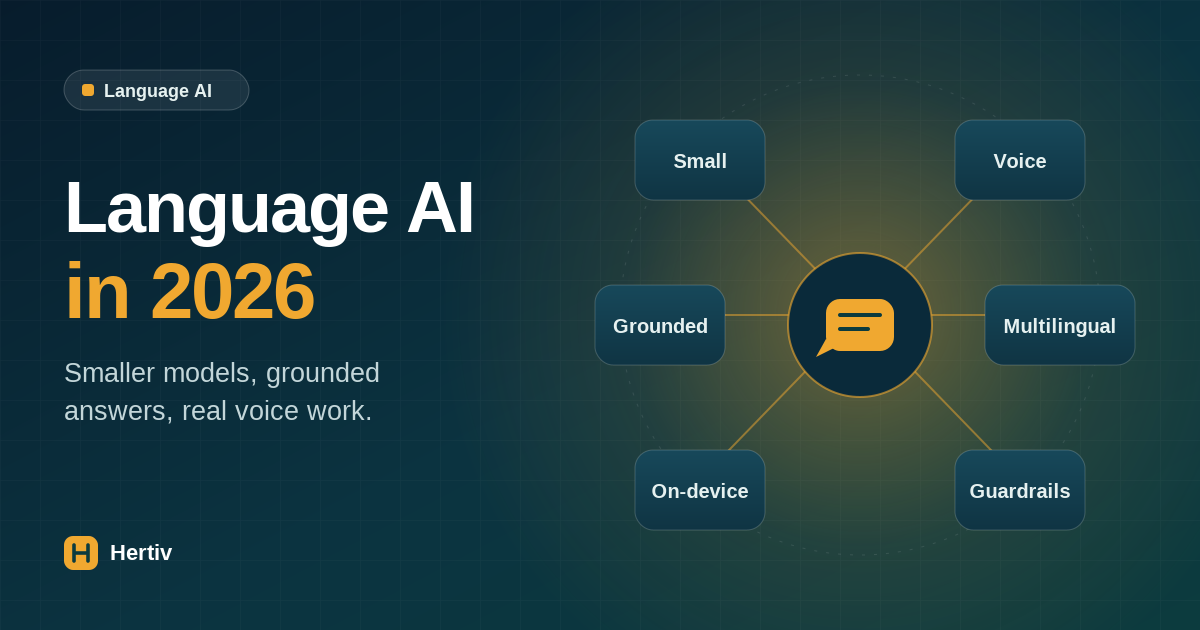
NLP is moving from large general models toward smaller, specialised systems that run where the work happens. Here are six trends shaping how teams use language AI.
On this page
Short answer
Natural language processing is shifting toward smaller models tuned for one job, retrieval systems that ground answers in company documents, and voice interfaces that work in real time. Multilingual models and on-device processing are also growing, as teams look for lower cost, faster answers and tighter control over data. The common thread is practical use: models are judged by what they do in a workflow, not by size alone.
What is changing in natural language processing?
Natural language processing is moving from large general models toward smaller, specialised systems that run where the work happens. The change is practical: teams care less about model size and more about cost, speed and whether the answer can be trusted.
A few years ago, the main question was how large a model could get. Now the main question is how a model fits into a real workflow: answering support tickets, drafting documents, reading contracts or sorting feedback. That shift is driving most of the trends below.
| Trend | What changes | Who it helps |
|---|---|---|
| Smaller, tuned models | One model per job, not one model for everything | Teams with a clear, repeated task |
| Grounded answers | Answers cite a company's own documents | Support, legal and sales teams |
| Voice interfaces | Spoken language works in real time | Call centres and field teams |
| Multilingual models | One system serves many languages | Global products and support |
| On-device NLP | Language work runs on the phone or laptop | Privacy-sensitive products |
| Evaluation and guardrails | Outputs are tested before users see them | Regulated and high-risk products |
None of these trends replaces the others. A support product might use a small tuned model, grounded in its own help articles, with evaluation checks before each reply. The skill is in combining the trends to fit one workflow, not in chasing each one separately.
Teams that want to build on these trends often start with LLM development work, since most language features still begin with a large model before they are tuned down for one job.
1. Smaller, tuned models: best for a repeated task
1. Smaller, tuned models: best for a repeated task
Smaller, tuned models are models trained or adjusted for one specific job, such as sorting support tickets or extracting dates from invoices. They are cheaper to run and easier to test than a large general model, because their job is narrow and their answers are predictable.
The trade-off is scope. A small model that is excellent at ticket sorting cannot write a marketing email, and that is fine if sorting is the only job it has. Teams save money by matching model size to task size, and they keep the large model only for work that genuinely needs it.
Pros:
- Lower running cost and faster answers
- Easier to test, because the task is narrow
- Can run on smaller, cheaper infrastructure
Cons:
- Cannot handle tasks outside its training
- Needs good examples to tune well
- Each new task may need a new model
2. Grounded answers: best for support and sales
Grounded answers are replies built from a company's own documents, so the model quotes the help article, price list or policy it used. This pattern, often called retrieval-augmented generation, is now the standard way to put language models in front of customers.
The value is trust. A model that invents a refund policy creates support work and angry customers. A model that answers only from approved documents, and says when it cannot find an answer, is safer to ship. The hard part is keeping the document set clean and current, because the model is only as good as what it can read.
Pros:
- Fewer invented facts in customer-facing replies
- Answers can show their sources
- Updates happen by updating documents, not retraining
Cons:
- Needs a well-organised document library
- Stale documents lead to wrong answers
- Retrieval adds latency to each reply
3. Voice interfaces: best for phone and field work
3. Voice interfaces: best for phone and field work
Voice interfaces let people talk to a system and get a spoken reply in real time, without typing. They are now fast enough for phone support, where a caller expects an answer in a second or two, and for field workers who cannot stop to type.
The change is in latency and naturalness. Older voice systems sounded robotic and made callers wait. Newer systems handle interruptions, pauses and accents better, so a caller can speak normally. That makes voice a real channel for language AI, not just a demo.
Pros:
- Works where hands and screens are busy
- Feels natural for phone-based customers
- Can handle simple tasks without a human agent
Cons:
- Background noise and accents still cause errors
- Hard to review a spoken conversation quickly
- Needs careful handoff to a human when it fails
4. Multilingual models: best for global products
Multilingual models handle many languages in one system, so a product can support customers in ten languages without ten separate pipelines. This matters for support, content and search in markets where English is not the first language.
The quality gap between languages is still real. A model may write excellent English and weaker output in a less common language, so teams should test each language they ship, not assume they all work equally well. Human review matters most for languages with less training data.
Pros:
- One system instead of many language pipelines
- Faster to add a new language
- Consistent behaviour across markets
Cons:
- Quality varies by language
- Less common languages need extra testing
- Cultural nuance is easy to miss
5. On-device NLP: best for private data
5. On-device NLP: best for private data
On-device NLP runs language models on the phone or laptop instead of sending text to a server. It fits products where the text is sensitive, such as health notes, legal drafts or private messages, and where a network connection cannot be assumed.
Small models make this possible. A model that summarises a note or suggests a reply does not need the largest system available, and running it locally removes the delay of a round trip to a server. The limit is hardware: older devices run smaller models, so the feature set must match what the device can do.
Pros:
- Private text never leaves the device
- Works offline and with low latency
- No server cost per request
Cons:
- Limited to smaller models
- Features vary by device
- Updates must be shipped with the app
6. Evaluation and guardrails: best for regulated work
Evaluation and guardrails mean testing a language system with real examples before it reaches users, and checking its outputs while it runs. Teams keep a set of test cases with known right answers, and they run them every time the model or the prompts change.
This trend matters because language models fail in ways that are hard to see in a demo. A model can be polite, confident and wrong. Guardrails catch the common failures: invented facts, disallowed content, and answers that drift from the approved wording. In regulated work, this testing is part of the product, not an extra.
Pros:
- Catches regressions before users do
- Gives a clear record of what was tested
- Builds trust with compliance teams
Cons:
- Writing good test cases takes time
- Some failures only appear in real use
- Guardrails can block good answers too
How to choose which NLP trend to follow
You choose which NLP trend to follow by starting from one workflow and its pain, not from the trend list. A trend earns its place only if it fixes a real problem in that workflow.
- Pick one workflow. Support tickets, contract review, feedback sorting or phone calls. One workflow, one clear owner.
- Measure the current cost. Count hours spent, wait times and error rates today, so you can tell later whether the change helped.
- Start with grounded answers. For most teams, retrieval from their own documents is the safest first step, because it reduces invented facts.
- Test with real examples. Build a set of 50 to 100 real cases with known right answers, and score the system against them before launch.
- Ship small and watch the logs. Launch to a small group, read the failures weekly, and fix the documents or the prompts before scaling up.
If the workflow involves customers directly, talk to the team that owns it before choosing a model. For teams planning a first language feature, NLP development work usually starts with a small pilot on one workflow, not with a platform rebuild.
What are the common mistakes?
The most common mistakes are picking the largest model by default, skipping evaluation, and letting the model answer from memory instead of from documents.
- Using the biggest model for every task. A large model costs more and answers slower. A small tuned model often does a narrow job better and cheaper.
- Skipping evaluation. Without test cases, nobody knows when an update makes things worse. Evaluation is the only way to catch silent regressions.
- Letting the model invent facts. A model without access to your documents will guess. Grounding answers in approved sources is the main fix.
- Ignoring the document set. Grounded systems fail when documents are stale, duplicated or badly written. Cleaning the source material is part of the project.
- Shipping voice without a handoff. A voice system that cannot hand a caller to a human when it is stuck will frustrate the people it was meant to help.
Another mistake is treating a demo as proof. A language model can look excellent in a short demo and fail on the tenth real case. Judge it on a week of real traffic, not on a curated example.
Key takeaways
- NLP is shifting from large general models to smaller, task-specific systems
- Grounded answers from a company's own documents reduce invented facts
- Voice interfaces are now fast enough for real phone work
- Multilingual and on-device models trade some power for reach and privacy
- Evaluation and guardrails are now part of the product, not an extra
- Start with one workflow, measure it, and test with real examples
Frequently asked questions
What is the biggest NLP trend in 2026?
The move toward smaller, specialised models is the clearest shift. Teams are replacing one large general model with smaller models tuned for single jobs, because they cost less to run, answer faster and are easier to test. Large models still have a role, but they are used where the task genuinely needs broad ability.
What is retrieval-augmented generation?
It is a pattern where a language model answers from documents it retrieves first, rather than from memory alone. The system searches a company's own articles, policies or records, then writes an answer based on what it found. This reduces invented facts and lets the answer show its sources.
Can NLP run on a phone without a server?
Yes, for smaller tasks such as summarising a note, suggesting a reply or transcribing speech. Small models can run on modern phones and laptops, which keeps private text on the device and works offline. Larger tasks still need a server, because the models are too big for most devices.
How do teams test a language model before launch?
They build a set of real examples with known right answers and score the system against them. The set should cover common cases, edge cases and known failure modes. Teams re-run the set after every change to the model, prompts or documents, so regressions are caught before users see them.
Is multilingual NLP good enough for customer support?
It depends on the language. Major languages usually work well, while less common languages need extra testing and human review. Teams should test each language they ship with real examples, and keep a human in the loop for sensitive conversations in languages with weaker coverage.
Do small models really beat large ones?
For a narrow, repeated task, often yes. A small model tuned on good examples can match or beat a large general model on that one job, at lower cost and with faster answers. For open-ended work that needs broad knowledge, the large model still has the advantage.


