8 n8n Alternatives for Workflow Automation Compared
n8n is a strong self-hosted automation tool, but it is not the only option. These eight alternatives cover no-code, code-first and enterprise workflow automation.
On this page
Short answer
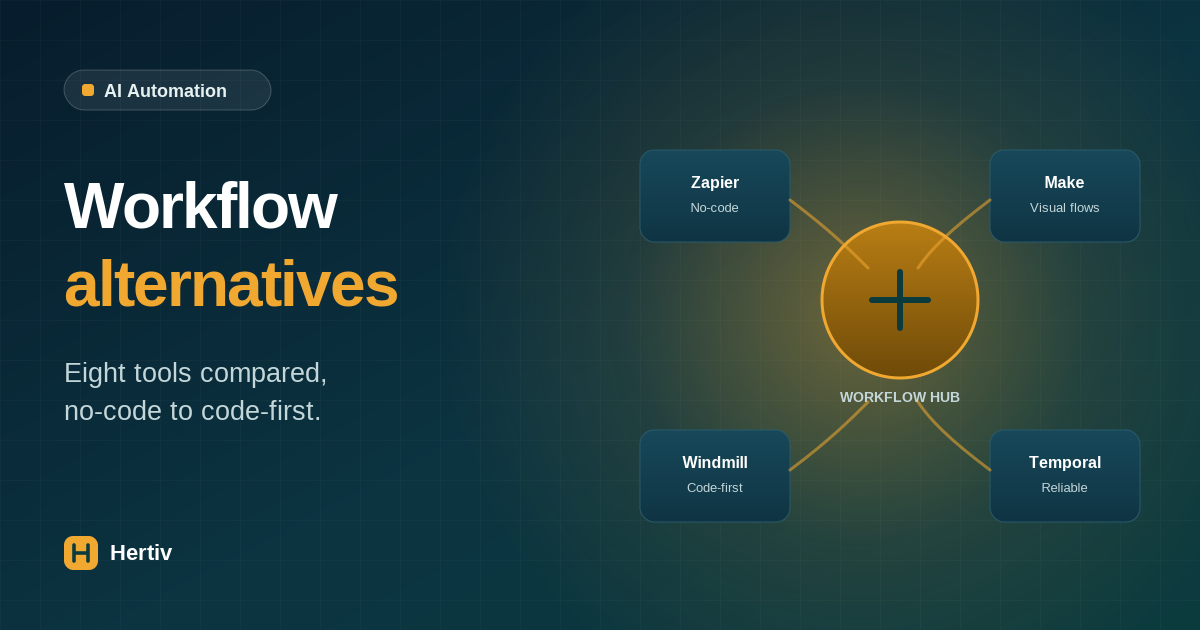
n8n is a strong self-hosted automation tool, but Zapier, Make, Activepieces, Windmill, Temporal, Prefect, Apache Airflow and Pipedream each suit different teams. No-code teams should start with Zapier, Make or Activepieces, while developer teams that want code and control should look at Windmill, Temporal or Pipedream first.
Which n8n alternatives should you compare first?
n8n is a strong self-hosted automation tool, but it is not the only option. The right alternative depends on whether you want no-code simplicity, code-first control, or an enterprise platform with governance built in. Use this comparison to shortlist.
| Tool | Best for | Self-hosting | Learning curve |
|---|---|---|---|
| Zapier | Quick no-code automations | No | Low |
| Make | Visual multi-step flows | No | Low to medium |
| Activepieces | Open source no-code flows | Yes | Low |
| Windmill | Code-first scripts as flows | Yes | Medium |
| Temporal | Long-running reliable workflows | Yes | High |
| Prefect | Data and ML pipelines | Yes | Medium |
| Apache Airflow | Scheduled data pipelines | Yes | High |
| Pipedream | Developer API workflows | No | Medium |
Pick the row that matches your team. A no-code team should start with Zapier, Make or Activepieces; a developer team that wants code and control should look at Windmill, Temporal or Pipedream first.
Zapier and Make
1. Zapier: best for quick no-code automations
Zapier is the best-known no-code automation tool, connecting thousands of apps through simple trigger-and-action flows. A team can connect a form to a spreadsheet, a CRM and an email tool in an afternoon, with no code and no server to run. It is the fastest way to automate a small, well-defined job.
The trade-off is cost and control. Complex flows with many steps or high volumes get expensive, and branching logic is harder than in a code-first tool. Zapier suits teams that want speed over depth, and who are happy to pay per task rather than run their own infrastructure.
Pros:
- Largest app catalogue of any no-code tool
- Fastest setup for simple two- or three-step flows
- No infrastructure to run or maintain
Cons:
- Costs rise quickly with volume and steps
- Limited control over branching and error handling
- Your data passes through a third-party service
2. Make: best for visual multi-step flows
Make, formerly Integromat, offers a visual canvas where each step of a workflow is a module you can see, move and connect. It handles branching, filters, iterators and error paths more naturally than Zapier, which makes it a better fit for flows with several branches or data transformations.
The visual approach has a learning curve: a complex scenario can become hard to read, and debugging a long flow takes patience. But for teams that want to see their whole process on one screen, Make is often the clearest option, and its pricing is usually lower than Zapier for the same volume.
Pros:
- Clear visual canvas for branching and filtering
- Strong data transformation tools built in
- Usually cheaper than Zapier at similar volumes
Cons:
- Complex scenarios can become hard to read
- No self-hosted option
- Some app connectors are less polished than Zapier's
Activepieces and Windmill
3. Activepieces: best for open source no-code flows
Activepieces is an open source no-code automation tool with a similar feel to Zapier, built for teams that want to self-host. It offers a growing library of app connectors, a visual flow builder and a hosted cloud option for teams that do not want to run servers.
Because it is younger than Zapier or Make, its connector library is smaller and some integrations are less mature. The trade-off is control: you can host it yourself, keep your data in your own systems, and extend it with custom pieces written in TypeScript when a connector is missing.
Pros:
- Open source and self-hostable
- Familiar no-code builder, easy for non-developers
- Custom pieces let you add missing integrations
Cons:
- Smaller connector library than Zapier or Make
- Younger project with faster-changing features
- Self-hosting still needs someone to run it
4. Windmill: best for code-first scripts as flows
Windmill turns scripts into workflows. Developers write small functions in Python, TypeScript, Go or Bash, and Windmill runs them as steps in a flow, with a UI, scheduling and permissions built in. It suits teams that think in code and want version control, tests and code review for their automations.
The cost is accessibility: non-developers cannot build flows without help, and the tool assumes comfort with code and Git. For a developer-led team that finds no-code builders limiting, Windmill is often the closest self-hosted alternative to n8n with a stronger code-first story.
Pros:
- Workflows are code, so they can be tested and reviewed
- Self-hostable with strong access controls
- Fast execution for script-based steps
Cons:
- Not usable by non-developers
- Smaller app connector library than no-code tools
- Needs a developer to maintain the flows
Temporal and Prefect
5. Temporal: best for long-running reliable workflows
Temporal is a workflow engine for processes that must not fail: order fulfilment, payments, onboarding and anything that runs for hours or days. It records every step, retries failures automatically, and survives restarts without losing progress, which is what makes it different from a simple automation tool.
Temporal is not a no-code tool and it is not quick to set up. It needs developers, a clear model of the process, and an understanding of its programming model. Use it when reliability and long-running state matter more than speed of building, not for a two-step form-to-email flow.
Pros:
- Workflows survive crashes and restarts
- Built-in retries and long-running state
- Strong fit for payments and fulfilment
Cons:
- High learning curve and setup effort
- Developer-only; no visual builder for business users
- Overkill for simple automations
6. Prefect: best for data and ML pipelines
Prefect is a workflow orchestration tool built for data and machine learning pipelines. Developers define flows in Python, schedule them, watch them run in a dashboard, and get alerts when a run fails. It is a natural fit for teams that move data between systems on a schedule and need to know when something breaks.
Prefect is less suited to event-driven business automations such as reacting to a new form submission, where a no-code tool is faster. Its strength is scheduled, repeatable data work with clear observability, and it integrates well with the Python data ecosystem.
Pros:
- Strong scheduling, retries and observability
- Python-native, fits data teams well
- Self-hostable with a clear dashboard
Cons:
- Not built for event-driven business flows
- Needs Python skills to use well
- Less useful outside data and ML work
Apache Airflow and Pipedream
7. Apache Airflow: best for scheduled data pipelines
Apache Airflow is the most established open source tool for scheduled data pipelines. Teams define directed acyclic graphs of tasks in Python, schedule them, and monitor runs in a web UI. It is the default choice in many data teams, with a large community and a wide library of operators for databases, cloud services and APIs.
Airflow is heavy to run and slow to change. It is designed for batch pipelines that run on a schedule, not for reacting to events in real time, and its learning curve is steep for small teams. Choose it when you have many scheduled pipelines and a data team to run them, not for a handful of business automations.
Pros:
- Most mature open source pipeline tool
- Large community and operator library
- Strong scheduling and monitoring
Cons:
- Heavy to run and maintain
- Not built for real-time event workflows
- Steep learning curve for small teams
8. Pipedream: best for developer API workflows
Pipedream is a developer-focused automation platform where workflows are code. It offers pre-built components for thousands of apps, a generous free tier for low volumes, and the ability to drop into Node.js or Python whenever a component is not enough. Developers can build an API-triggered workflow in minutes.
The trade-off is that Pipedream is a hosted service, so there is no self-hosted option, and business users cannot build flows without a developer. It suits small developer teams that want to connect APIs quickly and are comfortable writing code for the parts that matter.
Pros:
- Code-first with pre-built app components
- Fast to build API-triggered workflows
- Free tier suits low-volume use
Cons:
- No self-hosted option
- Developer-only; not for business users
- Costs rise with volume like other hosted tools
How to choose the right n8n alternative
You choose by matching the tool to your team and your workflows, then testing it on one real flow before moving anything else. The cheapest way to decide is a one-week trial on a single automation.
- List who will build the flows. Non-developers need a no-code builder; developers can use code-first tools.
- Decide on self-hosting. If data must stay in your systems, shortlist Activepieces, Windmill, Temporal, Prefect and Airflow.
- Count your workflows and volume. A handful of simple flows suits Zapier or Make; many scheduled pipelines suit Prefect or Airflow.
- Test one real flow. Rebuild a workflow you already run, measure the time it takes, and check error handling and logging.
- Check the exit. Confirm you can export your flows or rebuild them elsewhere before you commit to a platform.
Most teams can decide in a week. If two tools both pass the test, pick the simpler one. How to build an AI app covers the wider build process your automations will sit inside.
What are the common mistakes?
The most common mistakes are choosing on features instead of fit, automating a broken process, and skipping error handling. A tool cannot fix a process that is unclear, and an automation without error handling fails silently.
- Choosing on features. A long feature list does not mean the tool fits your team or your workflows.
- Automating a broken process. Automating a messy manual process just makes the mess happen faster.
- Skipping error handling. Flows without retries, alerts and logs fail silently and lose data.
- Ignoring volume costs. A tool that is cheap at 100 runs a month can be expensive at 100,000.
- No exit plan. Building dozens of flows on a platform you cannot leave is a lock-in problem, not a win.
- Letting flows grow without owners. Every automation needs a named owner who knows what it does and what to do when it breaks.
If your automations feed into a product, custom software development can help turn the important ones into owned, tested code.
Key takeaways
- No-code teams should start with Zapier, Make or Activepieces
- Developer teams that want code should look at Windmill, Temporal or Pipedream
- Temporal and Airflow suit long-running or scheduled pipelines, not quick flows
- Test one real flow for a week before migrating anything
- Every automation needs an owner and error handling
Frequently asked questions
What is the best n8n alternative for self-hosting?
Activepieces is the closest no-code self-hosted alternative, while Windmill suits code-first teams. Temporal, Prefect and Apache Airflow are also self-hostable, but they are built for reliable or scheduled pipelines rather than general business automations.
Is Zapier better than n8n?
Zapier is faster to set up and has the largest app catalogue, but it costs more at volume and cannot be self-hosted. n8n suits teams that want control and lower per-run costs, while Zapier suits teams that want speed and no infrastructure.
Can I migrate my n8n workflows to another tool?
There is no automatic migration between most tools. You rebuild each flow in the new tool, which is why testing your most important flow first matters. Export your n8n workflows as a reference while you rebuild.
Which n8n alternative is free?
Activepieces, Windmill, Temporal, Prefect and Apache Airflow are open source and can be self-hosted without a licence fee, although running them still costs time and infrastructure. Pipedream and Zapier offer free tiers for low volumes. See vendor sites for current pricing.
Do I need a developer to use these tools?
Zapier, Make and Activepieces are built for non-developers. Windmill, Temporal, Prefect, Airflow and Pipedream need developers, while n8n sits in the middle with both a visual builder and code steps.
What is the difference between Temporal and Airflow?
Temporal runs long-running workflows that must survive failures and restarts, such as payments and fulfilment. Airflow runs scheduled batch data pipelines on a timetable. They solve different problems and are often used together.


