How Mobile Technology Improves Patient Care in Healthcare
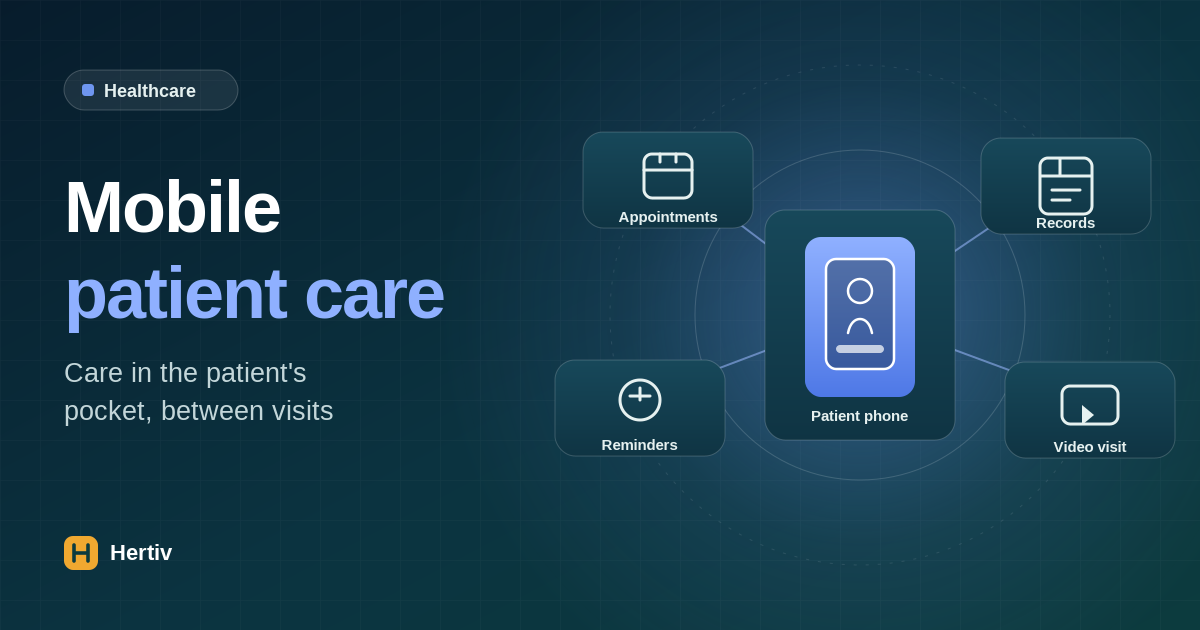
Mobile technology improves patient care by putting appointments, records, reminders and remote check-ins in a patient's pocket, between visits.
On this page
Short answer
Mobile technology improves patient care by putting appointments, health records, reminders and remote check-ins in a patient's pocket. Instead of care happening only during a clinic visit, a phone lets a patient book, get reminded, share readings from home and message the care team. The result is fewer missed appointments, faster follow-up and problems spotted earlier, provided the tools are simple enough for every patient to use.
What is mobile technology in patient care?
Mobile technology in patient care is the use of phones, tablets and connected devices to support treatment outside the clinic. It covers patient apps for booking and records, messaging with the care team, remote monitoring of blood pressure or blood sugar, and medication reminders that arrive on the device a patient already carries.
The shift matters because most care happens between visits. A patient with a long-term condition spends a few hours a year in a clinic and thousands of hours at home, where diet, medication and symptoms decide how well they do. A phone is the one device that is with them through all of it.
Mobile tools do not replace clinicians. They move routine work, such as booking, reminders and simple check-ins, onto a channel that is always available, so that clinic time goes to the conversations that need a human.
Where does mobile technology help most?
Mobile technology helps most where the work is repetitive, time-sensitive or spread across many patients. The table below sets out the main uses and what each one changes for the patient.
| Use | What the patient does | What changes |
|---|---|---|
| Booking and check-in | Books, reschedules and checks in from the phone | Fewer phone queues and shorter waits |
| Reminders | Gets appointment and medication reminders | Fewer missed visits and doses |
| Remote monitoring | Sends blood pressure, sugar or weight readings | Problems spotted between visits |
| Records and results | Views test results and prescriptions | Less confusion and fewer repeat calls |
| Messaging | Asks a short question without a visit | Faster answers for small problems |
| Video visits | Joins a consultation from home | Care without travel for follow-ups |
No single use carries the whole case. The value comes from the combination: a patient who books on the phone, gets a reminder, attends, and then sends readings from home is far easier to look after than one who only appears when something goes wrong.
How do appointments and reminders change care?
Missed appointments are one of the most expensive problems in a clinic, because an empty slot is time a clinician cannot sell twice. A phone reminder the day before, and again a few hours before, cuts missed visits simply because people forget less. Booking on the phone helps too, because a patient can take the first free slot at midnight instead of waiting for the reception desk to open.
Check-in on the phone shortens the queue at the desk and gives the clinic a clean record of who has arrived. It also lets the clinic ask a patient to arrive at a precise time rather than early, which spreads arrivals through the day.
The risk is assuming every patient is comfortable with an app. Older patients and people with limited reading skills need a phone call option and large, plain screens. A clinic that removes the phone line when it launches an app usually sees complaints before it sees benefits.
How does remote monitoring work in practice?
Remote monitoring means a patient measures something at home, such as blood pressure, blood sugar, weight or oxygen, and the reading reaches the care team without a visit. The patient uses a connected device or types the reading into an app, and the care team sees it on a dashboard with alerts for readings outside the agreed range.
The value is early warning. A slow rise in blood pressure over three weeks is easy to miss in a single clinic visit, but obvious on a chart of daily readings. The care team can call the patient, adjust the dose, or bring the visit forward before the problem becomes an emergency.
Monitoring only works when someone watches the dashboard. Readings that nobody reviews are worse than no readings at all, because the patient assumes someone is watching. A clinic needs a named person, a daily review routine and a clear rule for when a reading triggers a call.
Wearable devices add another stream of data; see how wearable technology is used in healthcare.
What about records, messaging and medication?
Access to records changes the conversation. A patient who can see their own test results, prescriptions and care plan asks better questions and makes fewer calls to ask what the result said. It also catches errors: a patient who spots a wrong dose on their own list can flag it before taking it.
Messaging works best for short, clear questions, such as whether a wound looks normal or whether a dose can move by an hour. It fails when it becomes a general inbox with no response time promised, because patients then assume a message is the same as a visit.
Medication reminders are the simplest win. A reminder at the right time, with the dose and a one-tap confirmation, helps patients who take several medicines a day. The app should also show what to do after a missed dose, because that is the moment patients most often guess.
Example (hypothetical): a hospital cuts missed appointments
Example (hypothetical): a hospital runs 1,000 outpatient appointments a month and 15% of them are missed, which is 150 empty slots. It adds phone booking and reminders the day before and two hours before each visit, and missed appointments fall by a third.
A third of 150 is 50, so the hospital recovers 50 slots a month. If each slot is worth $40 of clinician time, that is $2,000 a month, or $24,000 a year, before counting the shorter queues and fewer phone calls at reception. The reminder system itself costs far less than that to run, which is why it is usually the first mobile feature a hospital adds.
The gain only holds if reminders reach patients who change numbers or switch phones off. The hospital keeps a phone call option for those patients, so the reminder system improves the average without leaving anyone behind.
What are the common mistakes?
The most common mistakes are building for the youngest patients, launching without a review routine for remote readings, and treating a messaging inbox as a substitute for a visit.
- Designing for the confident user. Small text, long forms and jargon lock out the patients who need care most.
- Collecting readings nobody reviews. A dashboard without a named reviewer creates a false sense of safety.
- No promised response time. Patients need to know whether a message will be answered in an hour or in two days.
- Removing the phone line too soon. An app-only clinic strands patients who cannot use it.
- Weak privacy controls. Health data on a shared or lost phone needs a passcode, automatic sign-out and remote wipe.
Privacy deserves a line of its own. A health app holds the most personal data a person has, so it needs a passcode, automatic sign-out and a way to wipe the data if the phone is lost. A team that treats that as an afterthought will not get a second chance.
Key takeaways
- Mobile technology moves routine care onto the device a patient already carries
- Reminders and phone booking cut missed appointments more cheaply than any other mobile feature
- Remote monitoring only helps when a named person reviews the readings every day
- Records access and short messaging reduce calls and catch errors earlier
- Every mobile feature needs a non-app option for patients who cannot use it
Frequently asked questions
How does mobile technology improve patient care?
It puts booking, reminders, records and remote check-ins on the patient's phone, so care continues between visits. Fewer appointments are missed, readings from home reach the care team, and small questions get answered without a visit.
What is remote patient monitoring?
Remote monitoring is when a patient measures blood pressure, blood sugar, weight or oxygen at home and the reading reaches the care team. A dashboard flags readings outside the agreed range so the team can act early.
Do mobile health apps replace clinic visits?
No. They handle routine work such as booking, reminders and simple check-ins, and they flag problems early. Diagnosis, examinations and difficult conversations still need a clinician in person or on video.
Are mobile health apps safe for older patients?
They can be, if the design uses large text, plain language and few steps, and if a phone call option stays available. An app that only works for confident smartphone users leaves the patients who need care most behind.
How is patient data protected on a phone?
A health app should need a passcode, sign out automatically, and allow the data to be wiped if the phone is lost. Patients should also be told clearly what data is stored and who can see it.
What should a clinic launch first?
Phone booking and reminders are usually first, because they cut missed appointments and phone queues for a low cost. Remote monitoring comes next, once a team is in place to review the readings daily.


