Mobile Apps for Retail: What Actually Drives Revenue?
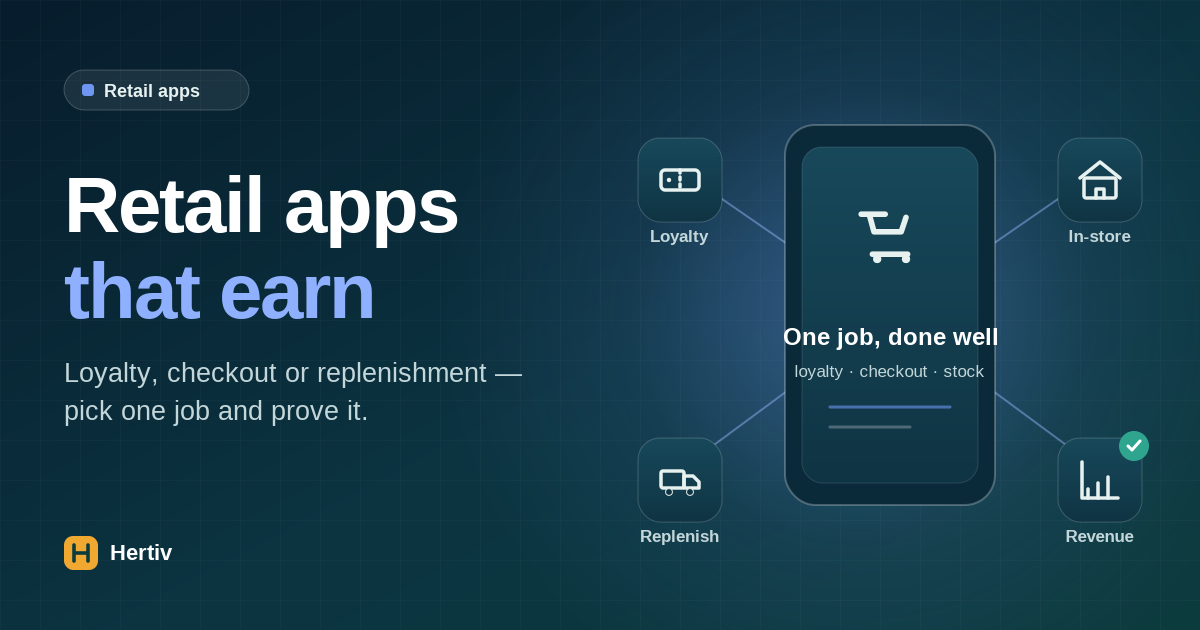
Mobile apps for retail work when they solve a specific job: loyalty, in-store checkout, or replenishment. Pick one, prove it, then expand the app's scope.
On this page
Short answer
A retail mobile app is a customer-facing iOS and Android product that ties store, e-commerce and loyalty data into one experience. It pays off when it removes friction a browser cannot fix, such as in-store checkout, repeat replenishment or personalised offers.
What is a mobile app for retail business?
A mobile app for a retail business is a native or cross-platform application that connects shoppers to a retailer's catalogue, stores and loyalty programme in one place. It differs from a mobile website because it can use the camera, push notifications, stored credentials and offline data.
The practical distinction is the job it does. A responsive website is good at browsing and one-off purchases. An app earns its install when it repeats a task: scanning a loyalty card, reordering the same basket, checking stock at the nearest branch, or paying without queueing. If the app only mirrors the website, most shoppers will uninstall it after the first order.
Retail apps usually sit across three systems:
- Commerce platform: product catalogue, prices, promotions and orders
- Store systems: point of sale, stock levels, click-and-collect slots
- Customer data: loyalty balance, purchase history, consent records
The engineering effort is less about screens and more about keeping those three sources consistent. Price and stock conflicts between the app and the till are the most common cause of support tickets in retail apps.
Which retail app use cases pay back first?
Loyalty, scan-and-go checkout and repeat replenishment usually pay back first because they change behaviour rather than just display information. The table below compares common options by what they need from your systems.
| Use case | What it does | Typical data needed | Effort |
|---|---|---|---|
| Loyalty and rewards | Digital card, points, personalised offers | CRM, loyalty engine | Medium |
| Scan-and-go checkout | Shopper scans items, pays in app | POS, payments, inventory | High |
| Repeat replenishment | One-tap reorder of past baskets | Order history, stock | Low to medium |
| Click-and-collect | Reserve online, pick up in store | Inventory, store hours | Medium |
| Store stock checker | Shows availability by branch | Inventory per location | Medium |
| Digital receipts | Stores receipts, enables returns | POS, returns system | Low |
| In-app customer support | Chat or ticket history | Support platform | Low to medium |
| Personalised recommendations | Surfaces relevant products | Behaviour data, catalogue | Medium to high |
For a broader view of how these pieces fit with AI-driven personalisation, see AI for retail and e-commerce.
How do you design the app around the store, not just the basket?
Design the retail app around store operations, because that is where the web experience usually breaks. Shoppers standing in an aisle need stock accuracy, fast search and a checkout that matches the till price.
Three design decisions matter most:
- Search and barcode scanning first. Put the scan button on the first screen. Most retail sessions start with a specific item, not a browse.
- Offline tolerance. Store connectivity can be poor. Cache the loyalty card, recent orders and basket locally so the app stays usable.
- One identity across channels. The same account should hold loyalty points, online orders and in-store receipts. Fragmented identities create duplicate accounts and support load.
Example (hypothetical): a retailer with 40 stores runs a scan-and-go pilot in five branches. If the app is used by 2,000 shoppers per month and saves an average of four minutes of queueing per visit at an assumed staff cost of USD 15 per hour, the recovered capacity is roughly 133 staff hours per month. Those numbers are illustrative only and depend on store traffic and basket size.
Staff-facing tools matter too. Associates need a view of the same stock and order data, or the app will promise items the shelf does not have.
Which integrations does a retail app need?
A retail app needs four integration layers: commerce, payments, store systems and customer data. Missing any one of them produces the same symptom: the app shows something the rest of the business disagrees with.
- Commerce and catalogue: product data, pricing, promotions. Use an API or event feed rather than nightly database copies.
- Payments: card, wallet and, increasingly, account-to-account or stablecoin rails where regulation allows. Payment method choice changes checkout design and reconciliation.
- POS and inventory: stock by location, click-and-collect slots, returns. This is usually the hardest integration because POS vendors vary widely in API quality.
- CRM and loyalty: points balance, segments, consent state.
- Analytics and events: funnel, search terms, failed scans, crash data.
If you are evaluating payment options beyond cards, our guide to stablecoin payments for business covers the operational side. The build itself usually belongs with a partner who does mobile app development for iOS and Android.
How do you build and launch a retail app without stalling?
Build and launch in a thin slice: one use case, one integration set, one measurable goal. Retail app projects stall when the first release tries to cover loyalty, checkout, catalogue and support at once.
A workable sequence:
- Define the success metric. For example: weekly active users, repeat order rate, or share of transactions through the app.
- Choose one use case and one store group. Pilot in a small number of branches or a single customer segment.
- Lock the integration contract early. Agree API shapes with the POS, commerce and CRM owners before UI design finishes.
- Ship a minimum release. Authentication, scan, core use case, crash reporting, analytics.
- Instrument and review. Look at search terms with no results, failed scans and drop-off points.
- Expand on evidence. Add the next use case only when the first one shows use.
This is the same discipline used in custom software development for internal tools: narrow scope, real data, measurable outcome. Budget ranges vary widely by scope; a pilot is usually a fraction of a full multi-channel release.
What are the common mistakes in retail app projects?
The most common mistakes are scope and data problems, not design or framework choices. Teams usually pick the right technology and the wrong first release.
- Rebuilding the website. If the app has no camera, push or offline value, shoppers will not keep it.
- Ignoring store data quality. Stock counts that are wrong in the back office will be wrong in the app.
- Skipping consent design. Location, push and analytics permissions need clear purpose and an easy opt-out.
- Treating loyalty as a card image. Points must be live and redeemable at the till, not a static barcode.
- No staff tooling. Associates need the same view of orders and stock as shoppers.
- Launching everywhere at once. A pilot reveals integration failures before they affect every store.
- No maintenance plan. OS updates, payment SDK changes and POS API changes are continuous work.
How should you choose a retail app partner?
Choose a partner who can show how they handle POS and commerce integrations, not just app screens. The integration layer is where retail apps succeed or fail.
Four steps to prioritise:
- Ask for integration examples. Specifically POS, inventory and loyalty, including how they handled unreliable APIs.
- Check the handover model. You need code ownership, documentation and a release process you can run.
- Separate build from run. Ask who handles OS updates, payment SDK changes and crash triage after launch.
- Start with a pilot scope. A fixed, narrow pilot tests the team and the integrations before a larger commitment.
- Confirm data and security posture. Payment data, consent and personal data handling should be described in writing.
Hertiv builds retail apps alongside AI and data work, which matters when loyalty segments or recommendations feed the app. You can review software engineering services and the broader blog for related guides before scoping.
Key takeaways
- Start from one job the web cannot do well, not from a feature list
- Loyalty, scan-and-go checkout and repeat replenishment are the strongest first use cases
- Plan for POS, inventory and CRM integrations before design starts
- Push notifications and location data need explicit consent and a clear opt-out
- A thin, reliable first release beats a feature-rich app nobody returns to
Frequently asked questions
Do retail businesses need a mobile app or just a mobile website?
Start with a mobile website unless you need camera scanning, push notifications, offline use or stored loyalty credentials. Those capabilities are the main reasons shoppers keep a retail app installed. If the app only duplicates browsing and checkout, a responsive site is cheaper to run and easier to maintain.
Should a retail app be native or cross-platform?
Cross-platform frameworks suit most retail apps because the screens are forms, lists and scanning. Native development makes sense when you rely heavily on camera performance, background location or deep device integration. The integration layer usually matters more to the outcome than the framework choice.
How long does a retail mobile app take to build?
A narrow pilot with one use case and a few integrations typically takes a few months, depending on POS and commerce API quality. A full multi-channel release with loyalty, checkout and store tooling takes considerably longer. The integration work, not the interface, sets the timeline.
How do you measure whether a retail app is working?
Track weekly active users, repeat order rate, share of transactions through the app, loyalty redemption and support tickets per order. Also watch search terms with no results and failed scans. A useful pilot shows behaviour change within the first few months, not just installs.
What data does a retail app need from the point of sale?
It needs stock levels by location, prices and promotions, transaction records for receipts and returns, and loyalty redemption at the till. Access is usually through an API or event feed rather than direct database reads. POS vendors vary widely in what they expose.
How should a retail app handle privacy and consent?
Collect only the permissions the use case needs, explain why, and keep consent state synced with the CRM. Location and push notifications should be optional and easy to turn off. Payment data should be handled by a compliant provider rather than stored in the app.


