How Mobile Apps Drive Enterprise Digital Transformation
Mobile apps put enterprise systems in staff and customer pockets, cutting the delay between a task and its data. Where they help most, and how to roll one out.
On this page
Short answer
Mobile apps support enterprise digital transformation by giving staff and customers direct access to core systems from anywhere, so approvals, orders, field work and service requests move without paper or desktop queues. They work best when they connect to one system of record, work offline where needed, and replace a real manual process rather than copying it onto a phone.
What does a mobile app change in an enterprise?
A mobile app changes an enterprise by putting its systems in the hands of staff and customers wherever they are, instead of tying work to a desk, a paper form or a phone call. The work itself stays the same; the delay between the task and the system that records it disappears.
That matters because most enterprise delays are waiting, not working: a technician waits to file a report, a manager waits to approve a request, a customer waits for an update. A mobile app closes those gaps by letting each person act the moment the work happens.
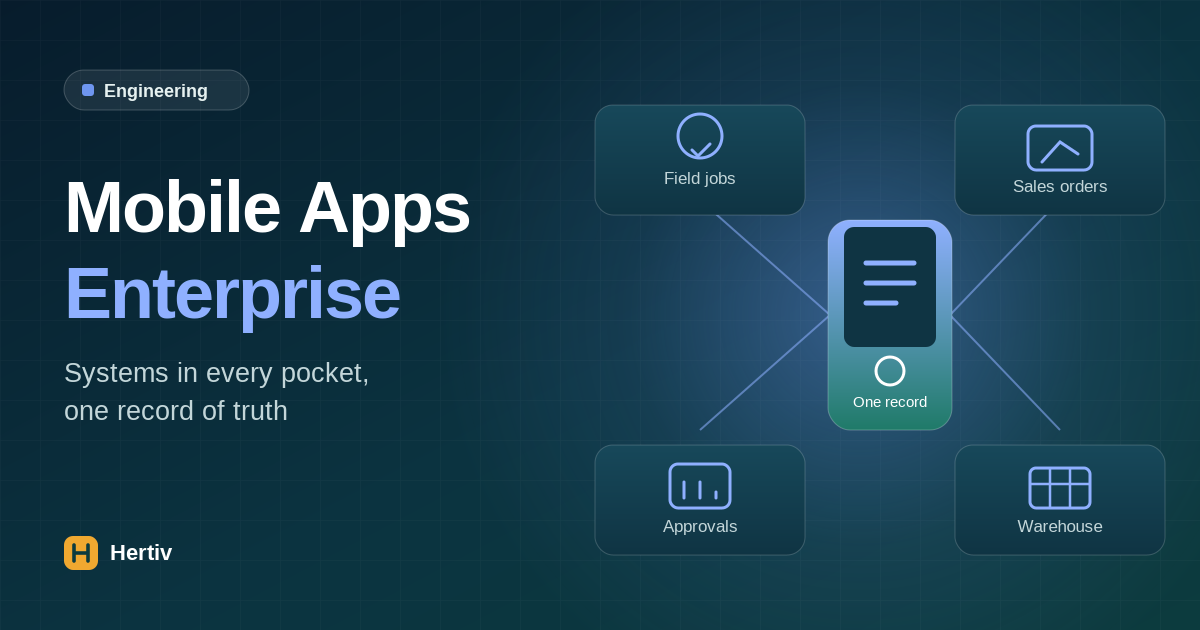
The change is only real when the app connects to the same systems the office uses. An app that stores data on the phone and never reaches the core system creates a second queue, not a faster one. The goal is one record, reached from anywhere.
For teams planning the build, mobile app development starts with the process the app will replace, not with the screens.
Where mobile apps help most
Mobile apps help most where the work happens away from a desk. The table below shows the areas with the clearest payoff.
| Area | What the app does | Why mobile fits |
|---|---|---|
| Field service | Job details, photos and sign-off on site | Work happens away from a desk |
| Approvals | Approve requests and expenses in one tap | Decisions stall without a desk |
| Sales | Quotes, stock and orders at the customer | The meeting is the workplace |
| Warehouse | Scan, pick and count stock | Staff move constantly |
| Customer service | Track orders, book visits, raise tickets | Customers expect self-service |
| Human resources | Leave, expenses and payslips | Staff rarely sit at a desk |
Start with the area where the delay is most expensive. A field team that files reports a day late costs more than a head-office team that approves expenses a day late, so field service is often the right first app.
How a mobile app fits into the wider transformation
A mobile app is one part of a digital transformation, not the whole of it. It works when the processes behind it are already digital: a clean system of record, clear rules for who can do what, and data that is accurate enough to trust.
The app should talk to existing systems through APIs, not replace them. Rebuilding the core system to fit the app is the expensive route; connecting the app to the system you already run is usually faster and safer.
Offline use matters more than most teams expect. Field staff, warehouses and remote sites lose signal, so the app must store work locally and sync when the connection returns, without losing or duplicating records.
When the app needs to reach several back-end systems at once, custom software development can build the integration layer that keeps one record of truth.
How to roll out an enterprise mobile app
You roll out an enterprise mobile app one process at a time, with the people who will use it involved from the start. A phased rollout finds problems while they are still cheap to fix.
- Pick one process. Choose a process with a clear owner and a measurable pain, such as job reporting or approvals.
- Map the process as it is. Write down every step, then remove the steps the app makes unnecessary before you build anything.
- Connect to one system of record. The app should read and write to the system the office already uses, through APIs.
- Test with real users. Put the app in the hands of the people who will use it daily, on their real devices, in their real workplaces.
- Train in short sessions. Ten minutes of training on the job beats a day in a classroom, and a named support contact beats a manual.
- Roll out to one team first. Fix what breaks, then expand team by team instead of switching everyone at once.
Keep the first version small. An app that does one process well earns trust; an app that tries to replace five processes at once usually does none of them well.
Example: a field service rollout
Example (hypothetical): a facilities company has 40 technicians who each complete 5 jobs a day, so 200 jobs a day in total. Each job used to end with a paper form that took 15 minutes to retype into the office system.
At 200 jobs a day and 15 minutes each, retyping took 3,000 minutes a day, which is 50 hours a day across the office team. The mobile app lets technicians complete the form on site, so the retyping step disappears and the office sees each job the moment it is finished.
The saving is real, but only because the app replaced a step rather than adding one. If the app had asked technicians to fill in the same form twice, once on paper and once on the phone, nothing would have been saved.
How do you know the app is working?
Measure the process, not the app. Adoption, task time and error rate tell you more than downloads or logins.
- Share of work done in the app. If half the jobs still arrive on paper, the app has not replaced the process.
- Time from job done to record filed. This should fall from hours to minutes.
- Rework rate. Missing fields and wrong entries should fall once the app checks input on the spot.
- Support tickets per user. A rising count means the app is confusing, not that users are careless.
Review the numbers with the team that uses the app, not just with IT. The users know which steps still slow them down, and their complaints are the best guide to the next fix.
Broader shifts in how teams work are covered in digital transformation trends that change teams.
What are the common mistakes?
The most common mistakes in enterprise mobile apps are copying the paper form onto a phone, ignoring offline use, and rolling out to everyone at once.
- Copying the paper form. A form designed for paper is rarely the right flow for a phone; redesign the steps first.
- Building for one device. Staff use a mix of phones and tablets, so test on the devices they actually carry.
- Ignoring offline use. An app that stops working without signal will be abandoned by field staff.
- No owner after launch. Someone must own fixes, updates and training after the first release.
- Rolling out to everyone at once. A big-bang launch turns small bugs into company-wide outages.
- Measuring downloads instead of outcomes. Installs tell you nothing about whether the process got faster.
Some of these traps are covered in enterprise mobile app myths, which clears up the claims that lead teams astray.
Key takeaways
- A mobile app removes the delay between work and the system that records it
- The app must connect to one system of record, or it creates a second queue
- Field service, approvals and sales are usually the highest-payoff first apps
- Offline use matters: the app must store work locally and sync without losing records
- Roll out one process and one team at a time, then expand on what you learn
- Measure the process, such as time from job done to record filed, not downloads
Frequently asked questions
Do enterprise mobile apps replace desktop systems?
No. A mobile app is a front end for the systems the office already uses, such as the CRM, ERP or service desk. The core system stays where it is; the app gives staff and customers a faster way to reach it from anywhere.
How long does an enterprise mobile app take to build?
A focused app for one process typically takes a few months from scoping to first rollout, when the back-end systems are ready. The time grows when the app must connect to several old systems or when the process itself needs redesigning first.
Should an enterprise app work offline?
Yes, for any team that works away from reliable signal, such as field service, warehouses and remote sites. The app should store work locally and sync when the connection returns, without losing or duplicating records.
How do you keep enterprise mobile apps secure?
Use the same controls as the rest of the estate: single sign-on, device checks, encrypted connections and scoped permissions. Sensitive data should not sit on the device longer than needed, and lost devices should be wiped remotely.
Who should own an enterprise mobile app after launch?
The owner of the process it supports, not IT alone. That owner decides priorities, funds fixes and answers for adoption, while IT runs the platform, security and releases. Without a named owner, fixes stall.
Can one app serve staff and customers?
It can, but the two groups need different screens and permissions. Staff need full process tools, while customers need simple self-service. Many teams build one app with separate roles, which is cheaper than two apps if the roles are kept clearly apart.


