Mobile App Technology Stack: How to Choose the Right One
A mobile app stack is the languages, frameworks and services behind an app. This guide explains each layer and how to pick the combination that fits your team.
On this page
Short answer
A mobile app technology stack is the combination of programming languages, frameworks, backend services and tools used to build and run a mobile app. It covers the app itself, the server and APIs behind it, the database, and the tools for testing and release. The right stack depends on your platforms, your team's skills, your budget and how fast the product needs to change.
What is a mobile app technology stack?
A mobile app technology stack is the set of languages, frameworks, backend services and tools used to build, run and update a mobile app. It covers the code on the phone, the server and APIs behind it, the database, and the tools that test and release each version.
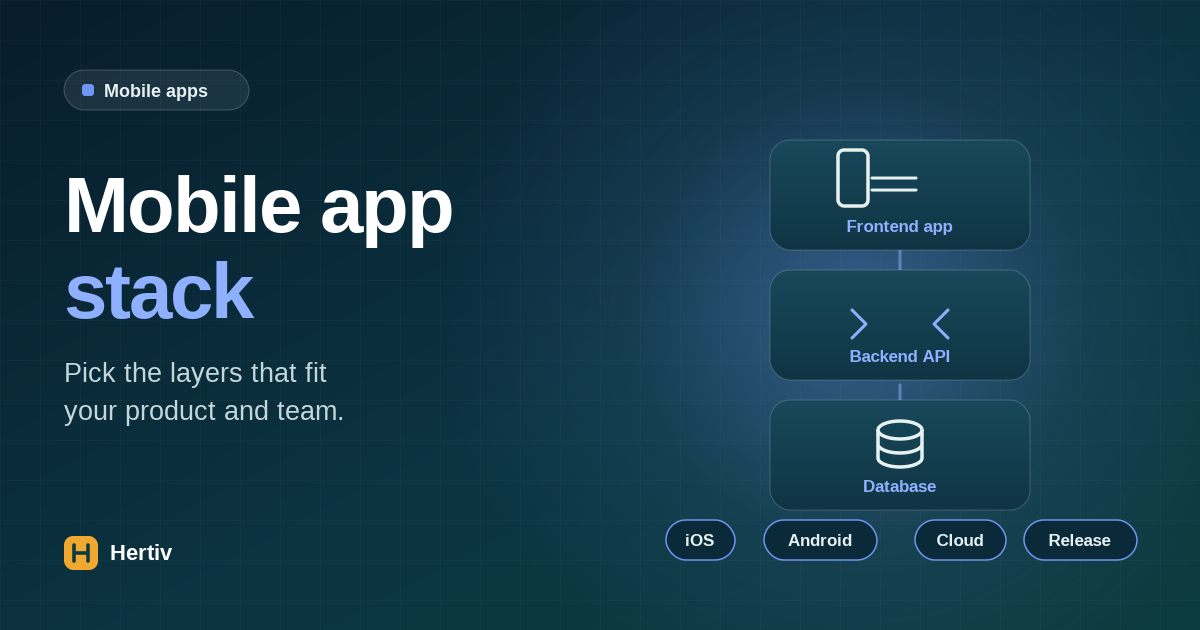
The stack is usually described in layers, and each layer has a job. The frontend is what users see and touch. The backend handles accounts, business rules and data. The database stores records. Hosting and infrastructure keep everything running, and the release pipeline ships updates to the app stores.
| Layer | What it does | Common choices |
|---|---|---|
| Frontend | Screens, navigation, forms and input | Swift, Kotlin, React Native, Flutter |
| Backend and APIs | Accounts, rules and data access | Node.js, Python, .NET, Go |
| Database | Stores app data on server and device | PostgreSQL, MySQL, MongoDB, SQLite |
| Hosting and infrastructure | Servers, storage and scaling | AWS, Google Cloud, Azure |
| Testing and release | Checks quality and ships updates | App Store Connect, Play Console, CI tools |
One stack does not fit every app. A banking app, a game and a delivery app have different needs for speed, security and offline use, so the choice starts with what the product must do. Teams that pick the stack before they understand the product usually pay for the mistake later. When the same product also needs a browser version, web app development follows the same layering.
Native, cross-platform or hybrid: which fits?
The first decision is how the app is built for each platform. A native app is written separately for iOS and Android, a cross-platform app shares one codebase across both, and a hybrid app runs web code inside a native shell.
| Approach | How it works | Strengths | Trade-offs |
|---|---|---|---|
| Native | Separate iOS and Android code | Best performance and platform features | Two codebases to maintain |
| Cross-platform | One codebase, two apps | Faster to build and change | Some platform features need extra work |
| Hybrid | Web code in a native shell | Cheapest and fastest to start | Weaker performance and feel |
Native fits apps where performance and platform features matter most, such as camera-heavy apps or games. Cross-platform fits most business apps, where one team and one codebase keep costs down. Hybrid fits simple content apps and quick prototypes.
The choice also depends on the team. A team that knows one language well will ship faster with a cross-platform framework in that language than with two native codebases it has never used.
What does the frontend layer include?
The frontend layer is everything that runs on the phone: screens, navigation, forms, offline storage and the code that talks to the backend. It is the part users judge, so it deserves the most design and testing time.
A typical frontend has four parts:
- UI framework. SwiftUI, Jetpack Compose, React Native or Flutter for screens and components.
- Navigation and state. How screens connect and how the app remembers data between them.
- Local storage. SQLite or similar storage so saved data and drafts work offline.
- Network layer. API calls, retries and error handling when the connection drops.
A good frontend keeps the app usable when the network is slow or absent. It saves drafts locally, retries failed requests and shows clear errors instead of blank screens.
Keep the frontend thin where you can. Business rules that live in the app are harder to change than rules on the server, so push decisions to the backend and let the frontend focus on display and input.
What does the backend layer include?
The backend layer is the server side: APIs, accounts, business rules, payments, notifications and the admin tools your team uses. It is where most of the product logic should live, because it can be changed without an app store release.
A typical backend has four parts:
- API layer. REST or GraphQL endpoints the app calls for data and actions.
- Authentication. Sign-in, sessions and permissions for each user and role.
- Business logic. Orders, bookings, pricing rules and the checks that guard them.
- Integrations. Payments, maps, messaging and analytics services.
A common mistake is building a backend that only serves one app. If the same service later needs a web dashboard or a partner API, a backend designed around one client becomes a rewrite. Design the API as a product of its own.
For a first version, a managed backend can be enough. It trades control for speed, which is the right trade when you are still learning what users want. See how to create a mobile app for business for the wider build sequence.
How do data, testing and release fit in?
Data, testing and release are part of the stack, not afterthoughts. The database choice affects how the app handles offline use and sync. The testing setup decides whether a release is a routine event or a stressful one.
The three areas to settle early:
- Database. PostgreSQL for structured data, MongoDB for flexible records, SQLite on the device.
- Testing. Unit tests, device tests and beta groups before each release.
- Release. A CI pipeline, staged rollouts and crash reporting.
Plan the release process before the first launch. Staged rollouts let you ship to a small share of users first and stop a bad version before it reaches everyone.
Crash reporting and analytics belong in the first version, not the second. Without them, you learn about bugs from angry reviews instead of from data.
Example (hypothetical): choosing a stack for a clinic booking app
Example (hypothetical): a clinic wants a booking app for patients, with profiles, appointments, reminders and payments. The team has three developers who know JavaScript well, and the budget covers one codebase.
The team picks a cross-platform frontend in React Native, a Node.js API, PostgreSQL for appointments and patient records, and managed hosting. The app stores bookings locally in SQLite so patients can see appointments offline.
The arithmetic is simple. Two native apps would need two codebases and roughly twice the frontend work. One shared codebase takes about 60% of that effort: if two native apps need 1,000 hours of frontend work, the shared version needs about 600, saving 400 hours for testing and polish.
The backend stays the same either way, so the saving is real. The team spends it on appointment reminders and a staged rollout, which are the features that decide whether patients keep using the app.
What are the common mistakes?
The most common mistakes are choosing the stack before the product is understood, copying a stack from a different kind of app, and ignoring the cost of maintenance.
- Picking a trendy framework the team does not know. Learning it on a live project costs more than the framework saves.
- Building two native apps when one codebase would do. Two codebases double the maintenance for little gain.
- Putting business logic in the app. Rules in the app need a store release to change.
- Skipping offline handling and error states. Users meet them on the first bad connection.
- No crash reporting in the first version. Bugs stay invisible until users complain.
Review the stack once a year. Frameworks change, the product changes, and a stack that was right for the first version may be wrong for the fifth. If you are planning the build, mobile app development covers the full sequence from first version to store release.
Key takeaways
- A mobile app stack covers the frontend, backend, database, hosting and release pipeline
- Native fits performance-heavy apps; cross-platform fits most business apps
- Keep business logic on the backend so it can change without an app store release
- Plan offline use, testing and staged rollouts before the first launch
- Pick the stack your team can ship and maintain, not the trendiest one
Frequently asked questions
What is the most common mobile app technology stack?
A common stack is a cross-platform frontend such as React Native or Flutter, a Node.js or Python API, PostgreSQL for data and managed cloud hosting. It suits most business apps because one team can build and maintain both platforms from a single codebase.
Should I build native or cross-platform?
Build native when performance and platform features matter most, such as games or camera-heavy apps. Build cross-platform for most business apps, where one codebase keeps costs down and changes ship to both platforms at once.
What backend should a mobile app use?
Use a backend your team can maintain and that fits your data: Node.js or Python APIs with PostgreSQL cover most apps. Managed backends suit a first version, while a custom API gives more control as the product grows.
How much does the technology stack affect cost?
A lot. Two native codebases roughly double frontend work, while one shared codebase cuts it by about a third. Hosting, tools and maintenance also add up, so cost the whole stack, not just the build.
Do I need a database in the app itself?
Most apps benefit from local storage such as SQLite, so users can see saved data and drafts offline. The server database stays the source of truth, and the app syncs with it when the network returns.
When should I change my app's technology stack?
Change it when the current stack blocks a feature, slows releases or costs more to maintain than a move would save. Small apps rarely need a rewrite; fix the worst layer first and measure the result.


