Mobile App Architecture: How to Structure an App That Scales
Mobile app architecture is the way an app is split into layers, such as screens, logic and data. Learn the main patterns and how to pick one that fits your team.
On this page
Short answer
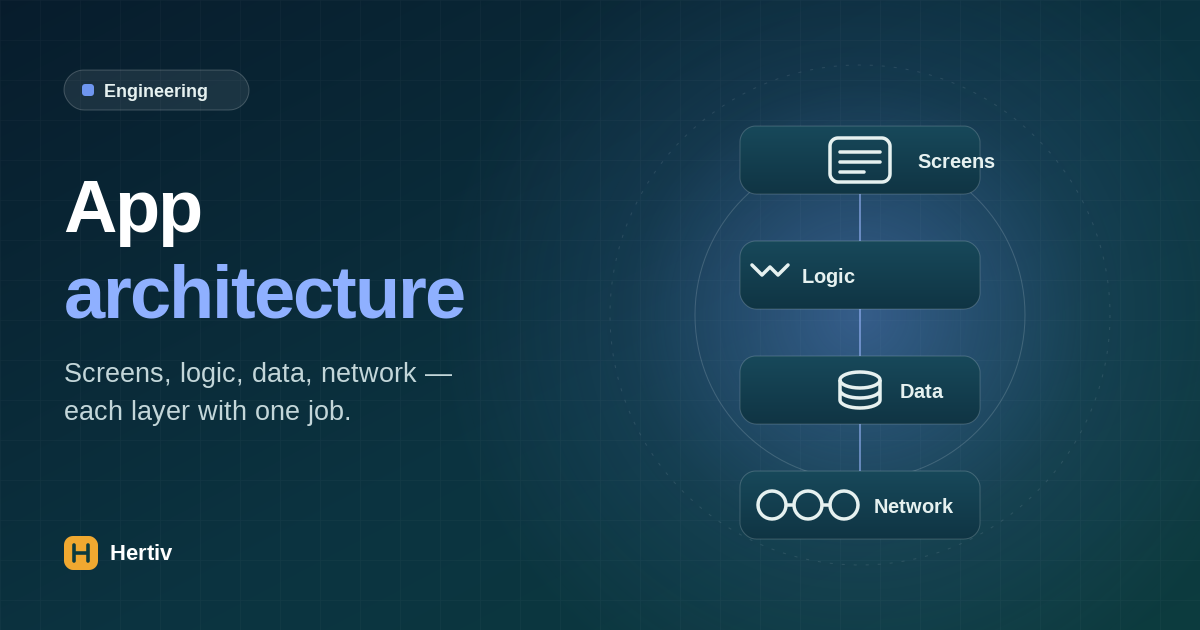
Mobile app architecture is the way an app is divided into layers, such as the screens users see, the logic that runs the features, and the data that is stored or fetched. Good architecture keeps each layer separate so the app stays easy to change, test and grow.
What is mobile app architecture?
Mobile app architecture is the way an app is divided into layers, such as the screens users see, the logic that runs the features, and the data that is stored or fetched. It is the plan for how the parts of an app connect, before any screens are built.
Without a clear structure, an app grows into one tangled mass. A change to a single screen touches the network code, the database and the layout at once, so every fix risks breaking something else. With layers in place, a change to how data is fetched touches only the data layer, and the screens keep working.
Architecture is not about picking a framework. It is about deciding which part of the app owns each job: which part shows data, which part decides what happens next, and which part talks to the server. The development process runs more smoothly when these decisions are made early.
What are the main layers of a mobile app?
Most apps are built from four layers, each with one job. The layers only talk to their neighbours, which keeps the app predictable.
| Layer | Job | Example |
|---|---|---|
| Presentation | Shows screens and handles taps | Home screen, booking form |
| Business logic | Decides what happens next | Price rules, booking checks |
| Data | Stores and fetches information | Local database, cache |
| Network | Talks to the server | API calls, file uploads |
The presentation layer should never call the network directly. It asks the logic layer, which asks the data layer, which decides whether to read the cache or call the server. That chain means a screen can be tested with fake data, and the network can change without touching the screens. When a layer does only one job, a new developer can read the code and know where to look for a bug.
Which architecture patterns do teams use?
Teams use a few well-known patterns to organise the layers. Each one draws the line between layers in a slightly different place.
- MVC (Model-View-Controller). The oldest pattern. The view shows data, the controller handles input, and the model holds the data. Simple to start, but controllers grow large as the app grows.
- MVVM (Model-View-ViewModel). The view model prepares data for the screen and holds the state. Popular on both iOS and Android, and it works well with data binding.
- Clean Architecture. The app is split into rings: the inner ring holds the business rules, and the outer rings hold screens, databases and the network. Nothing in the inner ring knows about the outer rings.
- VIPER. Each screen is split into five parts: view, interactor, presenter, entity and router. It gives very clear separation, but it needs more files and more discipline.
There is no single best pattern. A small app with three screens does not need VIPER, and a large app with fifty screens will suffer under plain MVC. Pick the pattern that matches the size of the app you are building now, not the size you hope it becomes.
How do you pick the right pattern?
Pick the pattern by team size, app size and how much testing you need, not by what is fashionable.
A solo developer building a simple app can start with MVVM and a clear data layer. The pattern is well documented, most tutorials use it, and it keeps screens separate from logic without much overhead. A team of five building a banking app needs more: Clean Architecture keeps the business rules testable even as screens and APIs change.
Ask four questions before choosing. How many screens will the app have in a year? How many developers will work on it at once? How much of the logic must be tested without a phone? And how often will the API or the database change? If the answers point to growth, pick the stricter pattern now, because moving an app from one pattern to another later is slow and risky.
How to set up the layers in 5 steps
Set the layers up before you build the first screen, so every feature lands in the right place.
- List the features. Write down every screen and action the app must support, then group them by job.
- Draw the layers. Decide which layer owns each job, and write down what each layer may call. The rule is simple: a layer only calls the layer below it.
- Build the data layer first. Start with the models, the local store and the API client, so screens can be tested with real data early.
- Add the logic layer. Put the rules, checks and calculations here, with no screen code and no network code inside.
- Build the screens last. Each screen reads from the logic layer and sends user actions back to it, and nothing else.
Keep the rule visible in the code. A screen that imports the network client directly is a sign the layers have broken, and it should be fixed in the same week it appears.
Example (hypothetical): a clinic booking app
Example (hypothetical): a clinic booking app makes 150 network calls each time a patient opens it, because every screen fetches its own data. The team adds a cache to the data layer, so repeated lookups reuse the last result.
After the change, the app makes 75 calls per session instead of 150, which is half as many. The screens did not change at all: they still ask the logic layer for the same data. The only change was inside the data layer, which is the point of the layers.
The team also counts how long a change takes. Before the layers, adding a new booking rule touched 12 screens. After the layers, the same rule touches one place in the logic layer. Building a business app benefits from the same split, because the rules change far more often than the screens.
What are the common mistakes?
The most common mistakes are letting screens talk to the network, putting business rules in the layout code, and choosing a pattern that is too heavy for the app.
- Screens calling the network. When a screen fetches its own data, every screen change risks breaking the API calls.
- Rules in the layout. Price checks and validation hidden in screen code cannot be tested without running the whole app.
- Over-engineering. Five layers and five files per screen slow a small team down more than they help.
- No data layer. Without a cache and a single place for data, the same call is repeated on every screen.
- Skipping the plan. Starting to code before the layers are drawn means the structure grows by accident.
Key takeaways
- Architecture is the split of an app into layers: screens, logic, data and network
- Each layer only talks to the layer below it, so changes stay local
- MVVM suits most small apps; Clean Architecture suits large teams and strict testing
- Build the data layer first, then logic, then screens
- A change that touches more than two layers is a sign the structure is wrong
Frequently asked questions
What is the simplest mobile app architecture for a beginner?
Start with MVVM and a clear data layer. The screen shows data prepared by a view model, the view model holds the logic, and the data layer handles storage and the network. It is well documented and keeps the app testable without much overhead.
Do I need Clean Architecture for a small app?
No. Clean Architecture pays off when several developers work on a large app with strict testing needs. For a small app it adds files and rules that slow the team down. Start simpler and move to a stricter pattern only when the app outgrows it.
What is the difference between MVVM and MVC?
In MVC, a controller handles input and talks to both the view and the model, which lets controllers grow large. In MVVM, a view model prepares data for the screen and holds its state, which keeps the screen thin and makes the logic easier to test.
Should a mobile app use a backend at all?
Most apps do, because user accounts, shared data and payments need a server. The app's network layer talks to that backend through an API. A few simple apps, such as a calculator or a notes app, can work fully offline.
How does app architecture affect testing?
Good architecture makes testing possible without a phone. Logic that sits in its own layer can be tested with plain unit tests, and screens can be tested with fake data. When logic is mixed into screens, the only way to test it is to run the whole app.
Can I change the architecture of an existing app?
Yes, but do it one layer at a time. Start by pulling the network code out of the screens into a data layer, then move the business rules into their own layer. A full rewrite in one go is slow and risky, so migrate screen by screen.


