What Does Manufacturing Inventory Software Cost?
Manufacturing inventory software costs what its scope costs: lines, SKUs and integrations set the price. Here are the cost drivers and how to budget in stages.
On this page
Short answer
Manufacturing inventory software usually costs what its scope costs, because the number of production lines, the count of stock items, the integrations with ERP and machines, and the compliance rules set the price. A first version for one plant with a few thousand items costs far less than a multi-plant system with barcode scanning, machine data and quality checks, so the honest answer is always a range tied to features.
What is manufacturing inventory software?
Manufacturing inventory software is a system that tracks raw materials, work in progress and finished goods through a plant, from delivery to the production line to the warehouse shelf. It records what is on hand, where it sits, how much is reserved for orders, and when stock will run out.
It differs from generic stock software because manufacturing stock moves through stages. A raw material becomes a part, the part becomes an assembly, and the assembly becomes a finished product, with each stage consuming stock and creating new stock. The software has to follow that chain and keep the numbers consistent at every step.
Most systems also cover purchase orders, supplier deliveries, barcode or RFID scanning, and reports on usage, waste and stock value. The scope varies widely, which is why two plants with the same headcount can need very different systems and very different budgets.
What drives the cost of manufacturing inventory software?
The cost is driven first by the size of the operation. More production lines, more stock items and more warehouses mean more data, more screens and more rules to build and test. A plant with 1,000 stock items is a different job from a plant with 50,000.
Integrations are the second driver. Connecting to an ERP, an accounting system, supplier portals and machine sensors adds real work, because each connection needs mapping, error handling and testing. A system that stands alone is cheaper than one that talks to five others.
Other drivers include barcode or RFID scanning on the shop floor, quality checks and traceability rules, user roles and permissions, and reporting. Traceability is often the hidden cost: tracking a batch from supplier to finished product sounds simple until you count the touchpoints. Teams that scope the build with a partner for custom software development usually price these drivers separately, so cuts are visible.
How do manufacturing inventory software costs break down?
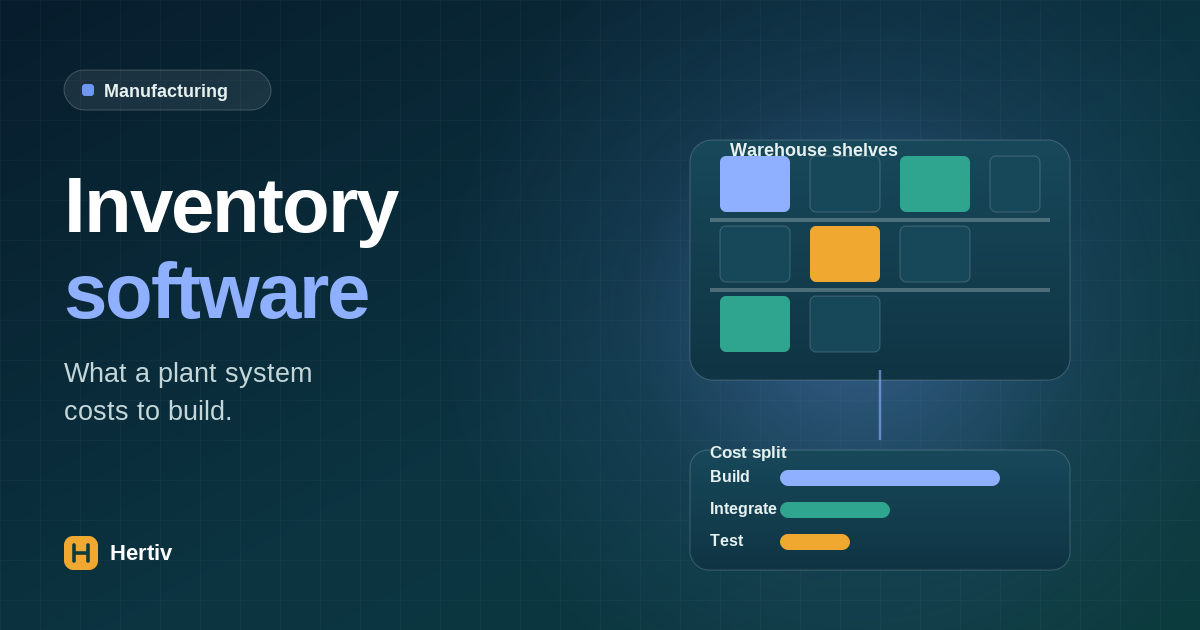
Costs usually break down into discovery, design, back-end, integrations, scanning and testing. Discovery covers mapping the plant's real flows, because the software has to match how stock actually moves, not how the org chart says it moves.
| Part | What it covers | Cost driver |
|---|---|---|
| Discovery | Plant flows, stock rules, reports | Lines, items, exceptions |
| Design | Shop-floor and office screens | Roles, devices, offline use |
| Back-end | Stock, orders, batches, valuation | Item count, stage complexity |
| Integrations | ERP, accounting, machines | Number and quality of APIs |
| Scanning | Barcode, RFID, label printing | Hardware, coverage, offline mode |
| Testing | Counts, edge cases, migration | Data volume, legacy records |
Testing deserves a real share of the budget. Stock numbers that are wrong by a little cause real damage: a line stops because the system said a part was there, or a purchase order is raised for stock that already exists. Data migration from spreadsheets and legacy systems is often where the surprises live.
Should you build custom software or buy a package?
Build custom software when the plant's flows are unusual, the integrations are specific, or the stock rules are the product itself. A package suits plants whose flows match the standard pattern: buy, receive, store, issue to production, count, ship.
The honest comparison is total cost over three years, not the first-year price. A package brings licence fees, configuration and per-user costs, while custom software brings build cost and ongoing maintenance. Neither is free to run, and the cheaper first year often costs more by year three.
A common middle path is a package for the core stock functions with custom work for the plant-specific parts, such as machine integration or traceability. That keeps the standard parts standard and spends custom effort where it actually differentiates.
For a sense of what a first version costs, see how much an MVP costs.
For the integration side, see how to build an ERP system.
Example (hypothetical): costing a first version for one plant
Example (hypothetical): a plant with three production lines and 1,200 stock items plans a first version covering receiving, storage, issue to lines, cycle counts and basic reporting, with one ERP integration.
The team estimates the build at 1,600 hours: two developers working 20 weeks at 40 hours a week, which is 2 times 20 times 40, or 1,600 hours. At a hypothetical rate of $90 per hour, the build is 1,600 times 90, which is $144,000.
Integration adds $12,000 and testing adds $8,000, giving a total of $164,000 for the first version. The numbers are invented to show the arithmetic, not a real quote. The point is that the total follows from hours and rate, so a team that cuts scope cuts hours, and a team that adds a second plant or a second integration adds hours.
What are the common mistakes?
The most common mistakes start with underestimating data quality. Stock records in spreadsheets are rarely as clean as they look, and a new system built on dirty data produces confident wrong numbers.
- Skipping the floor walk. Designing from the office without watching how stock actually moves misses the exceptions that break the system on day one.
- Treating scanning as an afterthought. Barcode or RFID hardware, label design and offline behaviour need design time, not a last-week add-on.
- No traceability plan. If a batch must be traced from supplier to finished product, that rule shapes the whole data model and cannot be added later cheaply.
- Under-testing migration. Legacy stock records carry duplicates, dead items and wrong units, and each one needs a rule before migration.
- Forgetting the people. A system that warehouse staff find slow will be worked around, and the stock numbers will drift within weeks.
These mistakes share one root: treating inventory software as a database project instead of a plant-floor project. The software is the easy part; the flows, the data and the people are the hard part.
How do you budget for manufacturing inventory software in stages?
You budget in stages, starting with the smallest system that real plant staff can use every day. A first version can cover receiving, storage, issue to production and cycle counts for one plant, with scanning and one integration.
- List the must-have flows. Receiving, storage, issue, counts and reporting are the core; traceability, machine integration and multi-plant views can wait.
- Price each part separately. Ask for an estimate per part, not one number for the whole system, so cuts are visible.
- Budget for data cleaning. Set aside time to fix duplicates, dead items and wrong units before migration, not during it.
- Plan the running costs. Hosting, licences, support and hardware replacement continue after launch, and data engineering work keeps the numbers trustworthy as the plant grows.
Staged budgeting also makes the decision reversible. If the first version shows that scanning saves real time, the team can fund the next stage with evidence from the shop floor instead of guessing.
Key takeaways
- Lines, stock items, integrations and traceability set the cost, not headcount alone
- A first version for one plant can cover receiving, storage, issue and counts
- Packages suit standard flows; custom software suits unusual flows and specific integrations
- Dirty stock data is the most common hidden cost, so budget for cleaning it
- Cut scope to control cost; do not cut testing, scanning design or migration checks
Frequently asked questions
How long does it take to build manufacturing inventory software?
A first version for one plant often takes four to six months with a small team, depending on item count and integrations. Traceability, machine data and multi-plant support add weeks each, because each one needs design, code and testing before it is safe to run on the shop floor.
Is a package or custom software cheaper for a small plant?
A package is usually cheaper at first for a small plant with standard flows, because the core functions already exist. Custom software becomes cheaper when the plant's flows are unusual enough that configuring a package costs more than building, or when the package cannot cover a key integration.
What is the hardest part of inventory software?
Data quality and the real plant flows. Stock records are rarely clean, and the exceptions on the floor, such as partial deliveries, rework and damaged goods, are where most systems fail. Walking the floor and mapping those exceptions before design saves more than any technology choice.
Do we need barcode or RFID scanning?
Scanning pays off when the plant handles enough movements that manual entry causes errors or delays. Barcode is cheaper and fits most plants; RFID suits high-volume or hard-to-reach items. Either way, design the scanning flow early, including what happens when the network drops.
How do you keep stock numbers accurate after launch?
Run cycle counts on a schedule instead of one big annual count, and reconcile the system against the floor every week. Track which items drift and why, fix the process that caused the drift, and make one person responsible for the numbers. Accuracy is a habit, not a feature.
What does traceability add to the cost?
Traceability adds a data model that links every batch from supplier to finished product, plus scanning and checks at each touchpoint. It raises design and testing effort, but for regulated products it is not optional, and the cost of a recall without it is far higher.


