8 Lovable Alternatives for AI App Building
Lovable turns prompts into web apps, but it is not the only option. These eight alternatives cover code-first builders, no-code platforms and AI coding assistants.
On this page
Short answer
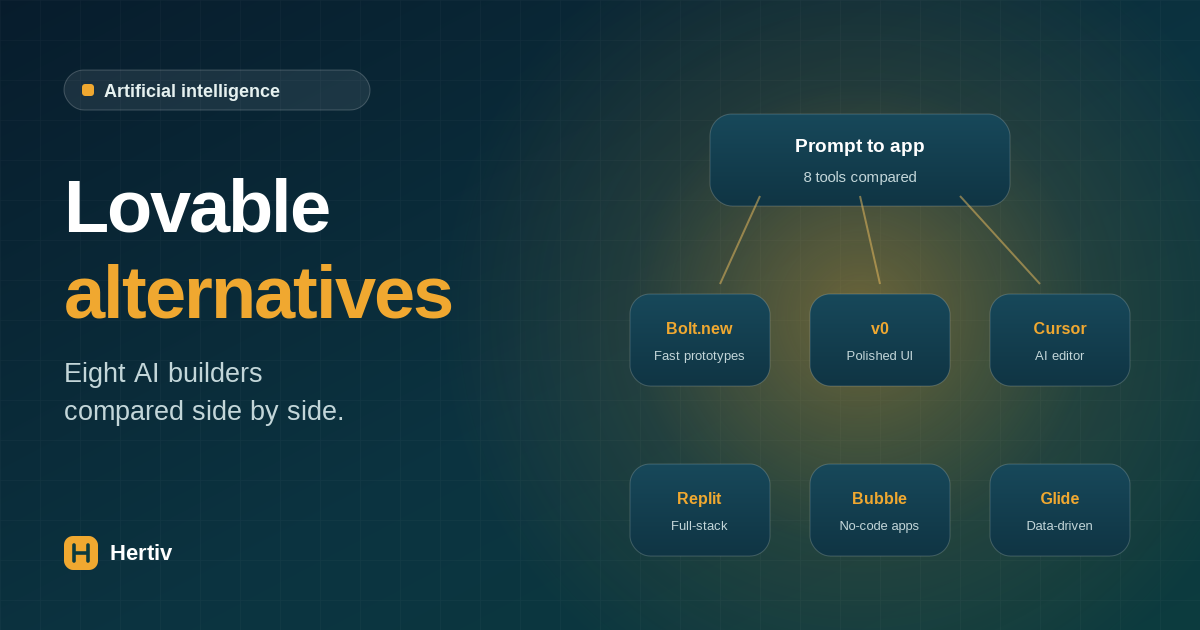
The best Lovable alternatives are Bolt.new, v0 by Vercel, Replit Agent, Cursor, Windsurf, Base44, Bubble and Glide. Bolt.new and v0 suit fast web app prototypes, Replit and Cursor suit developers who want control over the code, and Bubble and Glide suit non-developers who want to build without writing code.
Which Lovable alternatives are worth comparing?
Lovable is an AI app builder from Stockholm that turns a chat prompt into a working web app, with a built-in backend called Lovable Cloud. It grew out of the open-source GPT Engineer project, launched under the Lovable name in late 2024, and charges $25 a month for its Pro plan with 100 credits, with a free plan of 5 build credits a day.
People look for alternatives for a few reasons: Lovable builds web apps only, it picks the model for you, and its credit system can get expensive for large projects. The eight tools below cover the main directions you can go instead.
| Tool | Best for | Code access | Free tier |
|---|---|---|---|
| Bolt.new | Fast web app prototypes | Full code, exportable | Yes |
| v0 by Vercel | Polished interfaces and React apps | Full code, exportable | Yes |
| Replit Agent | Full-stack apps in the browser | Full code, exportable | Yes |
| Cursor | Developers who want AI inside an editor | Full code, local | Yes |
| Windsurf | AI-assisted coding with agents | Full code, local | Yes |
| Base44 | Business apps from prompts | Limited export | Yes |
| Bubble | No-code web apps with databases | No code export | Yes |
| Glide | Internal tools and mobile apps | No code export | Yes |
Prices change often, so check the vendor site before you budget. The comparison below focuses on what each tool does and who it suits.
Bolt.new and v0 by Vercel
1. Bolt.new: best for fast web app prototypes
Bolt.new is StackBlitz's AI builder. You describe an app in chat and it writes the code, runs it in the browser and lets you edit the result. It is closest to Lovable in feel: prompt in, working app out, with the code visible and exportable.
Its strength is speed for front-end-heavy prototypes and landing pages. Its weakness is the same as any prompt-to-app tool: large or complex apps need manual fixes, and the credit system charges for each round of changes.
Pros: fast prototypes, full code access, runs in the browser with no setup.
Cons: credit-based pricing, weaker on back-end logic than on interfaces.
2. v0 by Vercel: best for polished interfaces and React apps
v0 is Vercel's AI interface builder. It turns prompts into React components and full pages, using the same design system that Vercel's own products use. The output is clean, modern and easy to deploy on Vercel.
It is strongest when the interface is the product: marketing sites, dashboards and design-led apps. It is weaker as a general app builder, since it focuses on the front end and leaves the back end to you.
Pros: high-quality interfaces, clean React code, easy Vercel deployment.
Cons: front-end focused, needs a separate back end for full apps.
Replit Agent and Cursor
3. Replit Agent: best for full-stack apps in the browser
Replit Agent builds and deploys full-stack apps from a prompt, inside Replit's browser-based workspace. It writes the front end, the back end and the database, then hosts the result. You can open the code and change anything it built.
It suits people who want a complete app without setting up a local environment. The trade-off is that you work inside Replit's platform, and the agent's choices are harder to steer than code you write yourself.
Pros: full-stack in one place, built-in hosting, code is visible and editable.
Cons: platform lock-in, agent decisions need review on larger apps.
4. Cursor: best for developers who want AI inside an editor
Cursor is an AI-first code editor built on VS Code. Instead of prompting a web tool, you work in your own codebase with an AI assistant that writes, edits and explains code, and an agent mode that carries out multi-step changes.
It suits developers who already code and want AI to speed them up rather than replace the workflow. It is not a no-code tool: you need to read and review the code it writes.
Pros: full control over the code, works with any project, strong agent mode.
Cons: needs coding skill, no built-in hosting or backend.
Windsurf and Base44
5. Windsurf: best for AI-assisted coding with agents
Windsurf is Codeium's AI editor, built around agent workflows that plan and carry out changes across a codebase. It offers a free tier and paid plans, and it is designed for developers who want an agent to handle routine coding while they review the result.
It competes directly with Cursor on the editor side. The choice between them usually comes down to which agent workflow fits your team and which pricing model works out cheaper at your usage level.
Pros: agent-led edits across files, generous free tier, works with existing projects.
Cons: needs coding skill, no hosting or managed backend.
6. Base44: best for business apps from prompts
Base44 is an AI builder focused on business apps: dashboards, internal tools, CRMs and simple customer-facing apps. You describe the app and it generates the interface, the data model and the workflows. It was acquired by Wix in 2025.
It suits non-developers building tools for a team or a small business. Its limits are the usual ones for prompt-built business apps: complex logic and unusual workflows need workarounds, and exporting the code is limited.
Pros: fast business apps, built-in data and workflows, simple to use.
Cons: limited code export, weaker for customer-facing products at scale.
Bubble and Glide
7. Bubble: best for no-code web apps with databases
Bubble is a no-code platform for building web apps with databases, user accounts, payments and workflows, all through a visual editor. It has been around since 2012 and has a large community and plugin library.
It suits founders who want a real product without writing code and are willing to learn a visual editor. The learning curve is steeper than a prompt-based builder, but the control is far greater, and Bubble apps can grow into real businesses.
Pros: full no-code control, databases and payments built in, large plugin library.
Cons: learning curve, no code export, performance needs care at scale.
8. Glide: best for internal tools and mobile apps
Glide turns spreadsheets and databases into mobile and web apps, aimed at internal tools, field apps and simple customer portals. You build from data: pick a table, choose a layout, add actions and publish.
It suits teams that already live in spreadsheets and need a working app fast. It is not a general app builder: custom design and complex logic are limited, and it shines most for data-driven tools.
Pros: very fast for data-driven apps, mobile-friendly, simple to learn.
Cons: limited design freedom, best for internal tools rather than public products.
How to choose a Lovable alternative
Choosing a Lovable alternative comes down to three questions: who builds, what the app does and who owns the code. Answer those before comparing prices.
- Who builds the app? Non-developers should look at Bolt.new, Base44, Bubble or Glide. Developers should look at Cursor, Windsurf or Replit Agent.
- Is the app web-only? Lovable builds web apps only. If you need a native mobile app, look at Glide for simple apps or plan a native build, since none of these tools produces a native app directly.
- Do you need the code? If you plan to hand the app to developers later, pick a tool with full code export, such as Bolt.new, v0 or Replit Agent. If the app stays inside the platform, Bubble or Base44 is fine.
- What does the back end need? Apps with accounts, payments and databases need a real back end. Lovable Cloud, Replit and Bubble include one; v0 and Cursor leave it to you.
- Try the free tier first. Build the same small app in two tools and compare the result, the credits used and how much fixing was needed. That test tells you more than any feature list.
If Lovable itself is giving you trouble rather than the wrong fit, the fixes for Lovable not working are worth trying first.
For a wider view of the category, see the best no-code AI app builders for startups.
What are the common mistakes?
The most common mistakes are picking on price alone, assuming the AI output is finished and ignoring who owns the code.
- Picking on price alone. A cheap plan that burns credits on every fix costs more than a pricier plan that gets the app right in fewer rounds. Test with the free tier first.
- Treating AI output as finished. Prompt-built apps need testing: broken links, wrong data, missing error handling and security gaps are common. Budget time to review and fix.
- Ignoring code ownership. If you cannot export the code, you cannot leave the platform. Check the export terms before you build something important.
- Building a native app with a web tool. Lovable and most of these alternatives build web apps. Wrapping one for the app stores is possible, but it is not the same as a native app.
- Skipping security review. AI-generated apps have shipped with open databases and missing access controls. Review authentication and data permissions before launch, as the risks of vibe coding show.
The right alternative is the one that matches your team, your app and your exit plan, not the one with the longest feature list.
Key takeaways
- Lovable turns prompts into web apps with a built-in backend, but it is web-only and picks the model for you
- Bolt.new and v0 suit fast web prototypes with full code export; Replit Agent adds a full stack in the browser
- Cursor and Windsurf suit developers who want AI inside a code editor, not a prompt-to-app tool
- Bubble and Glide suit non-developers, with Bubble offering more control and Glide offering speed for data-driven tools
- Test two tools on the same small app before committing, and check code export terms first
Frequently asked questions
What is the best Lovable alternative?
It depends on who builds. Bolt.new and v0 suit fast web prototypes, Replit Agent suits full-stack apps in the browser, Cursor and Windsurf suit developers, and Bubble and Glide suit non-developers. Try the same small app in two tools before deciding.
Is there a free alternative to Lovable?
Yes, all eight tools in this list have a free tier, including Bolt.new, v0, Replit Agent, Cursor, Windsurf, Base44, Bubble and Glide. Free tiers limit credits, projects or features, so check the vendor site for the current limits.
Does Lovable let you export code?
Yes, Lovable lets you view and download the code on paid plans, and it syncs with GitHub. That matters if you plan to hand the app to developers later, since some no-code platforms do not offer code export at all.
Can Lovable alternatives build mobile apps?
Most build web apps, not native mobile apps. Glide builds mobile-friendly apps from data, and a web app can be wrapped for the app stores, but for a true native app you need a native build or a framework such as React Native or Flutter.
Why is Lovable expensive for large projects?
Lovable charges by credits, and each build, fix and rebuild consumes credits. Large projects need many rounds of changes, so the credit cost grows. Planning the app first, or using a tool with full code access, can reduce the number of paid rounds.
Should I use an AI app builder or hire a developer?
An AI app builder suits prototypes, internal tools and simple products where speed matters more than polish. Hire a developer when the app needs custom logic, scale, security review or long-term maintenance that a generated codebase cannot support on its own.


