Know Your Agent AI: How to Check the Agents You Run
Know your agent means being able to answer, for every AI agent you run, who built it, what it can do, what data it can reach, and who approved it.
On this page
Short answer
Know your agent, in AI, means being able to answer four questions about every AI agent your organisation runs: who built it and from what, what it is allowed to do, what data and tools it can reach, and who approved it. It is the practice of keeping that record current, so no agent runs without an owner and a clear limit.
What does 'know your agent' mean in AI?
'Know your agent' in AI means being able to answer four questions about every AI agent your organisation runs: who built it and from what, what it is allowed to do, what data and tools it can reach, and who approved it. It is the practice of keeping that record current, so no agent runs without an owner and a clear limit.
The phrase borrows from banking, where 'know your customer' means checking who a customer is before doing business. With agents the idea is the same: an agent acts on your behalf, spends money, touches customer data and sends messages, so you should know what it is before you let it act.
Agents are harder to track than ordinary software because they are easy to build. A team can connect a language model to a mailbox and a database in an afternoon, and the agent may keep running long after the person who built it has moved on. The record of what exists is usually the first thing that goes missing.
Knowing your agents is not the same as securing them, though the two overlap. The guide on how to secure AI agents covers permissions, tools and logging; this article covers the record itself: identity, purpose, limits and approval.
What should you know about each agent before it runs?
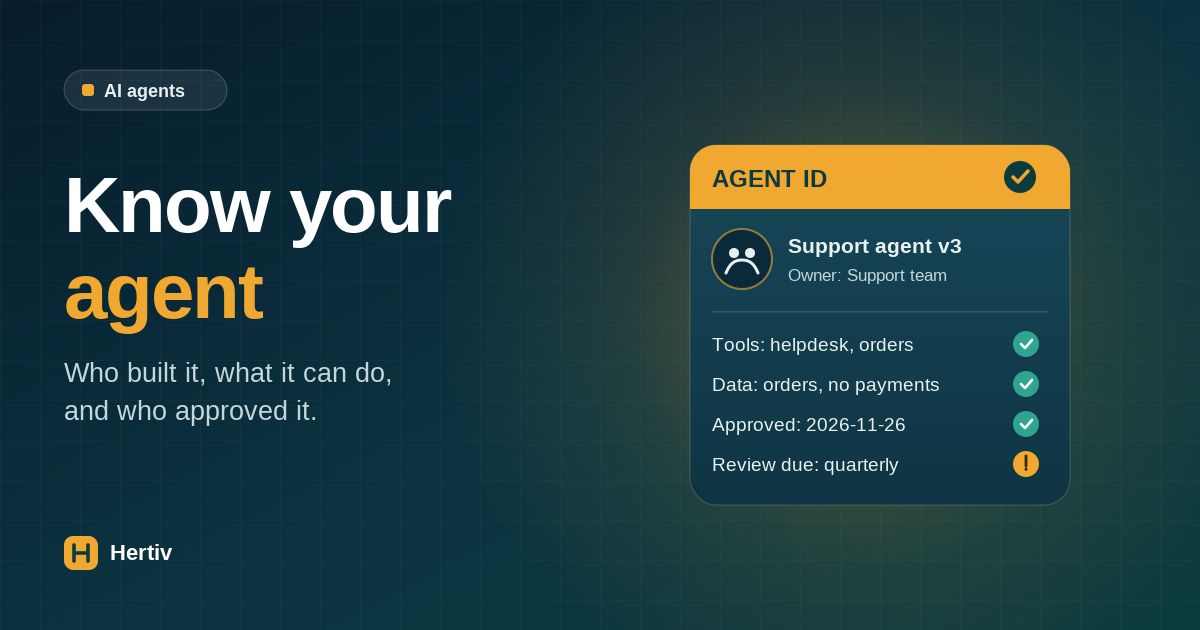
Before an agent runs, you should know its identity, its purpose, its limits and its owner. If any of these is missing, the agent should not run until the gap is closed.
| Fact to record | What it covers | Why it matters |
|---|---|---|
| Identity | Name, version, model, prompts and code | You can tell agents apart and roll one back |
| Purpose | The job it does and the team it serves | Scope creep is visible when the job changes |
| Limits | Tools, data and actions it may use | An agent cannot quietly exceed its remit |
| Owner | The person accountable for it | Someone answers when it goes wrong |
| Approval | Who signed it off and when | Nothing runs without a decision on record |
| Data handling | What data it reads, stores and sends | Privacy and security reviews have something to check |
Keep the record short. Six facts per agent are enough for most teams, and a short record is one people will actually keep current. A long form that nobody fills in is worse than a short one that is used.
How do you check what an agent can actually do?
You check what an agent can actually do by reading its configuration and watching what it does, not by trusting what its builder said it would do. The configured tools and the recorded actions are the truth; the description is a claim.
Start with the configuration. List the tools the agent can call, the systems it can log into, and the data it can read. Compare that list with the job it is meant to do. An agent that answers support questions does not need access to the payment system, and an agent that drafts reports does not need to send email.
Then check the logs. Read a sample of real actions: what the agent read, what it changed, and what it sent. Look for actions outside its job, such as reading files it never needed or calling tools at odd hours. A short weekly review of a random sample catches drift that a one-time check would miss.
Finally, test the limits. Try to get the agent to do something outside its job in a safe test environment, and see whether it refuses or complies. The result tells you whether the limits are enforced by the system or only written in a document. Teams that build AI agent development projects usually run these checks before an agent goes live.
How do you keep track of agents over time?
You keep track of agents over time with a register, a review routine and logs that are kept long enough to matter. The register says what exists, the review keeps it honest, and the logs show what happened.
The register is a simple list: one row per agent, with the six facts from the table above. A spreadsheet is enough for a small team; a larger team may use a ticketing system or an internal tool. The point is that there is one list, and anyone can check whether an agent is on it.
The review routine is a short check on a schedule. Every quarter, the owner of each agent confirms it is still needed, its limits are still right, and its approval is still valid. Agents with no owner, no use or an expired approval are paused until someone takes responsibility for them.
The logs are the record of what each agent did. Keep them for at least a few months, in one place, tied to the agent's name in the register. When something goes wrong, the first question is always which agent did it, and the logs should answer that in minutes. The wider governance around this is covered by AI governance services.
How to set up a know-your-agent check in five steps
You set up a know-your-agent check by listing what exists, recording the six facts for each agent, testing the limits, and then keeping the record current on a schedule.
- Find every agent. Ask each team what agents they run, and check the systems they connect to. Expect to find more than people remember, including agents built for a one-off task that never stopped.
- Record the six facts. For each agent, write down its identity, purpose, limits, owner, approval and data handling. Put it in the register, one row per agent.
- Check the tools and data. Compare the agent's real access with its job. Remove tools and data it does not need, and note the change in the register.
- Test the limits. In a safe environment, try to push the agent outside its job and confirm it refuses. Record the test and its result.
- Set the review routine. Give each agent a review date, name the owner, and agree what happens to agents with no owner: they are paused until someone takes responsibility.
The first pass usually takes a week for a small team and longer for a large one, because the finding step turns up forgotten agents. That is the point: the check is worth doing precisely because it finds what nobody was tracking.
Example (hypothetical): a support agent gets reviewed
Example (hypothetical): a company runs a support agent that answers customer questions and, when a refund is due, prepares the refund for a human to approve. The agent was built a year ago by a developer who has since left, and nobody has reviewed it since.
During the know-your-agent check, the new owner finds the agent can read the full customer database, including payment details, although it only needs order history. It can also send email directly, although the design says a human approves every message.
The team narrows the access: the agent can now read order history and the customer's name, but not payment details. It can draft emails but not send them. The owner records the change, sets a review date three months ahead, and notes the approval in the register.
The review takes 4 hours: 1 hour to find the configuration, 2 hours to check the logs, and 1 hour to change the access and write the record. In the logs, the team finds the agent read payment details 30 times in the last month, always while answering unrelated questions. The narrowing stops that exposure without changing how customers experience the support.
What are the common mistakes?
The most common mistakes in know-your-agent work are keeping the record in someone's head, trusting the description instead of the configuration, and reviewing once and never again.
- No written register. If the list of agents lives in one person's memory, it is lost when they leave. Write it down in one place everyone can find.
- Trusting the description. An agent described as 'answers questions' may also be able to send email and read the database. Check the configuration and the logs, not the description.
- Agents with no owner. An agent whose builder left and whose owner is unknown will keep running with nobody accountable. Pause it until someone takes responsibility.
- One-time review. Agents change: prompts are edited, tools are added, data access widens. A check done once is out of date within months.
- Too much detail. A register that asks for thirty facts per agent will not be filled in. Six facts, kept current, beat a long form that is ignored.
Key takeaways
- Every agent needs an owner, a purpose and a clear limit
- Check the configuration and the logs, not the description
- Six facts per agent, kept in one register, are enough
- Review agents on a schedule; pause the ones with no owner
- Narrow access stops exposure without changing the service
Frequently asked questions
Is 'know your agent' a legal requirement?
It is not a single named law, but the record it produces supports duties that do exist, such as data protection, security and audit requirements. Knowing what your agents do, what data they touch and who approved them makes those duties far easier to meet.
How is this different from securing an AI agent?
Securing an agent is about controls: permissions, tools, logging and safe prompts. Knowing your agent is about the record: identity, purpose, limits, owner and approval. The two overlap, and a good security review needs the record to know what to check.
What if an agent was built by a vendor?
Ask the vendor for the same six facts: what the agent is, what it does, what it can reach, who owns it on your side, who approved it, and what data it handles. If the vendor cannot answer, that is a reason to pause the rollout until it can.
How many agents should a small team expect to find?
More than people remember. Teams usually find agents built for one-off tasks, demos that were never switched off, and integrations that quietly act as agents. The finding step of the first check is often the most useful part of the whole exercise.
What should I do with an agent that has no owner?
Pause it until someone takes responsibility. An agent with no owner has nobody to answer for its actions and nobody to review its access. Pausing is reversible; leaving it running is a risk with no one watching it.
How often should agents be reviewed?
A quarterly review works for most teams: the owner confirms the agent is still needed, its limits are still right, and its approval is still valid. Agents that touch payments, personal data or public messages deserve a shorter cycle, such as monthly.


