IoT in Retail: What It Is and How to Build It
IoT in retail connects sensors, tags and devices to software that turns physical store and supply-chain events into decisions. Here is how the architecture works and where to start.
On this page
Short answer
IoT in retail means connecting in-store and supply-chain devices — shelf sensors, ESLs, cameras, RFID readers, beacons — to a software platform that ingests their events and triggers action. The hard part is not the hardware but the data pipeline, device management and integration with existing retail systems.
What is IoT in retail?
IoT in retail is the practice of instrumenting stores, shelves, warehouses and delivery assets with connected sensors and devices, then feeding their data into software that supports inventory, staffing, pricing, loss prevention or customer-experience decisions.
The devices themselves are only one layer. A working retail IoT system has four parts:
- Devices — electronic shelf labels, RFID readers, shelf-weight or camera sensors, people counters, beacons, smart freezers and fridges, handheld scanners, gateways.
- Connectivity — Wi-Fi, cellular, LoRaWAN or BLE depending on power, range and density. Many stores use a mix.
- Platform — device management, a message broker (MQTT is common), an event store, and rules or models that convert raw events into business signals.
- Integration — the point where those signals reach the POS, ERP, e-commerce platform, WMS or a staff app. This is usually where most time and budget go.
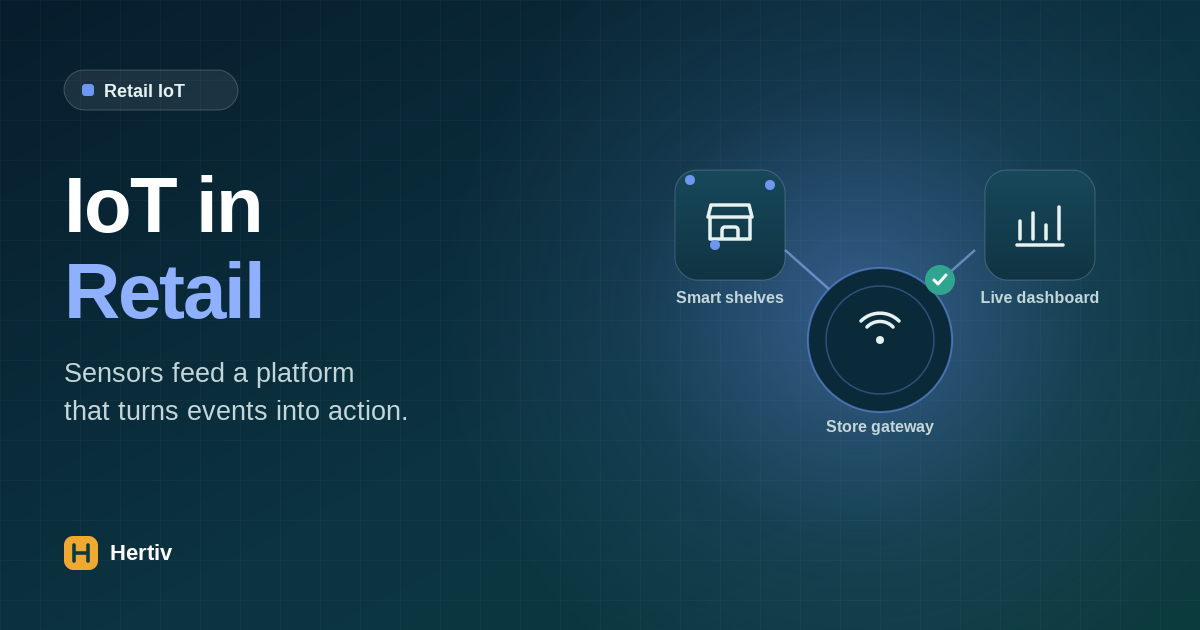
A useful mental model: the sensor produces an observation, the platform turns it into an event with a business meaning (“shelf 14 needs replenishment”), and an existing system acts on it. If your IoT project skips the middle step, you end up with dashboards nobody uses. Hertiv's software engineering services work on exactly this middle layer — event handling, integration and the operational tooling around devices.
Where does IoT actually pay off in retail?
The clearest returns come where a physical event currently causes a manual check or a lag in a system of record. Common patterns:
| Use case | What it does | Typical data needed | Effort |
|---|---|---|---|
| On-shelf availability | Detects empty or low shelves and triggers replenishment tasks | Shelf sensors or cameras, planogram data, task routing | Medium to high |
| Electronic shelf labels | Updates prices centrally and keeps POS and shelf in sync | Product and price catalogue, store layout | Medium |
| Inventory accuracy | Counts stock with RFID or computer vision instead of manual scans | Tag reads, SKU master data, cycle-count process | High |
| Cold-chain monitoring | Tracks temperature in fridges and freezers and alerts on excursions | Temperature sensors, thresholds, escalation rules | Low to medium |
| Footfall and queue analytics | Measures traffic, dwell and queue length to plan staffing | People counters or cameras, store layout, rota data | Medium |
| Asset and trolley tracking | Finds high-value equipment or trolleys inside large stores | BLE or RFID tags, gateways, map data | Medium |
| Loss prevention | Flags unusual events such as unexplained stock movement | Sensor events, POS data, historical patterns | High |
Two observations from doing this kind of work. First, the low-effort cases — cold chain, energy monitoring, simple people counting — are often the right first step because they prove the pipeline without touching core retail processes. Second, inventory accuracy is the highest-value case in most stores and the hardest, because it forces you to reconcile sensor reads with the ERP and accept uncertainty rather than exact counts.
If you are building on the customer side too, Hertiv's work on AI for retail and e-commerce covers the demand and personalisation layer that sits on top of store data.
How does the data architecture work?
A retail IoT architecture is an event pipeline with strict separation between device handling and business logic.
The typical flow works like this:
- Devices send telemetry over a local gateway or directly over Wi-Fi or cellular.
- A message broker receives it and authenticates the device.
- A stream processor normalises the payload: store, zone, device ID, timestamp, reading, confidence.
- Events land in a store — a time-series database or a data lake — where they can be replayed.
- Rules or models convert raw events into business events.
- An integration service pushes those events to POS, ERP, WMS or a task app.
Three design choices determine whether this holds up:
- Buffer at the edge. Store networks fail. Gateways should queue readings locally and replay them, or you will get silent gaps in inventory and temperature history.
- Keep device identity separate from business identity. A sensor should map to a shelf or zone through configuration, not hard-coded names, so you can move fixtures without reflashing firmware.
- Make raw events immutable and derived events recomputable. When your rules change, you should be able to reprocess history rather than lose it.
Most of this is data engineering rather than hardware work. Hertiv's data engineering services describe the pipeline patterns — ingestion, stream processing and storage — that this architecture depends on.
How do you connect IoT data to POS, ERP and e-commerce?
Integration is the part that decides whether the project ships. Plan it before you choose devices.
- POS and pricing. Electronic shelf labels and the POS must agree. Push price changes from one authoritative catalogue and reconcile rather than letting both systems edit independently.
- ERP and WMS. Inventory events should arrive as adjustments with a source and confidence, not as silent overwrites. Buyers and planners need to see why a count changed.
- E-commerce. Store-level stock data only helps online fulfilment if it has freshness and confidence metadata attached. Treat an online “in stock” claim as a forecast, not a fact.
- Staff apps and task systems. A shelf alert that no one sees is worthless. Route it to the tool staff already use, with a close-out step so you can measure response time.
A practical rule: any event that changes a system of record should be idempotent and traceable to a device and a timestamp. Warehouse and replenishment logic often lives in custom software, which is why many retail teams build the integration layer as a separate service — see Hertiv's custom software development for how that scoping usually works.
How do you secure and manage thousands of retail devices?
Retail devices sit in public spaces, run for years and are rarely patched well. Treat them as untrusted endpoints from day one.
- Provision each device with its own credential. Shared keys across a store mean one compromised tag can inject false inventory events.
- Mutual TLS for device-to-broker connections, with certificate rotation handled centrally.
- Segment the device network from POS and back-office systems so a compromised sensor cannot reach payment infrastructure.
- Sign or validate firmware updates and keep a rollback path.
- Monitor for anomalies: a sensor that suddenly reports impossible values is either broken or spoofed.
Device management is its own discipline: inventory of devices, health checks, remote configuration, and a replacement process for failed units. Build this early. Teams that skip it end up with a spreadsheet of device IDs and no way to tell which one went offline.
Security topics specific to connected retail systems — including network segmentation and identity for non-human clients — are covered in Hertiv's cybersecurity services.
What does a realistic first project look like?
A first retail IoT project should be narrow, measurable and reversible. One store, one category, one decision.
Example (hypothetical): A grocery chain wants to reduce out-of-stock on chilled drinks. It installs shelf sensors on 40 fixtures in two stores, builds a gateway-to-broker pipeline, and routes replenishment alerts to the staff app it already uses. The success criterion is not “sensors installed” but “median time from empty shelf to restock under a target the operations team sets”. After eight weeks, the team compares response times and leftover stock against the two control stores where sensors are not installed. The numbers in that comparison are what justify the next rollout — not the sensor accuracy figures from the vendor.
A workable sequence:
- Write the decision the system will support and how you will measure success.
- Choose the cheapest sensor that produces the needed signal; run it in one store.
- Build the pipeline and integration before scaling device count.
- Run for long enough to cover a full replenishment cycle and a network outage.
- Decide: scale, adjust or stop.
This staged approach is the same one used for pilots in adjacent areas such as AI for logistics and supply chain, where the integration cost dominates.
What are the common mistakes?
Most failures are organisational and architectural, not technical.
- Starting with hardware. Buying devices first forces the business case to fit the device instead of the decision.
- No edge buffering. Store connectivity drops, and gaps in data quietly break inventory confidence.
- One-off integrations. Each new device type wired directly into the ERP creates a maintenance bill that grows with every store.
- Ignoring staff workflow. Alerts that do not fit the existing task process are ignored after two weeks.
- No device lifecycle plan. Batteries, replacements, firmware and decommissioning need an owner.
- Overpromising accuracy. Sensor data is probabilistic; systems downstream must handle uncertainty rather than assume exact counts.
- Skipping the security model. Device credentials and network segmentation added late are expensive to retrofit.
How do you choose where to start?
Prioritise by decision value, integration cost and reversibility.
- List the decisions, not the devices. Which recurring store decisions are made on stale or missing information today?
- Estimate the cost of the current gap in hours or stock, using internal numbers you already have.
- Score integration cost. A use case that touches only a task app is far cheaper than one that rewrites inventory logic in the ERP.
- Check reversibility. Prefer a pilot you can stop without stranded hardware or data you cannot remove.
- Confirm the owner. Name the operations person who will use the output, and the engineer who owns the pipeline.
Teams that run this exercise usually find one or two low-integration, high-value cases — often cold chain, energy or queue analytics — that fund the harder inventory work later. If you are weighing IoT against other retail technology investments, the guide collection on Hertiv's blog covers related engineering decisions.
Key takeaways
- Start from a decision you need to make, then pick the sensor — not the other way round.
- Most IoT retail failures are integration and data-quality problems, not hardware problems.
- Edge buffering matters: store networks drop, and lost events corrupt inventory and analytics.
- Pick one protocol stack (MQTT over TLS is common) and standardise device onboarding.
- Run a single-store or single-category pilot with a clear exit criterion before scaling.
Frequently asked questions
Is IoT in retail only about sensors on shelves?
No. Shelf sensors are one category. Retail IoT also covers electronic shelf labels, RFID inventory reads, cold-chain temperature monitoring, people counting, asset tracking and energy monitoring. The common thread is connected devices feeding software that supports an operational decision.
Do we need to replace our POS or ERP to use IoT?
Usually not. Most projects add an integration layer between device events and the existing systems. Replacing the ERP is rarely justified by IoT alone, though poor integration interfaces can make a middleware service necessary.
What is the hardest part of a retail IoT project?
Integration and data quality. Devices generally work; the difficulty is ingesting their events reliably, reconciling them with system-of-record data, and getting staff to act on the resulting alerts within their existing workflow.
How long does a first pilot take?
A single-store pilot for a narrow use case such as cold-chain monitoring or people counting can typically be scoped in weeks, not months, if the integration target is a simple task app. Inventory accuracy pilots take longer because they need a full replenishment cycle to measure.
Which connectivity should we use: Wi-Fi, BLE or LoRaWAN?
It depends on power, range and data volume. Wi-Fi suits powered devices with existing coverage, BLE suits battery tags and beacons at short range, and LoRaWAN suits low-bandwidth sensors across large sites. Many stores combine two or more.
How do we keep retail IoT devices secure?
Give each device its own credential, use mutual TLS to the broker, segment the device network away from POS and payment systems, validate firmware updates, and monitor for anomalous readings that suggest a spoofed or failing device.


