Intelligent Automation and RPA in Finance and Accounting
Intelligent automation pairs RPA with AI so finance teams can process invoices, reconcile accounts and chase approvals with less manual work.
On this page
Short answer
Intelligent automation in finance and accounting combines robotic process automation with AI so work such as invoice processing, reconciliation and reporting runs with less manual effort. RPA moves data between systems and follows fixed rules, while AI reads documents, classifies transactions and flags exceptions for a human to review. The result is faster closes and fewer errors, as long as the process is stable and the controls stay in place.
What is intelligent automation and RPA in finance and accounting?
Intelligent automation in finance and accounting is the combination of robotic process automation, or RPA, with AI, applied to the routine work of a finance team. RPA is software that copies the clicks and keystrokes a person would use to move data between systems, following fixed rules. AI adds the ability to read documents, classify transactions and spot exceptions that do not fit the rules.
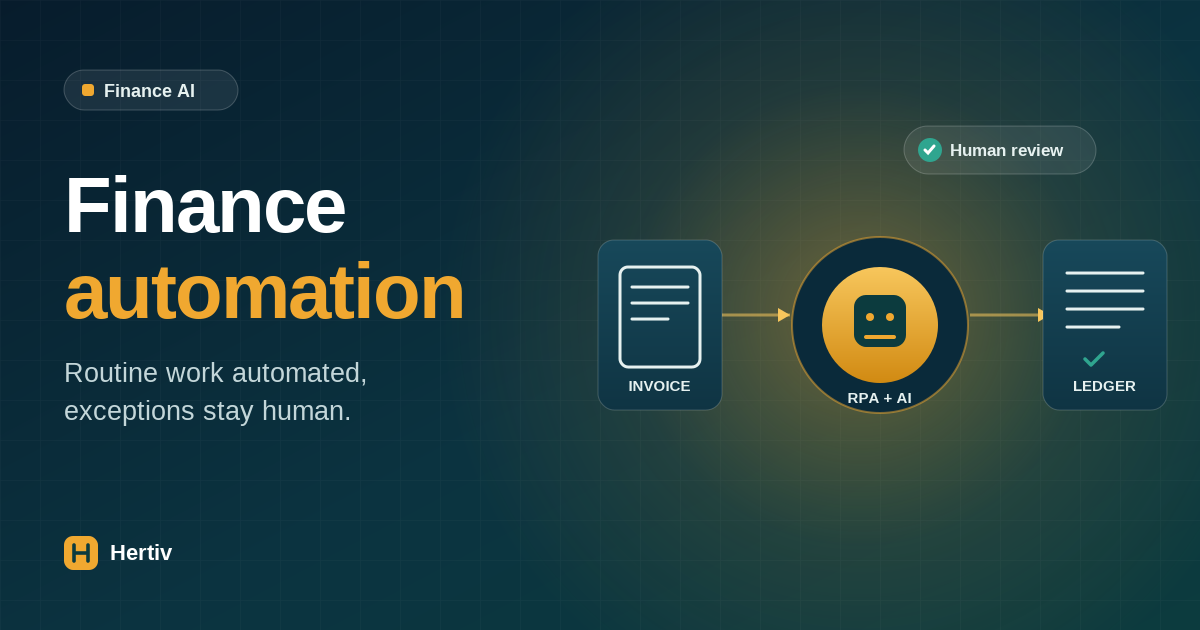
Used together, the two cover more of a process than either can alone. RPA handles the structured, repeatable steps, such as copying an invoice total into the accounting system. AI handles the messy parts, such as reading a scanned invoice in a format it has never seen, or deciding whether a transaction looks like a duplicate.
The key point is that the automation does not replace judgement. It does the routine work and hands the exceptions to a person. A finance team that understands that boundary gets real value from it; a team that expects the system to handle everything will be disappointed.
Where does intelligent automation help in finance and accounting?
Intelligent automation helps most where the work is high-volume, rule-based and already digital, and where the cost of a mistake is caught by a check. The table below shows the common processes and what the automation does in each.
| Process | What is automated | Human role |
|---|---|---|
| Invoice processing | Read, match and post invoices | Review exceptions and approvals |
| Bank reconciliation | Match transactions to the ledger | Investigate unmatched items |
| Expense claims | Check receipts and policy rules | Approve edge cases and audits |
| Month-end close | Run journals and checklists | Review adjustments and sign-off |
| Tax and reporting | Gather data and draft reports | Verify figures and file |
| Vendor payments | Schedule and reconcile payments | Approve payment runs |
Invoice processing is usually the first process teams automate, because the volume is high and the rules are clear: read the invoice, match it to a purchase order, and post it if it matches. Bank reconciliation comes next, because matching transactions is a pattern the system can learn quickly. Month-end close is harder, because it depends on many small judgements, so automate the checklists and journals first and keep the sign-off with a person.
How do you start with intelligent automation in finance?
You start by picking one process that is stable, high-volume and already digital, then automating it in small steps with a human review at each stage. A workable sequence:
- Pick one process. Choose something like invoice processing, where the volume is high, the rules are clear and the data is already in your systems.
- Map the process as it actually runs. Watch how the team does it today, including the workarounds and the exceptions, and write down every step and every decision point.
- Fix the process first. If the process is broken or inconsistent, automation will only make the errors faster. Standardise the steps and the rules before you automate them.
- Automate the routine part. Start with the steps that follow fixed rules, such as reading an invoice and matching it to a purchase order, and route everything else to a human queue.
- Add AI for the messy parts. Once the routine part works, add document reading and classification for the invoices and receipts that do not fit the standard format.
- Measure and expand. Track time saved, error rate and exception rate for a month, then decide whether to expand to the next process.
Do not start with the month-end close. It touches too many systems and too many judgements to be a good first project. Pick a process that can be automated in weeks, prove the value, and then move on to the harder ones. For the design and controls, AI agents for finance covers the control points that matter.
What data and controls does it need?
Intelligent automation in finance needs clean data and clear controls, because it moves money and posts figures that end up in your accounts. The data side comes first: the system needs access to invoices, purchase orders, bank statements and the ledger, in formats it can read reliably.
Scanned documents are the usual problem. If invoices arrive as PDFs with different layouts, the AI needs enough examples of each layout to read them accurately, and anything it cannot read with confidence should go to a human. The same applies to bank statements and receipts: the system should only post what it can match, and flag the rest.
Controls matter more than speed. Every automated action should be logged with who, what and when, so an auditor can trace a figure back to its source. For the document-reading side, document AI covers the extraction patterns in more depth.
Set limits on what the system may do without approval, such as posting above a value or paying a new vendor, and make sure a person reviews those cases. Segregation of duties still applies: the system that raises a payment should not be the one that approves it.
Example (hypothetical): automating invoice processing
Example (hypothetical): a finance team processes 2,000 invoices a month. Today each invoice takes about 8 minutes of manual work to read, match and post, which is 2,000 times 8 minutes, or 16,000 minutes, about 267 hours a month.
The team automates the routine part. The system reads each invoice, matches it to a purchase order, and posts it when the match is clean. About 70 percent of invoices match cleanly, so 1,400 invoices are posted automatically, and each one needs only about 1 minute of human review. That is 1,400 minutes, or about 23 hours.
The remaining 600 invoices do not match cleanly and go to a human queue, where each one still takes about 8 minutes. That is 600 times 8 minutes, or 4,800 minutes, which is 80 hours. The total is 1,400 plus 4,800 minutes, or 6,200 minutes, about 103 hours a month.
The team saves about 164 hours a month, and the error rate falls because the system checks every match against the same rules. The saving comes from the 70 percent that match cleanly, not from forcing the exceptions through. That is why the team keeps a human queue for the rest.
What are the common mistakes?
The most common mistakes are automating a broken process, trusting the AI on exceptions, and skipping the controls.
- Automating a broken process. If the process has unclear rules and many workarounds, automation will produce errors faster. Fix the process first.
- Trusting the AI on exceptions. The system should only post what it can match with confidence. Anything uncertain belongs in a human queue, not in the ledger.
- No audit trail. If you cannot trace an automated posting back to its source document, an auditor will not accept it. Log every action.
- Skipping segregation of duties. The system that raises a payment must not approve it. Keep the approval step with a person.
- Ignoring the maintenance. Invoice layouts change, vendors change, and rules change. Someone has to update the system, or accuracy will drift down.
- Measuring only time saved. Time saved means little if the error rate rises. Track errors and exceptions alongside the hours.
How do you measure whether it is working?
You measure intelligent automation by time saved, error rate and exception rate, tracked monthly on the same process. All three matter, because a system that saves time while making more errors is not working.
Useful measures include the share of transactions posted without human touch, the average time from document arrival to posting, the error rate on automated postings, and the size of the exception queue. A growing exception queue is a warning sign: it usually means the process changed or the document layouts changed and nobody updated the system.
Review the numbers with the finance team, not just with the automation team. The people who own the process will spot problems that a dashboard misses, such as a vendor whose invoices keep failing or a rule that no longer matches how the business works. If you are planning a wider rollout, intelligent automation in banking shows how another regulated sector handles the same controls.
Key takeaways
- RPA handles the fixed, repeatable steps; AI handles reading and classifying messy documents
- Invoice processing and bank reconciliation are the best first processes to automate
- Fix and standardise a process before you automate it
- Only post what the system can match with confidence; route the rest to a human
- Log every automated action and keep payment approval with a person
- Track time saved, error rate and exception rate together, every month
Frequently asked questions
What is intelligent automation in finance?
Intelligent automation combines robotic process automation with AI. RPA moves data between systems and follows fixed rules, while AI reads documents, classifies transactions and flags exceptions. Together they automate more of a finance process than either can alone, with a human handling the exceptions.
What is the difference between RPA and intelligent automation?
RPA follows fixed rules and handles structured, repeatable steps such as copying data between systems. Intelligent automation adds AI, so the system can also read unstructured documents, classify transactions and spot exceptions. Most finance automation needs both.
Which finance processes should be automated first?
Invoice processing and bank reconciliation are the usual first choices, because the volume is high, the rules are clear and the data is already digital. Month-end close and reporting come later, because they involve more judgement and more systems.
Can intelligent automation replace finance staff?
No. It removes the routine work and leaves the exceptions, the judgements and the approvals with people. Teams that treat it as a replacement usually end up with errors in the ledger and no one watching for them. The aim is to free staff for work that needs judgement.
How do you keep automated postings accurate?
Only post what the system can match with confidence, and route everything else to a human queue. Log every automated action so an auditor can trace a figure to its source, and review the error rate monthly. Update the system when invoice layouts or rules change.
What does intelligent automation cost?
Costs depend on the tools, the number of processes and the maintenance work. Most teams start with one process and one tool, then expand. The return comes from hours saved and errors avoided, so measure both before you expand. See the vendor site for current pricing.


