How to Implement Human in the Loop Step by Step
Human in the loop puts a person between an AI decision and its effect. Learn where to place review points, how to route cases and how to keep the loop fast.
On this page
Short answer
Human in the loop is a design pattern where an AI system prepares a decision and a person reviews it first. To implement it, decide which decisions need review, set the rules that route cases to people, build a review queue with the context a reviewer needs, and measure how often reviewers change the AI's answer. The loop works if review is fast enough that people do it.
What is human in the loop?
Human in the loop is a design pattern in which an AI system prepares a decision, a draft or an action, and a person reviews it before it takes effect. The AI does the fast, repetitive work; the person keeps responsibility for the outcome.
The pattern shows up wherever a wrong answer has a real cost: loan decisions, medical notes, content that goes to customers, and any action that moves money or changes a record. In each case the reviewer is not a rubber stamp. They can change, reject or send back the AI's work.
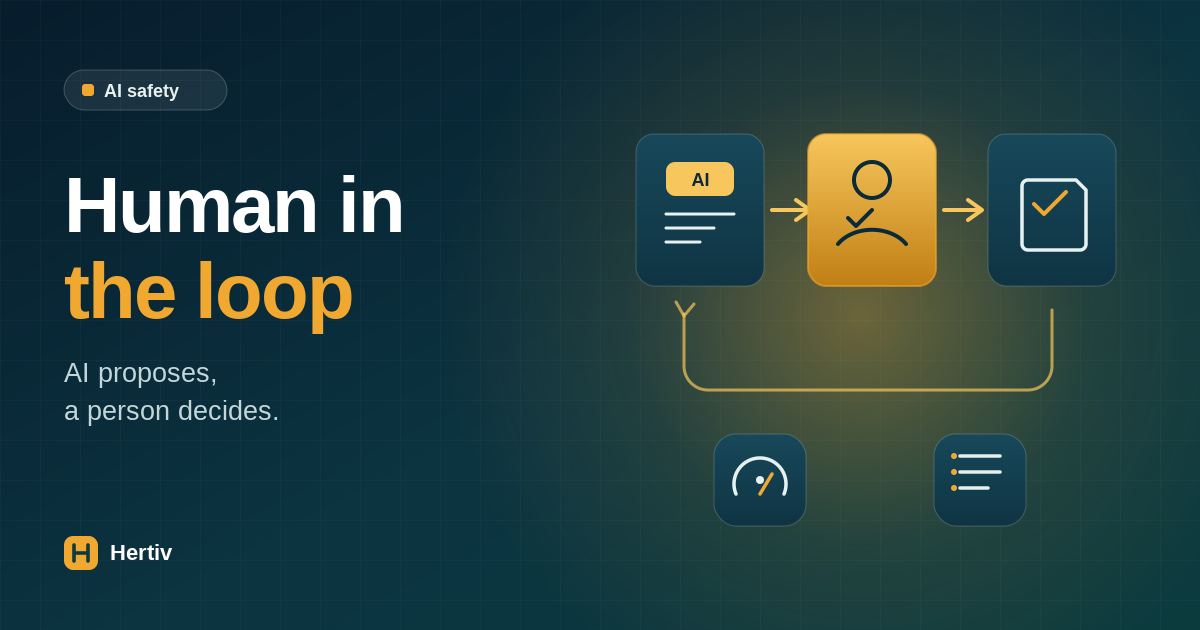
It differs from full automation, where the AI acts alone, and from a manual process, where the AI is not involved at all. Human in the loop sits between the two: the AI proposes, the human disposes.
Where do review points belong?
Review points belong where the cost of a mistake is high and the reviewer can actually judge the case. A loan refusal, a medical summary and a payment above a set limit all qualify. A routine status update does not.
| Decision | Who reviews | When | What they check |
|---|---|---|---|
| Loan or credit decision | Credit officer | Before the customer is told | Income, documents, policy fit |
| Medical or clinical note | Clinician | Before it enters the record | Facts, doses, omissions |
| Customer-facing message | Support lead | Before it is sent | Tone, facts, promises made |
| Payment or refund | Finance reviewer | Above a set amount | Amount, account, approval |
| Content publication | Editor | Before it goes live | Accuracy, brand, legal risk |
| Data deletion | Data owner | Always | Scope, backups, consent |
The table shows the shape of the decision, not a fixed rule. The right review point depends on your error cost, your volume and how much context a reviewer can absorb in a few minutes.
For the background concepts, what human in the loop means covers the definition and the related patterns, including human on the loop and RLHF.
How to implement human in the loop in six steps
Implement it as a workflow, not as a single feature. Each step below has an owner and a decision attached to it, so the loop is designed rather than improvised.
- List the decisions the AI will make and score each by error cost and volume.
- Decide which decisions need review and which can run automatically.
- Write the routing rules: confidence thresholds, risk flags and random samples.
- Build the review queue with the context a reviewer needs: the input, the AI's reasoning and the source data.
- Train reviewers and give them a clear way to change, reject or escalate a case.
- Measure the loop and tune it: review rate, overturn rate and time to decision.
Do the steps in order. Routing rules written before the decision list exists will be wrong, and a review queue built before reviewers are trained will sit unused.
How do you set review thresholds?
Thresholds decide which cases reach a person. The simplest design uses two: a confidence threshold below which every case is reviewed, and a risk rule that sends specific cases to review whatever the confidence, such as amounts above a limit or customers flagged as vulnerable.
Start strict and loosen slowly. A new loop should review more than you think it needs to, because early mistakes teach you where the AI is weak. As the overturn rate falls, you can raise the threshold and let more cases through automatically.
Always review a random sample of the cases the AI passes on its own. Without sampling, you have no way to know whether the automatic decisions are right, and silent errors can run for weeks.
Example (hypothetical): a loan-document review loop
Example (hypothetical): a lender processes 500 loan applications a day. The AI checks documents and drafts a decision for each one. Cases with low confidence or amounts above a set limit go to a human reviewer.
Suppose 20% of cases need review: 100 cases a day. If each review takes 5 minutes, the team needs about 8 hours and 20 minutes of review time a day, since 100 times 5 minutes is 500 minutes. Two reviewers working 4 hours and 10 minutes each cover it.
The remaining 400 cases are decided automatically, but 5% of them, 20 cases, are sampled for review anyway. That sample is what tells the team whether the automatic decisions stay correct as the model and the market change.
How do you measure whether the loop is working?
Three numbers tell you most of what you need: the review rate, the overturn rate and the time to decision. The review rate is the share of cases a person sees. The overturn rate is the share of reviewed cases the person changes. Time to decision is how long a case waits for review.
A falling overturn rate usually means the AI is improving or the routing rules are too strict. A rising one means the AI is struggling, or reviewers are finding new kinds of error. Either way, the numbers tell you where to look.
Also track reviewer load. If reviewers are rushed, quality drops and the loop becomes a rubber stamp. A queue that grows faster than reviewers can clear it is a design problem, not a staffing problem. Teams setting this up usually pair it with AI governance so the review rules have an owner.
What are the common mistakes?
The most common mistakes are reviewing everything, giving reviewers no context, and measuring speed instead of quality. Each one turns the loop into theatre: people are present, but nothing is really checked.
- Reviewing everything, so the queue grows and reviewers start approving without reading.
- Giving reviewers no context, so they cannot judge the case they are asked to approve.
- No random sample of automatic decisions, so silent errors go unnoticed.
- Measuring speed only, and rewarding reviewers for clearing the queue fast.
- Letting the AI learn from reviewer decisions without checking what it learned.
If you are building agents that need review before they act, AI agent development covers the guardrail patterns that fit around the loop.
Key takeaways
- Human in the loop means the AI proposes and a person decides before anything takes effect.
- Review points belong where the cost of a mistake is high and a reviewer can judge the case.
- Start strict, review a random sample of automatic decisions, and loosen thresholds slowly.
- A review queue needs context: the input, the AI's reasoning and the source data.
- Track review rate, overturn rate and time to decision, and watch reviewer load.
Frequently asked questions
What is human in the loop?
It is a design pattern where an AI system prepares a decision, a draft or an action, and a person reviews it before it takes effect. The AI does the fast, repetitive work, and the person keeps responsibility for the outcome.
When should you use human in the loop?
Use it wherever a wrong answer has a real cost: loan decisions, medical notes, payments, content that reaches customers, and any action that changes a record. Routine, low-risk work can usually run automatically.
How is human in the loop different from human on the loop?
In human in the loop, a person reviews each case before it takes effect. In human on the loop, the AI acts on its own and a person monitors the stream, stepping in only when something looks wrong.
How many cases should a human review?
It depends on error cost and volume. Start by reviewing everything above a risk threshold plus a random sample of automatic decisions, then loosen the rules as the overturn rate falls and trust in the system grows.
Can human in the loop slow a product down?
Yes, if the queue is badly designed. Keep reviews fast by showing reviewers only the context they need, routing simple cases automatically, and staffing the queue to match the volume the AI sends it.
Does human in the loop make AI safe?
No, it reduces one kind of risk. It does not fix bad data, biased training, weak security or unclear ownership. Treat the loop as one control among several, alongside testing, logging and access rules.


