How to Create a Payment Gateway That Merchants Trust
A payment gateway moves card payments from checkout to bank. Here is how its parts fit together, what to build first, and the security rules that apply.
On this page
Short answer
A payment gateway is software that takes a customer's card details at checkout, checks them with the card network and the issuing bank, and moves the money to the merchant's account. To create one, you need a licensed acquiring partner, a PCI DSS compliant platform, card processing, fraud checks and settlement reporting. Most teams start with one payment method and one market, then add more.
What is a payment gateway, and what does it do?
A payment gateway is software that takes a customer's card details at checkout, checks them with the card network and the issuing bank, and moves the money to the merchant's account. It sits between the shop and the banking system, and it handles the parts of a payment that a shop should never touch directly.
When a customer pays, the gateway encrypts the card details, asks the card network whether the payment can go ahead, and returns a simple yes or no to the shop. If the answer is yes, the gateway records the transaction and later settles the money into the merchant's bank account, minus the fees that were agreed.
| Part of the gateway | What it does | Why it matters |
|---|---|---|
| Checkout form | Collects card details in a secure frame | Card details never touch the shop's servers |
| Token vault | Swaps card numbers for safe tokens | Repeat payments work without storing cards |
| Fraud checks | Scores each payment for risk | Suspicious payments can be blocked or reviewed |
| Processor link | Talks to the card networks and banks | Authorises the payment in seconds |
| Settlement | Moves approved money to the merchant | Merchants get paid on a known schedule |
| Reports | Lists payments, refunds and fees | Finance teams can reconcile every day |
A gateway is not the same as a payment processor, though the two are often sold together. The processor moves the money through the banking system, while the gateway is the software layer that collects, checks and routes each payment. You can build a gateway and connect it to an existing processor, which is how most new gateways start.
What do you need before you build anything?
You need three things before writing code: a business case, a banking partner and a compliance plan. Without them, you can build a working demo that no merchant is allowed to use. The order matters, because the banking partner sets many of the rules your build must follow.
First, decide who the gateway is for. A gateway for one marketplace has a different shape from a gateway that serves hundreds of small shops. The first needs deep links into one platform, while the second needs simple onboarding, clear pricing and support for many shop systems.
- An acquiring bank or payment facilitator. Someone licensed must hold the merchant accounts and settle the money. This partner checks your business, sets your fees and approves your risk rules.
- A PCI DSS plan. Card data rules apply from the first test payment. Most new gateways use a hosted checkout frame and tokenisation so card numbers never reach their own servers.
- A target market and currency set. Each country adds rules, tax handling and payout timing. Starting with one market keeps the first version shippable.
- A team that covers payments, security and operations. A gateway is a live financial service, not a one-off build. Someone must watch it every day once merchants rely on it.
Talk to the acquiring partner early and ask for their integration guide and their list of required checks. Their answers shape the data you collect, the screens you build and the reports you must produce. Teams that skip this step often rebuild the checkout flow after the bank reviews it.
How do you create a payment gateway, step by step?
You create a payment gateway by working through seven steps, from the business setup to the first live payment. Each step has a clear output, and skipping one usually shows up later as a failed bank review or a broken payment.
- Define the scope. List the payment methods, currencies, countries and merchant types the first version must support. Write down what is out of scope so the build does not grow while you work.
- Sign the acquiring partner. Agree fees, settlement timing, chargeback rules and the risk limits the bank expects you to enforce. Get the integration guide in writing.
- Design the payment flow. Map each step from checkout to settlement, including refunds, failed payments and chargebacks. Decide where fraud checks run and who sees what.
- Build the core. Start with the checkout frame, token vault, processor link and settlement reporting. Add fraud rules and merchant dashboards only after the core path works end to end.
- Pass the security review. Complete the PCI DSS self-assessment or audit that matches your setup, and fix every finding before going live. Keep the evidence, because the bank will ask for it again.
- Test with real cards in a sandbox. Run successful payments, declined cards, expired cards, refunds and chargebacks. Test slow networks and duplicate clicks, which are the cases that break real checkouts.
- Launch with one merchant. Watch the first live payments closely, check settlement against the bank statement, and fix issues before adding more merchants.
The step teams underestimate is the merchant dashboard. Merchants need to see payments, search by order, issue refunds and download reports. A gateway with a weak dashboard creates support tickets from day one, even when payments work fine.
What does a payment look like inside the gateway?
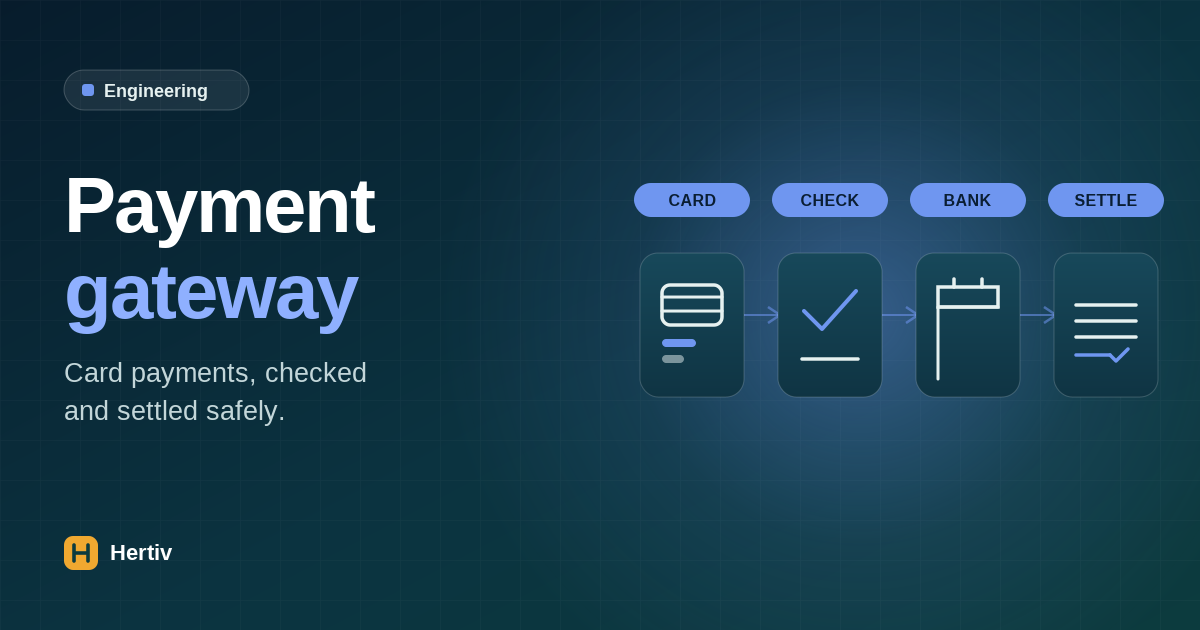
A payment moves through five stages inside the gateway, and each stage has a job to do. Understanding the stages helps you find where a failed payment went wrong, which is the most common support question a gateway team faces.
| Stage | What happens | What can go wrong |
|---|---|---|
| Collect | The checkout frame takes the card details | Typing errors and expired cards |
| Tokenise | The card number becomes a safe token | Token vault downtime blocks repeat payments |
| Check | Fraud rules score the payment | Good payments flagged by strict rules |
| Authorise | The bank approves or declines | Insufficient funds or bank-side blocks |
| Settle | Money moves to the merchant account | Bank holidays delay the payout |
Authorisation and settlement are separate events, and the gap between them matters. A payment can be authorised on Monday and settled on Wednesday, so the merchant's balance does not change at the moment the customer pays. Your reports must show both events, or finance teams will think money is missing.
Refunds follow the same path in reverse. The merchant starts a refund in the dashboard, the gateway asks the processor to return the money, and the customer's bank shows it within a few working days. Refund timing depends on the card network and the issuing bank, not on your gateway, so set merchant expectations early.
Example (hypothetical): a marketplace builds a gateway
Example (hypothetical): a marketplace for handmade goods processes 2,000 orders a day at an average order value of $40, which is $80,000 in daily volume. It pays its processor 2.5% plus $0.30 per transaction, so the daily processing cost is $2,000 in percentage fees plus $600 in per-transaction fees, or $2,600 a day.
The marketplace charges its sellers a 3% service fee, which brings in $2,400 a day on the same volume. That leaves a gap of $200 a day against processing costs, before support and running costs. The team sees the problem before launch and raises the seller fee to 3.5%, which brings in $2,800 a day and leaves $200 a day to cover running costs.
The team also sets a fraud rule that holds payments over $500 for manual review. About 40 orders a day cross that line, and a reviewer clears each one in about 3 minutes, which is 2 hours of review work a day. That cost is small next to the chargebacks the rule prevents, and the team plans one part-time reviewer from the start.
The lesson is to model the money before building. A gateway that loses a little on every payment will not fix itself at higher volume, because the loss grows with volume too. Work out the fee maths on paper first, then decide the pricing.
What security and compliance rules apply?
Security and compliance shape every part of a gateway, because card data is one of the most targeted kinds of data on the internet. The main rule set is PCI DSS, which covers how card data is stored, moved and protected. The level of audit you need depends on how much card data touches your systems.
The simplest path is to keep card data out of your systems entirely. A hosted checkout frame from your processor collects the card details, and your servers only ever see a token. That choice cuts the scope of your PCI DSS work from a full audit to a shorter self-assessment, and it removes the worst risk: a breach of stored card numbers.
- Tokenisation. Store tokens, not card numbers, so a database leak does not expose payment details.
- 3-D Secure. Add the card network's extra check for high-risk payments, which also shifts some fraud liability to the bank.
- Encryption in transit and at rest. Use current TLS for every connection and encrypt stored tokens and logs.
- Access control. Only named staff should reach production payment data, with short-lived access and a full log of who looked at what.
- Fraud monitoring. Watch for unusual patterns, such as many small payments from one card, and act on them the same day.
Rules differ by country, so check the local requirements for the markets you serve. Some countries add data residency rules, some add extra reporting, and some require a local licence for holding merchant funds. A crypto payment gateway follows a different rule set again, so do not copy its compliance plan for a card gateway.
What are the common mistakes?
The most common mistakes in gateway projects are pricing errors, weak fraud rules and a checkout that was never tested with real cards. Each one is cheap to avoid at the planning stage and expensive to fix after merchants are live.
- Pricing below cost. A fee that looks competitive can lose money on small orders once the per-transaction fee is added. Model the maths for your smallest order, not your average one.
- Treating fraud as a later feature. Fraud arrives on day one. Basic velocity checks and amount limits should ship in the first version.
- Skipping the bank review. Building the whole gateway before the acquiring bank sees it often means rebuilding the checkout and the reports.
- No plan for failed payments. Customers need a clear message when a card is declined, and merchants need to see why. A silent failure loses the sale and the customer.
- Forgetting chargebacks. Disputes need a workflow, evidence and deadlines. A gateway without one leaves merchants to handle disputes alone.
Start small, watch the first live payments closely, and add payment methods one at a time. A gateway that handles one method well earns merchant trust faster than a gateway that handles five methods badly.
For a sense of what the build costs, read how much it costs to develop a payment gateway.
Compare the card route with what a crypto payment gateway is before you commit to a design.
Key takeaways
- A gateway collects, checks and routes each payment between the shop and the banking system
- An acquiring partner and a PCI DSS plan come before any code is written
- Authorisation and settlement are separate events, and reports must show both
- Tokenisation keeps card numbers out of your own systems and cuts compliance scope
- Model the fee maths on your smallest order before you set your pricing
Frequently asked questions
What is the difference between a payment gateway and a payment processor?
A processor moves money through the banking system, while a gateway is the software that collects, checks and routes each payment. Many providers sell both together, but you can build a gateway and connect it to an existing processor, which is how most new gateways start.
How long does it take to build a payment gateway?
A basic gateway with one payment method and one market usually takes four to nine months, including the bank review and security checks. The banking and compliance steps often take longer than the coding, so start those conversations before the build begins.
Do I need a licence to run a payment gateway?
It depends on the country and on whether you hold merchant funds. In most markets you work under a licensed acquiring bank or payment facilitator instead of holding your own licence, but you should confirm the rules for each market with a payments lawyer.
What is PCI DSS, and does it apply to my gateway?
PCI DSS is the security standard for handling card data, and it applies from the first test payment. Using a hosted checkout frame and tokenisation keeps card numbers out of your systems, which usually means a shorter self-assessment instead of a full audit.
How do gateways handle refunds and chargebacks?
Refunds go back through the same processor link, and the money usually reaches the customer within a few working days. Chargebacks are disputes raised by the cardholder's bank, and your gateway needs a workflow to collect evidence and meet the response deadline.
How much does it cost to run a payment gateway?
Running costs include processor fees, hosting, security audits, fraud tools and support staff. Processor fees are the largest share and depend on volume and card mix, so model them against your smallest order before you set merchant pricing.


