How to Build an MCP Server: A Practical Guide
An MCP server gives an AI application safe, controlled access to your tools and data. Here is how to design, build, test and ship one.
On this page
Short answer
An MCP server is a small program that exposes tools, data and prompts to an AI application through the Model Context Protocol, so the model can call real functions instead of only answering from its training data. You define what the model may call, add a transport, test each tool, then deploy the server behind authentication.
What is an MCP server?
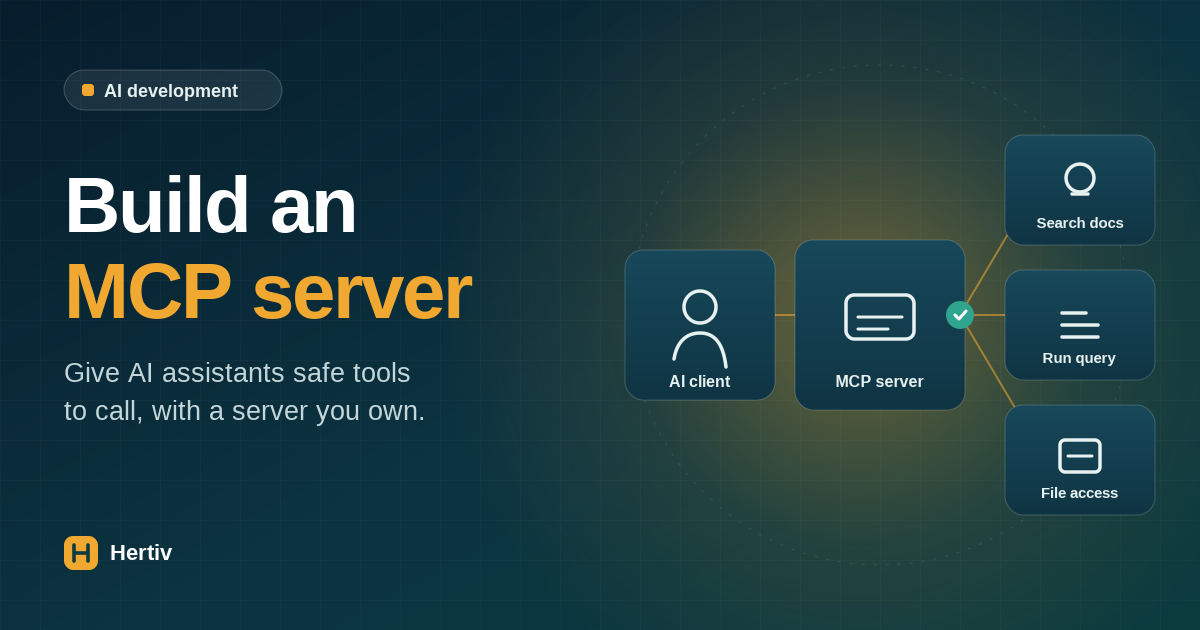
An MCP server is a small program that exposes tools, data and prompts to an AI application through the Model Context Protocol, so the model can act on real systems instead of only answering from its training data. The protocol defines how a client, such as a chat application or an agent, asks the server what it can do and then calls those capabilities.
The server does not run the model. It sits beside the systems you already have, such as a database, a file store or an internal API, and offers a controlled set of operations. Each operation has a name, a description and a typed input, so the model knows what it is calling and what it must supply.
Three ideas carry the design:
- Tools. Functions the model can call, such as searching records or creating a ticket.
- Resources. Read-only data the model can fetch, such as a document or a report.
- Prompts. Reusable templates that set up a task, such as drafting a weekly summary.
If you only need to explain the idea first, what an MCP server is covers when one makes sense and when a plain API call is enough.
What can an MCP server expose?
An MCP server can expose tools, resources and prompts, and the right mix depends on whether the model needs to read, act or follow a fixed workflow. Keep the surface small at first; every capability you add is another thing to secure, test and maintain.
| Capability | What it does | When to use it |
|---|---|---|
| Tools | Run a function with typed inputs | The model must change something or query live data |
| Resources | Serve read-only content by address | The model needs documents, reports or records |
| Prompts | Offer a reusable task template | The same workflow runs often, such as a weekly review |
| Sampling | Let the server ask the model back | The server needs the model to judge or summarise |
Start with tools and resources. Prompts help once the same task repeats, and sampling is rarely needed in a first version. A server that does one job well is easier to trust than one that tries to cover everything.
Which language and SDK should you use?
You should use the language your team already runs in production, because the official MCP software development kits cover the main choices and the server logic is mostly ordinary code. The SDK handles the protocol, the transport and the message format, so you write the tools.
Python is a common pick when the tools wrap data work or an existing Python service, and the FastMCP library keeps the setup short. TypeScript is a good pick when the server sits next to a Node service or a web product. Other languages have community SDKs, but check that they are still maintained before you commit.
Whichever you choose, keep the server as a separate small service with its own tests and its own credentials. It should not share a database login with your main application, and it should not run with admin rights.
How to build your first MCP server
You build your first MCP server by defining one or two tools, wiring them to a transport, testing them with a client, and only then adding authentication and deployment. A working server with a single tool teaches you more than a plan for twenty tools.
- Pick one job. Choose a read-only task first, such as searching support tickets, so a mistake cannot change data.
- Define the tools. Give each tool a clear name, a plain description and typed inputs, with required fields marked.
- Write the handlers. Each handler validates its inputs, calls your system, and returns structured results or a clear error.
- Choose a transport. Use standard input and output for a local client, or HTTP with streaming for a remote client.
- Test with a real client. Connect an MCP client and call every tool, including bad inputs and empty results.
- Add authentication and logging. Require a token, log every call, and deploy the server as its own service.
Keep the tool descriptions precise. The model reads them to decide when to call a tool, so a vague description produces vague behaviour. If you are comparing approaches first, MCP vs API explains when a server adds value over a direct API call.
How do you test an MCP server?
You test an MCP server by calling every tool from a real client, checking the results against known data, and trying the inputs that should fail. A server that only works with perfect inputs will fail the first time a model sends a partial date or a misspelled name.
Useful checks include:
- The inspector. The MCP Inspector tool lists your tools and lets you call them by hand during development.
- Known answers. Keep a small set of inputs with expected outputs, such as five search terms with known results.
- Bad inputs. Send missing fields, wrong types and empty strings, and confirm the server returns a clear error.
- Permissions. Call each tool with a token that lacks access and confirm it is refused.
- Load. Call the slowest tool repeatedly and confirm it stays within the timeout your client allows.
Log every call with its inputs, duration and outcome. Those logs are what you will read when a user reports a wrong answer, and they are also the evidence you need before opening the server to more users.
Example (hypothetical): a read-only inventory server
Example (hypothetical): a parts distributor wants its support team to answer stock questions without opening the warehouse system. The team builds an MCP server with one tool, search_stock, which takes a part name and returns matching items with quantities.
The warehouse holds 120 parts. The tool returns 40 items per call, so a full list needs 3 calls. Each call takes about 200 milliseconds, so the whole list arrives in about 600 milliseconds. A support agent doing the same lookup by hand spends about 5 minutes per part, which is 600 minutes, or 10 hours, for the full list.
The server is read-only, so a bad call cannot change stock levels. After two weeks of testing with five real support questions a day, the team adds a second tool for reserving parts, with a human approval step before the reservation is made. For teams planning this kind of build, MCP server development covers the security and deployment patterns in more depth.
What are the common mistakes?
The most common MCP server mistakes are exposing too much, writing vague tool descriptions, and shipping without authentication or logging. Each one turns a useful server into a risk.
- Too many tools. A server with thirty tools is hard to test and hard for a model to choose between. Start with one to three.
- Vague descriptions. If the description does not say what the tool returns, the model will guess, and the guess will be wrong.
- Write access too early. Give the first version read-only tools, and add writes only after the read path is tested.
- No authentication. A server without a token check is open to anyone who finds its address.
- No logging. Without call logs you cannot debug a wrong answer or prove what the server did.
- Shared credentials. The server should have its own scoped login, not the main application's admin account.
Key takeaways
- An MCP server exposes tools, resources and prompts through a standard protocol
- Start with one or two read-only tools and add writes only after testing
- Precise tool descriptions decide whether the model calls the right tool
- Test with a real client, including bad inputs and missing permissions
- Authentication, scoped credentials and call logs are not optional
Frequently asked questions
Do I need an MCP server, or is an API enough?
An API is enough when one application calls a fixed set of functions. An MCP server helps when an AI model needs to discover what it can do and choose between tools at run time. If the client is a chat application or an agent that works across many tasks, the protocol saves you from hard-coding every call.
Which transport should I use for an MCP server?
Use standard input and output for a server that runs next to a local client, such as a desktop application. Use HTTP with streaming for a server that clients reach over a network. The tool code stays the same either way, so you can start local and move to HTTP when you need remote access.
How do I secure an MCP server?
Require a token for every call, give the server its own scoped credentials, and log each call with its inputs and outcome. Keep write tools behind approval or a separate permission, and never let the server run with admin rights. Review the logs regularly, since they show how the model actually uses your tools.
Can an MCP server call my existing API?
Yes. Most MCP servers are thin wrappers around systems that already exist. The handler validates the model's inputs, calls your API or database, and returns structured results. Keep the wrapper small and put the real logic in your existing service, so the server stays easy to test and replace.
How long does it take to build a first MCP server?
A first server with one or two read-only tools usually takes a few days of focused work, including testing with a real client. Adding authentication, logging and deployment takes longer than the tools themselves. Plan for a second round of work after real users try it, since the first feedback usually changes the tool descriptions.
What is the difference between MCP tools and MCP resources?
Tools run a function and can change things, such as searching records or creating a ticket. Resources serve read-only content by address, such as a document or a report. Use resources when the model only needs to read, and tools when it needs to act or query with parameters.


