How to Build a Machine Learning App That Ships
A machine learning app wraps a trained model in an interface, a database and clear fallbacks, so it keeps working when the model is slow or wrong.
On this page
Short answer
A machine learning app is software that uses a trained model to make predictions as part of its normal work, such as sorting tickets or recommending products. You build one by proving the model works on real data, wrapping it in an API, adding an interface with human review for uncertain predictions, and monitoring quality after launch.
What is a machine learning app?
A machine learning app is software that uses a trained model to make predictions or decisions as part of its normal work, such as sorting support tickets, recommending products, flagging fraud or transcribing speech. The model is one component inside the app, alongside the interface, the database and the business logic that decides what to do with each prediction.
That distinction matters. A demo that runs a model on a laptop is not an app; an app takes real user input, calls the model, handles errors, stores results and keeps working when the model is slow or wrong. The model is often the smallest part of the code, and the data, monitoring and fallback behaviour around it are what make the app usable.
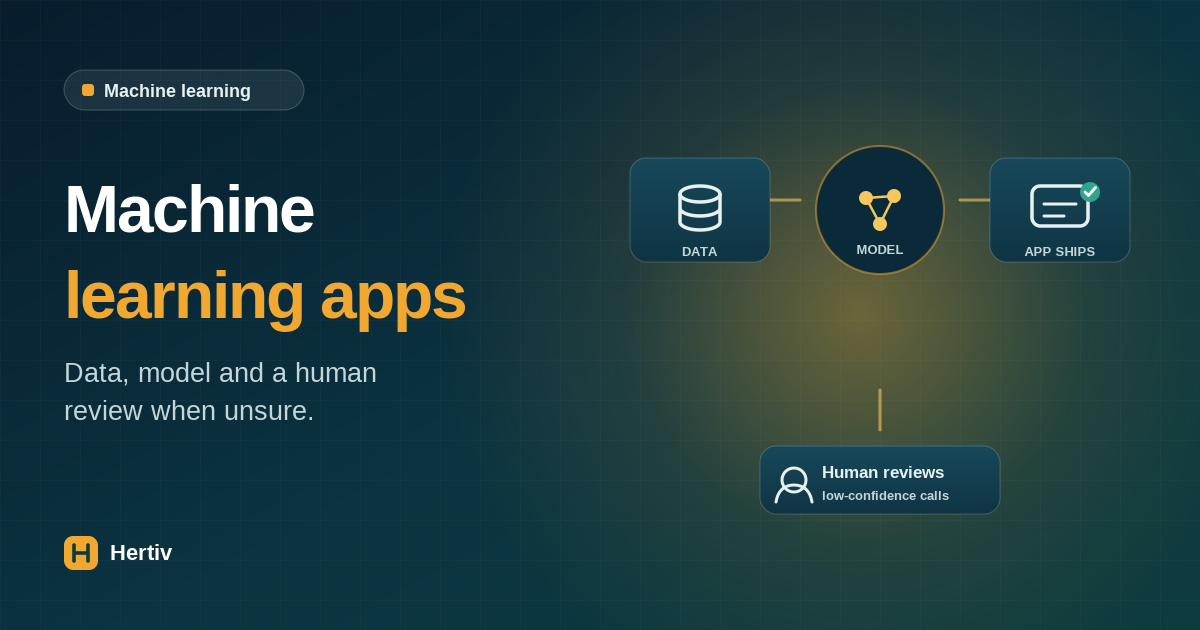
Most machine learning apps follow the same shape: the user or another system sends input, the app prepares the input, the model produces a prediction with a confidence score, and the app acts on it, either automatically or by showing it to a human for review. Machine learning development covers the modelling work in more depth.
How is an ML app different from a normal app?
An ML app differs from a normal app because its behaviour comes from data and a trained model, not only from rules written by a developer. That changes how you test it, how you ship it, and what breaks in production.
| Part | Normal app | Machine learning app |
|---|---|---|
| Behaviour | Fixed rules written in code | Rules learned from data, plus code around them |
| Testing | Unit tests with known outputs | Unit tests plus accuracy on held-out data |
| Failures | Crashes and bugs | Crashes, bugs and silent wrong predictions |
| Updates | Deploy new code | Deploy new code, new model or new data |
| Monitoring | Uptime, errors and latency | Uptime, errors, latency and prediction quality |
| Data | Input to store and show | Input, training material and feedback to learn from |
The practical consequence is that an ML app needs two pipelines: one for code and one for the model. The code pipeline tests and ships the app, while the model pipeline retrains, evaluates and versions the model. Teams that merge them into one pipeline usually find that a model change breaks the app in ways the code tests never catch.
What data do you need, and how do you prepare it?
You need labelled examples of the decision the app will make, in enough quantity and variety to cover the cases users will actually send. For a ticket-sorting app, that means past tickets labelled with the right category; for a recommendation app, it means records of what users viewed, bought or skipped.
Data preparation usually takes more time than modelling. Common steps include removing duplicates, fixing wrong labels, handling missing values, and splitting the data into training, validation and test sets that do not overlap. The test set must stay untouched until the model is final, or the accuracy number you report will be optimistic.
Two rules prevent most data mistakes. First, the training data should look like the live data: if users will send short, messy text, train on short, messy text, not on clean examples. Second, never let information from the future leak into training, such as a label that was only known after the event the model is supposed to predict.
How do you choose the right model?
You choose the model by starting with the simplest approach that could work, measuring it, and only then trying something fancier. A simple model that is easy to explain and fast to run beats a complex model that is slightly more accurate but slow and hard to debug.
For most first apps, the choice is between a small trained classifier, a hosted API, or a prompt-based approach with a large language model. A trained classifier fits when you have labelled data and a fixed set of outputs, such as categories. A hosted API fits when the job is generic, such as transcription or translation. A prompt-based approach fits when the output is open-ended text and you have little labelled data.
Cost and latency decide as much as accuracy. A model that costs ten times more per request or takes five seconds to answer changes the product, whatever its accuracy. Measure accuracy, cost per request and response time together, and pick the option that meets all three, not only the first. An AI proof of concept is a cheap way to test these trade-offs before committing to a build.
How to build a machine learning app, step by step
You build a machine learning app by proving the model works on real data first, then wrapping it in an app with clear fallbacks, and only then adding polish. The steps below keep the riskiest work early, when it is still cheap to change direction.
- Define the decision in one sentence. State what the model decides, what input it gets, and what the app does with each output.
- Gather and label the data. Collect real examples, label a sample by hand, and check that the labels are consistent.
- Build a baseline model. Train the simplest model that could work and measure it on held-out data.
- Set the quality bar. Agree the accuracy, cost and latency the app needs, and what happens when the model is unsure.
- Wrap it in an API. Put the model behind a small service with input validation, timeouts and error handling.
- Build the app around it. Add the interface, the database and the workflow, with a human review step for low-confidence predictions.
- Test end to end. Run real user journeys, not only model tests, and check the app behaves well when the model is wrong.
- Ship, monitor and retrain. Log predictions and outcomes, watch for drift, and retrain on a schedule.
The human review step deserves emphasis. For most first apps, routing low-confidence predictions to a person is the difference between a useful tool and a source of mistakes. How to build an AI app covers the app-side planning in more detail.
Example: a support-ticket triage app
Example (hypothetical): a software company receives 500 support tickets a day and wants an app that sorts them into billing, technical and account categories, and drafts a first reply for the agent. A support agent takes about 8 minutes to read and sort a ticket by hand.
Sorting all 500 tickets by hand takes 500 times 8 minutes, which is 4,000 minutes, or about 66 hours and 40 minutes of agent time per day. The team trains a classifier on 5,000 labelled tickets and tests it on a held-out set, where it sorts 85 out of 100 tickets correctly.
With the app live, the model sorts 300 tickets with high confidence, and the remaining 200 go to agents for review. Agents now spend 200 times 8 minutes, which is 1,600 minutes, or 26 hours and 40 minutes per day, saving about 40 hours a day. The team reviews the 200 uncertain tickets each week and adds the corrected labels to the next training set, so the model improves from real feedback.
What are the common mistakes?
The most common mistakes are starting with the model instead of the decision, skipping the human review step, and shipping without monitoring prediction quality. Each of these is cheap to avoid early and expensive to fix after launch.
- Starting with the model. Choosing a model before defining the decision leads to an app that is impressive in a demo and useless in production.
- Training on clean data. Models trained on tidy examples fail on the messy input real users send.
- No confidence threshold. Acting on every prediction, however unsure, turns model errors into product errors.
- No fallback. When the model is down or slow, the app should degrade gracefully, not show a blank screen.
- Testing only the model. Accuracy on a test set says nothing about the app's interface, speed or error handling.
- Never retraining. Data changes over time, so a model that is never retrained quietly gets worse.
Machine learning apps also need clear ownership of the model and its data, which is where machine learning development and your data team should be involved from the start.
Key takeaways
- A machine learning app is a model plus the interface, database and fallbacks around it
- Start with the simplest model that could work and measure it before trying anything fancier
- Training data must look like live data, and the test set must stay untouched until the end
- Route low-confidence predictions to a human instead of acting on every guess
- Monitor prediction quality, not only uptime, and retrain on a schedule
Frequently asked questions
How is a machine learning app different from an AI app?
The terms overlap. An AI app is the broader term and can include rule-based features, chatbots and language models. A machine learning app is one that relies on a model trained from data to make predictions, such as classification or recommendations.
Do I need a data scientist to build a machine learning app?
It helps, especially for the data and evaluation work, but a small team can start with a hosted API or a simple classifier. The key skills are defining the decision clearly, preparing good data, and testing honestly, which a developer and a domain expert can do together.
How much data do I need to build a machine learning app?
It depends on the task. A classifier with a few categories can start with a few thousand labelled examples, while open-ended text tasks need far more. More important than volume is variety: the data must cover the cases users will actually send.
Should the model run in the app or on a server?
Most first apps call a model on a server through an API, which keeps the app light and lets you update the model without shipping a new app. On-device models fit offline use and privacy-sensitive cases, but they are harder to update and monitor.
What happens when the model is wrong?
The app should handle it gracefully: route low-confidence predictions to a human, show the user a clear message, and log the case so it can be labelled and added to the next training set. Silent wrong predictions are the worst failure mode for a machine learning app.
How often should I retrain the model?
Retrain when the data changes or when monitored accuracy drops, not on a fixed calendar alone. Many teams retrain monthly or quarterly, and sooner if a new product, market or user behaviour changes what the model sees.


